Shadcn Application Blocks
Build product UI with 785 Application blocks for shadcn/ui. Dashboards, data tables, settings, auth, billing, and onboarding, ready to wire to your data.
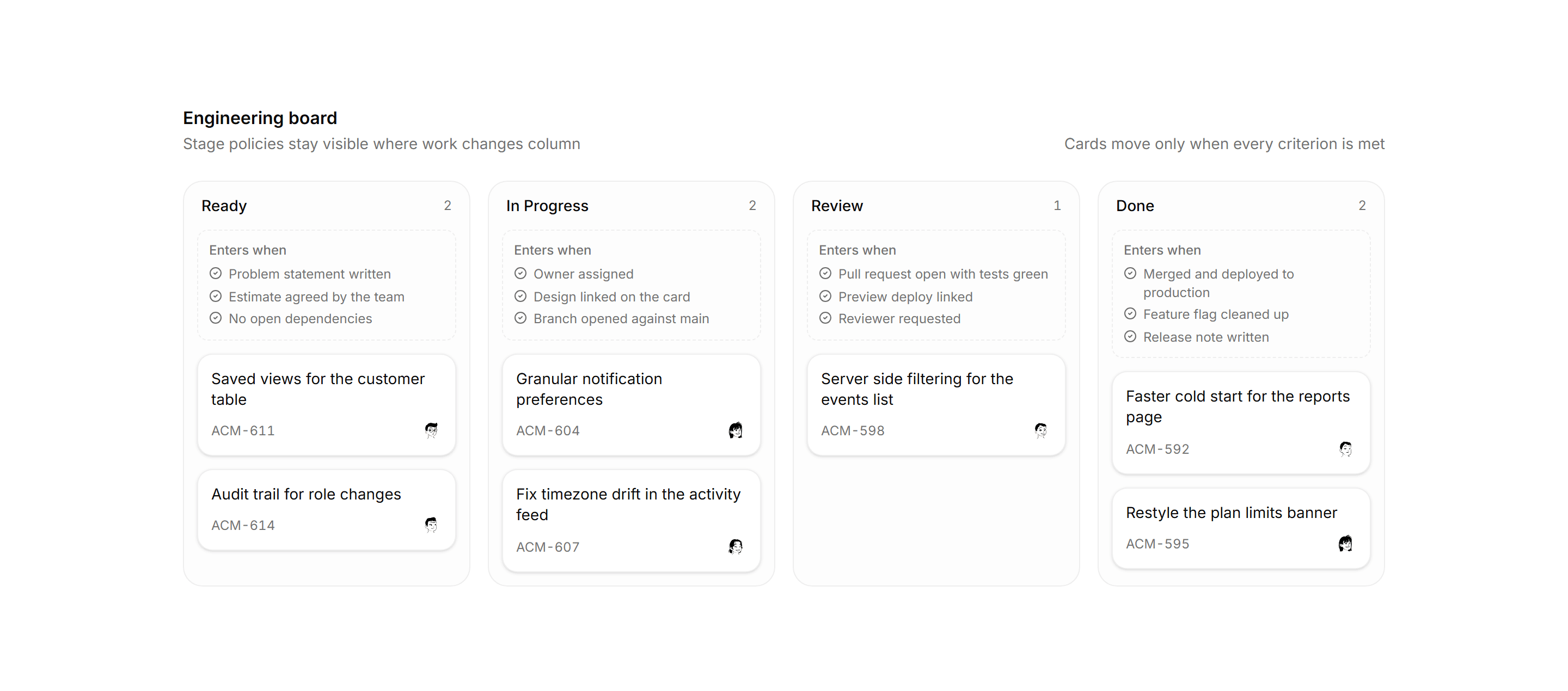
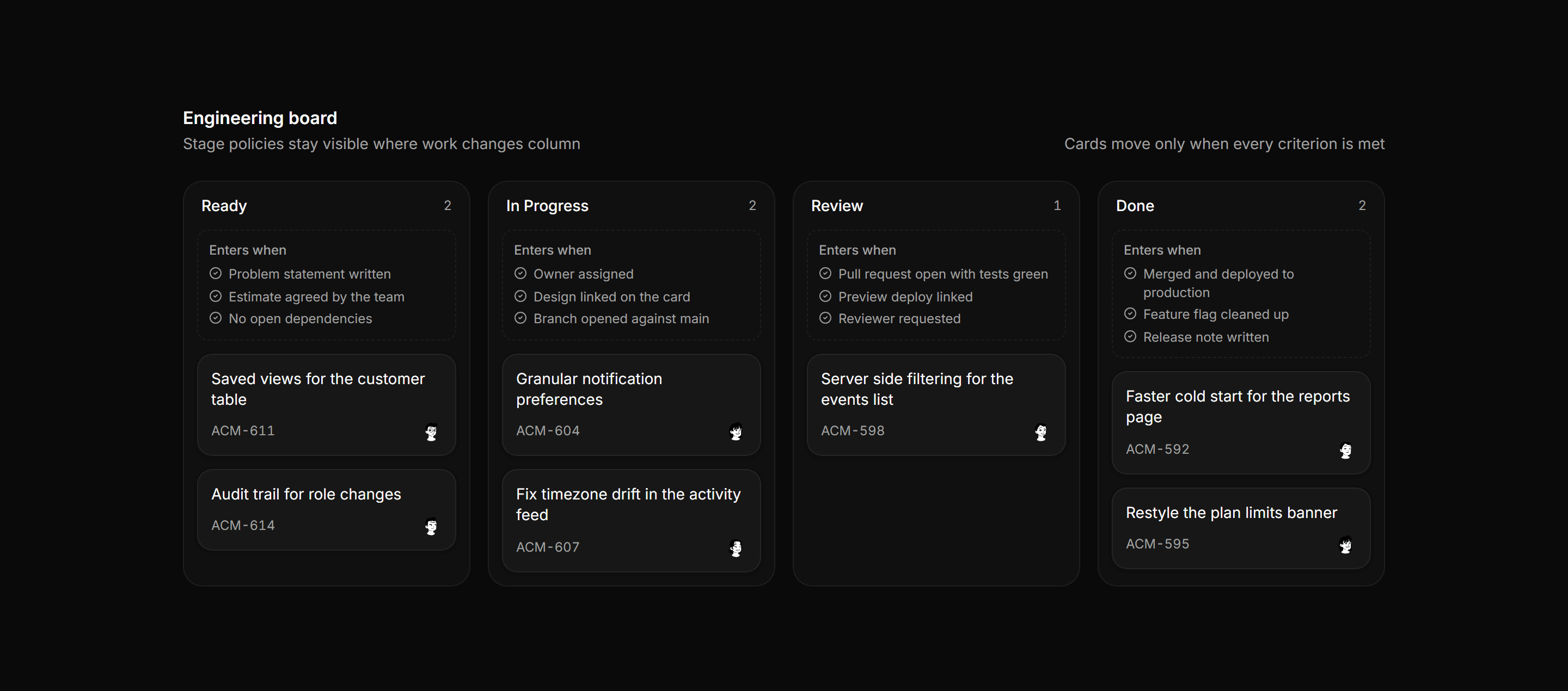
Application Kanban and Board: Column Policy Board
Kanban board where every column carries a dashed entry policy panel listing the criteria a card must meet before it can move into that stage.
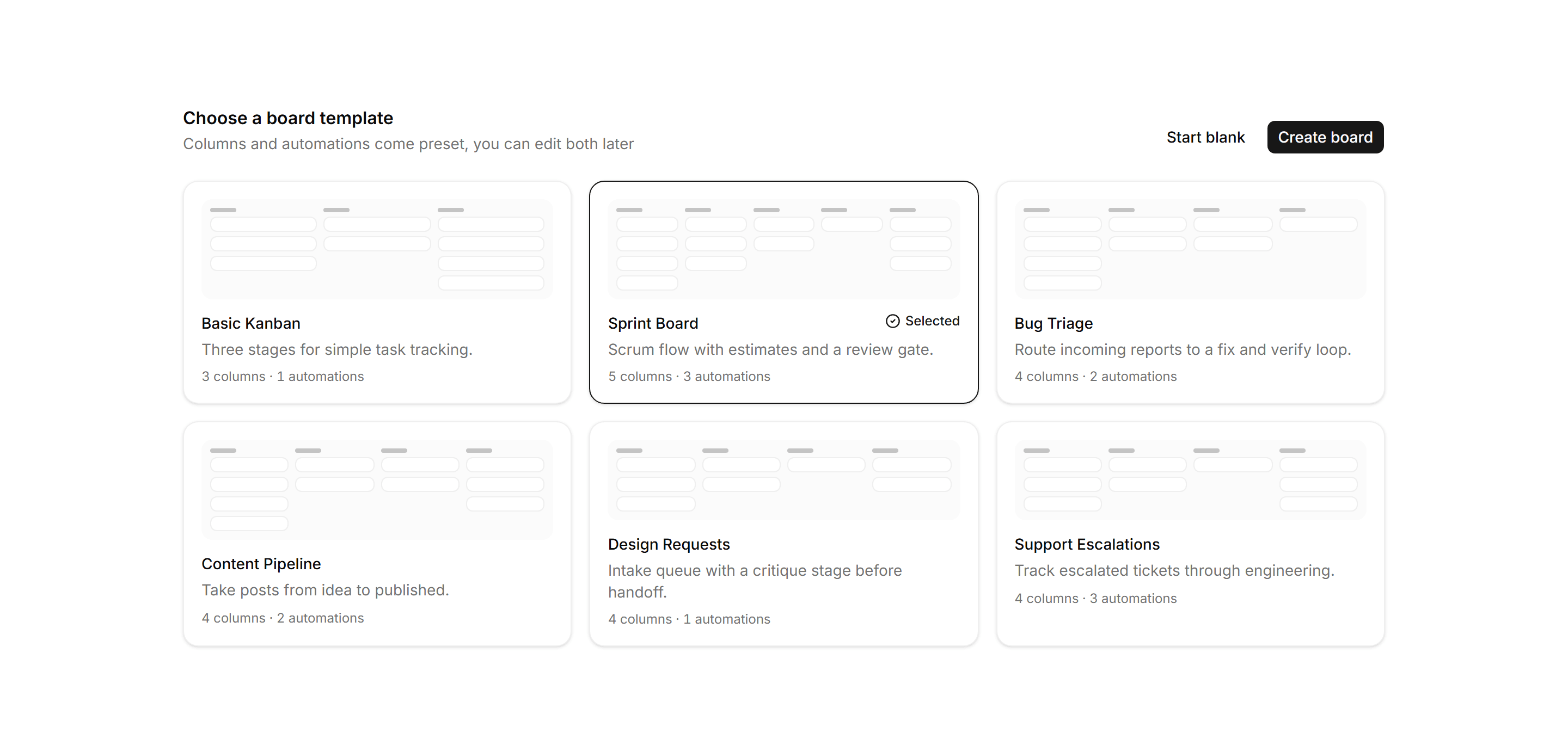
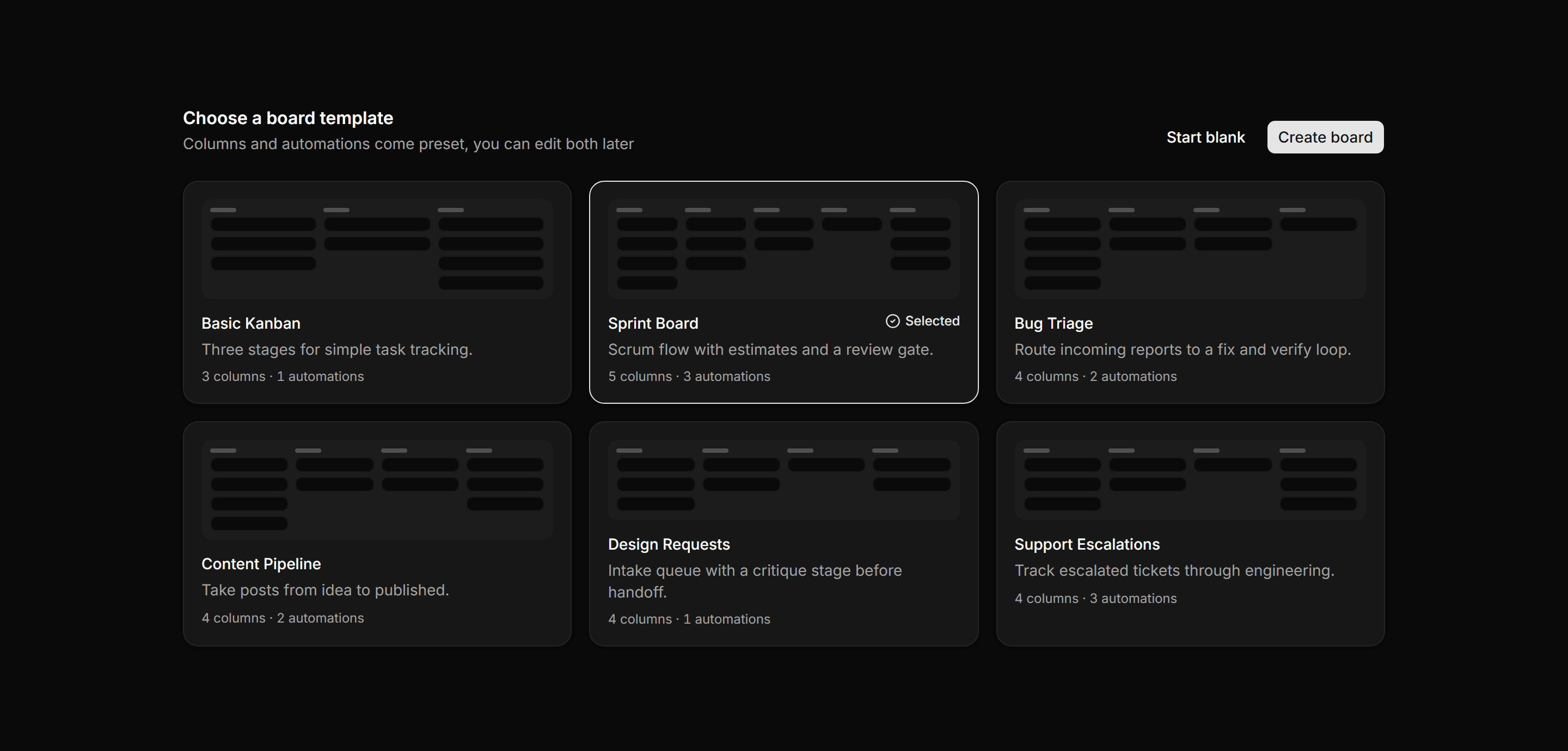
Application Kanban and Board: Board Template Picker
Board creation grid of workflow templates, each with a mini column mockup, a description, and a columns and automations meta line; one is selected.
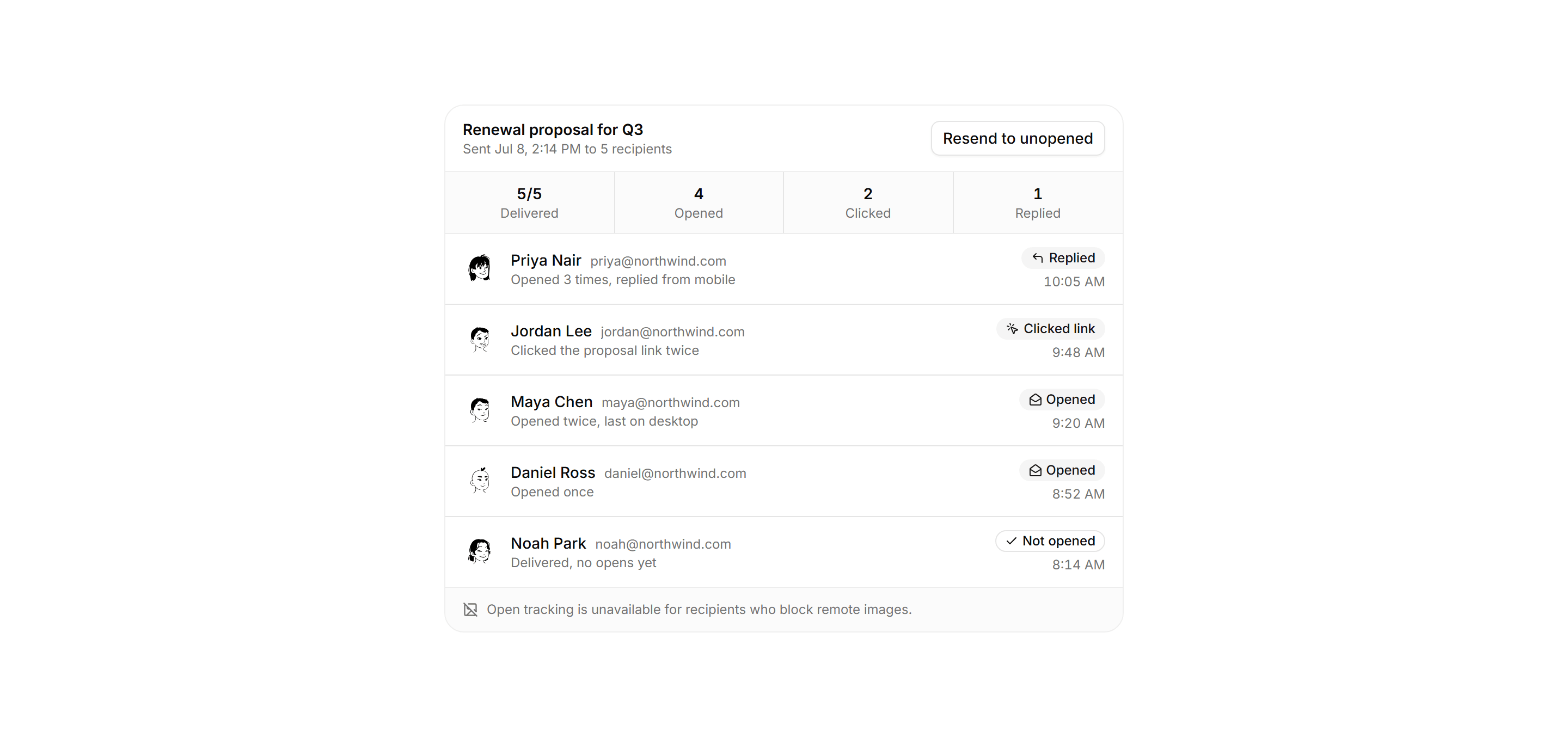
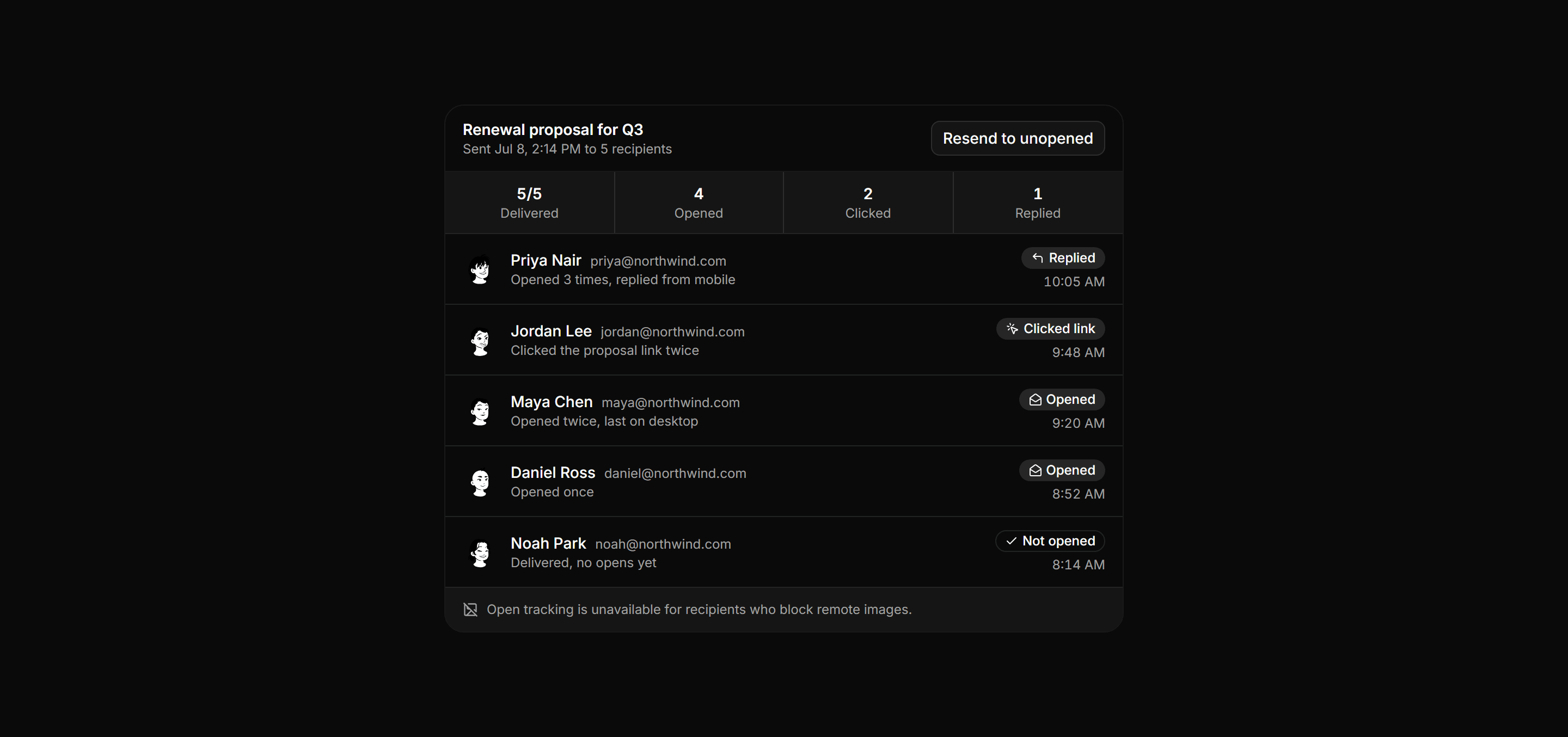
Application Inbox and Email: Delivery Status
Sent message tracking pane with an engagement summary and recipient rows pairing each status badge with a last activity detail line.
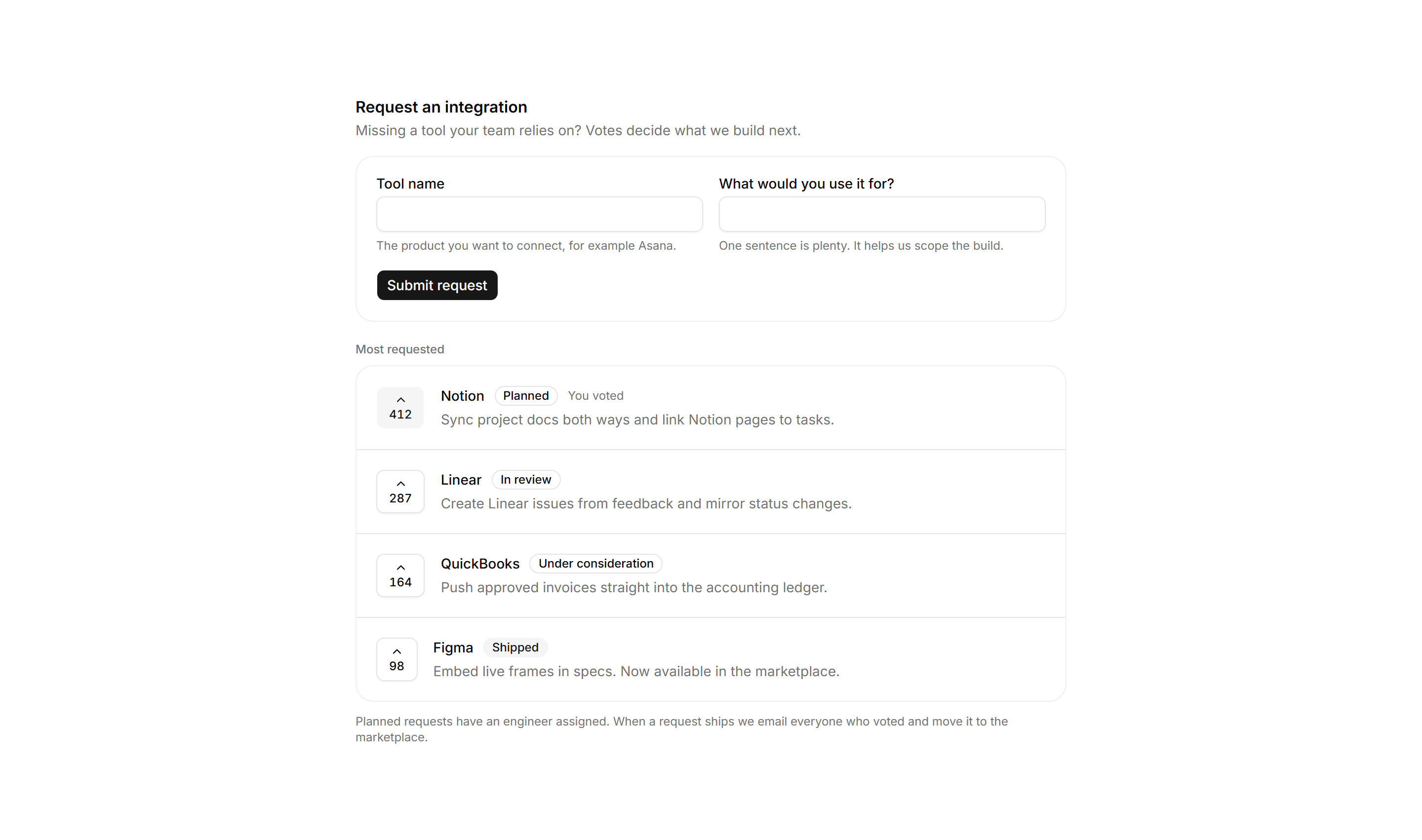
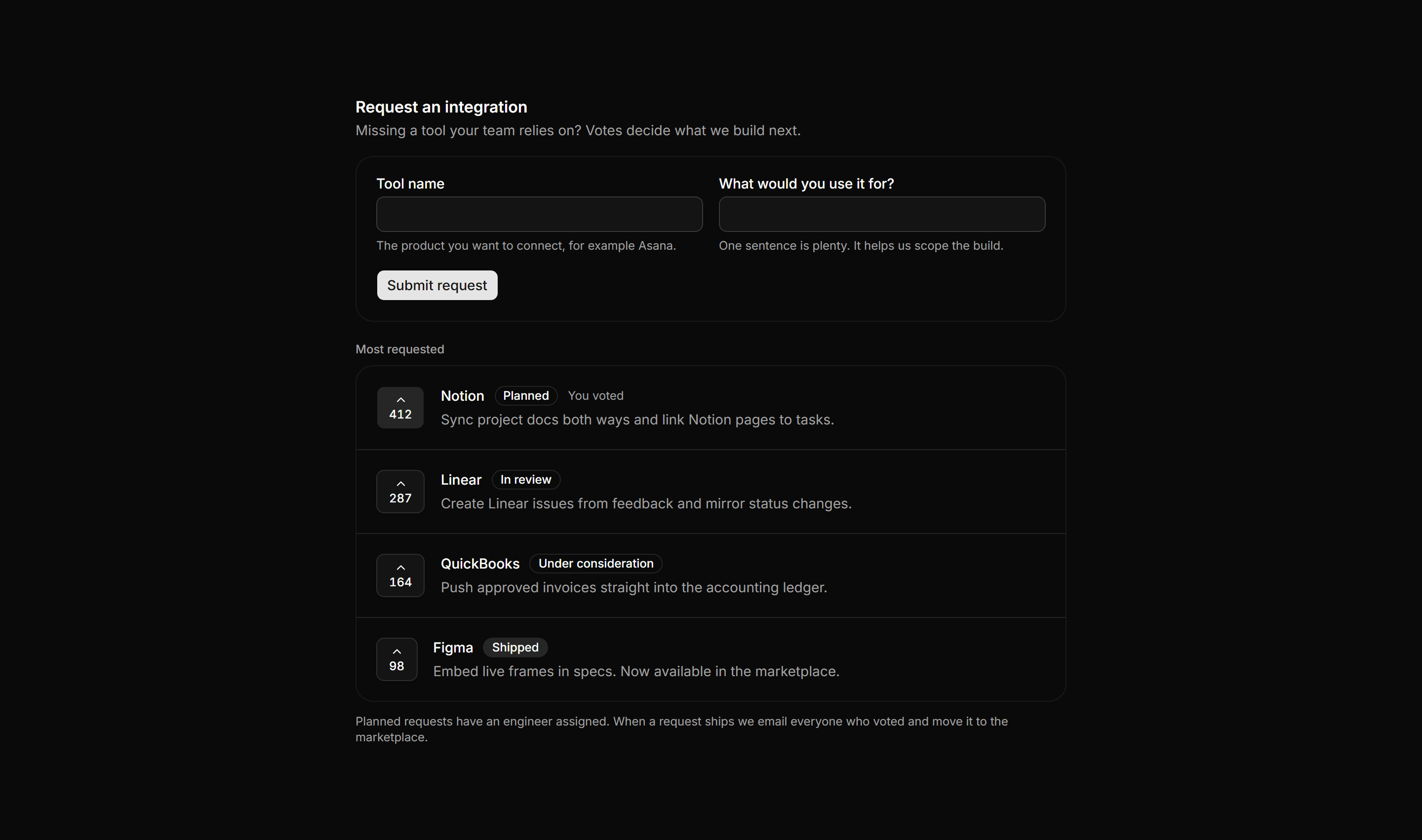
Application Integration: Integration Request Board
Request board for missing integrations with a submission form, then top requested tools ranked by votes with upvote buttons and roadmap status badges.
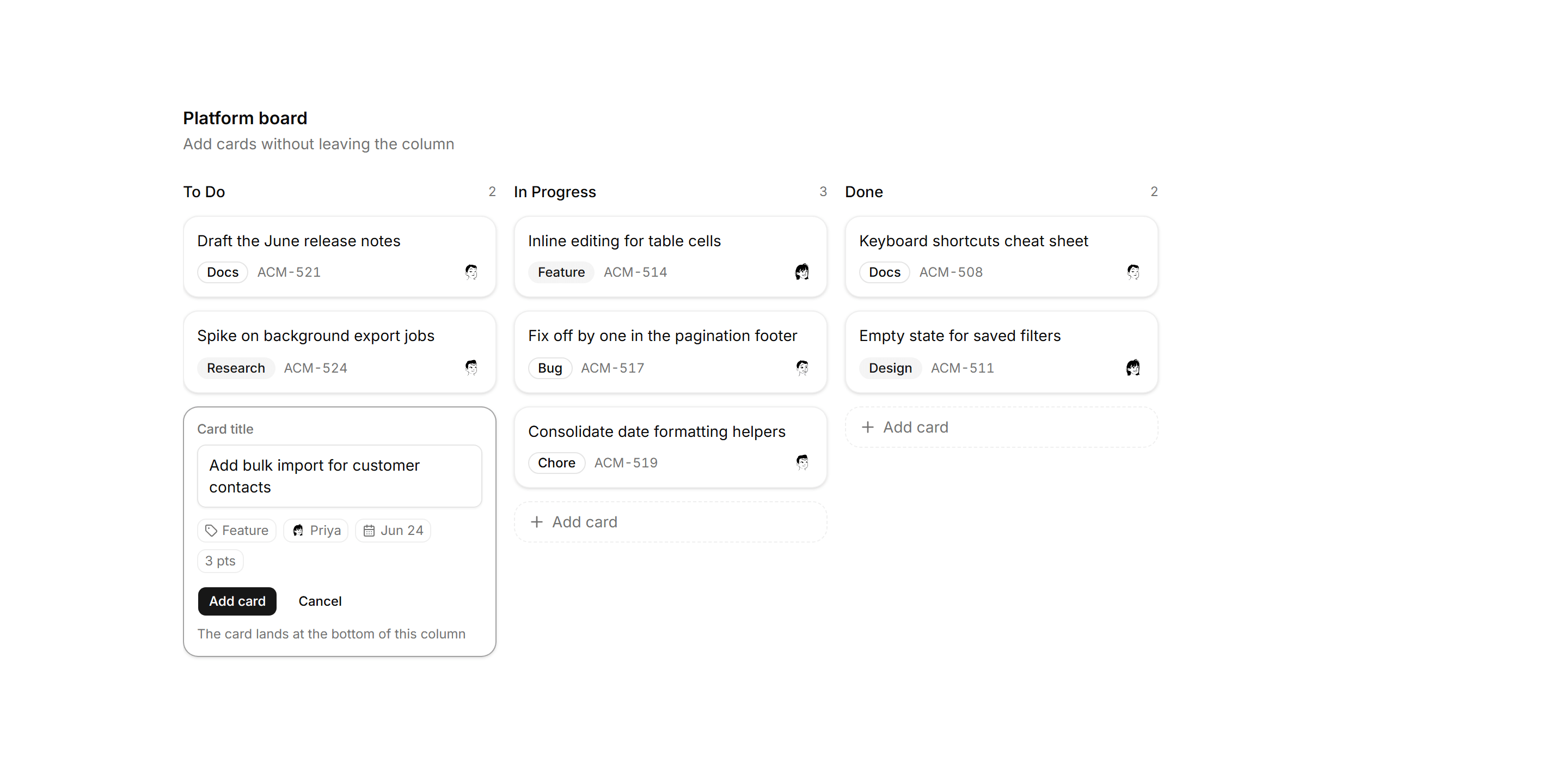
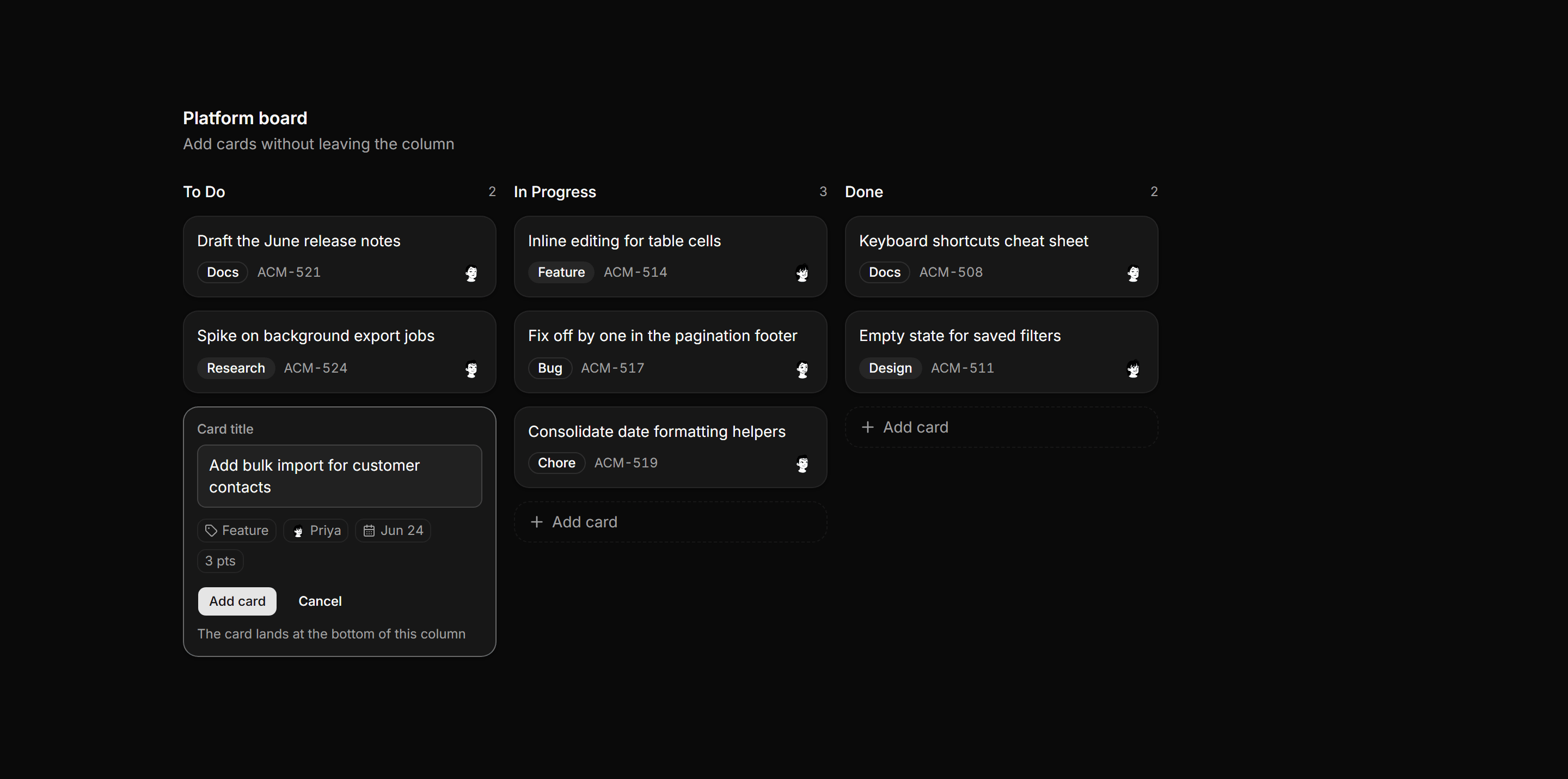
Application Kanban and Board: Card Composer Column
Kanban board with an open inline card composer in the first column, offering a title field, label, owner, due date, and estimate chips.
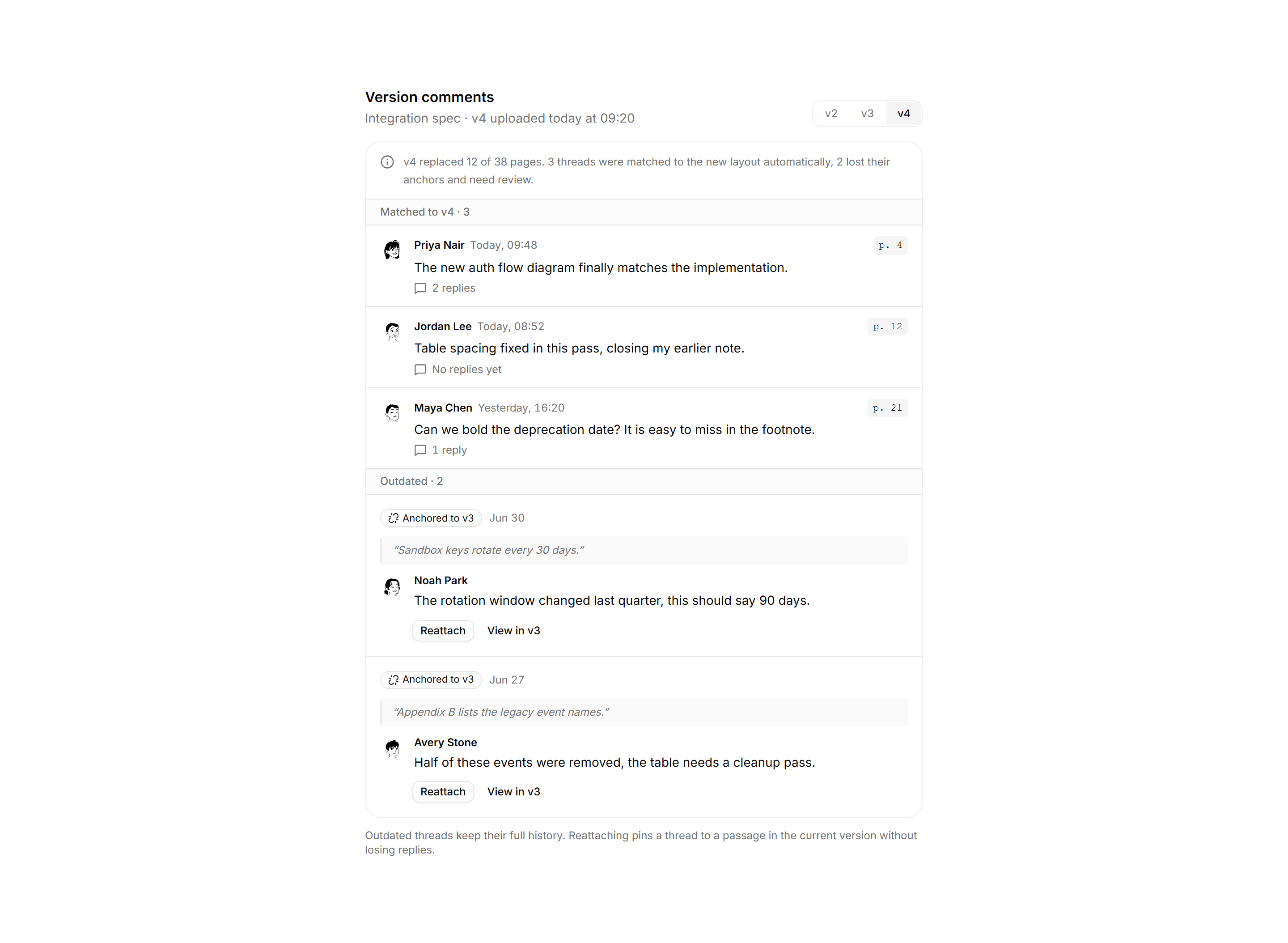
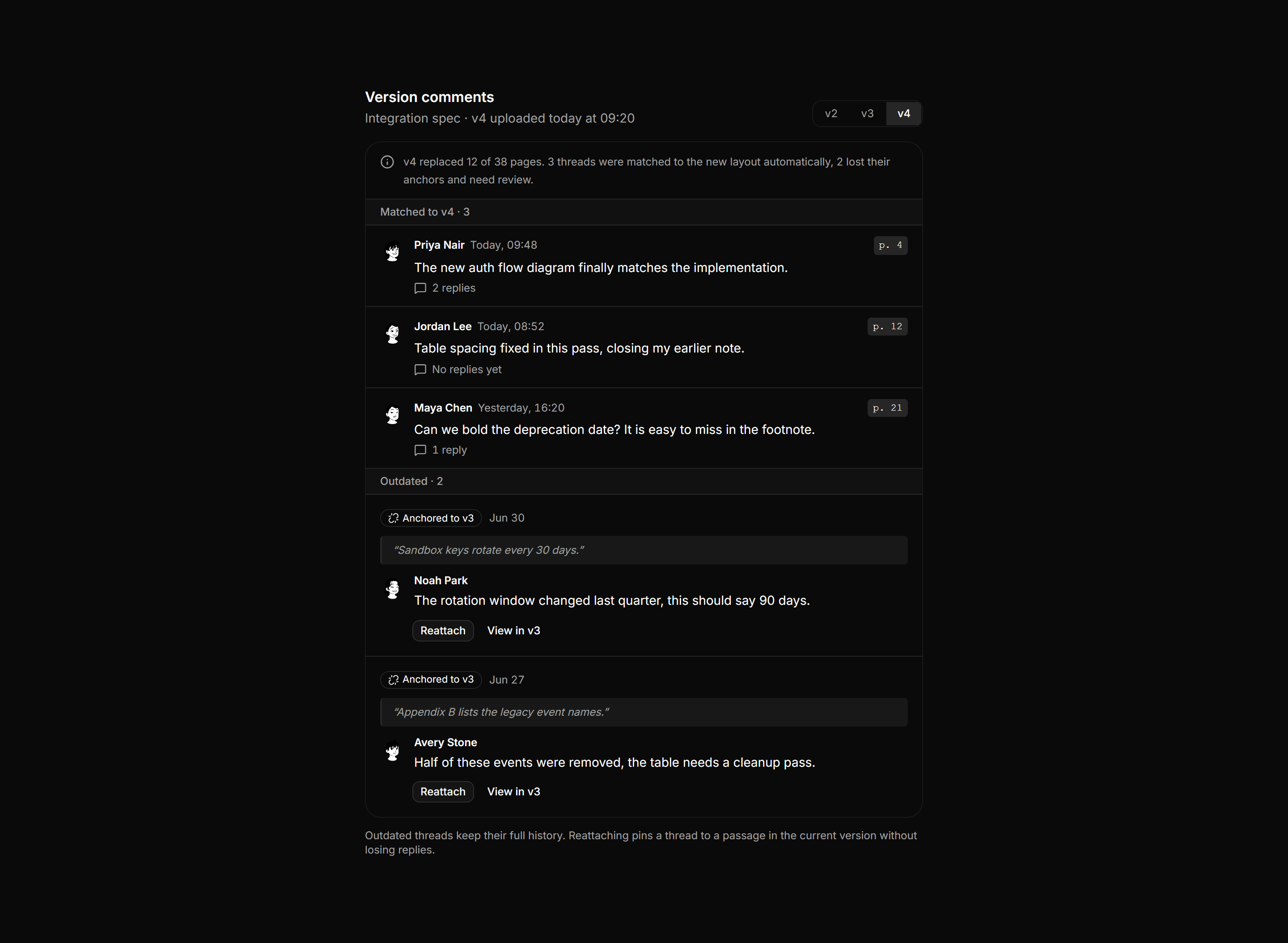
Application Comments and Annotation: Outdated Comments Panel
Comment threads on a versioned document, split into ones matched to the new version and ones whose anchors broke, with stale quotes and reattach actions.
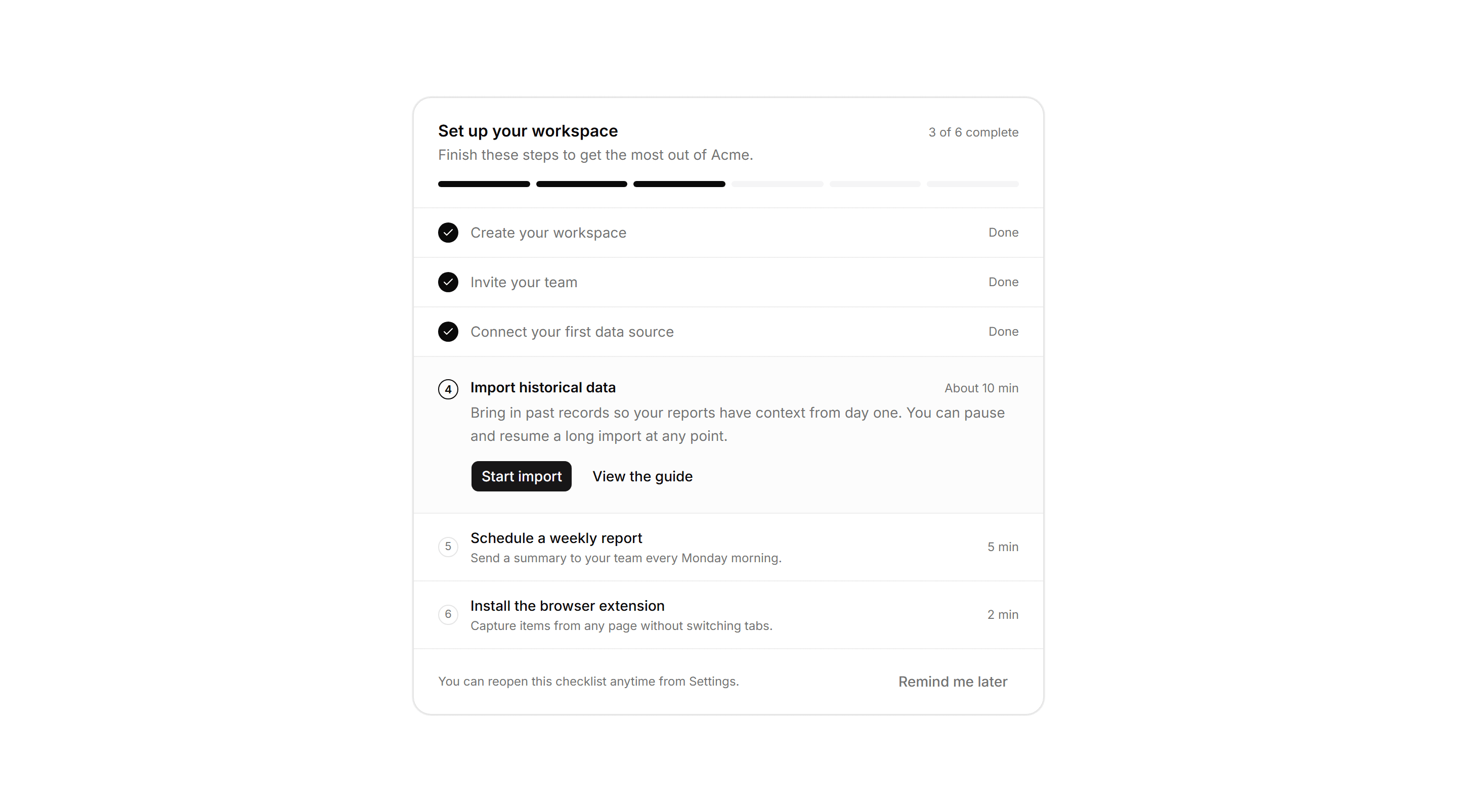
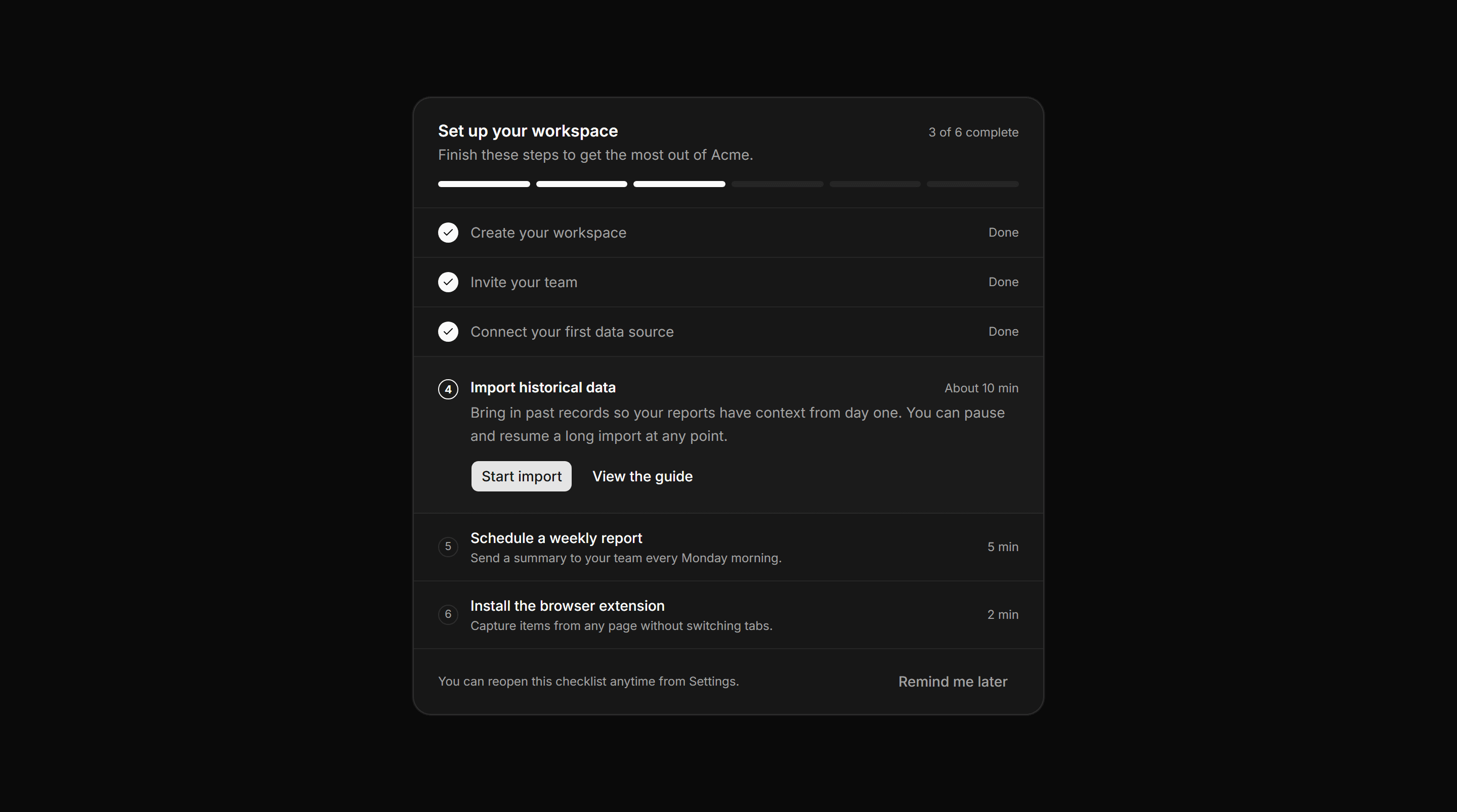
Application Help and Support: Getting Started Checklist
An onboarding setup card with a completion count, a segmented progress bar, completed steps, an expanded current step with actions, and upcoming numbered steps.
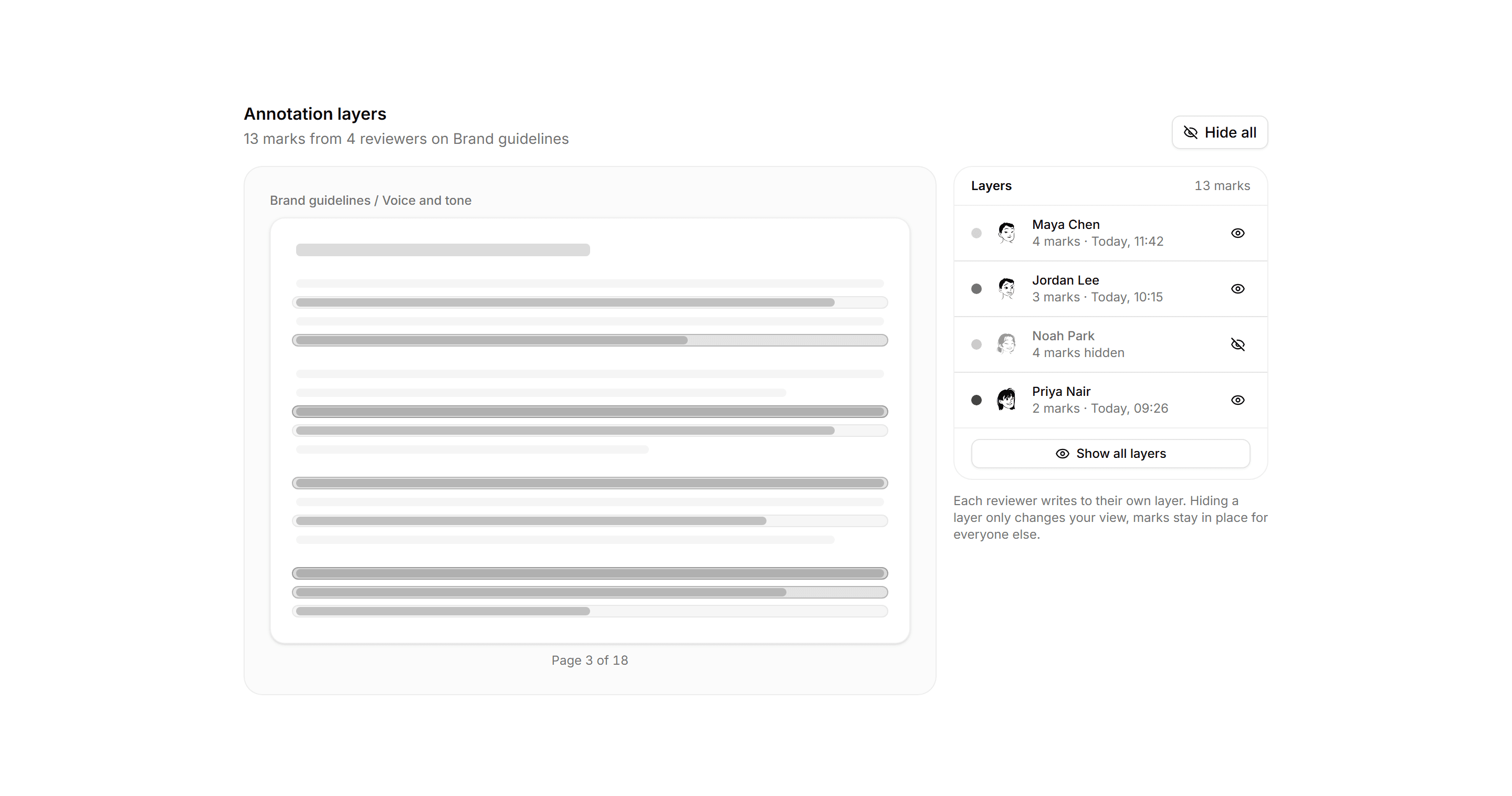
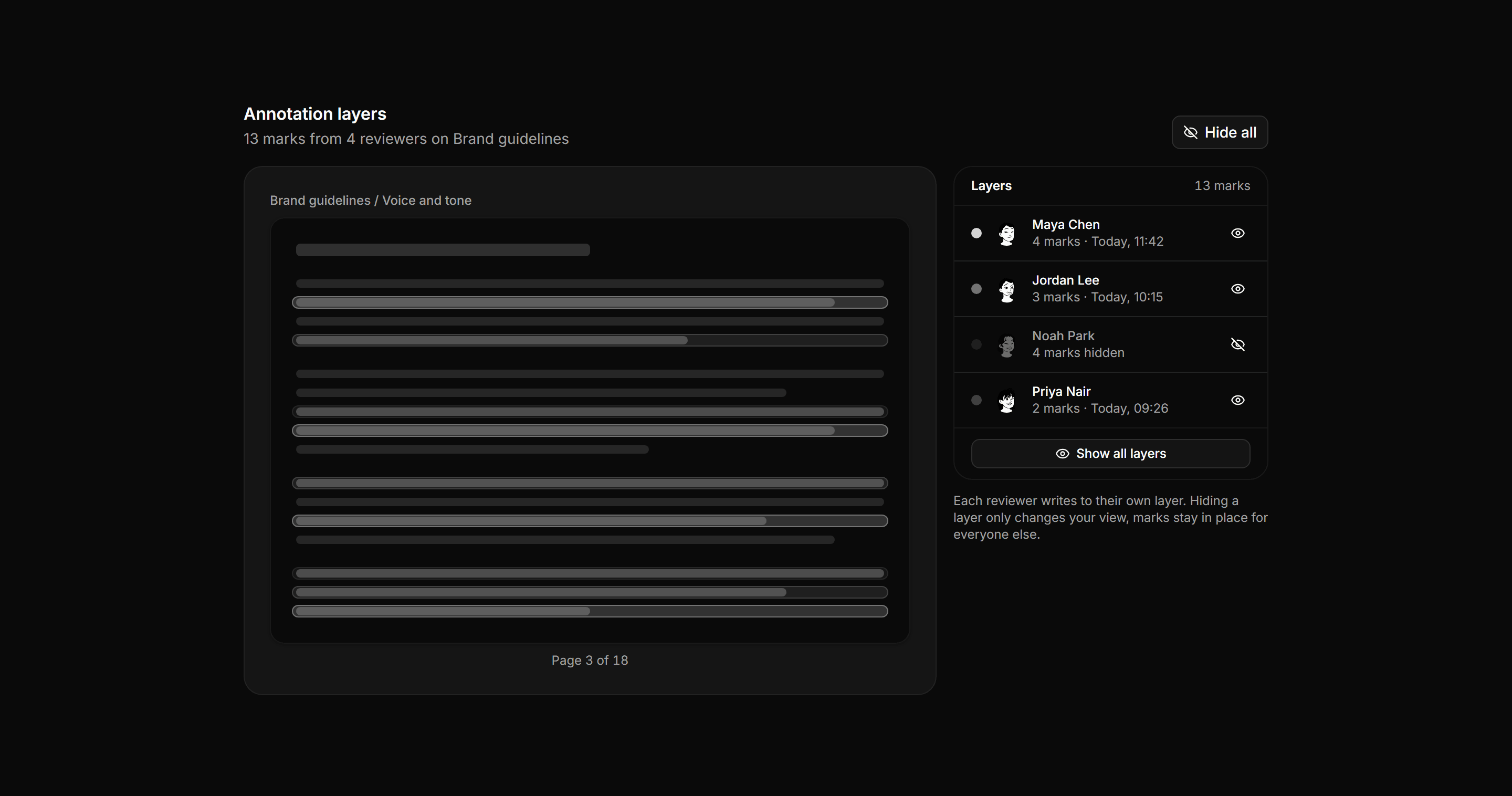
Application Comments and Annotation: Annotation Layers Rail
A document page mockup where marks from each reviewer form a colored layer, beside a rail of reviewers with color keys, counts, and visibility toggles.
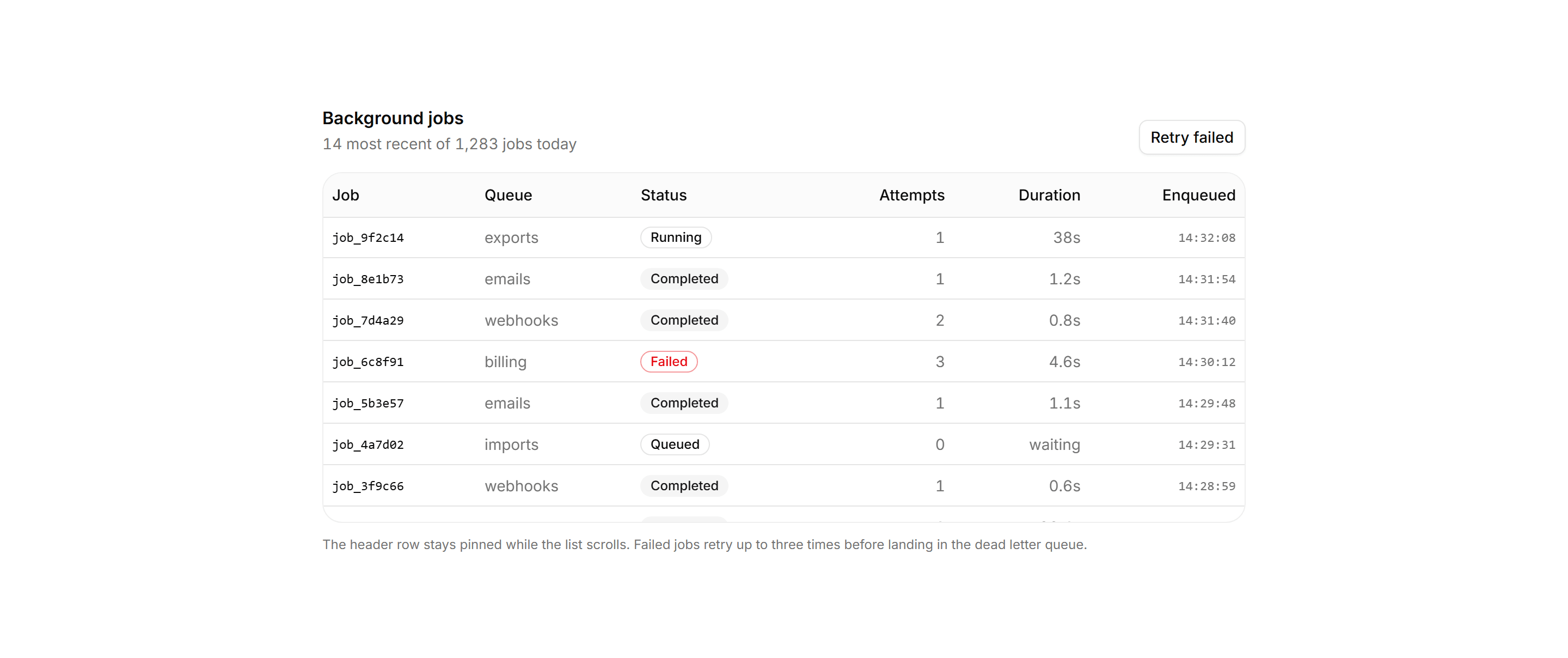
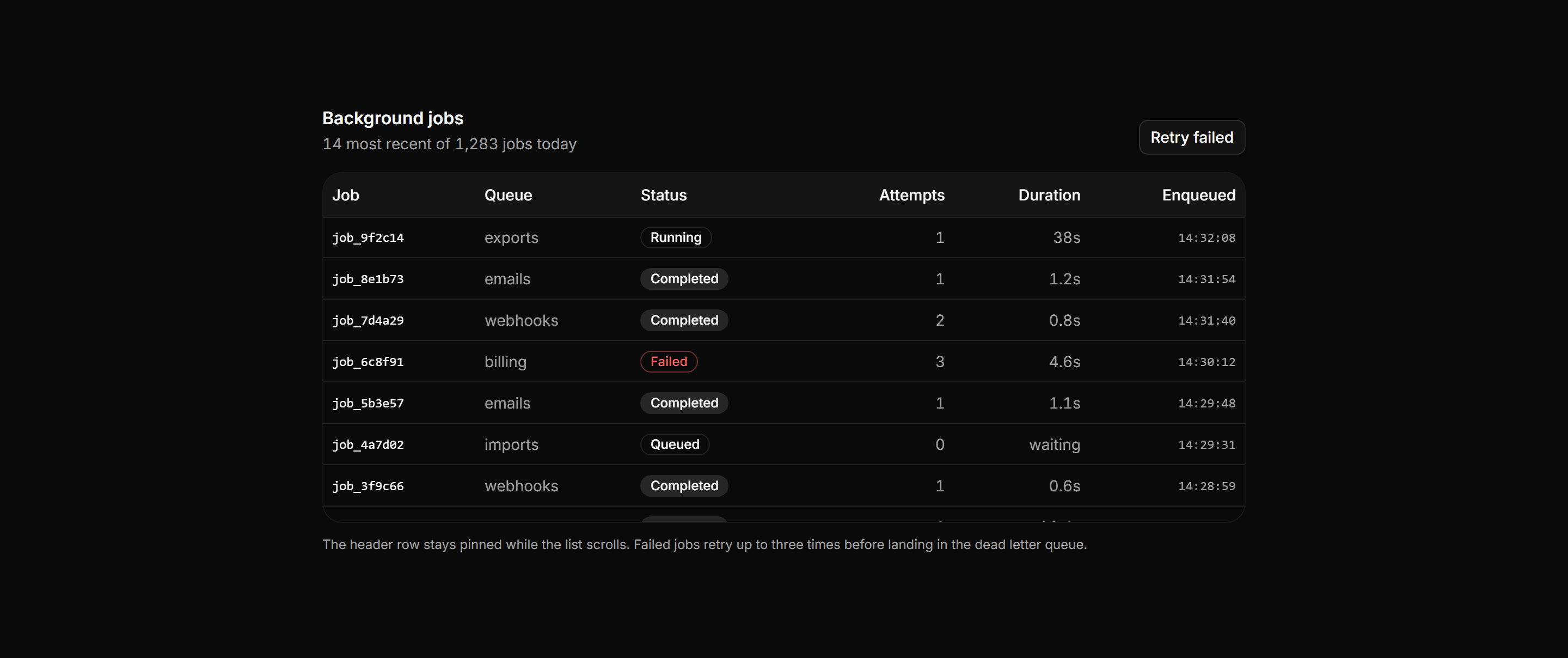
Application Data Table: Sticky Header Table
A background jobs table inside a fixed height scroll viewport with the column header pinned by sticky positioning, so headers stay readable as rows scroll.
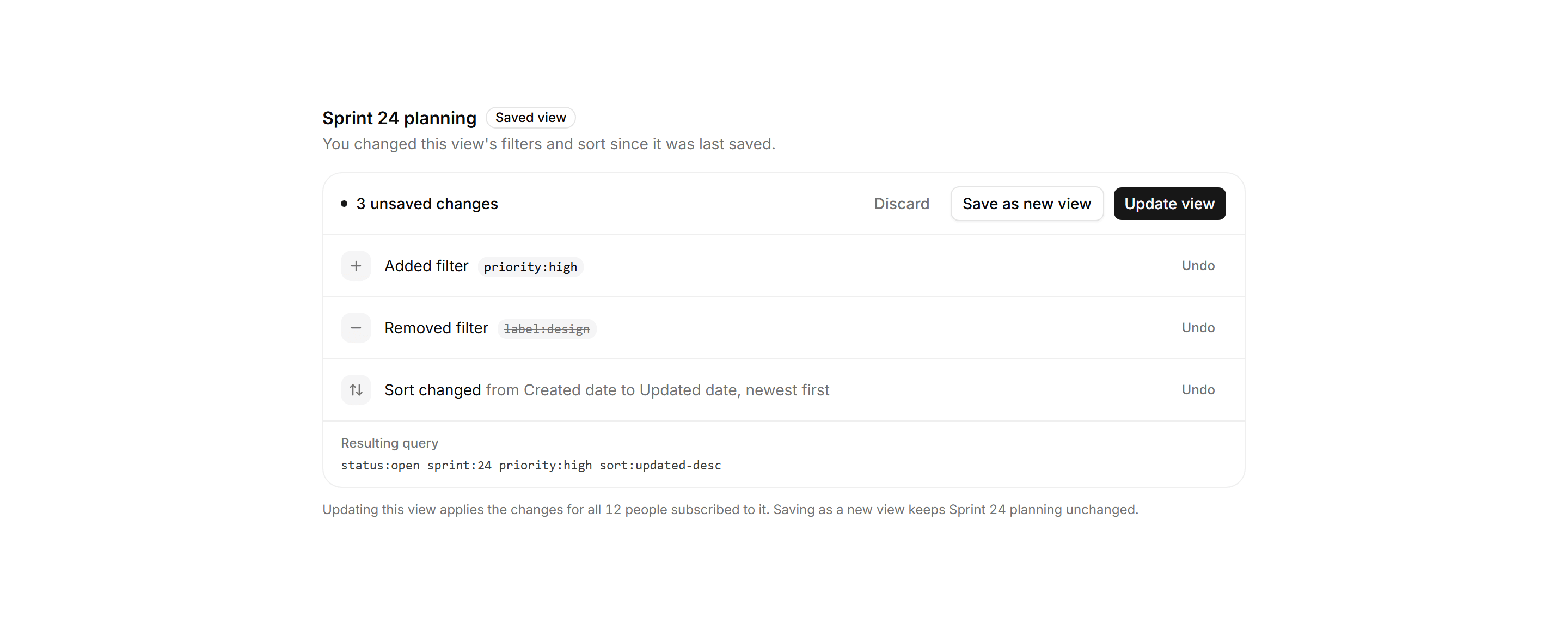
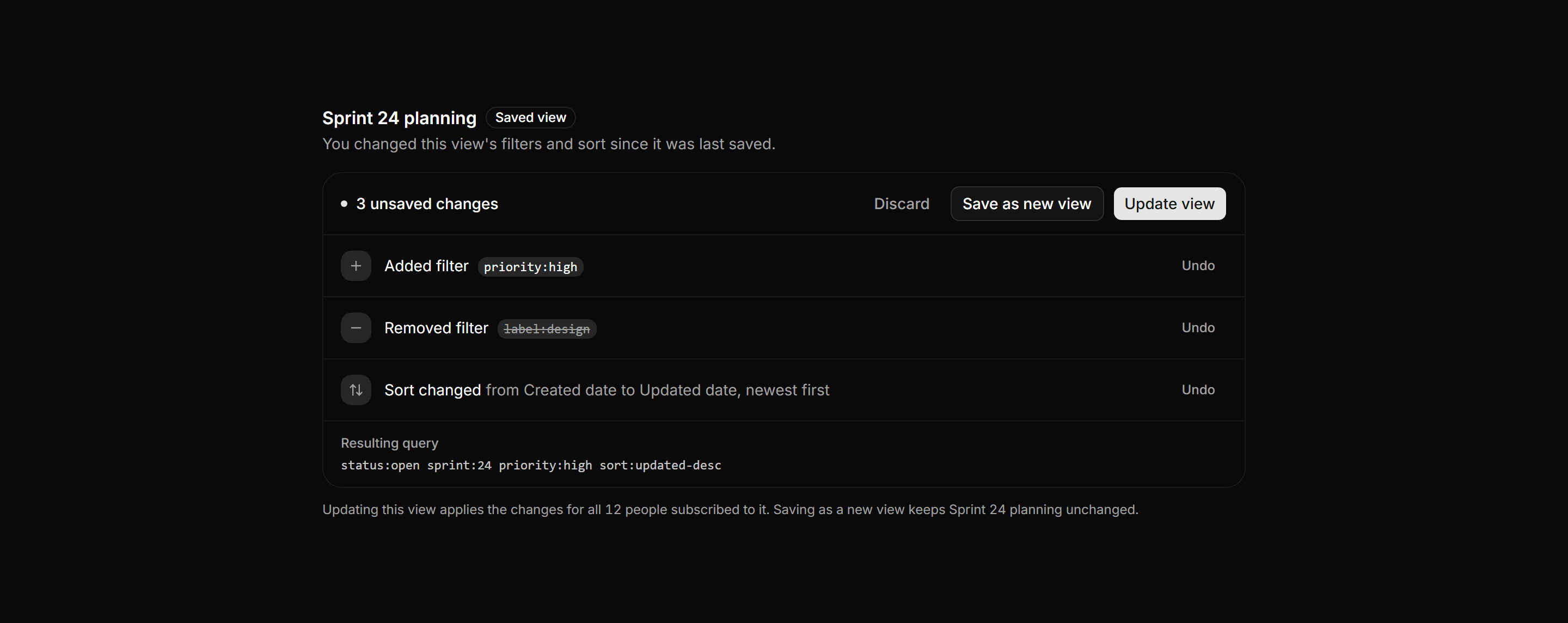
Application Filters and Search: View Changes Bar
A saved view change bar listing unsaved edits as rows with per row undo, the resulting query, and update, save as new, and discard actions.
Application Data Table: Density Toggle Table
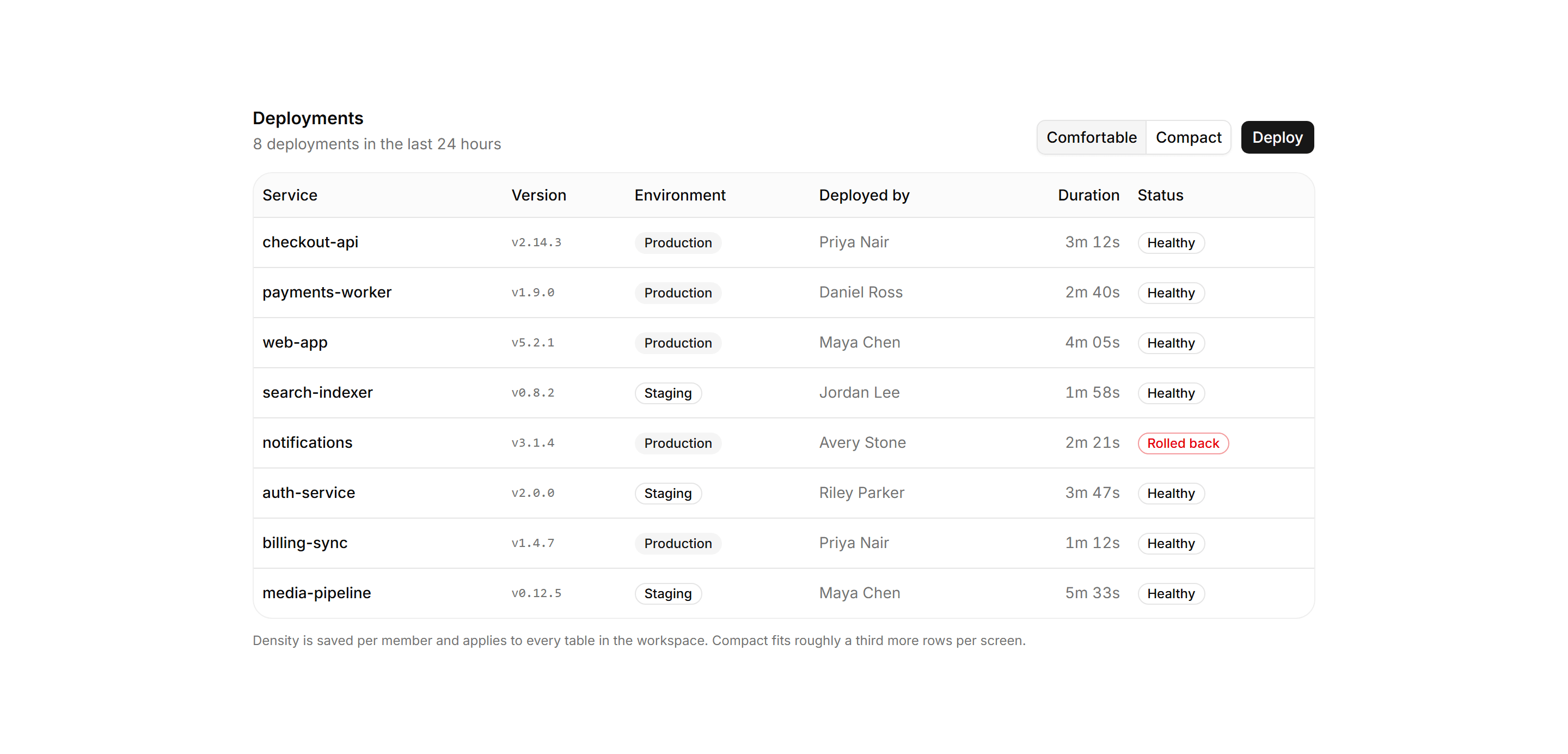
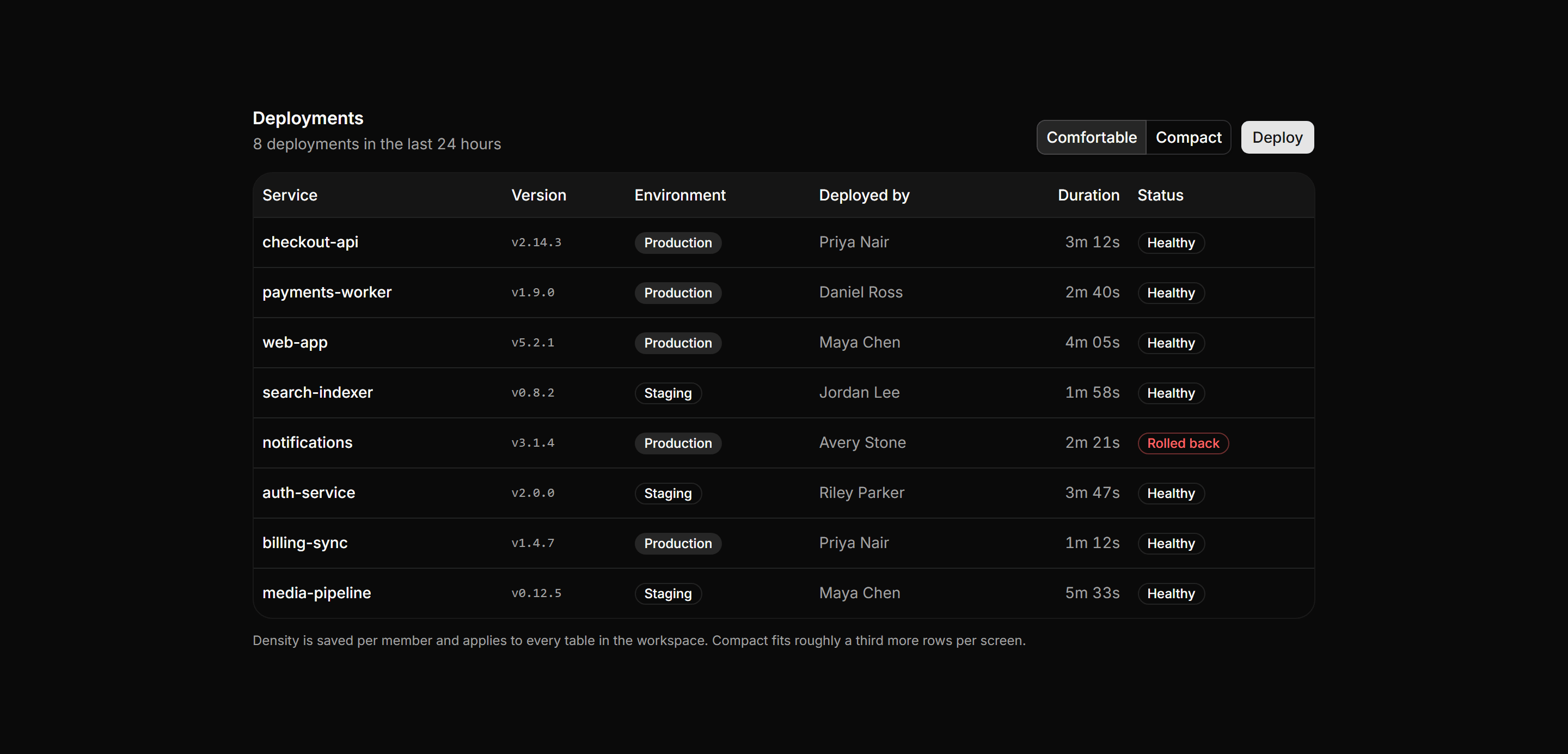
A deployments table with a segmented comfortable and compact toggle in the header that swaps every row's vertical padding live, above a density note.
Application Filters and Search: Saved Searches Manager
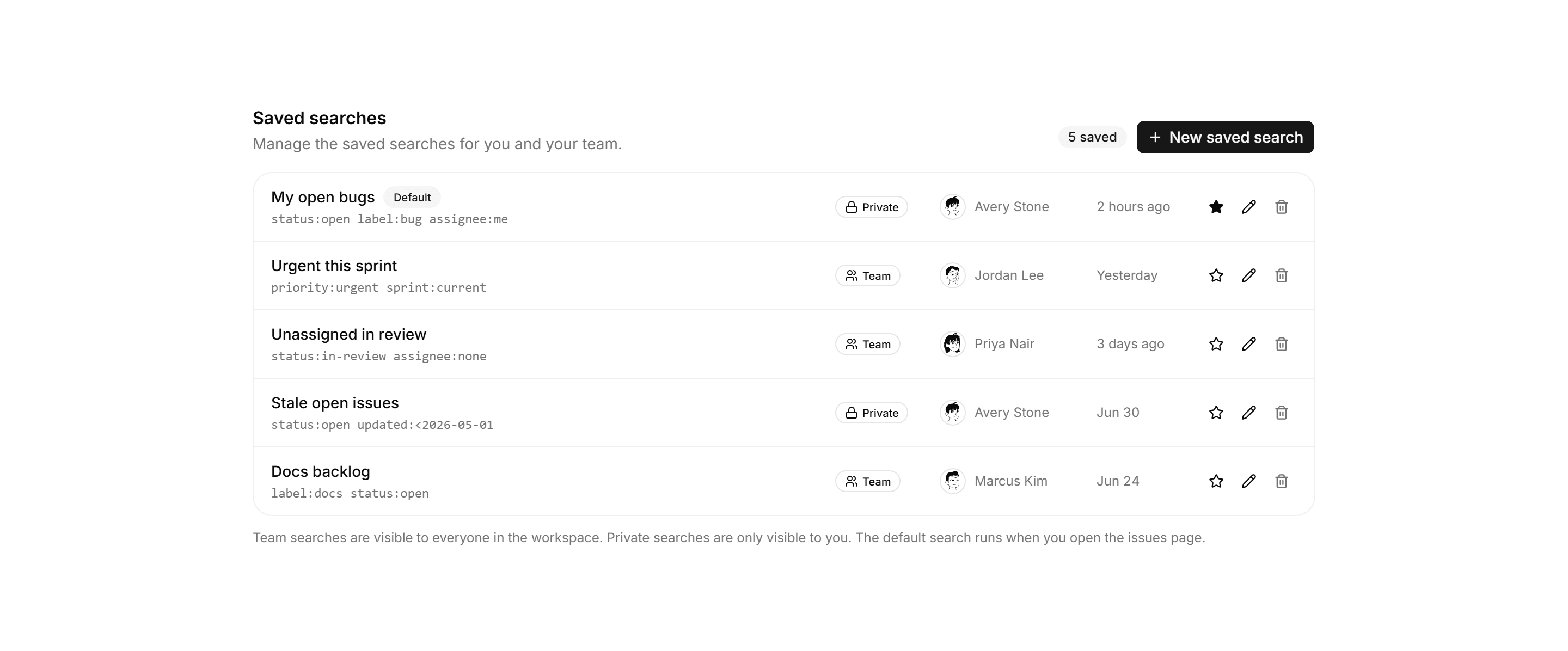
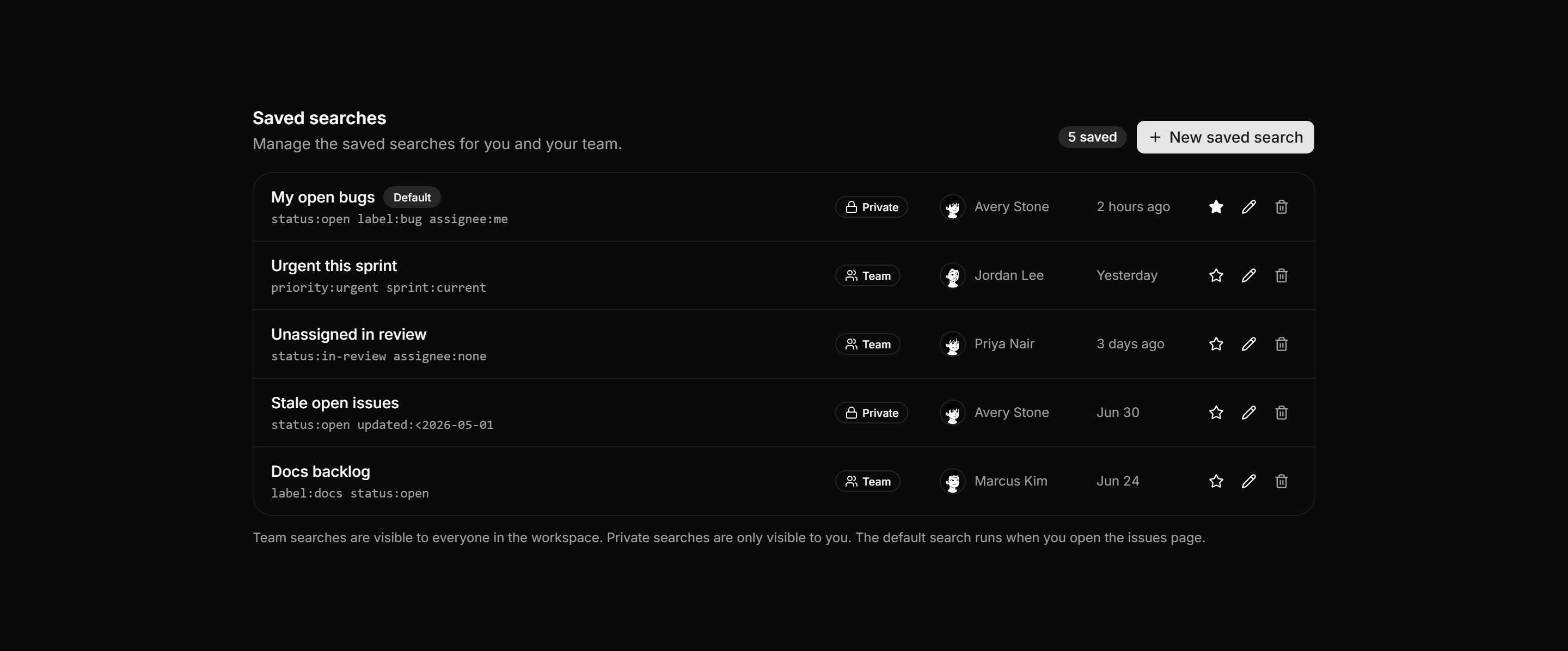
A saved searches panel listing each search with its query, visibility, owner, and last used time, plus default, edit, and delete row actions.
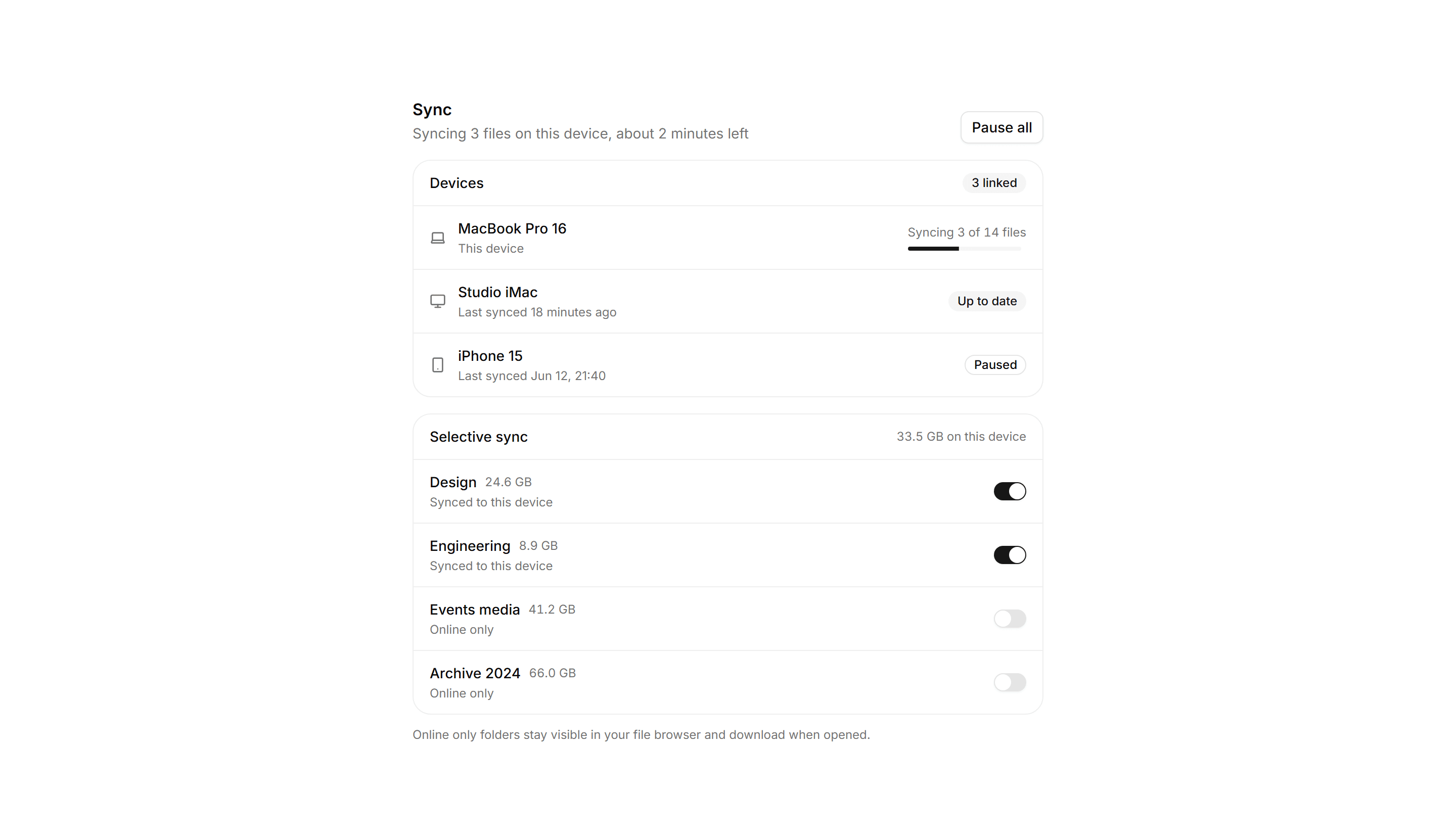
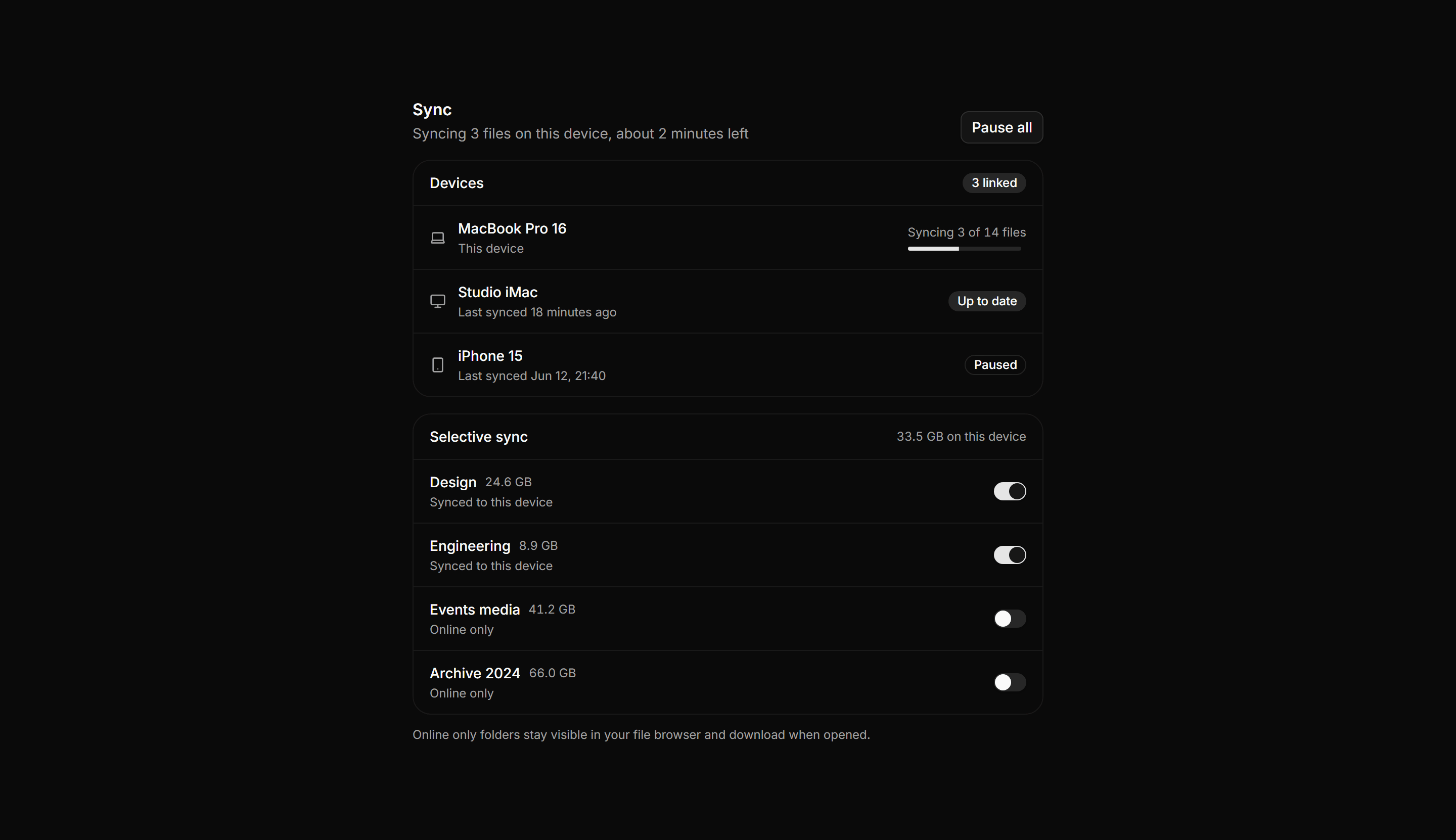
Application File Manager: Sync Status Panel
A sync status panel with a linked devices list showing per device state, followed by a selective sync section with per folder toggle switches.
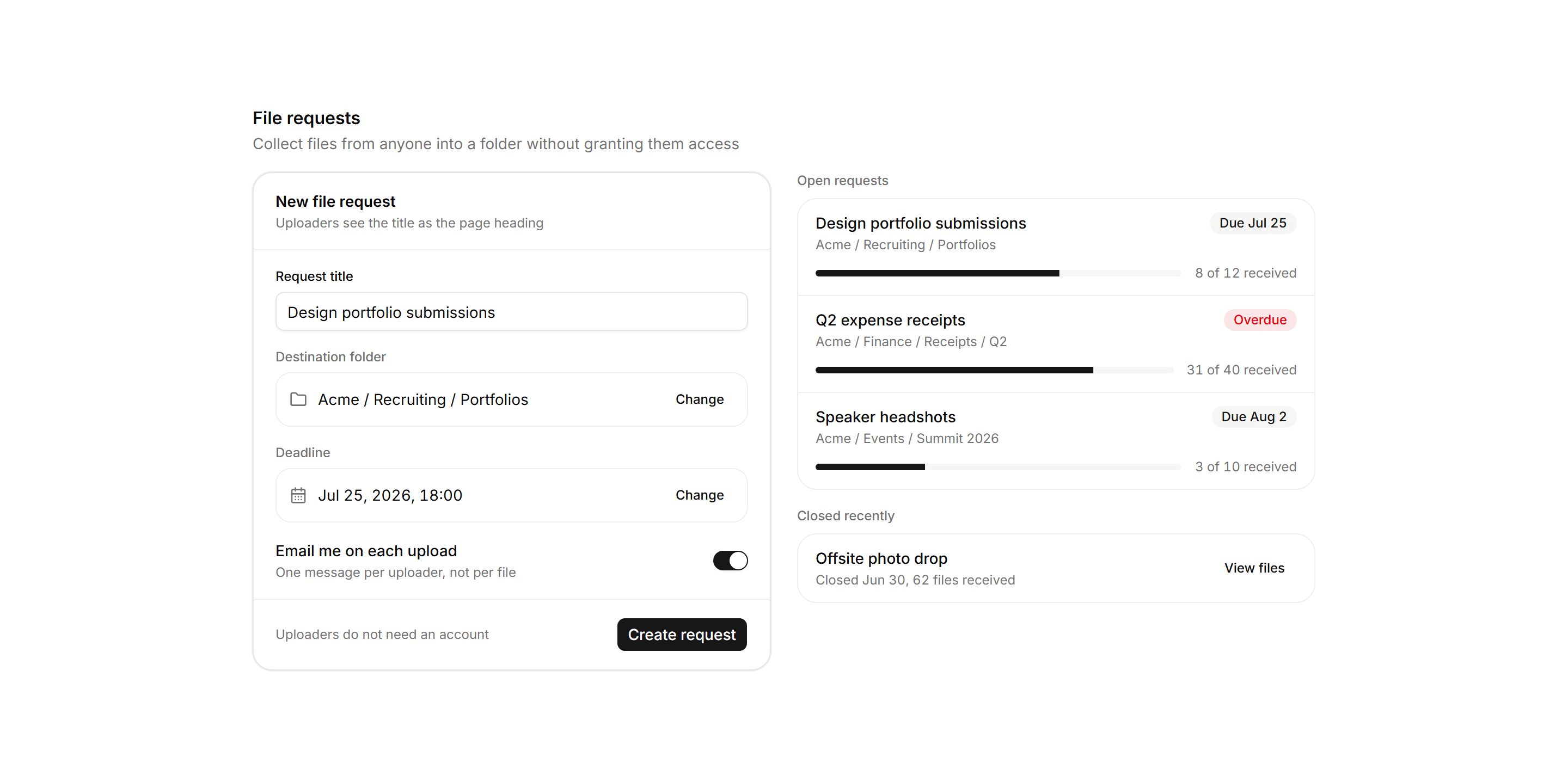
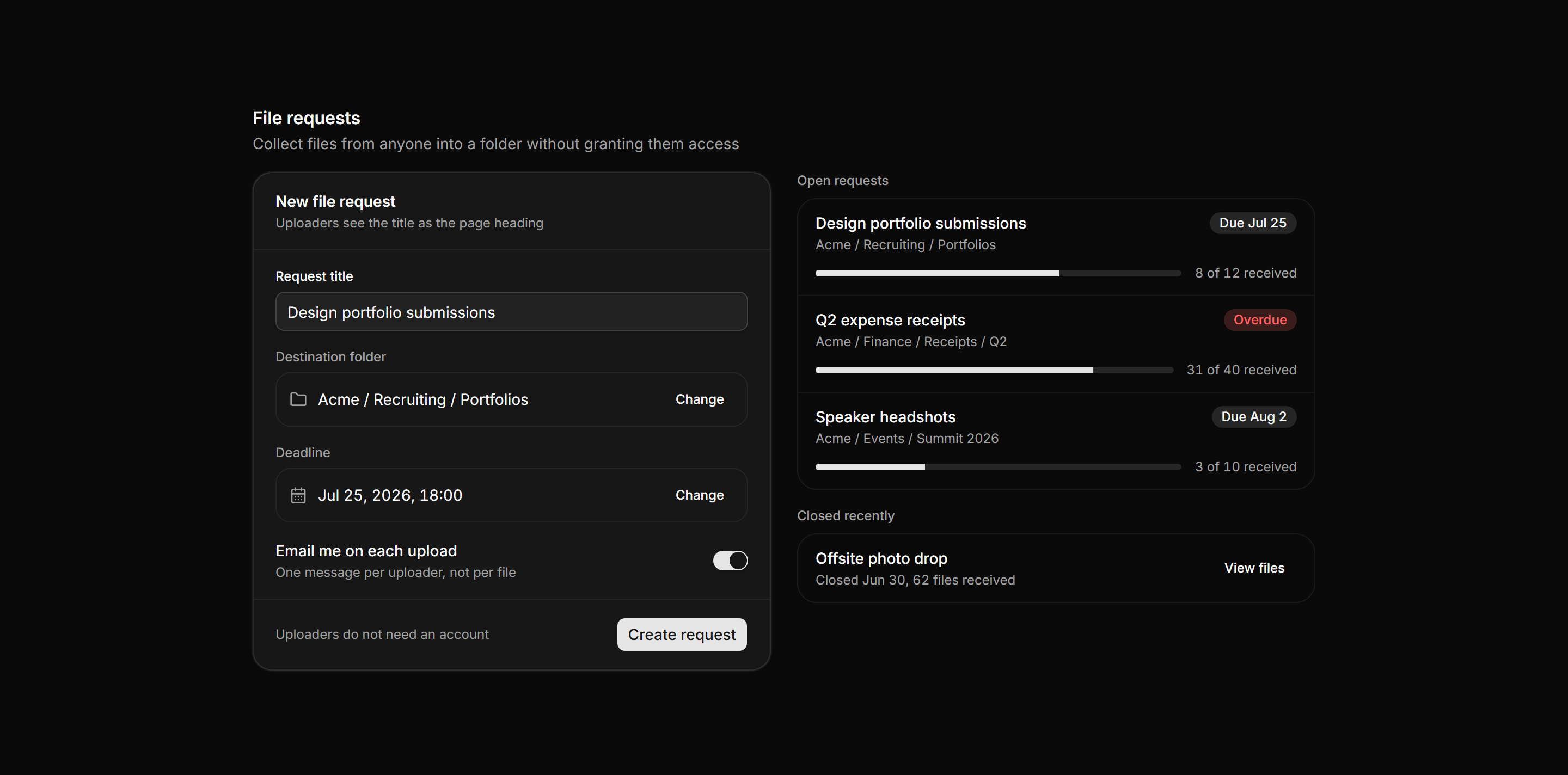
Application File Manager: File Request Panel
A two column file request workspace pairing a create form with title, folder, deadline, and notify switch beside an open requests list with progress.
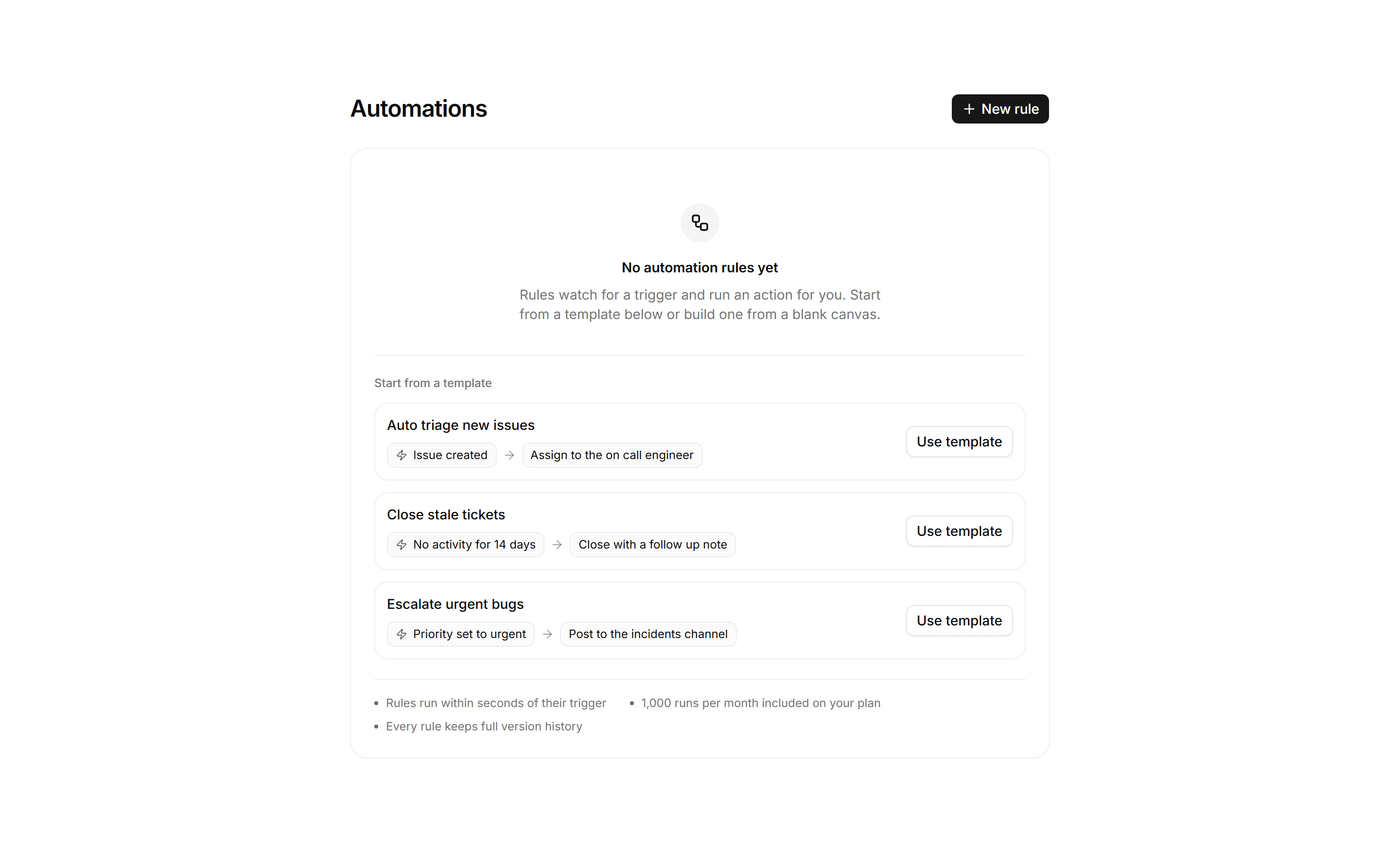
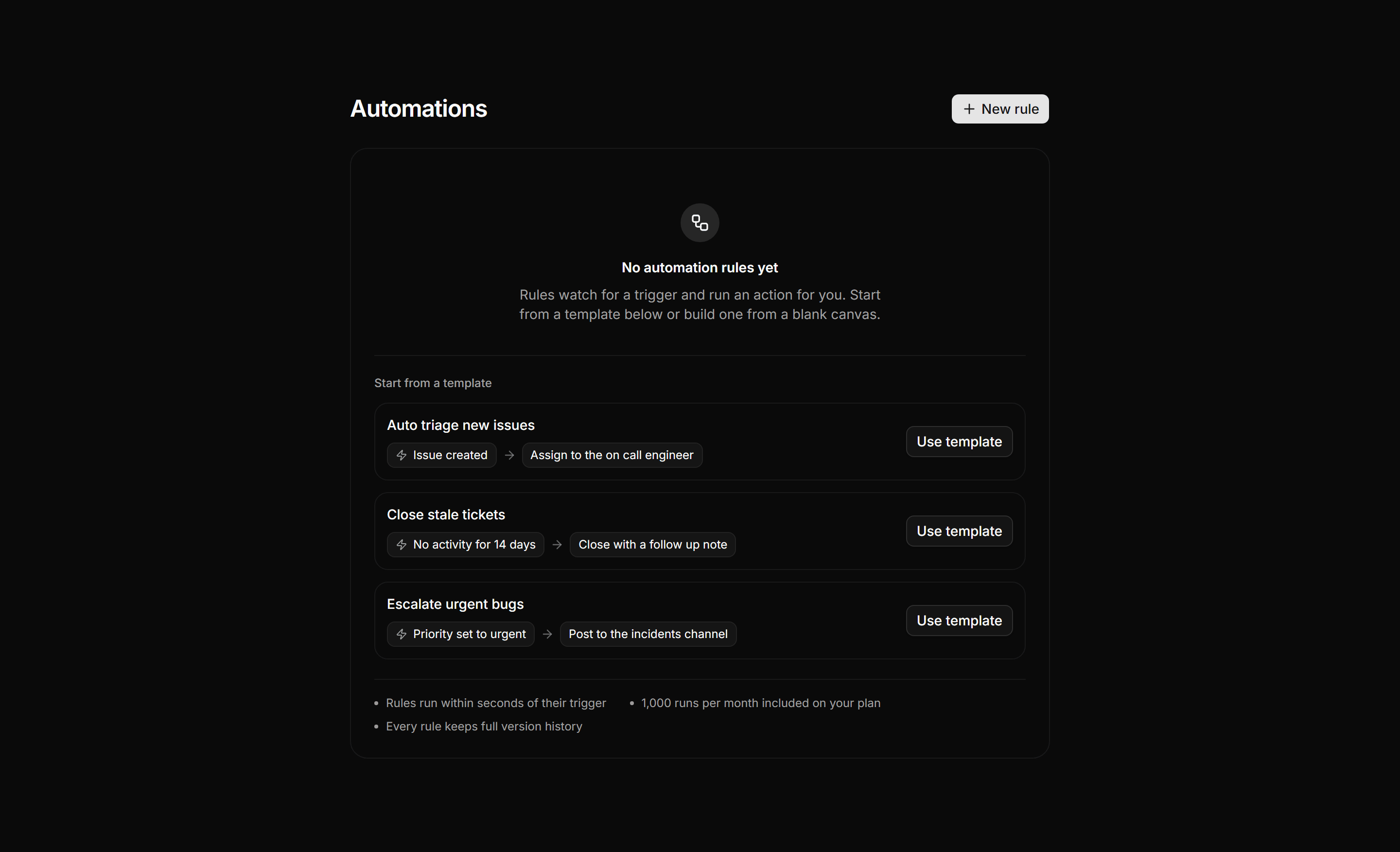
Application Empty State: Empty Automations State
Empty automations panel pairing a build from scratch action with three starter template recipe rows and a facts row on run speed and quota.
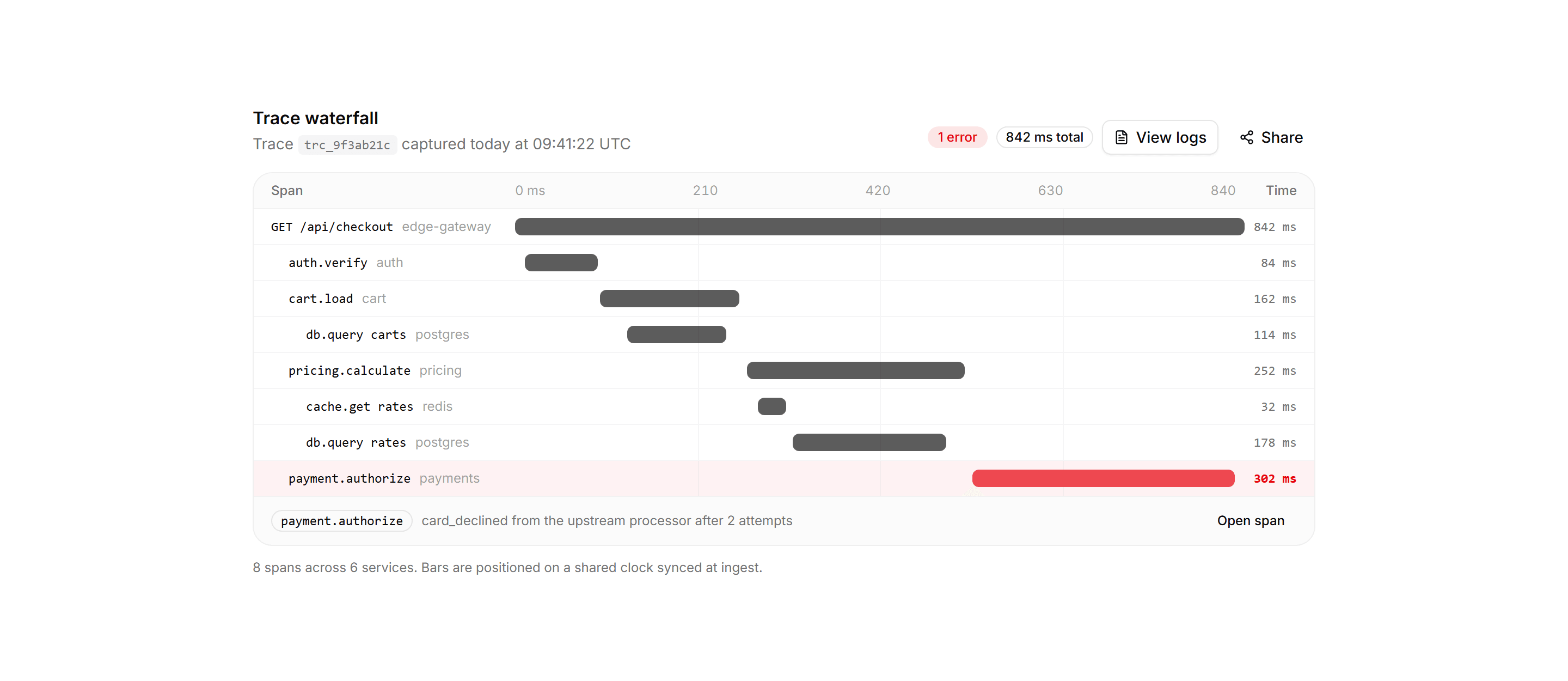
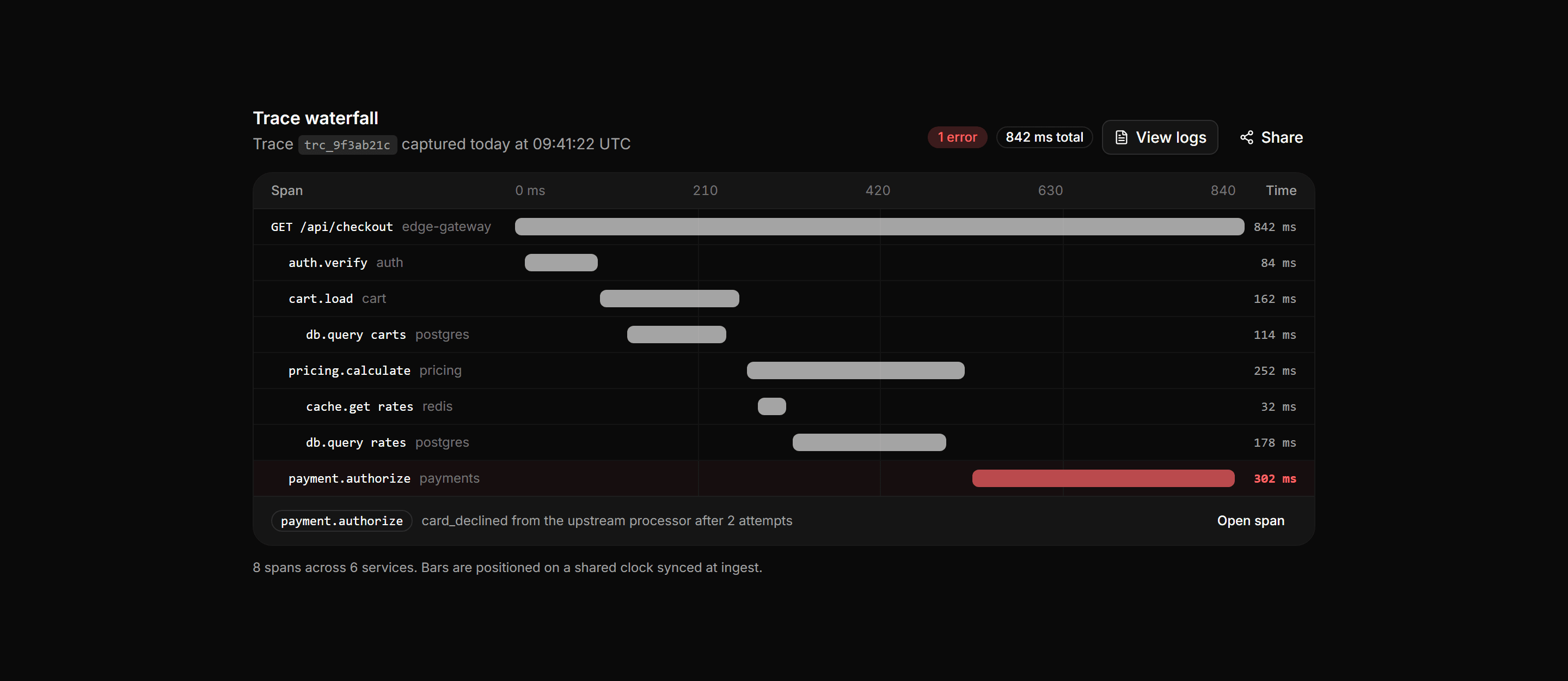
Application Developer Tool: Trace Waterfall
A distributed trace waterfall with a header of id, status, and duration above indented span rows whose bars sit on a shared time axis.
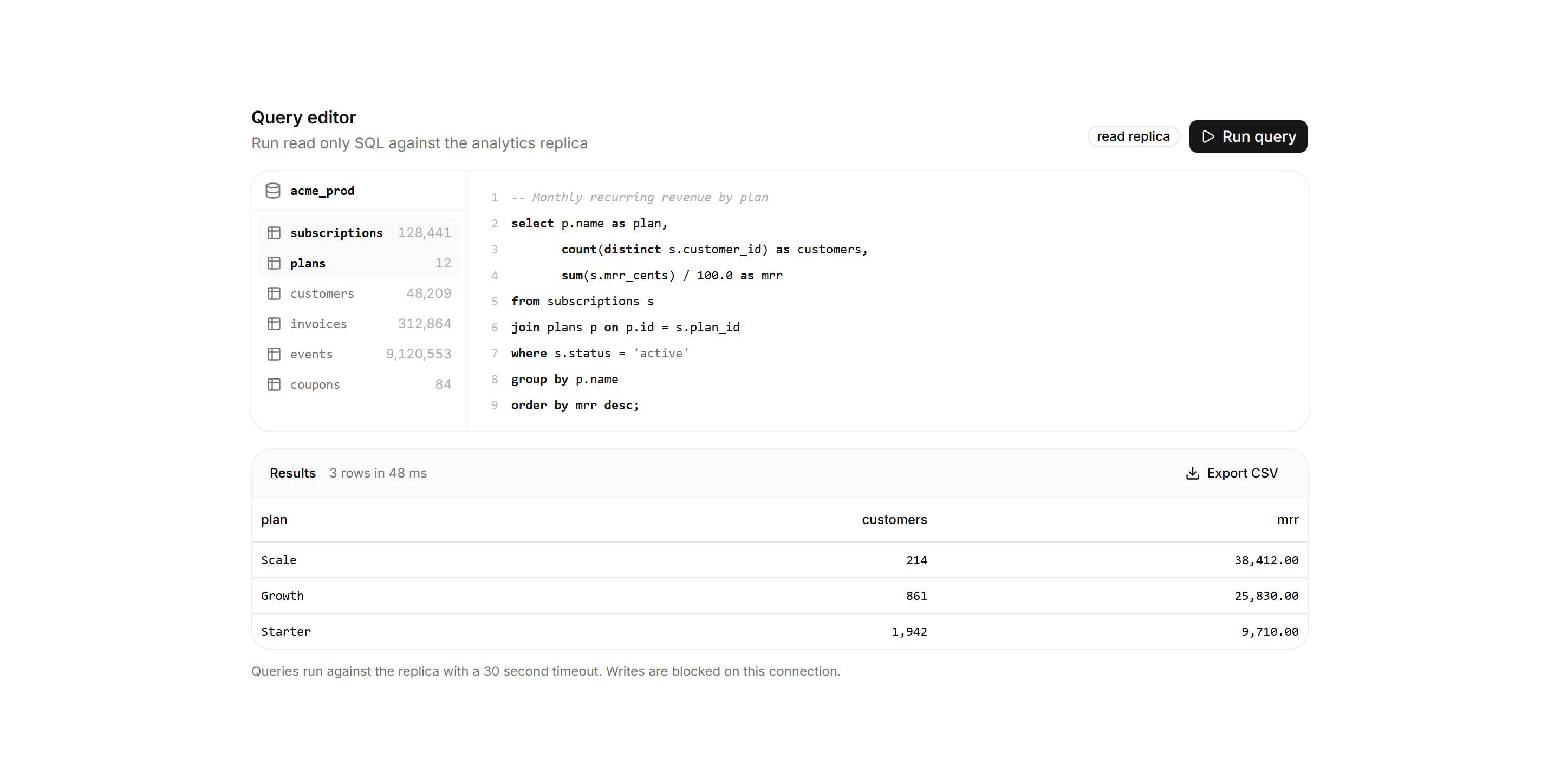
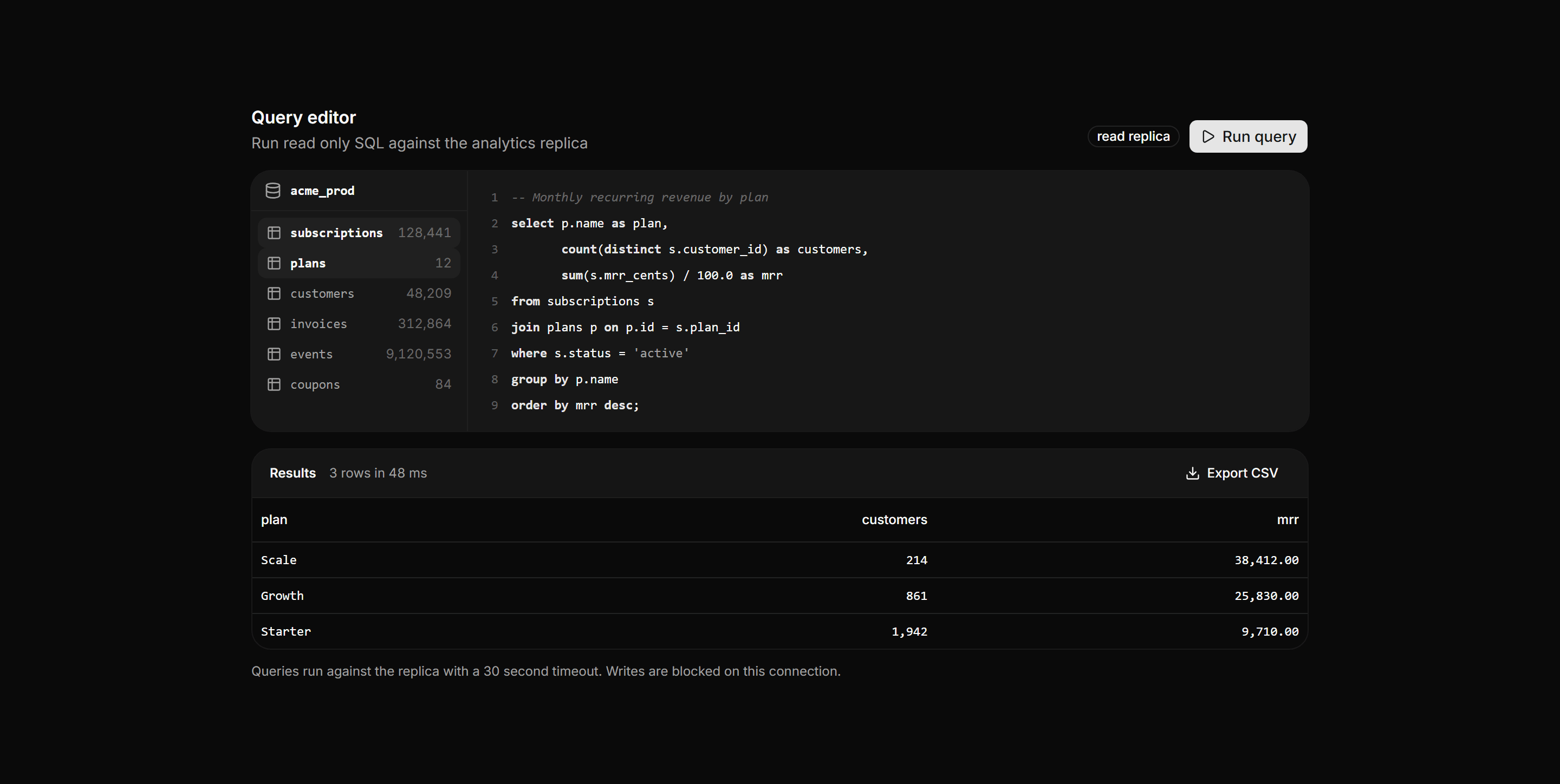
Application Developer Tool: SQL Query Editor
A query workspace pairing a schema sidebar of tables and row counts with a syntax tinted SQL editor and a results table with timing.
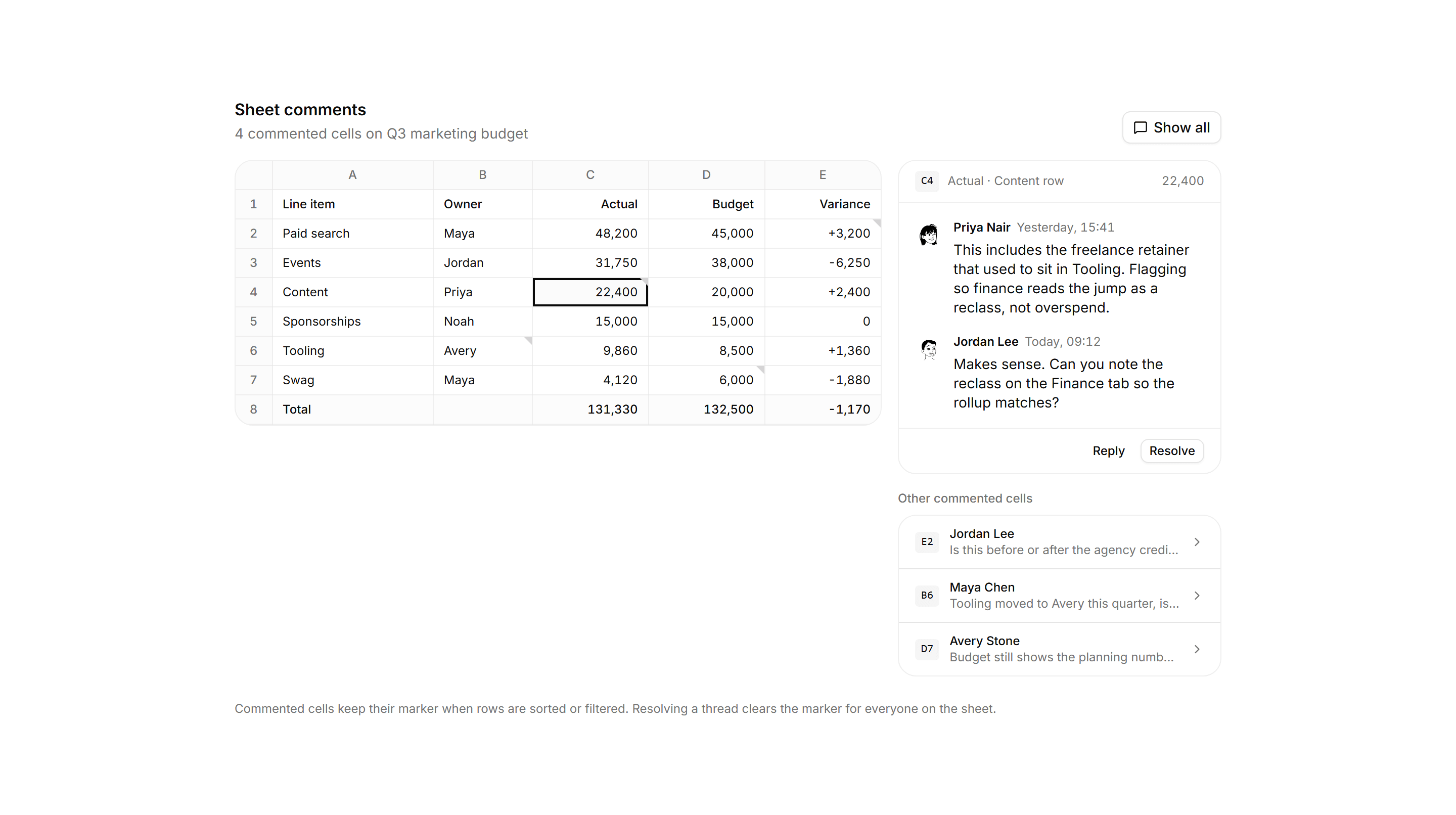
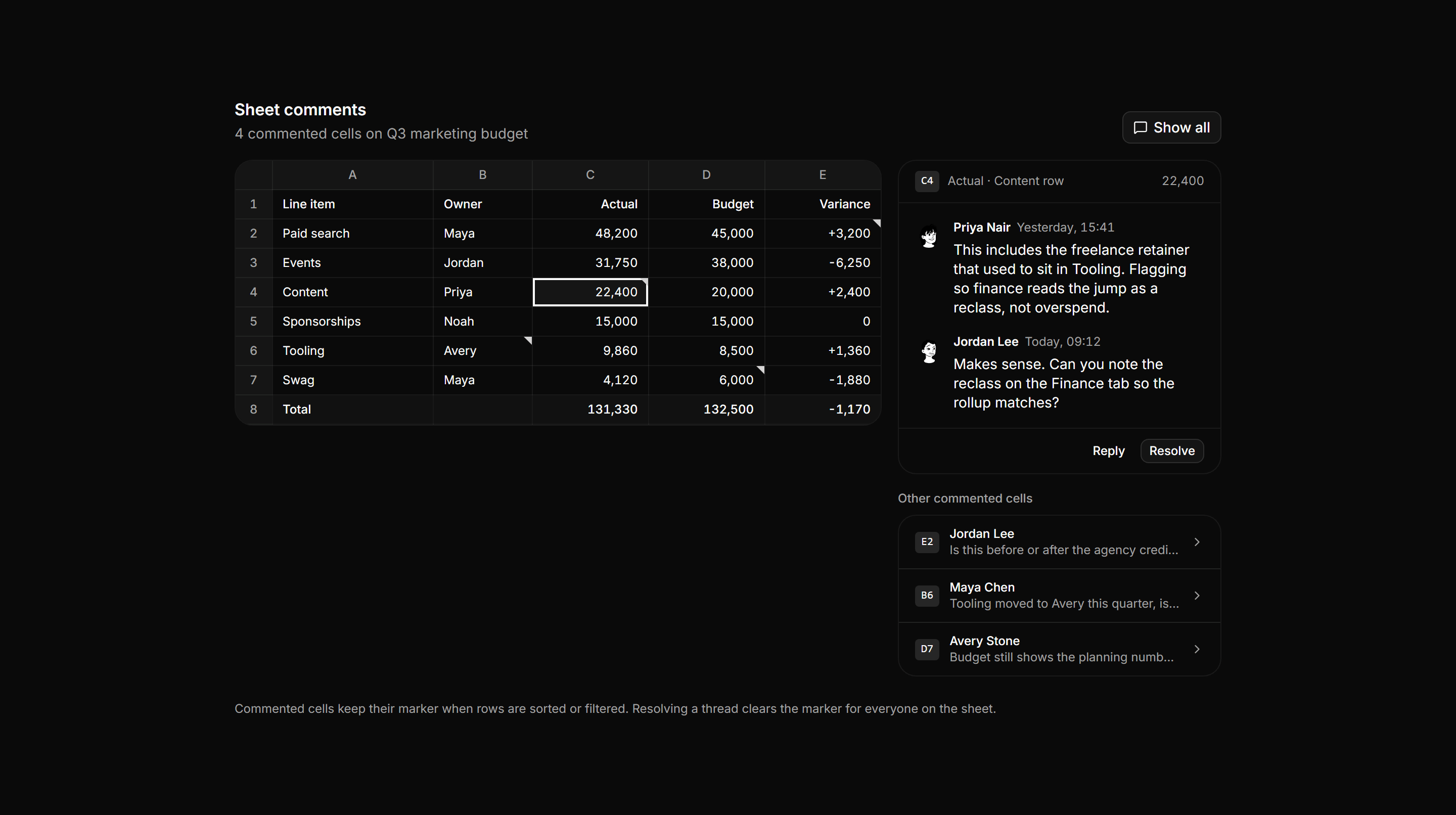
Application Comments and Annotation: Spreadsheet Cell Comments
A budget sheet with corner markers on flagged cells beside a rail showing the selected cell thread and a list of other commented cells.
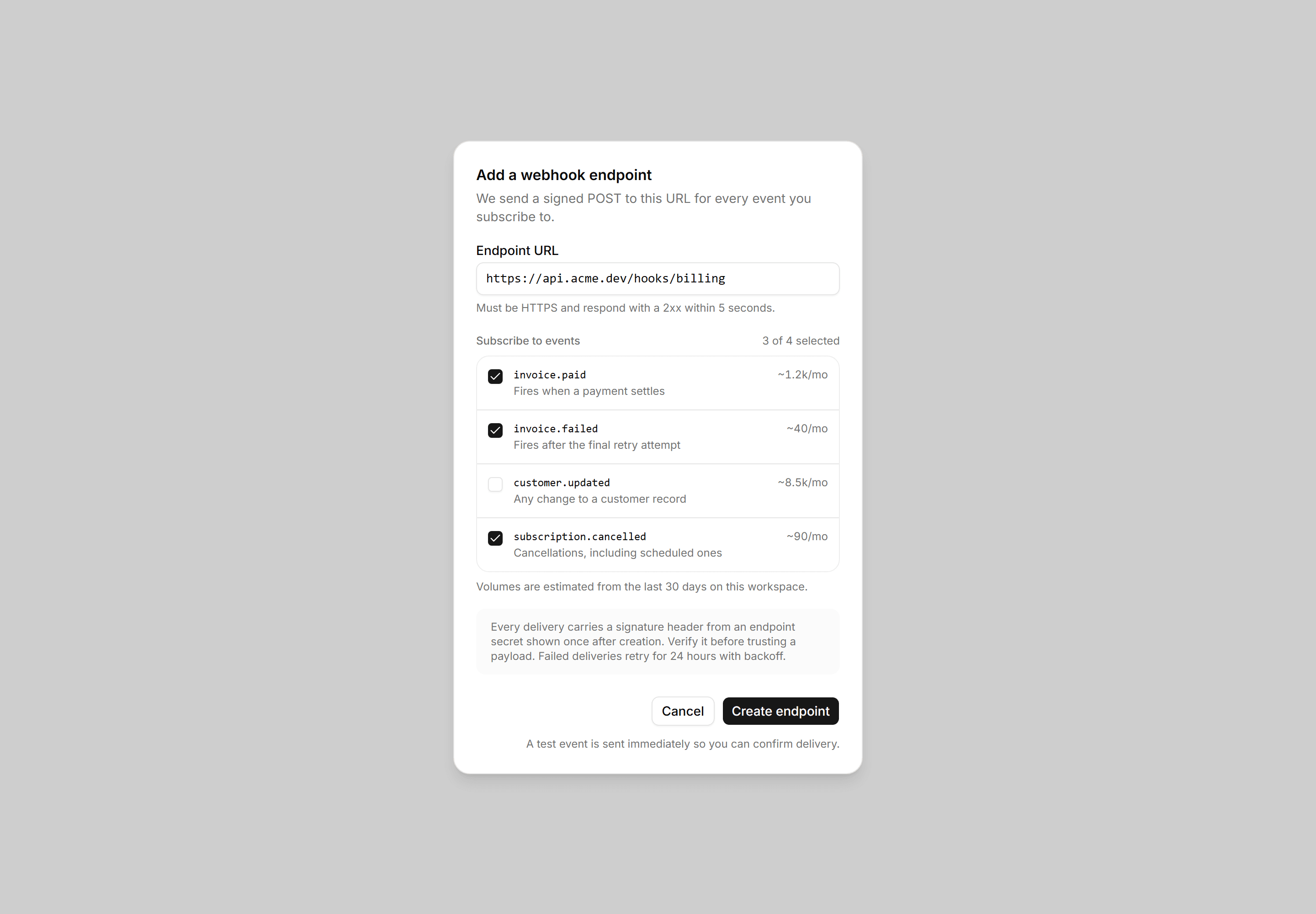
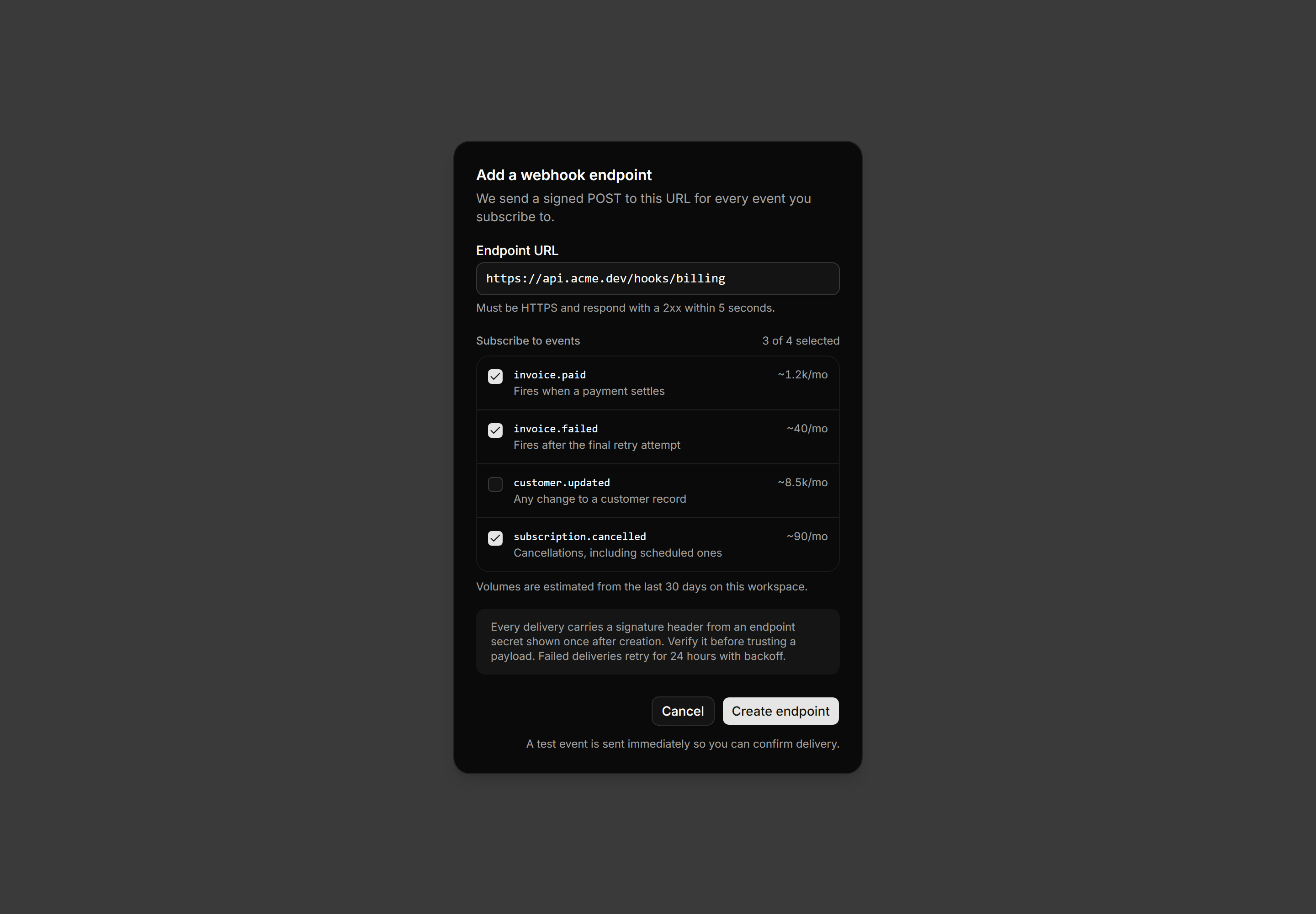
Application Dialog: Create Webhook Dialog
A create webhook dialog with an endpoint URL field, a checklist of subscribable events showing volume estimates, a signing note, and create actions.
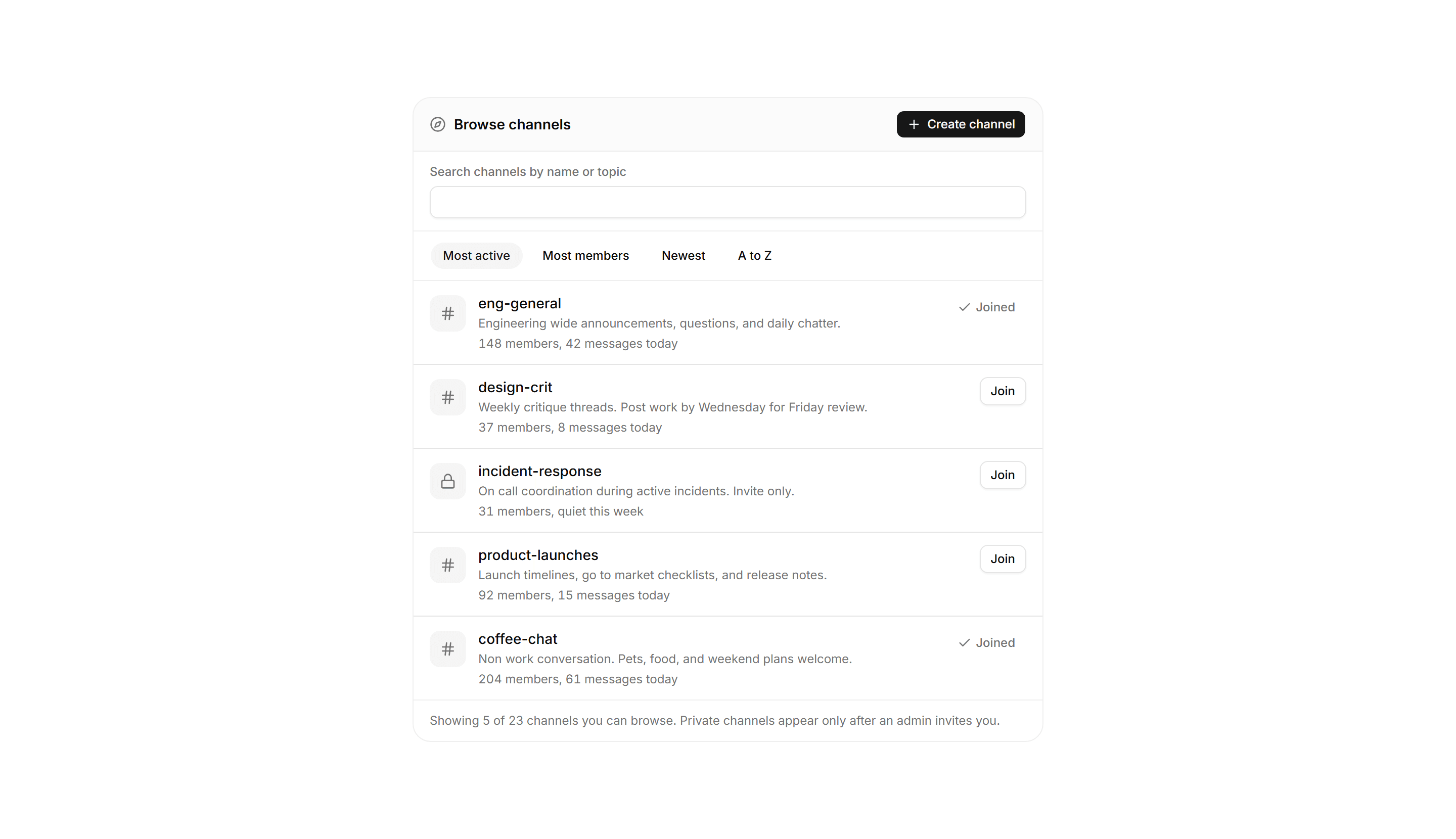
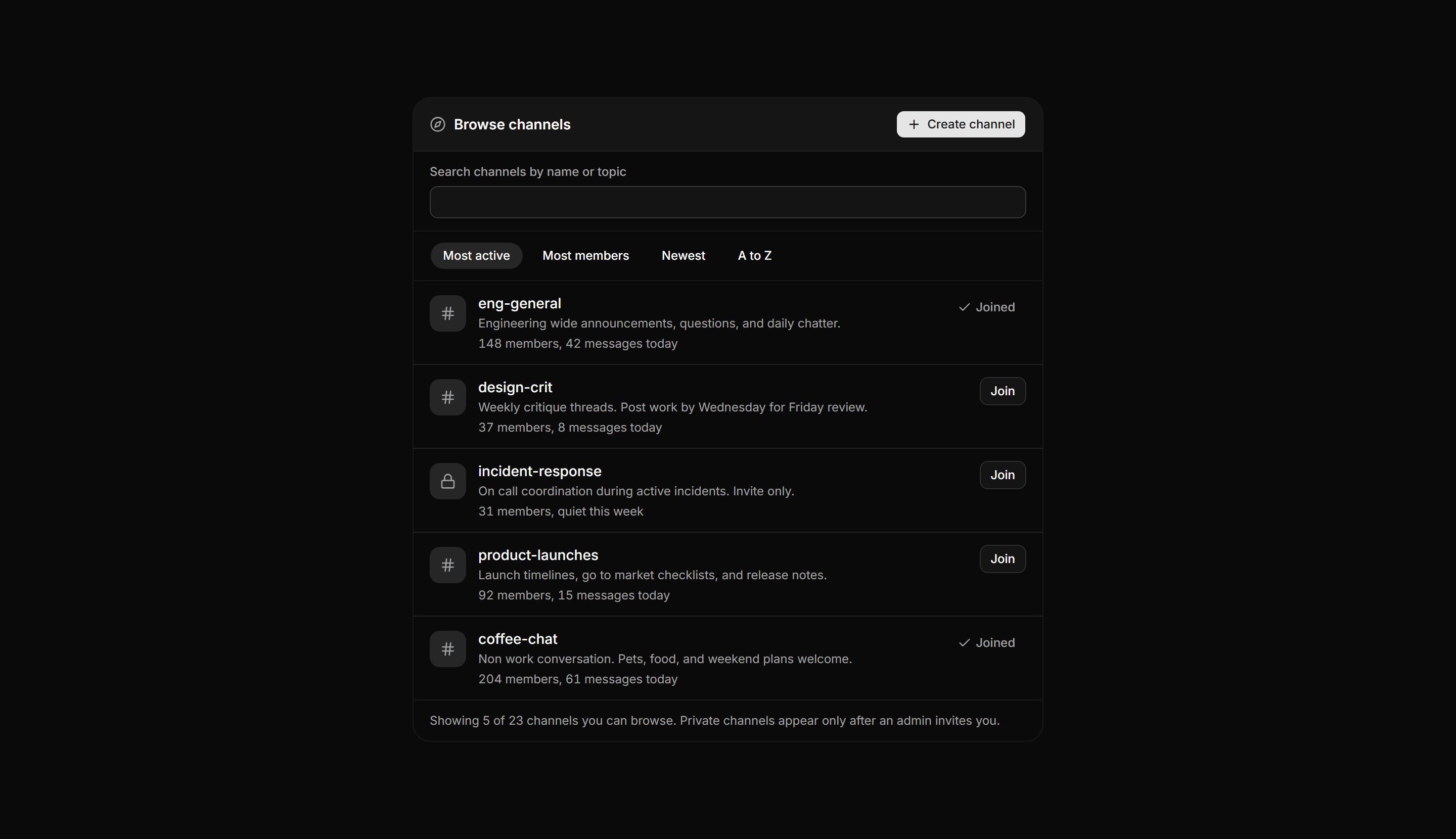
Application Chat and Messaging: Channel Directory
A browse and join panel with a create action, labeled search field, sort chips, and rows showing each channel name, description, members, and a join state.
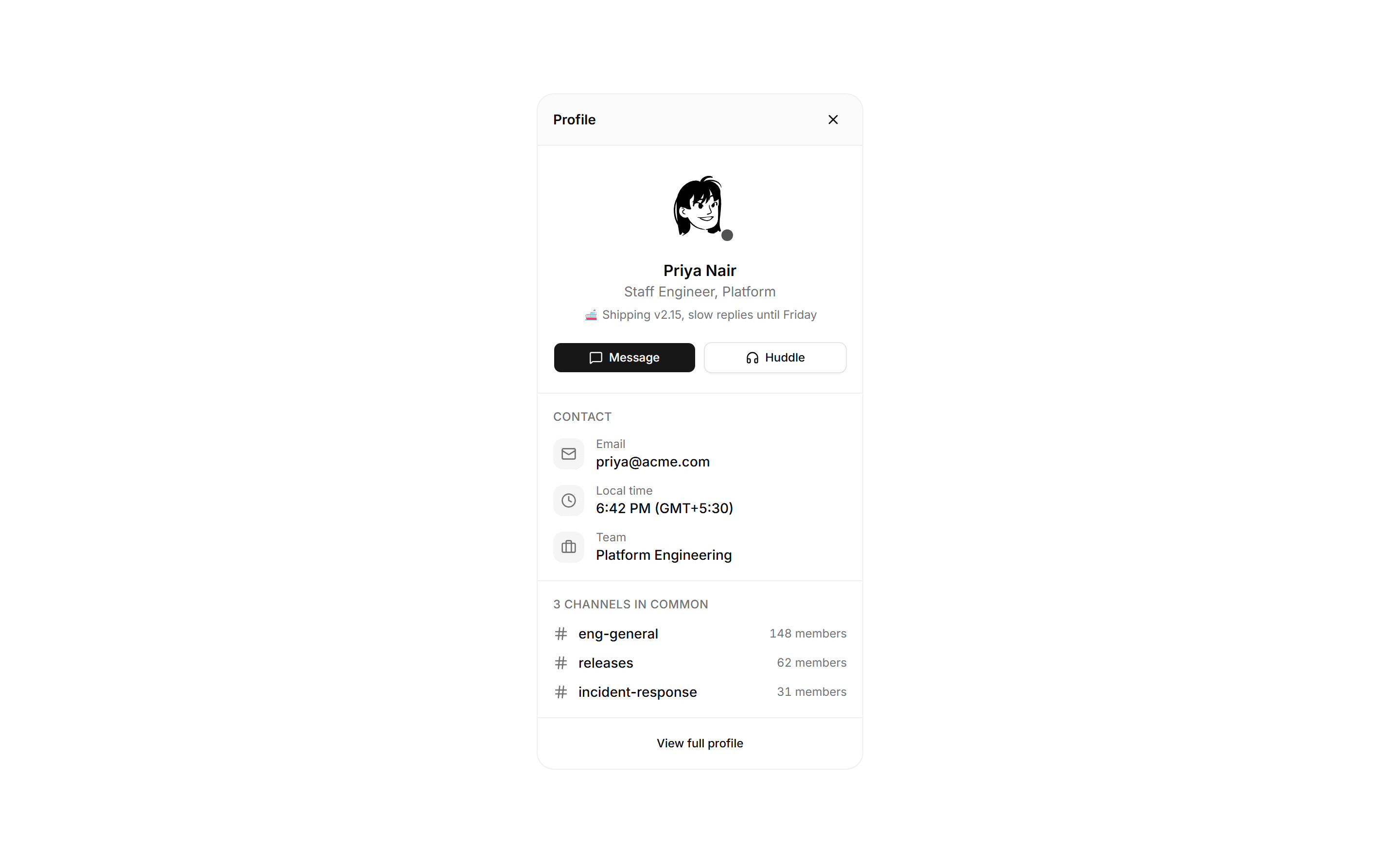
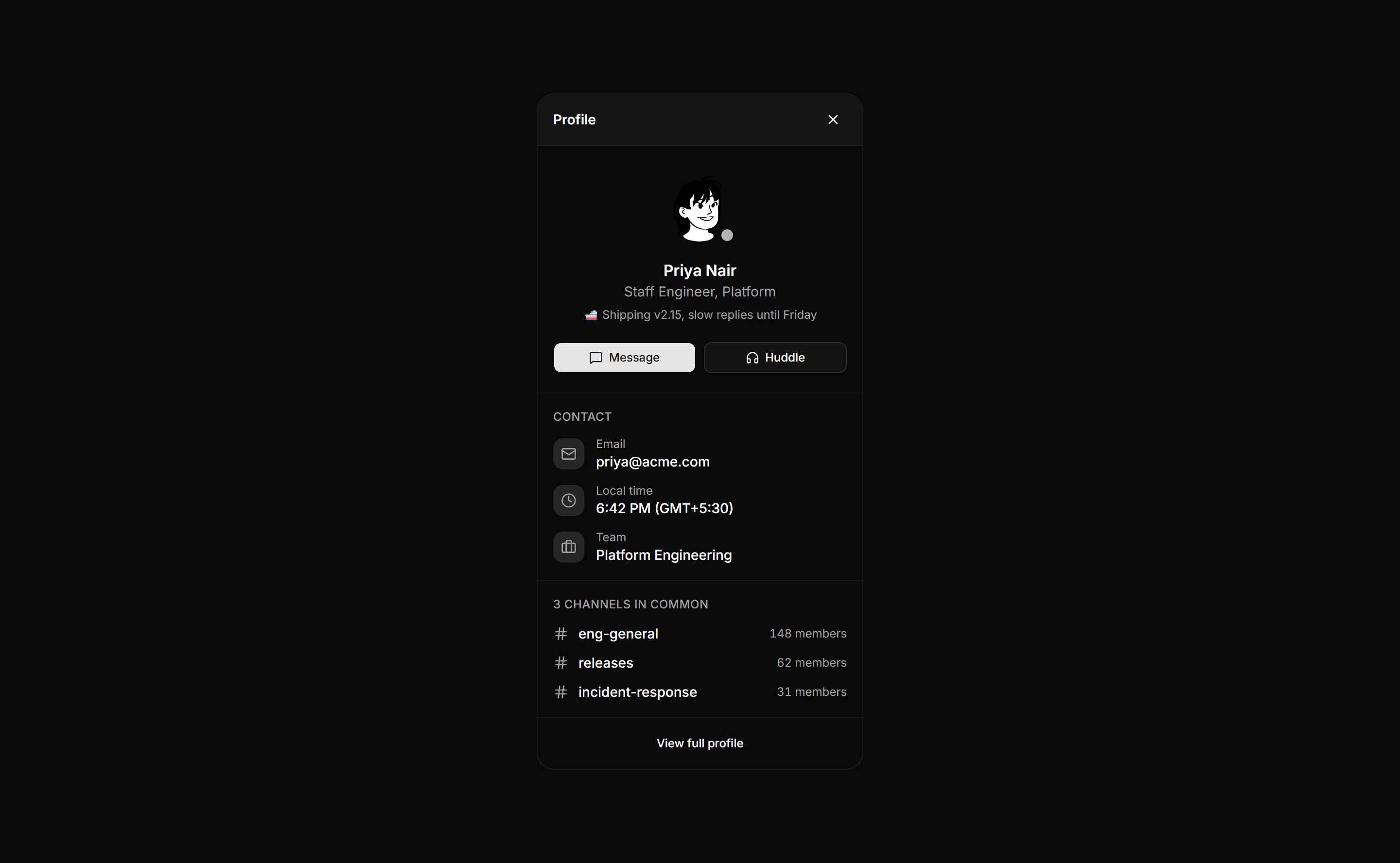
Application Chat and Messaging: Member Profile Drawer
A person panel with a large avatar and presence dot, name and status line, message and huddle actions, contact rows, and shared channels.
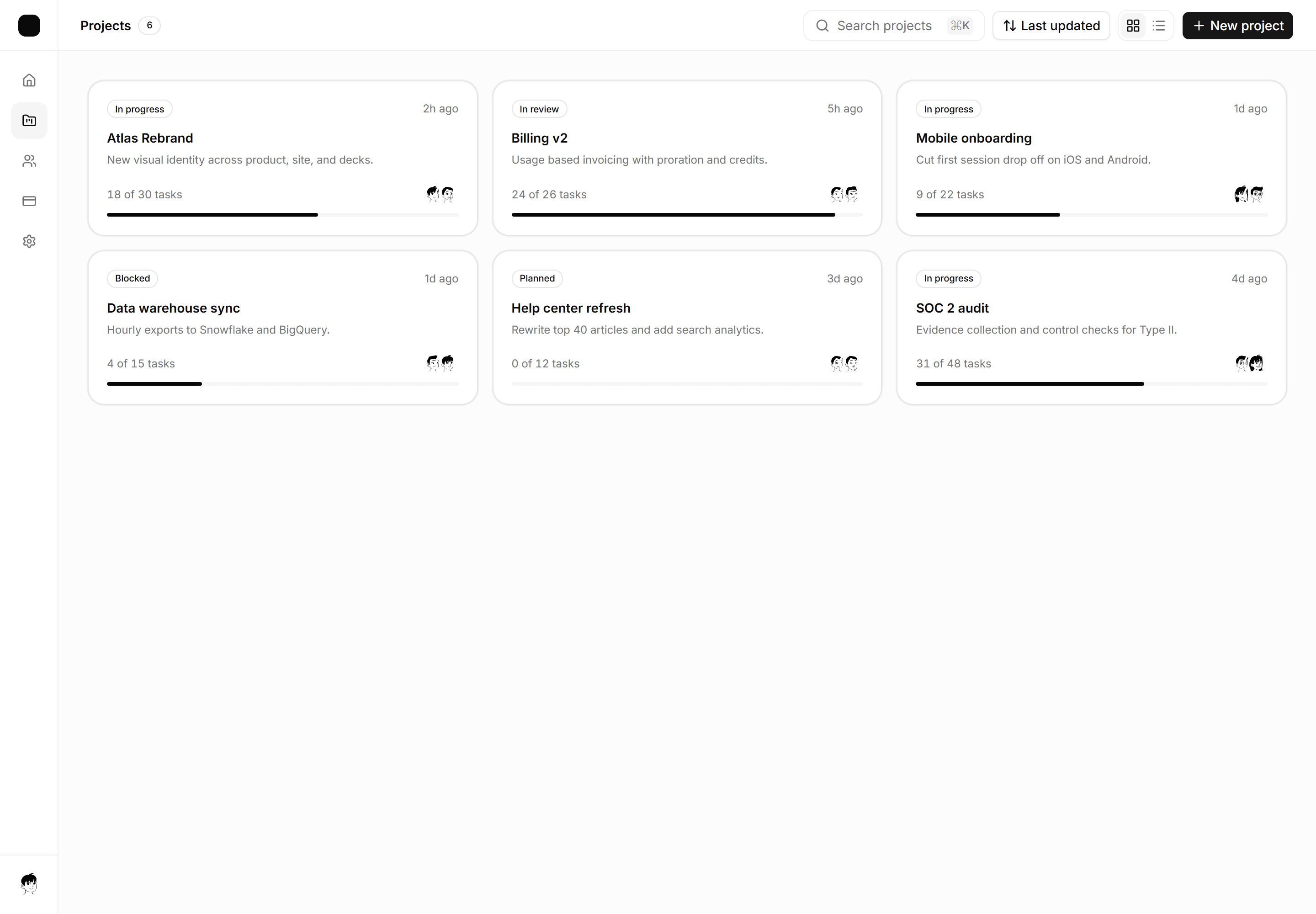
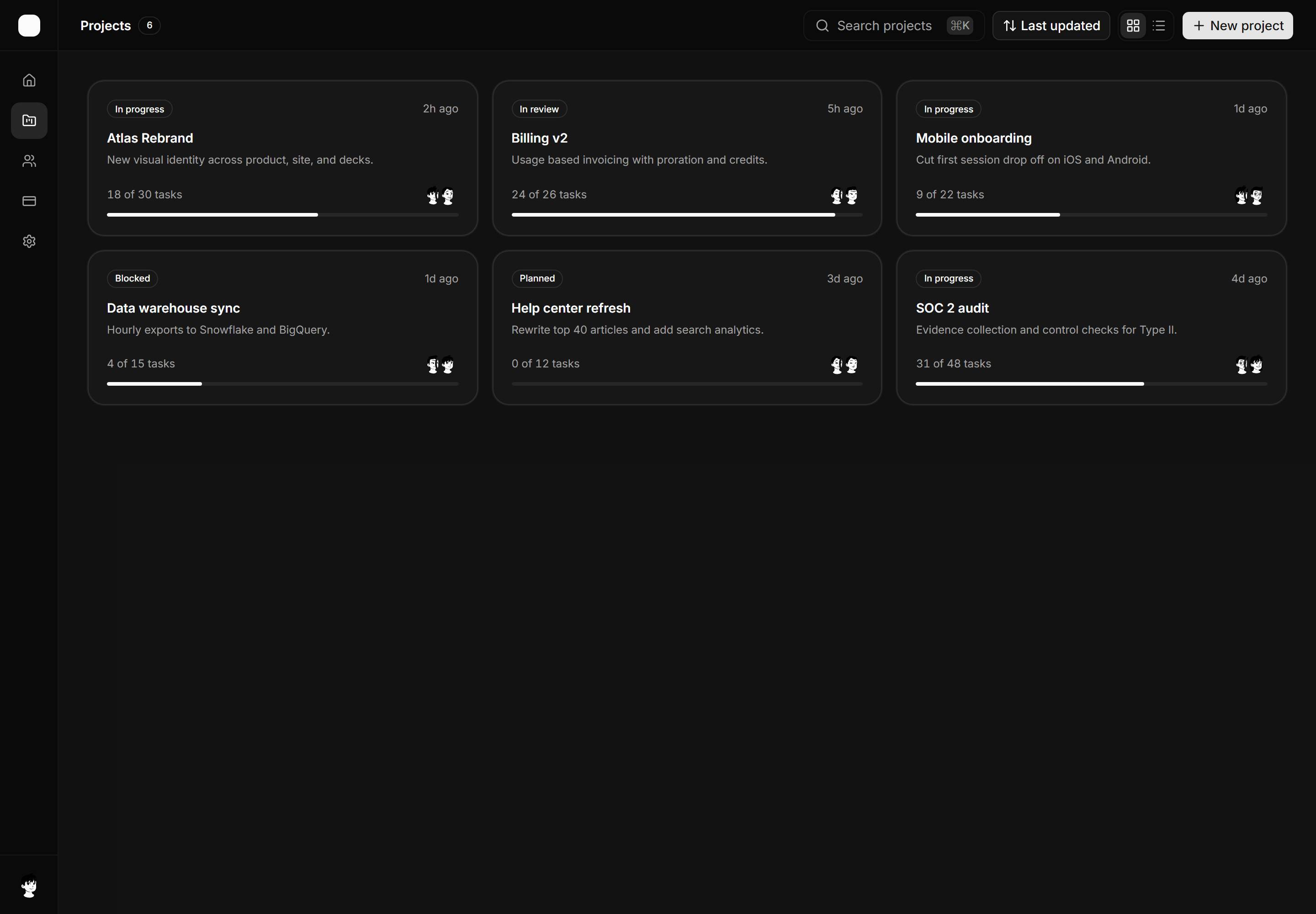
Application App Shell: Card Grid Shell
A gallery workspace shell with an icon nav rail, a toolbar with search, sort, and view toggle, and a responsive card grid of projects.
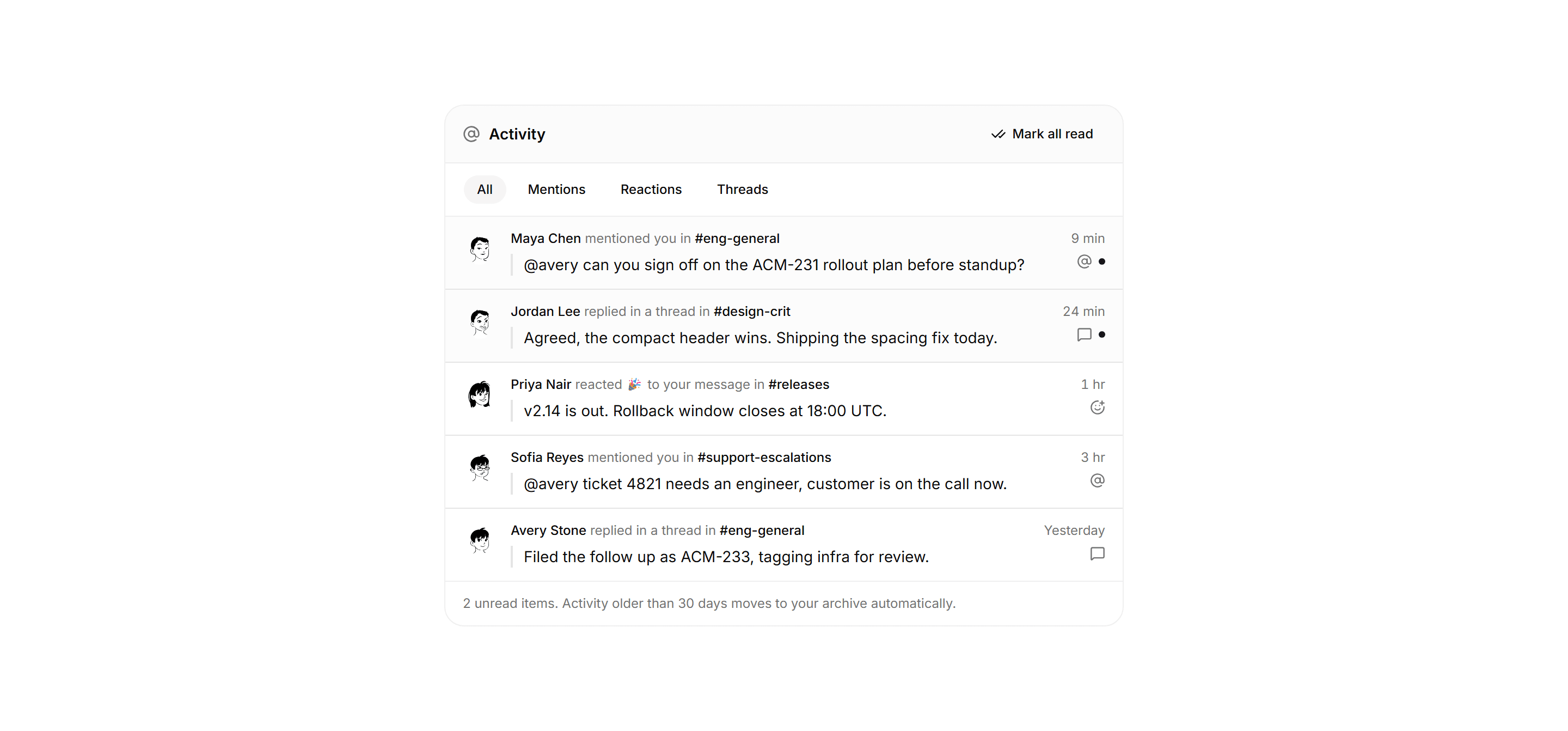
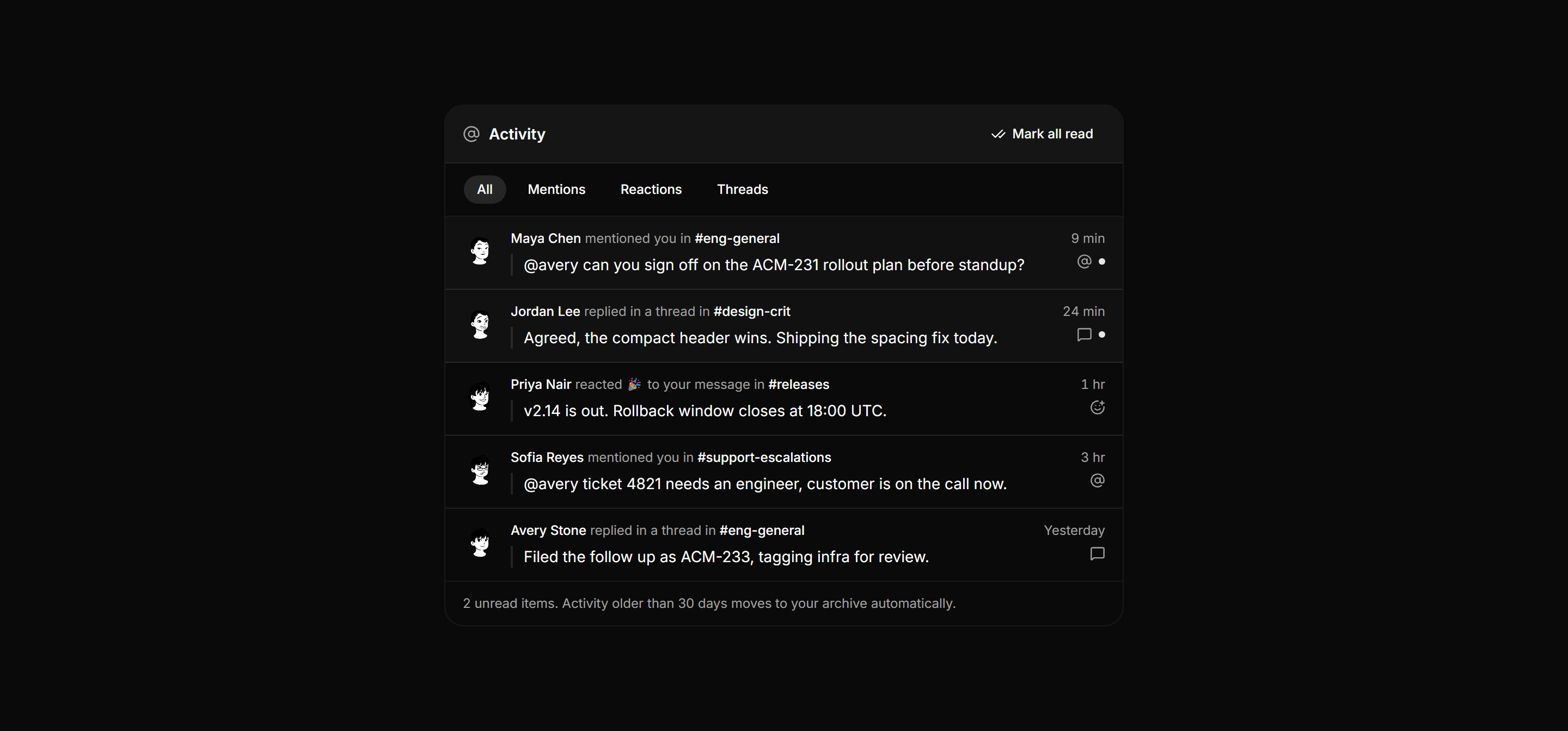
Application Chat and Messaging: Mentions Activity Feed
An activity panel with a mark all read header, mentions and reactions filter chips, and rows pairing actor, event, source channel, quoted snippet, and time.
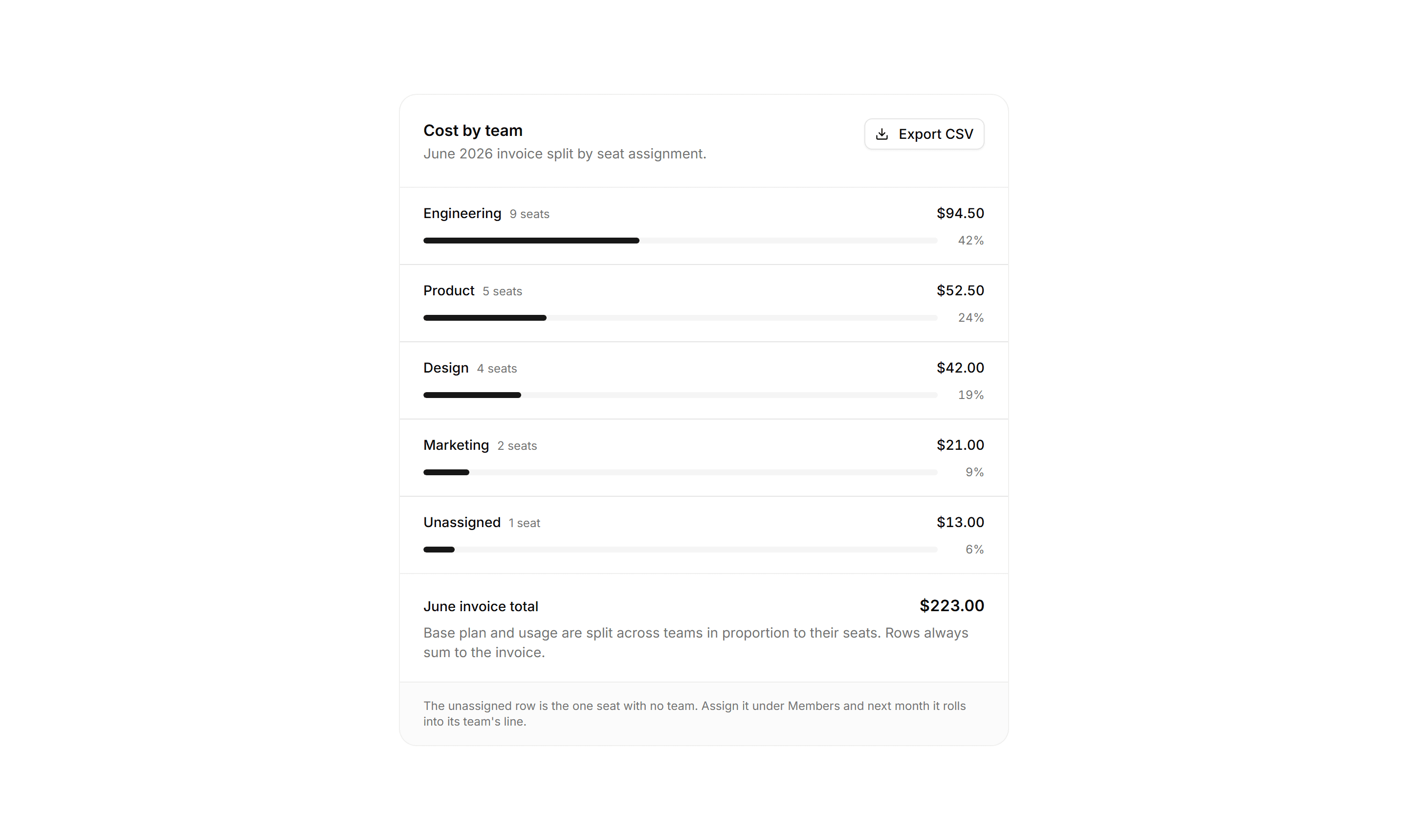
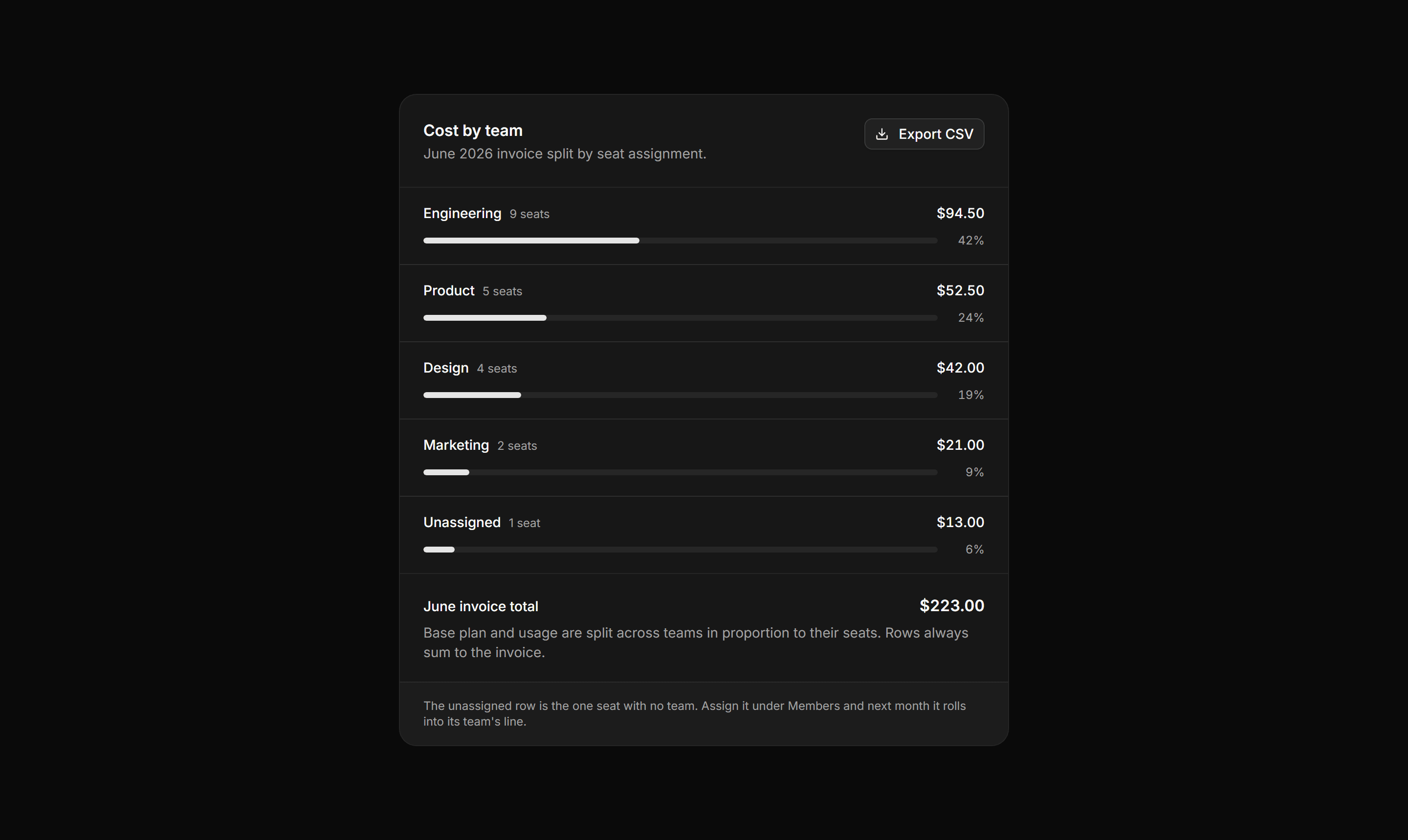
Application Billing: Cost Allocation Panel
A cost by team panel with ruled rows of member count, a proportional meter, share percentage, and amount, reconciling to the invoice total.
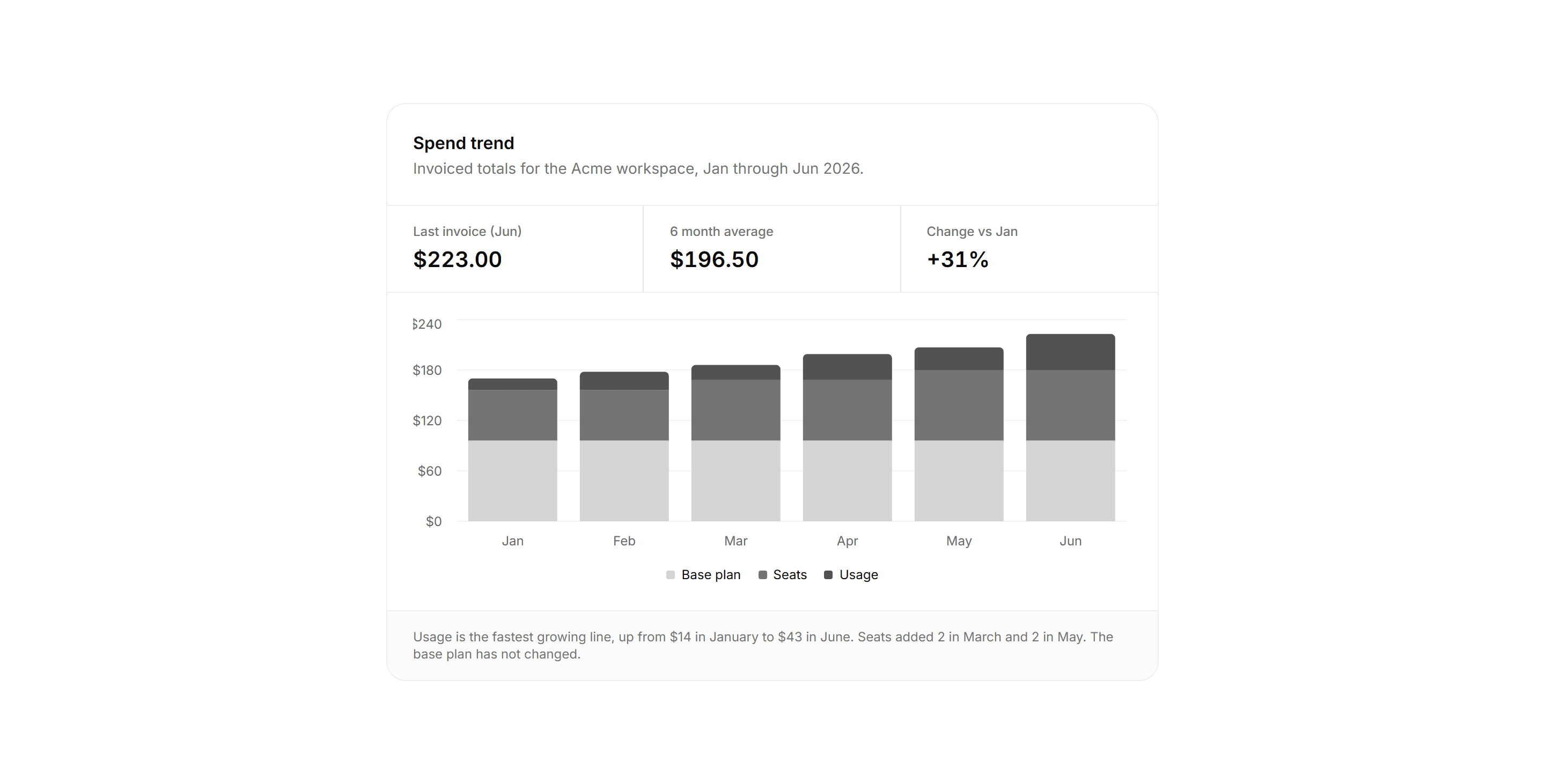
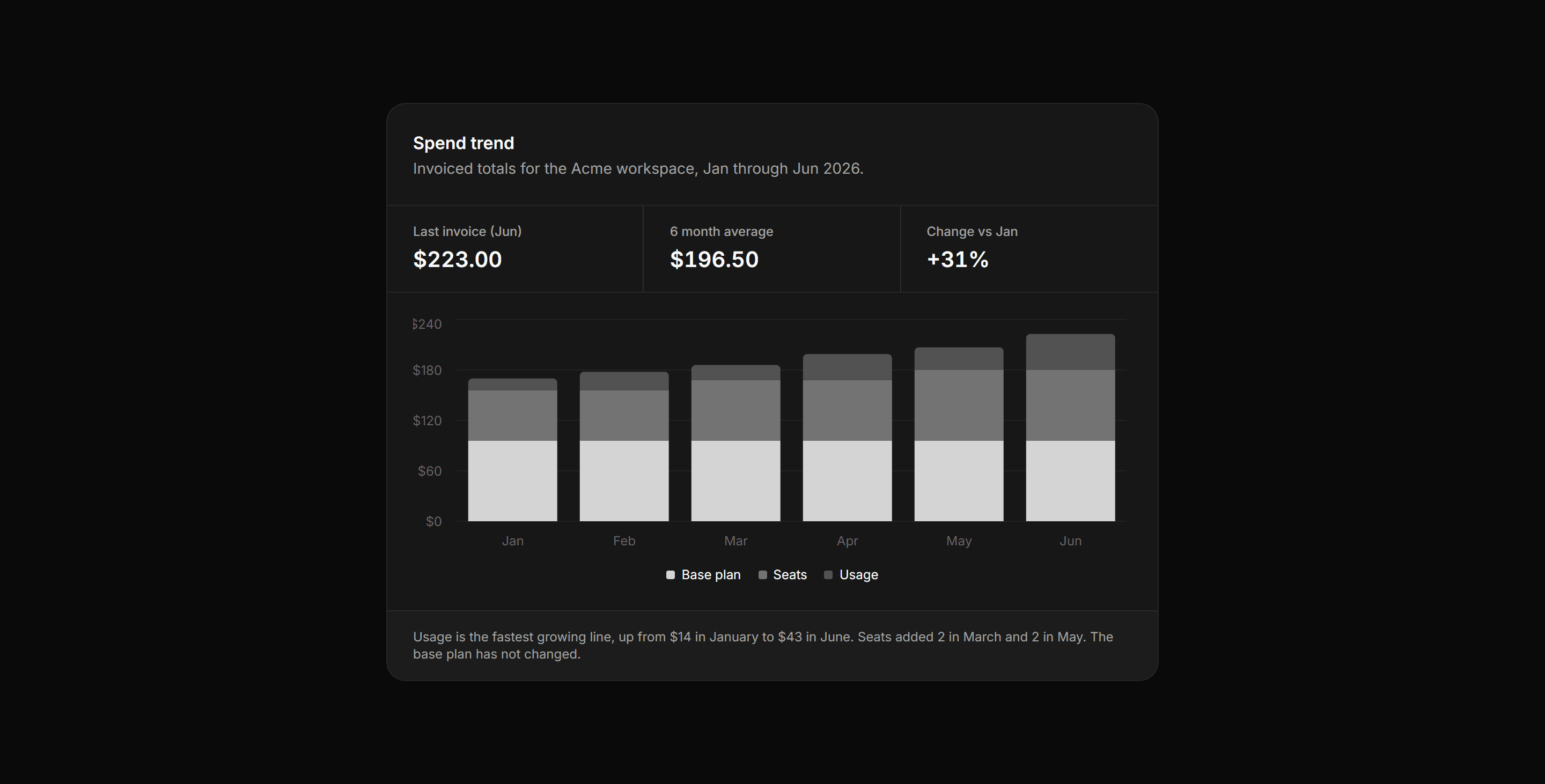
Application Billing: Spend Trend Chart
A spend trend panel with three stat columns above a six month stacked bar chart splitting invoices into plan, seats, and usage.
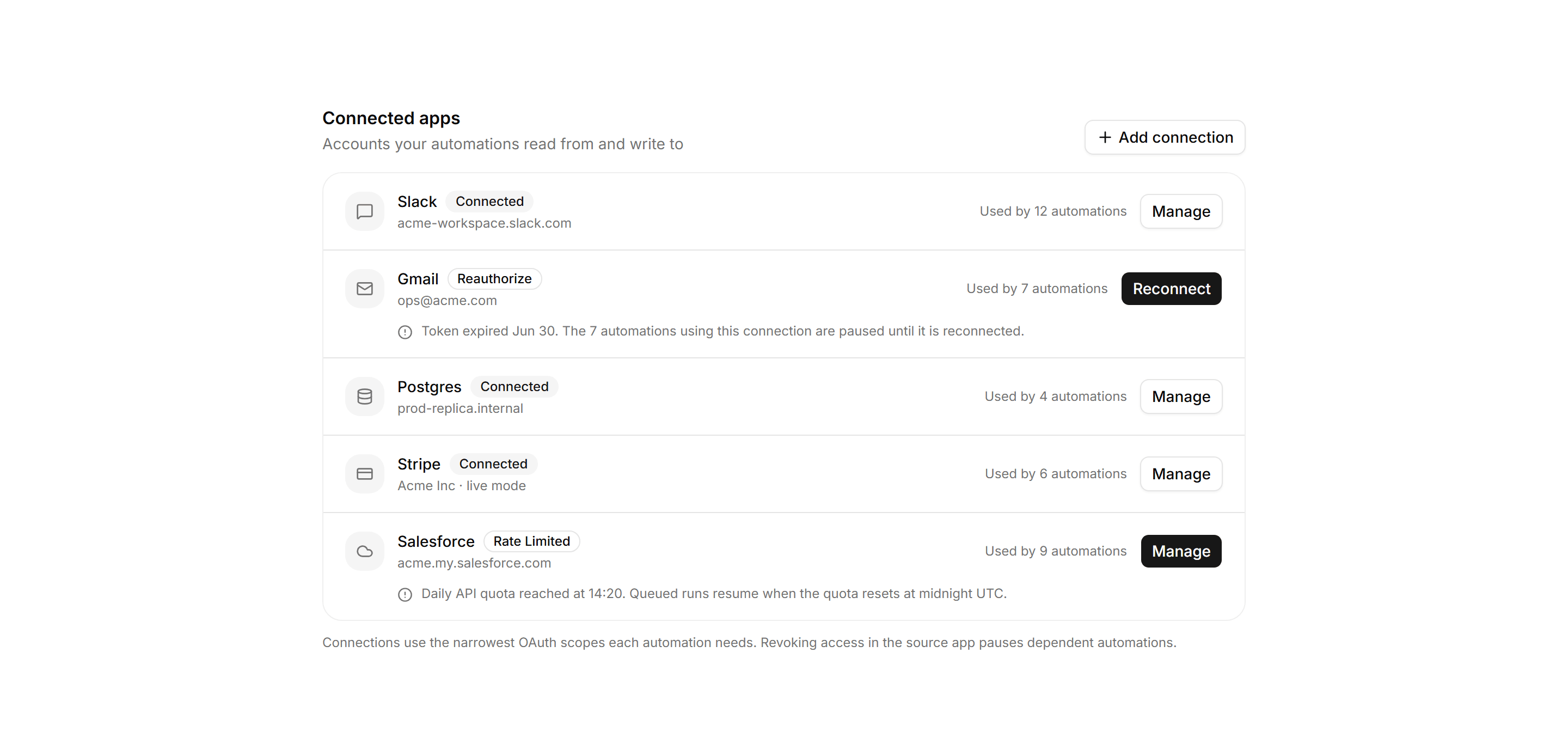
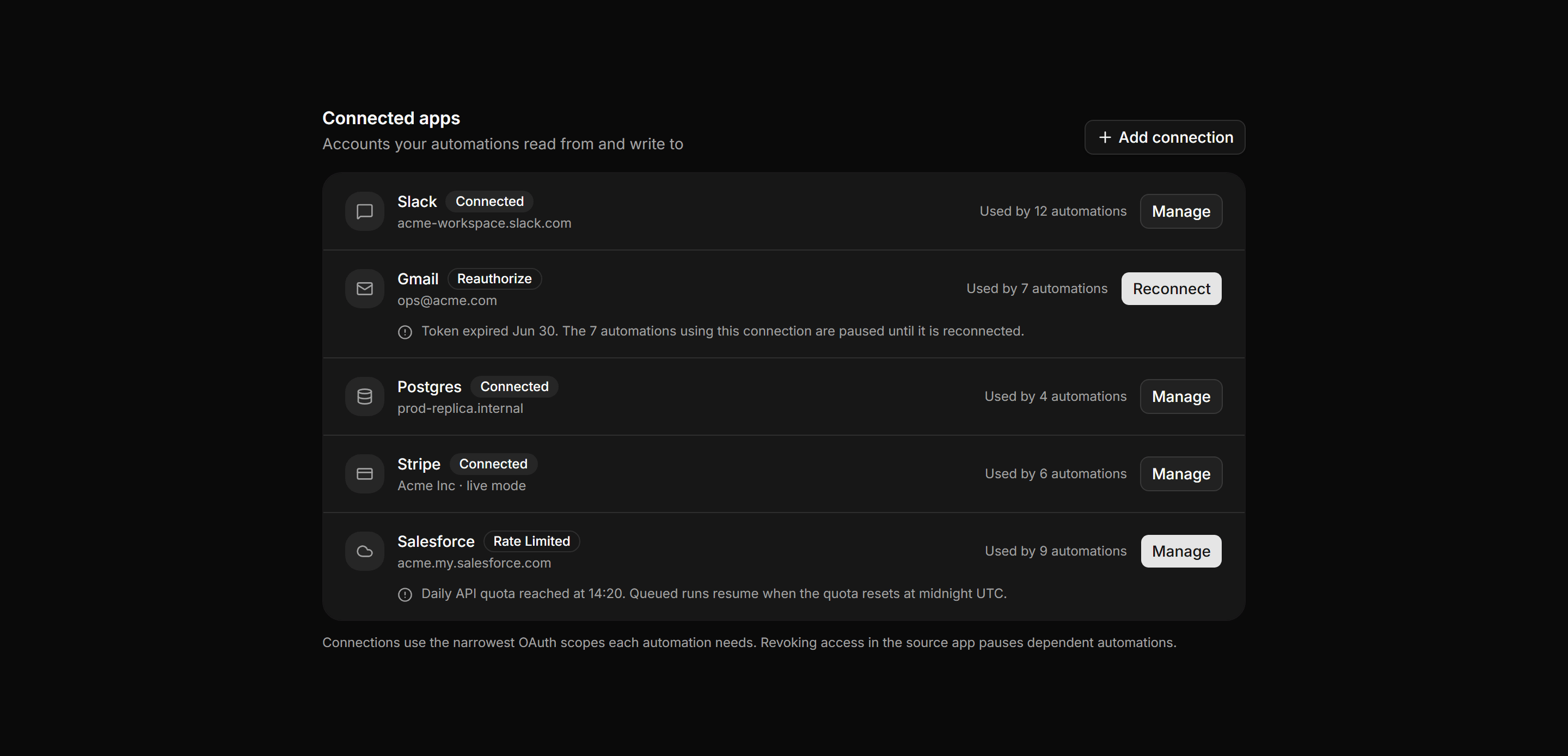
Application Workflow and Automation: Connection Health Panel
A connected apps panel where each row shows the account, a status badge, dependent automation count, and a reconnect action for broken connections.
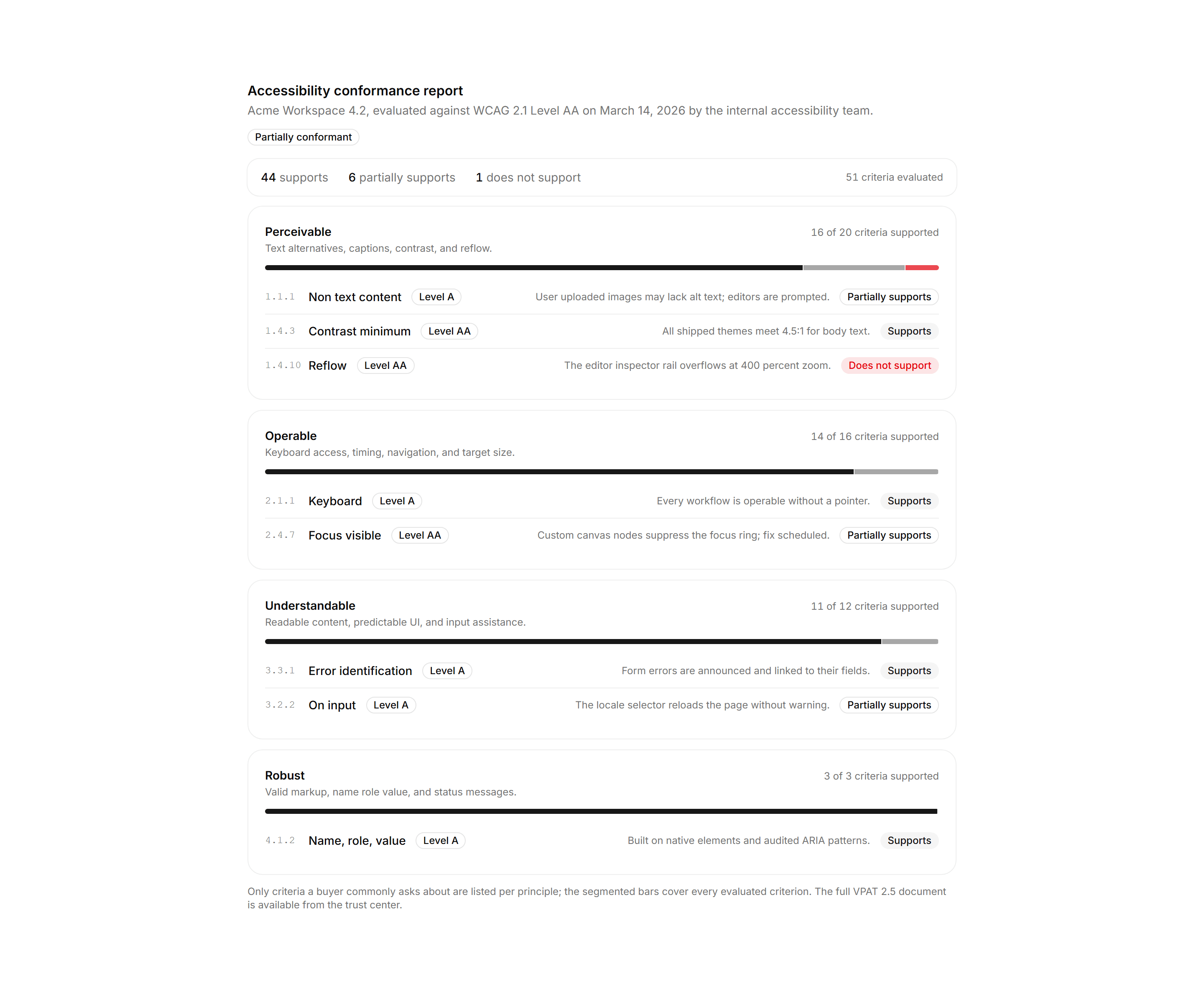
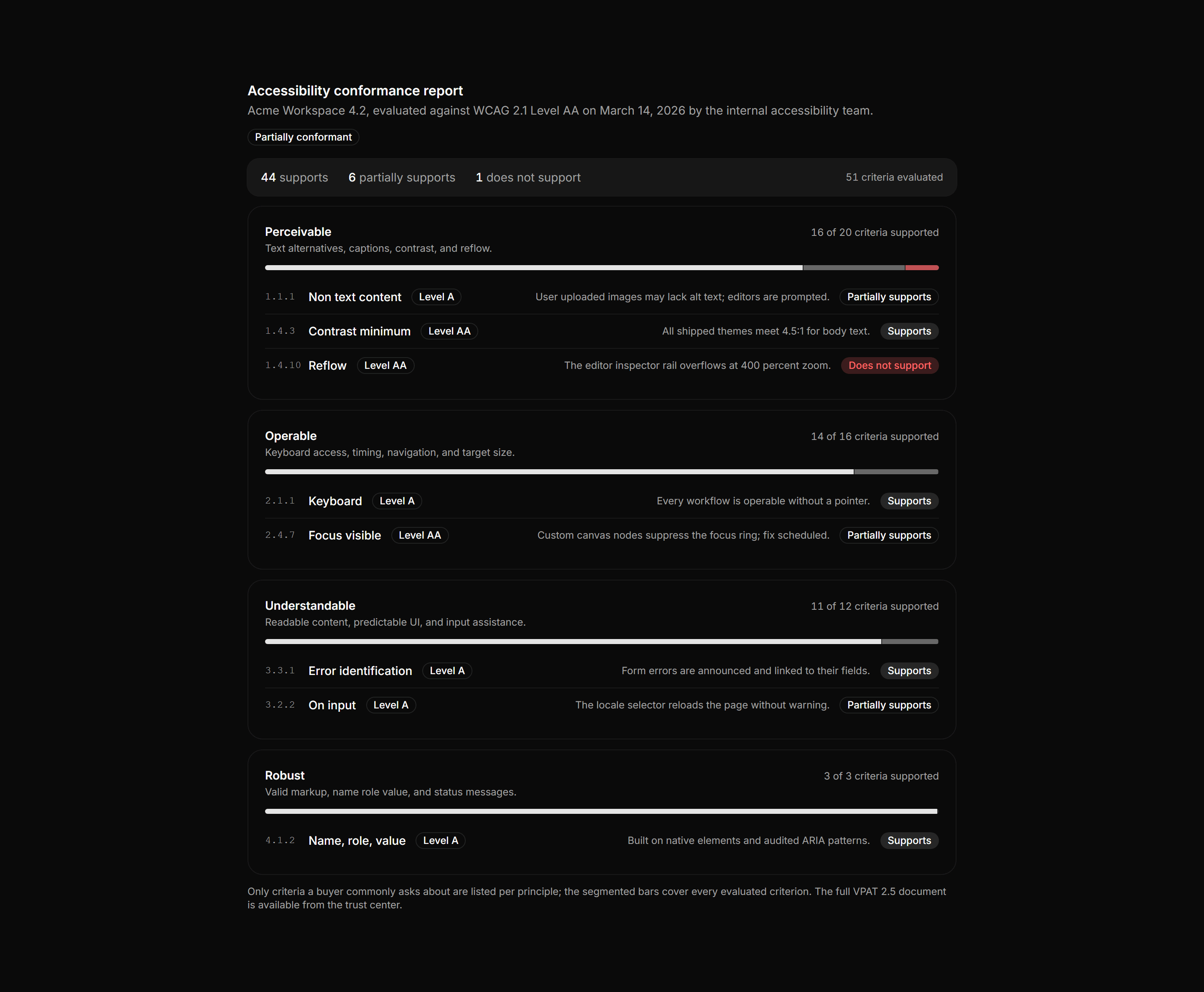
Application Accessibility: Conformance Report Card
A VPAT style summary with product metadata, one section per WCAG principle showing a segmented support bar and criteria counts, plus notable criterion rows.
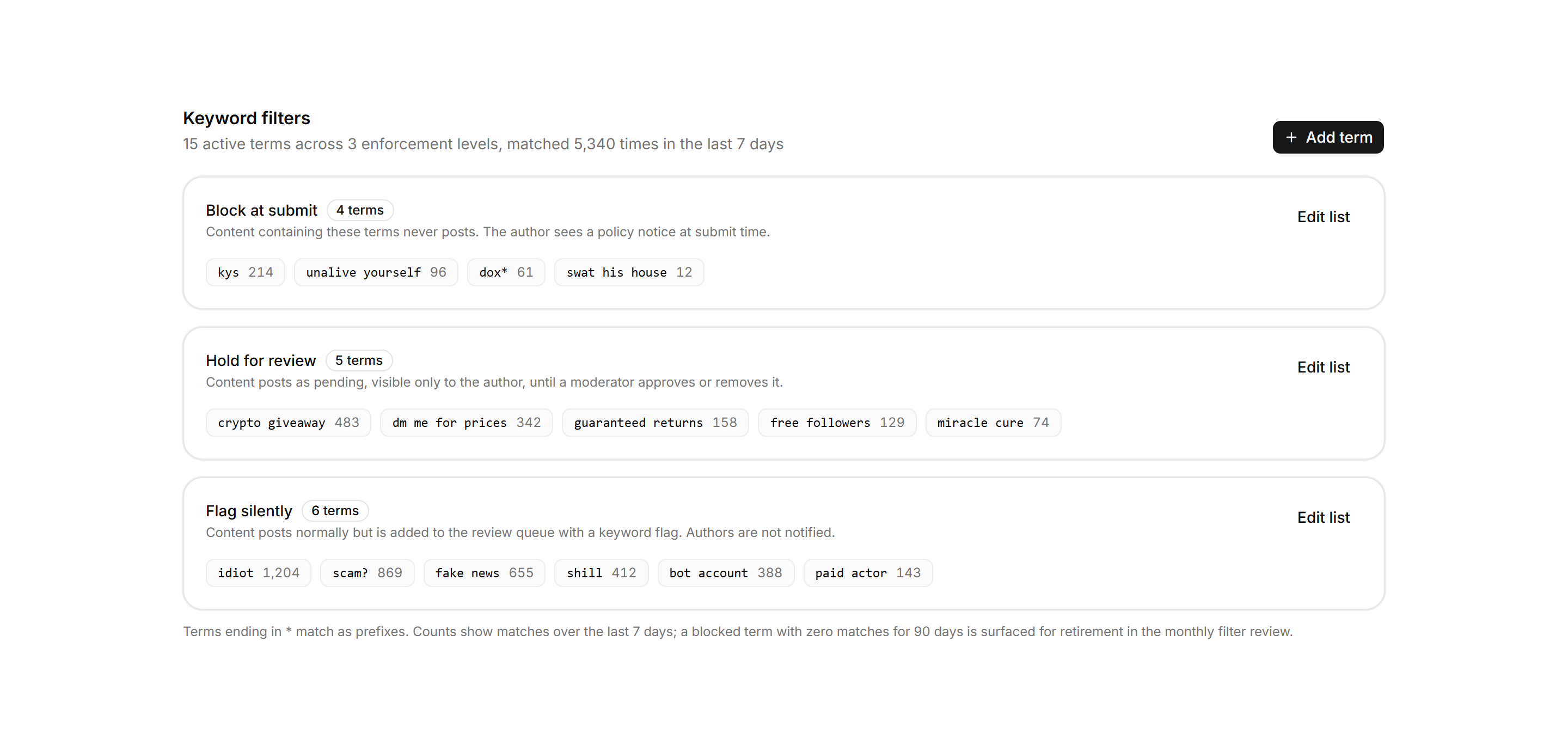
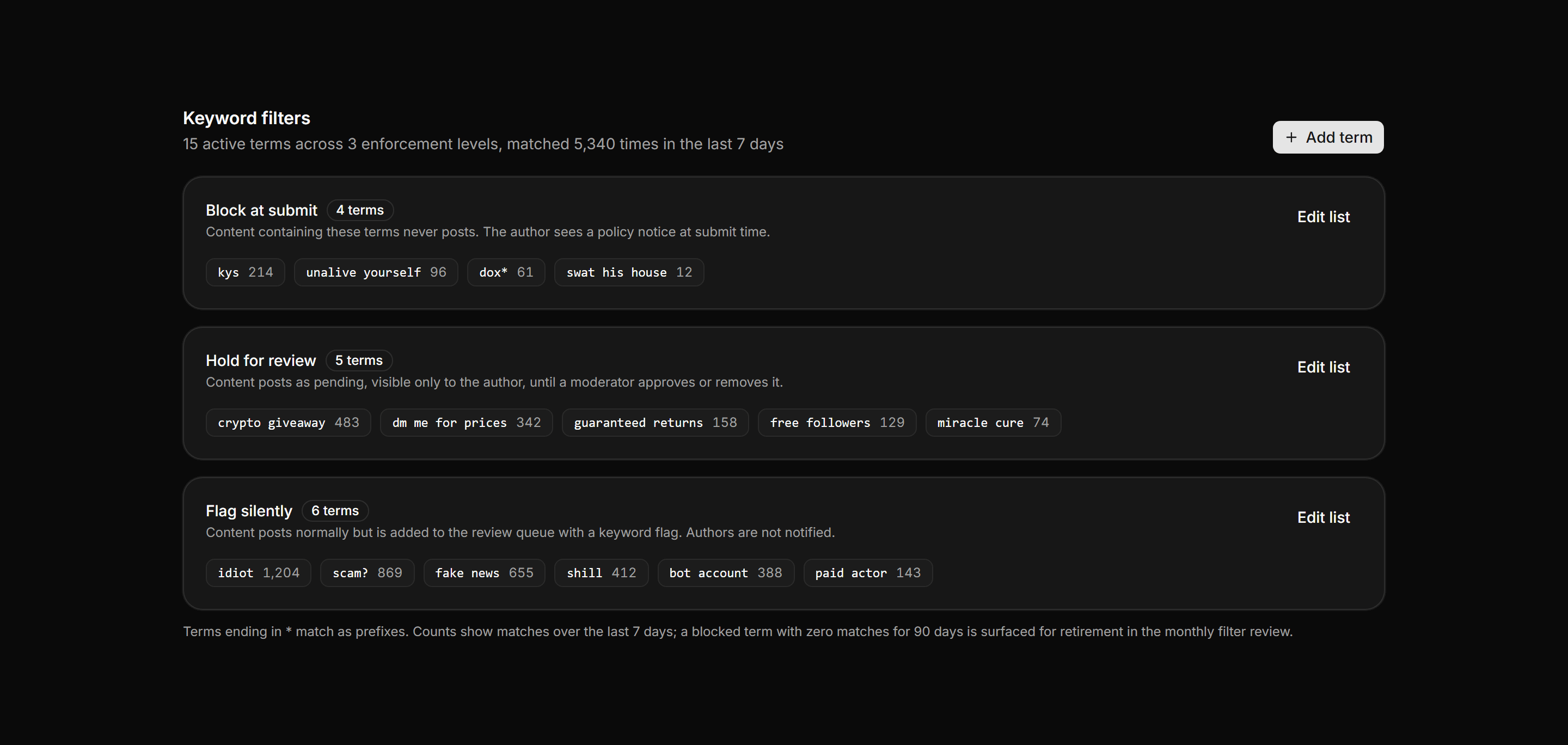
Application Admin and Moderation: Keyword Filter Manager
Filtered terms grouped into three ruled sections by enforcement action, each term a monospace chip with its 7 day match count and an edit control.
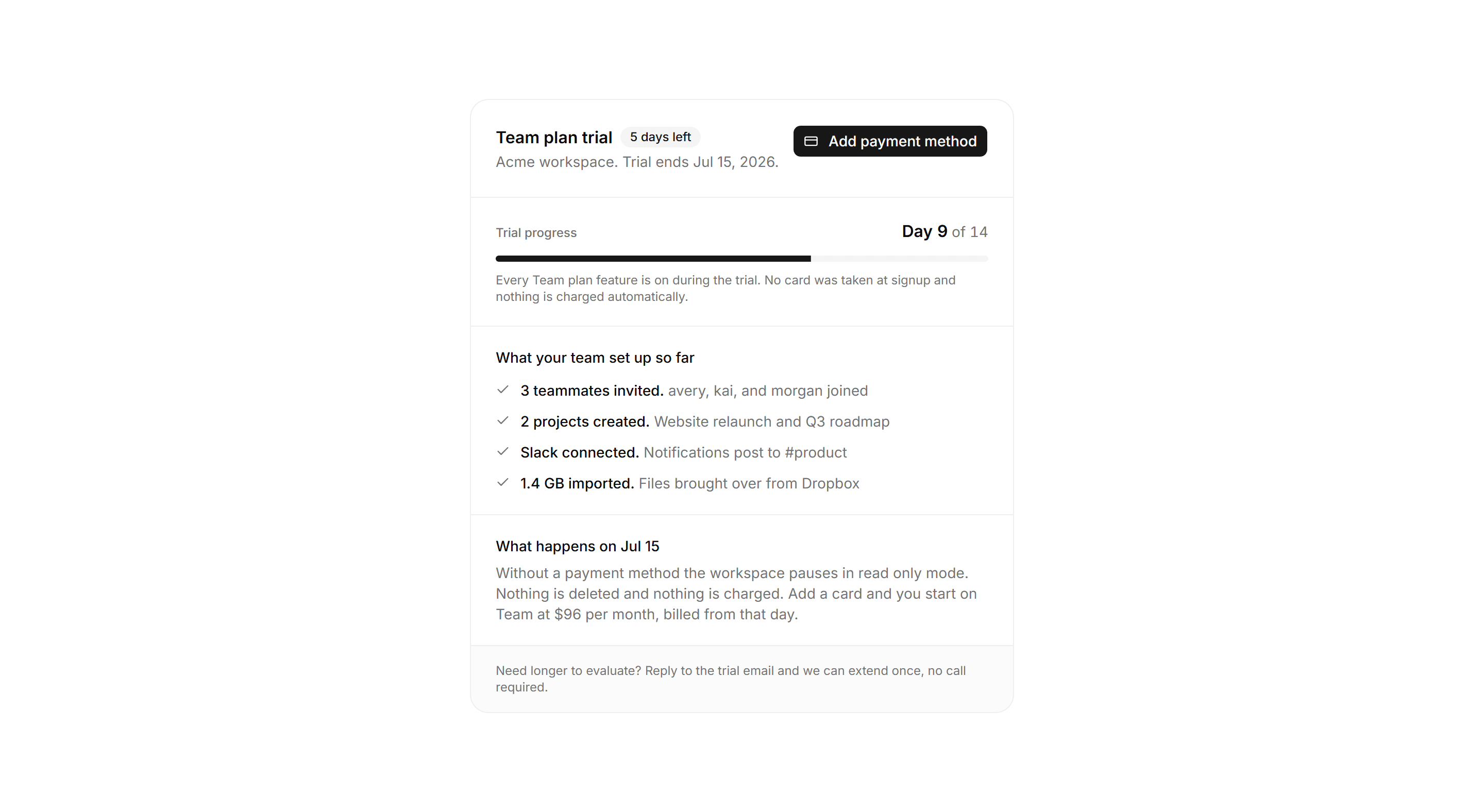
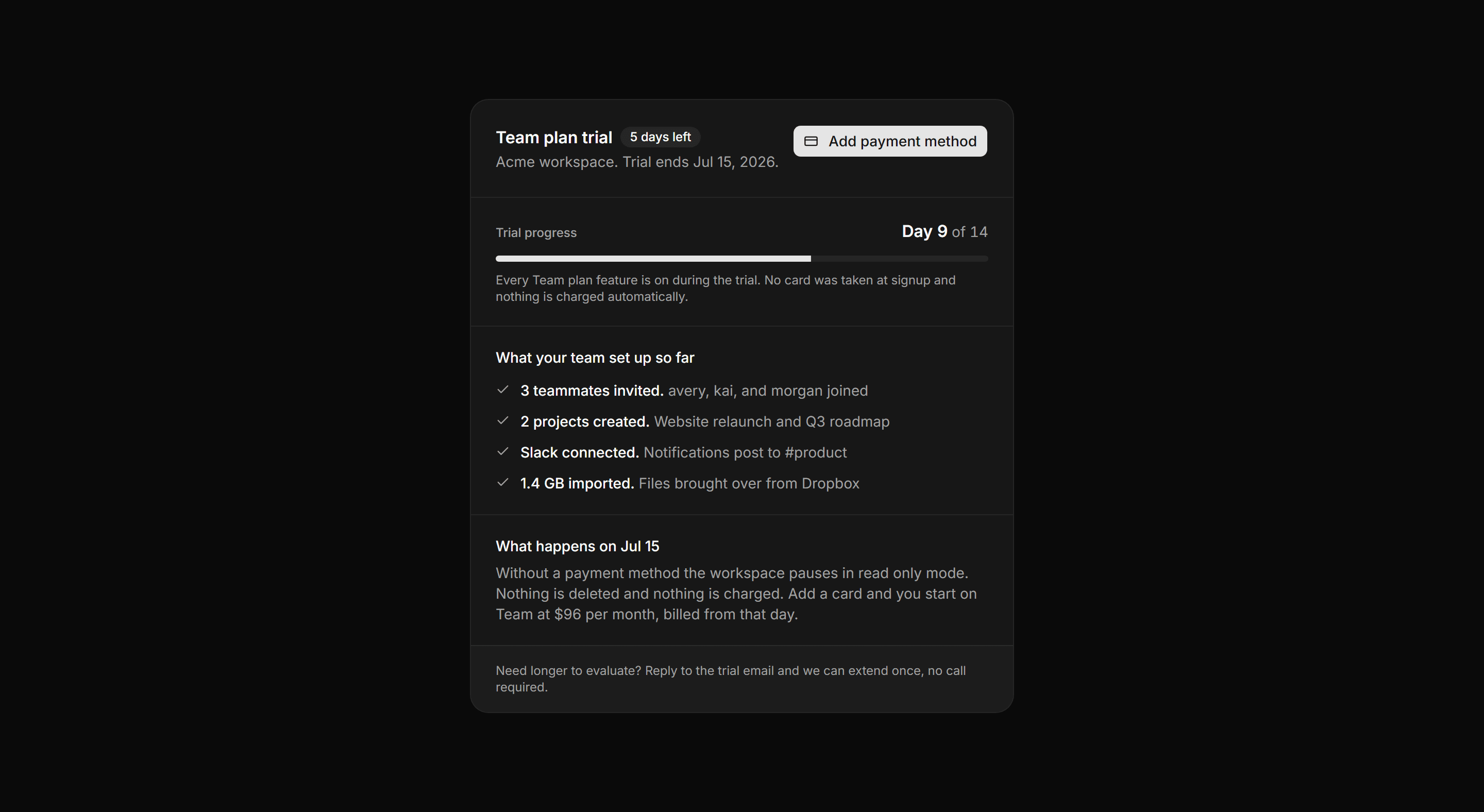
Application Billing: Trial Status Card
A trial card with a day meter, a ruled list of what the team set up, an end date outcome, and an add payment action.
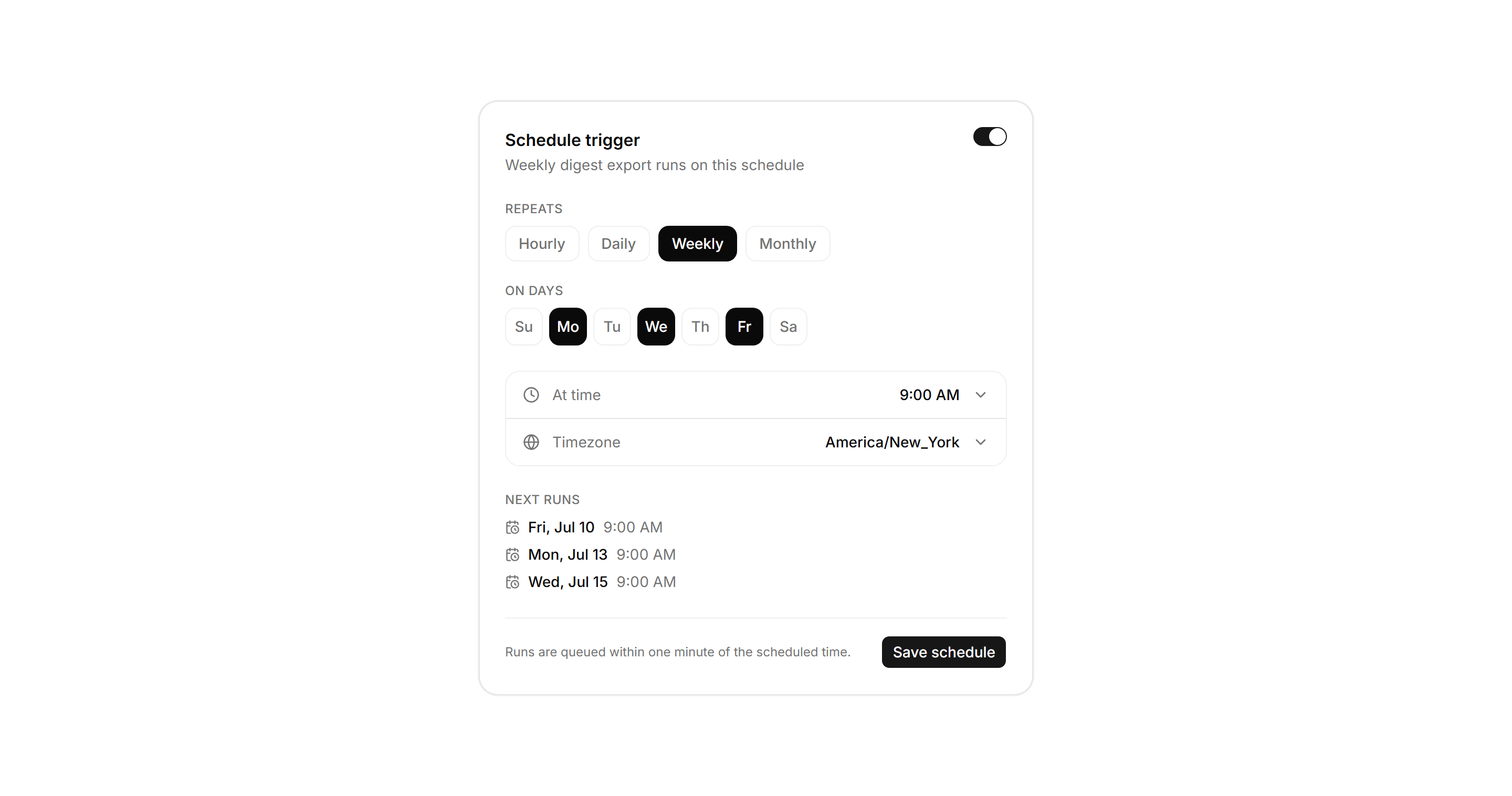
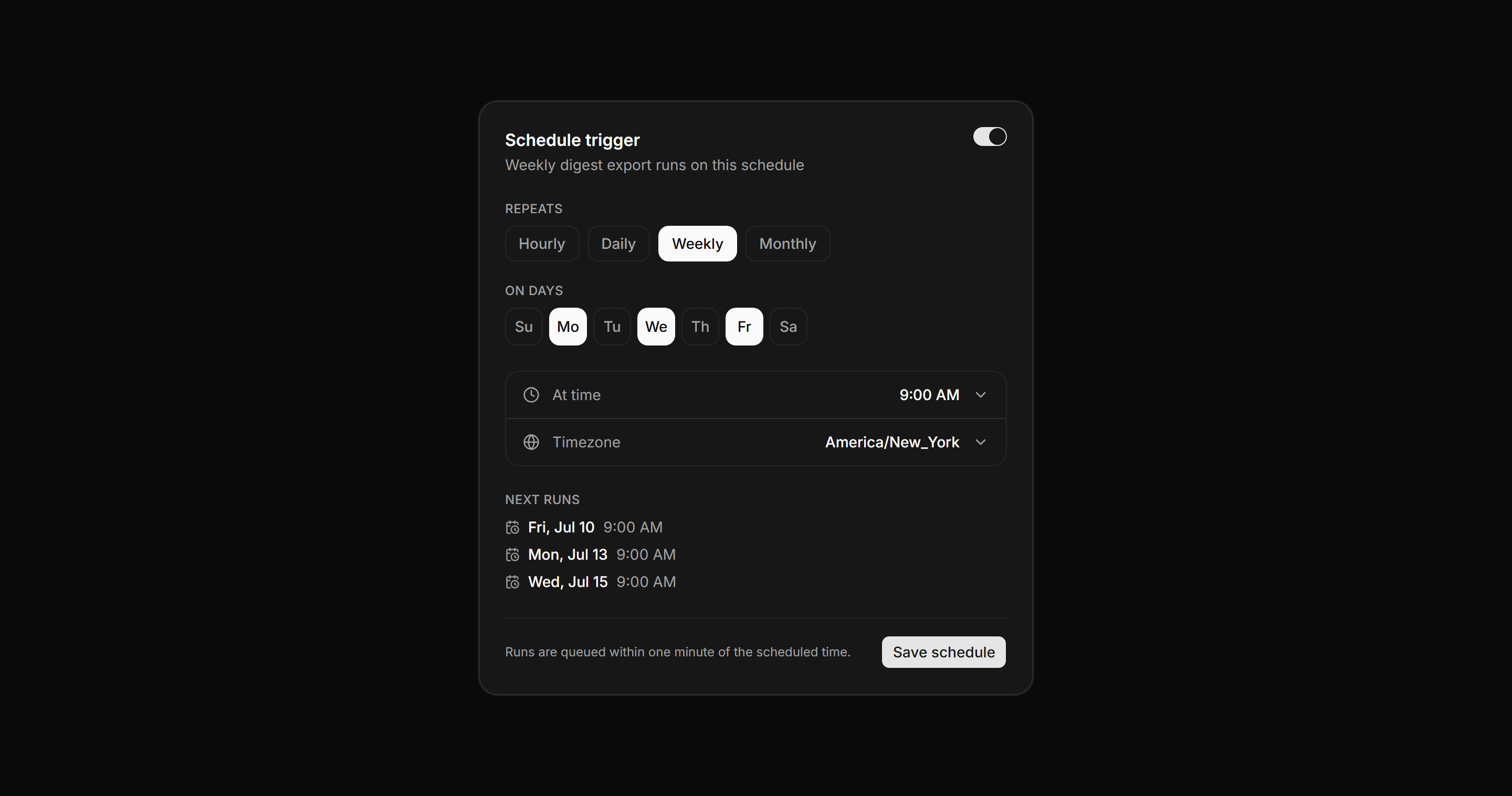
Application Workflow and Automation: Schedule Trigger Panel
A schedule trigger configuration card with frequency chips, day of week toggles, time and timezone rows, and a preview of the next queued runs.
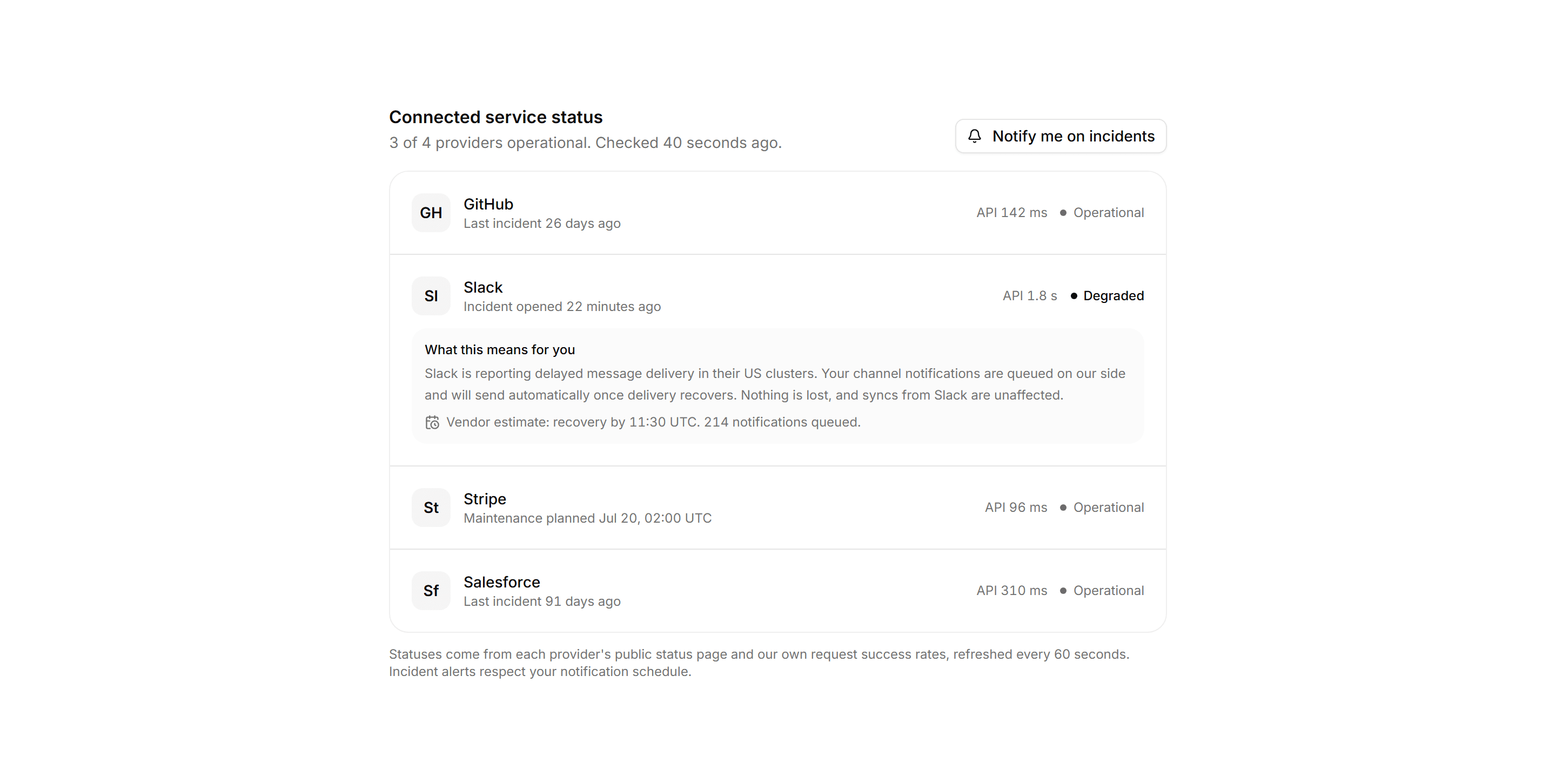
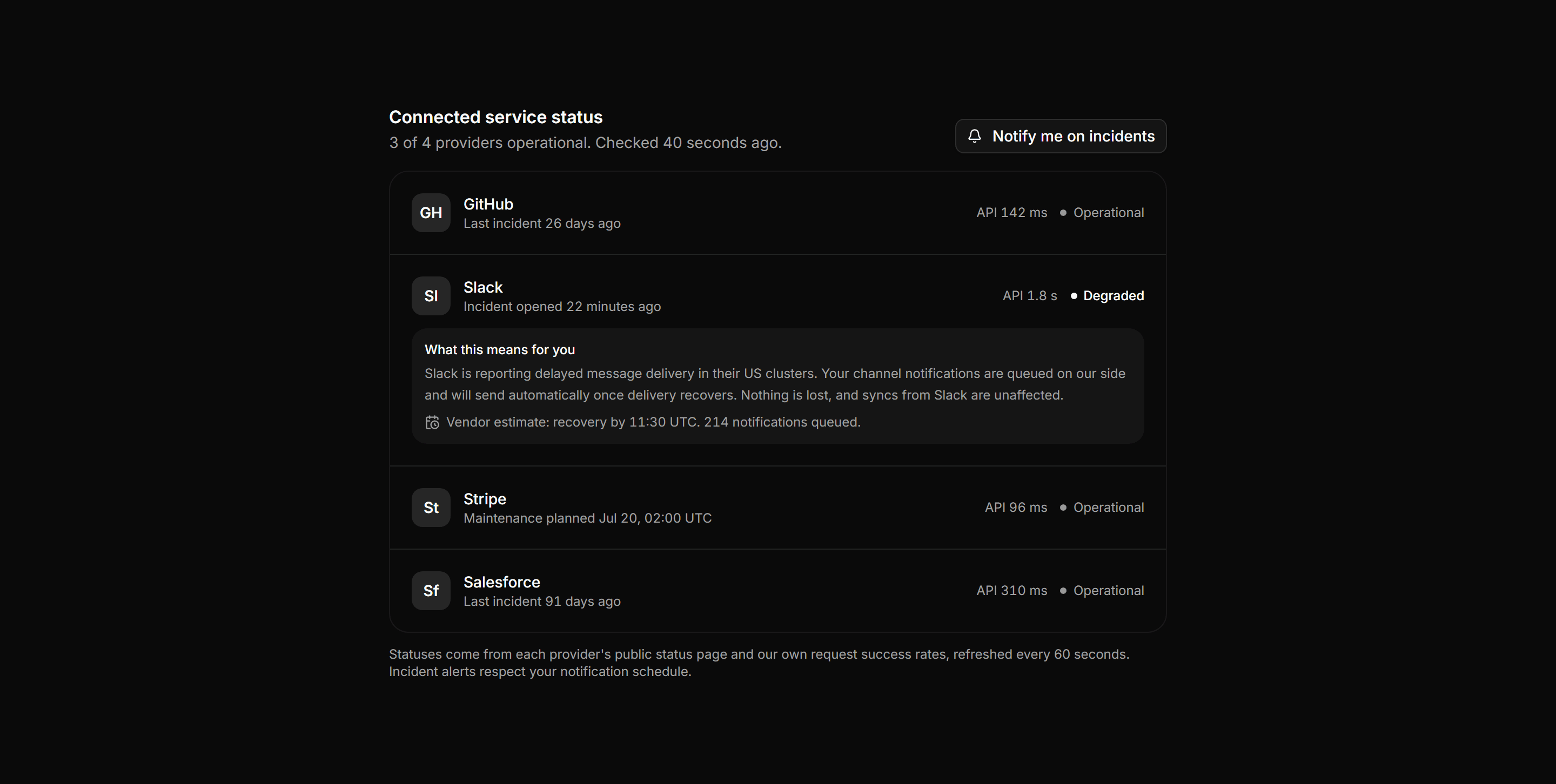
Application Integration: Connected Services Status
Provider status board where each connected service shows live status, response time, and last incident, plus an impact note on the degraded provider.
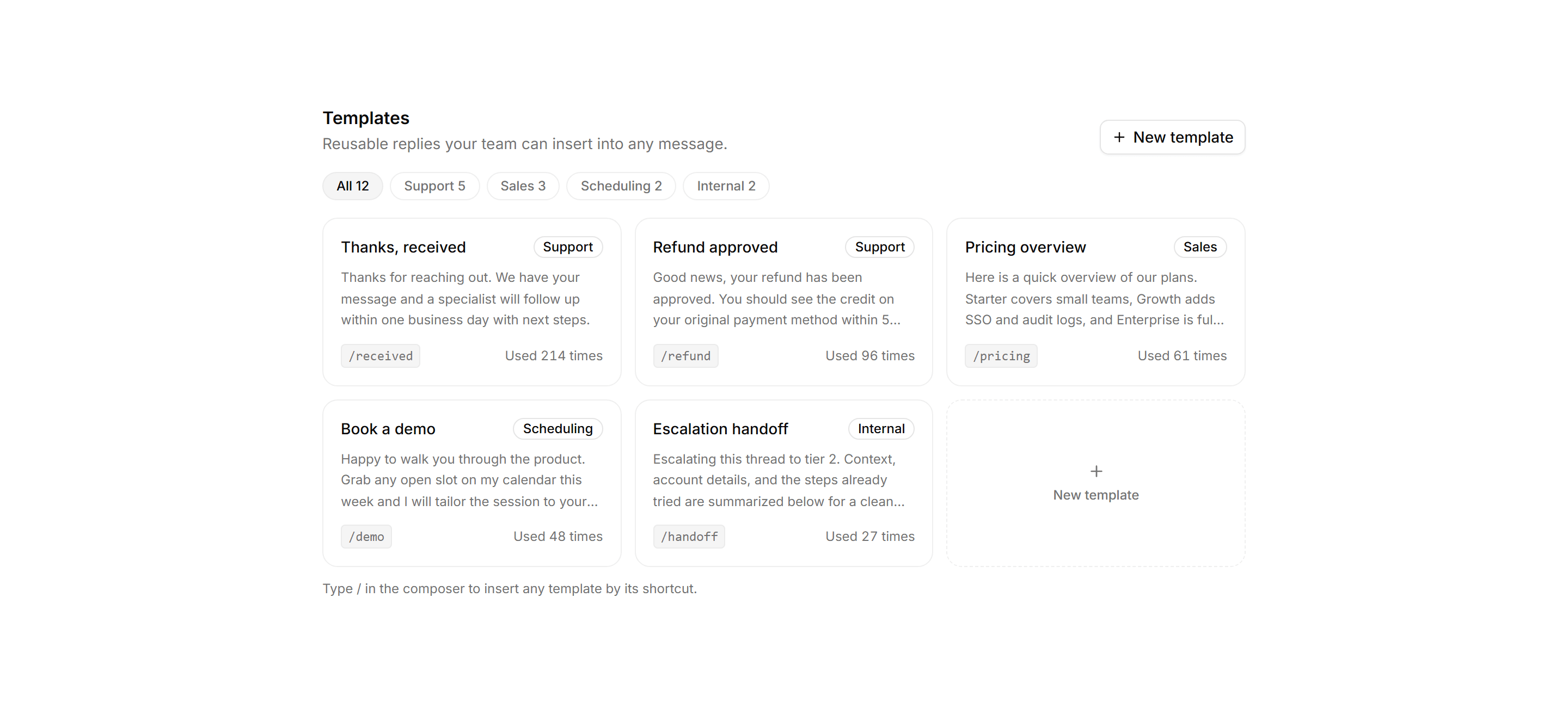
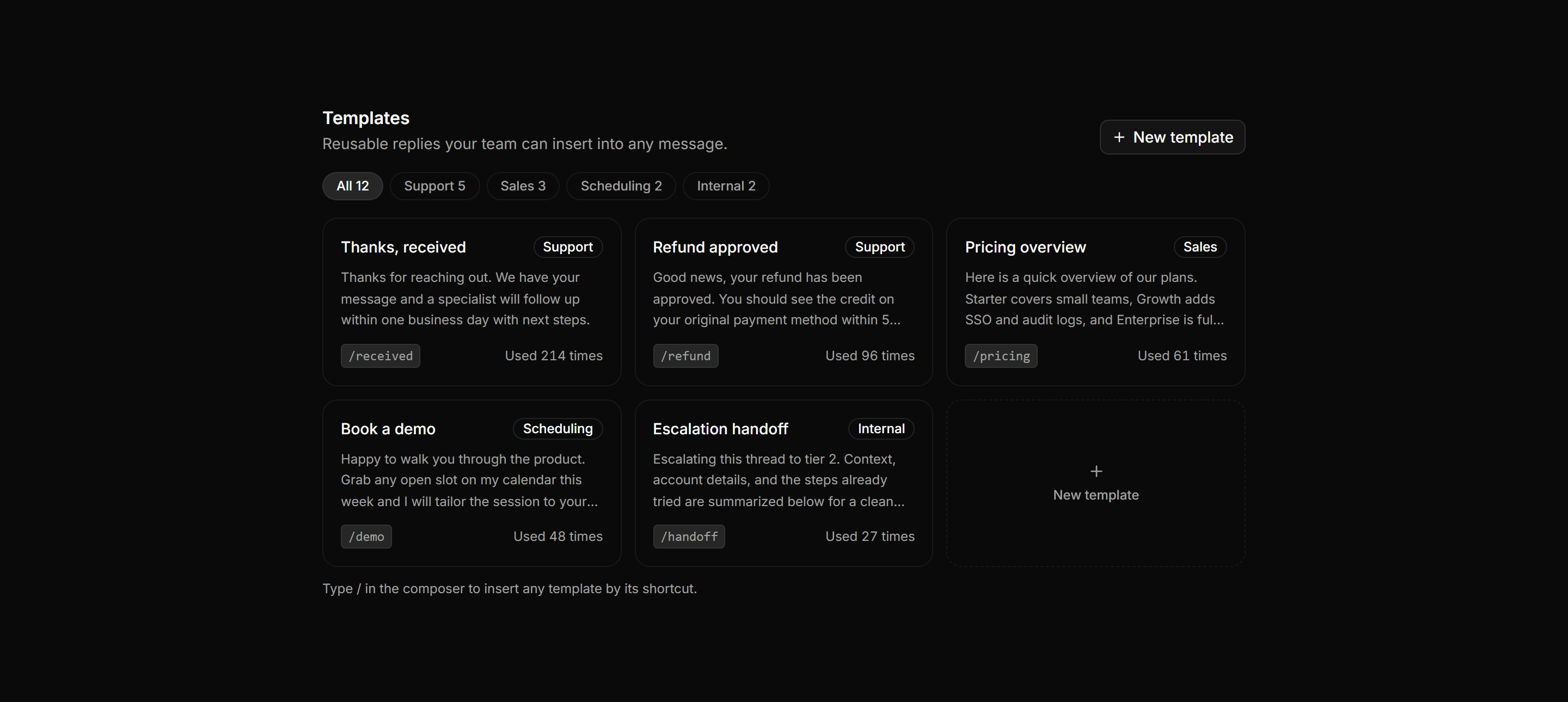
Application Inbox and Email: Template Library
Canned reply template library with category filter chips and a card grid showing each template name, body preview, slash shortcut, and usage count.
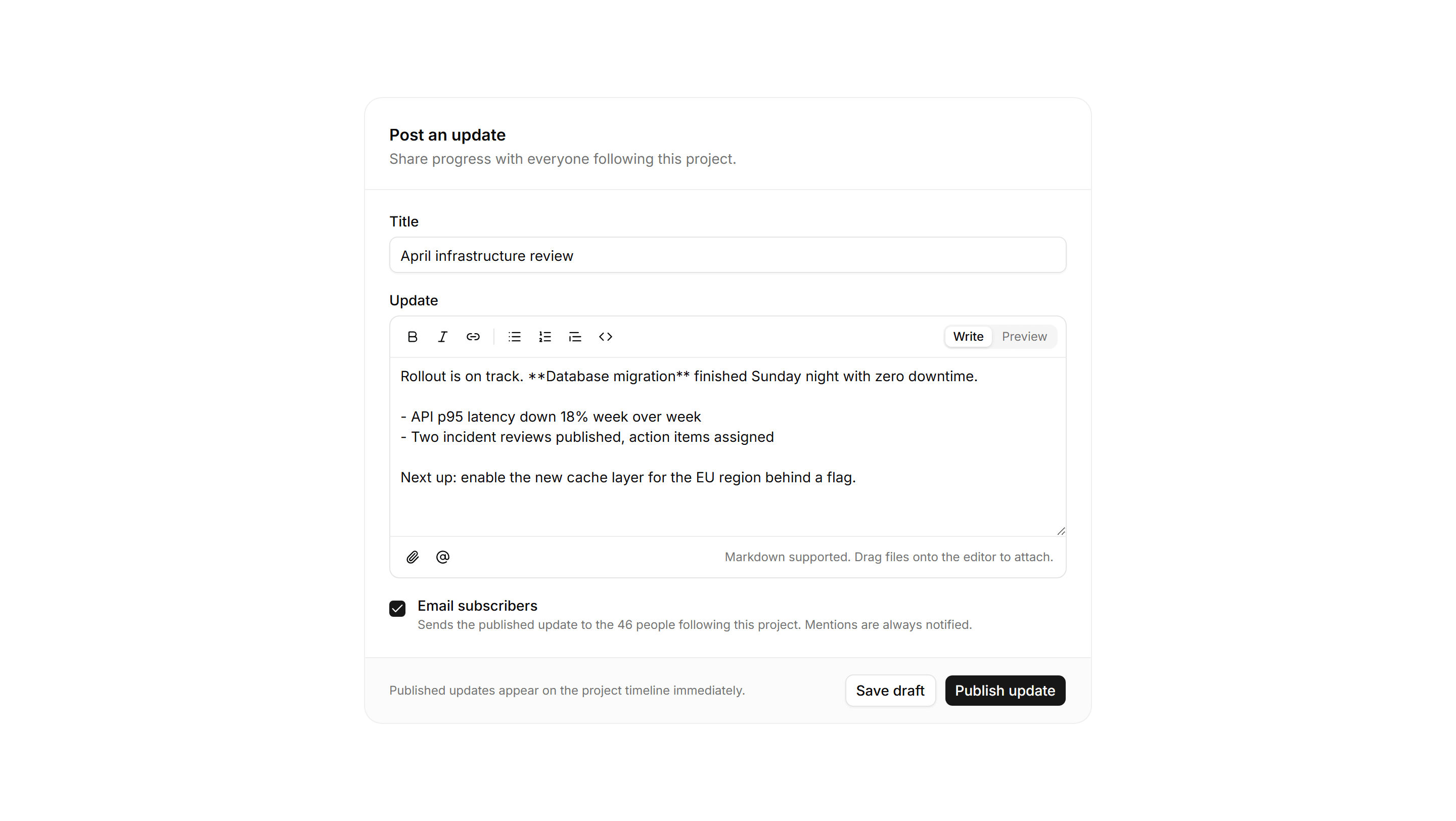
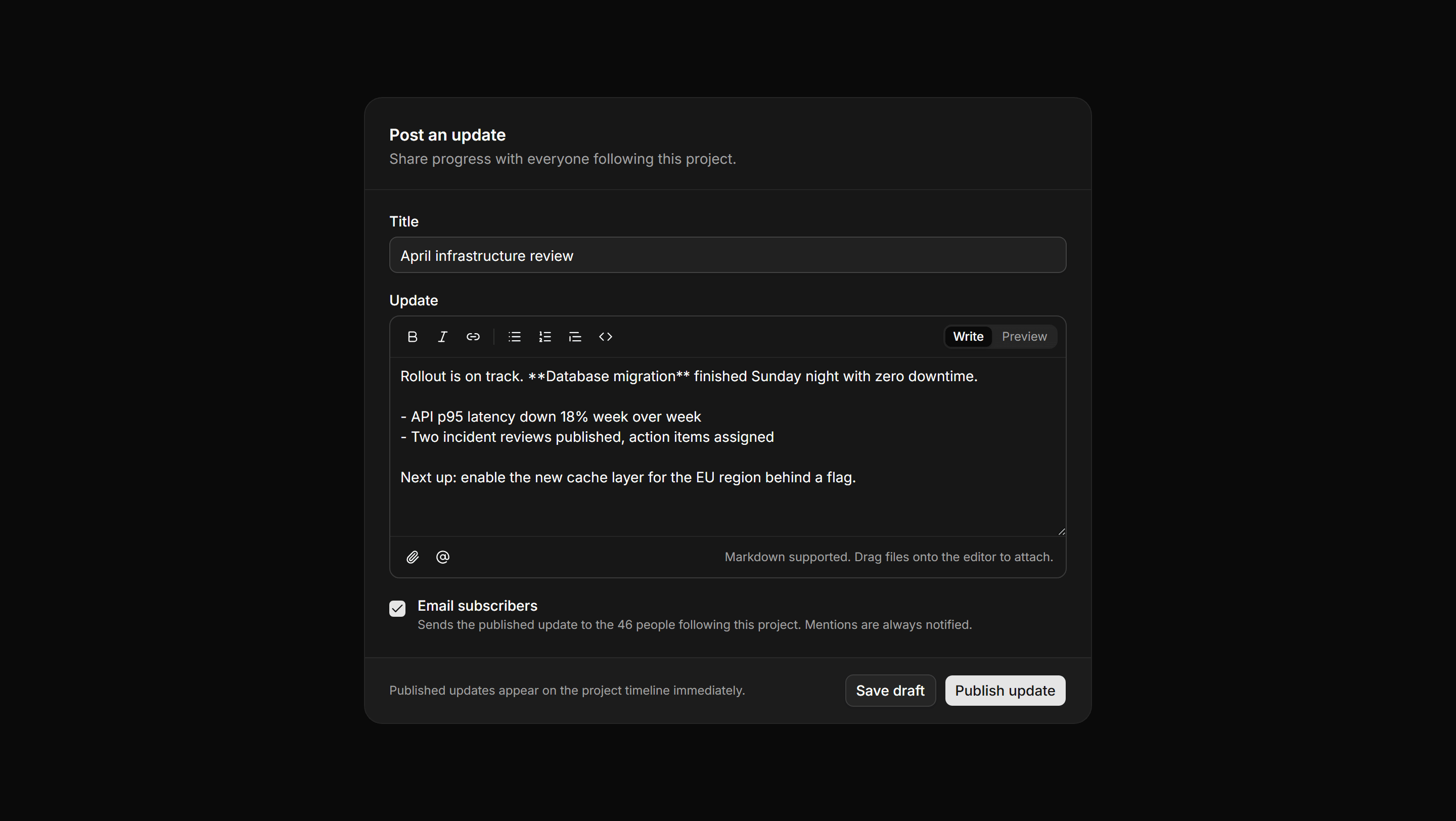
Application Form: Rich Text Form
A compose form with a title field and an editor toolbar of formatting actions, a write and preview toggle, plus attach, mention, and publish controls.
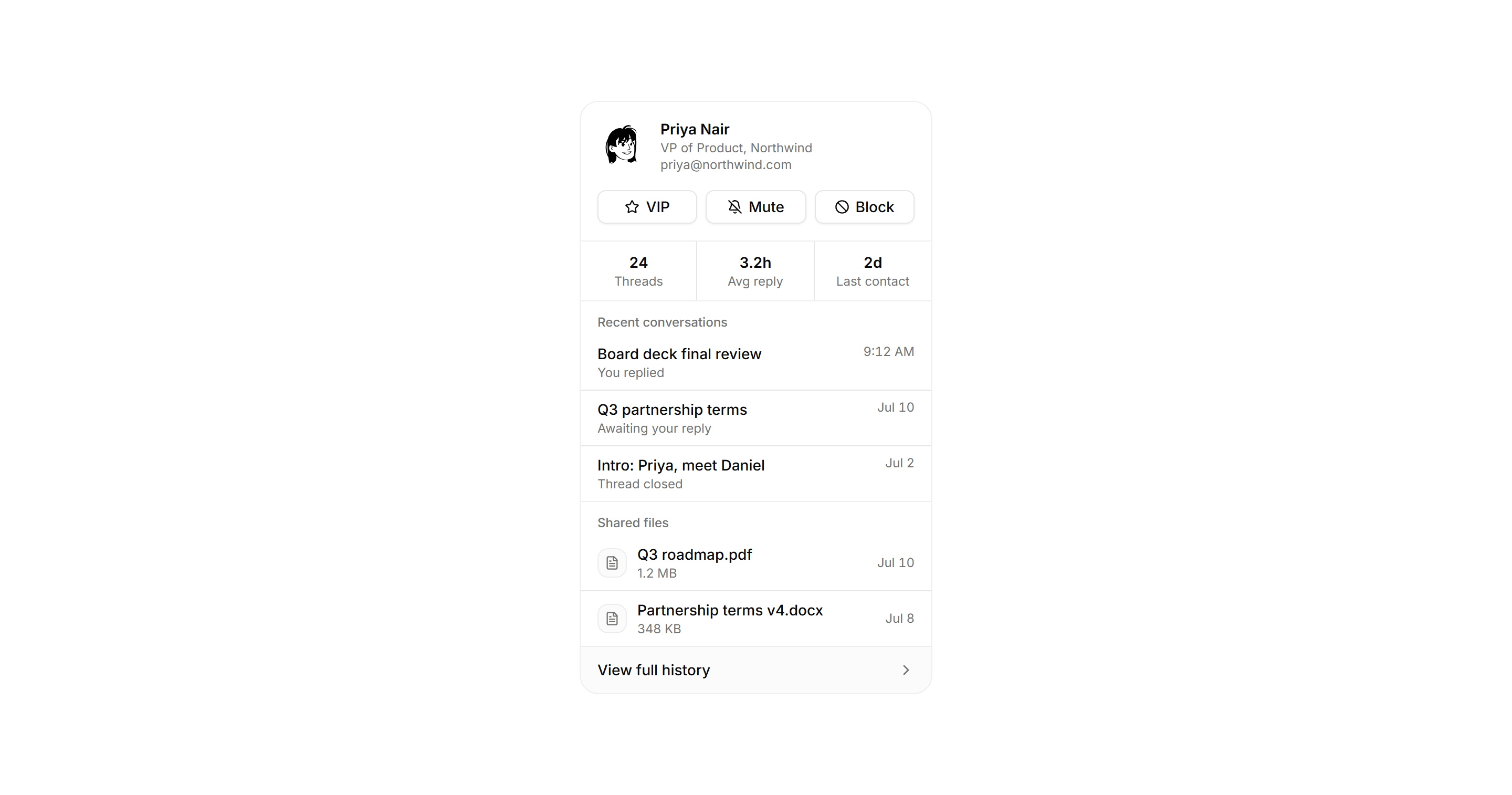
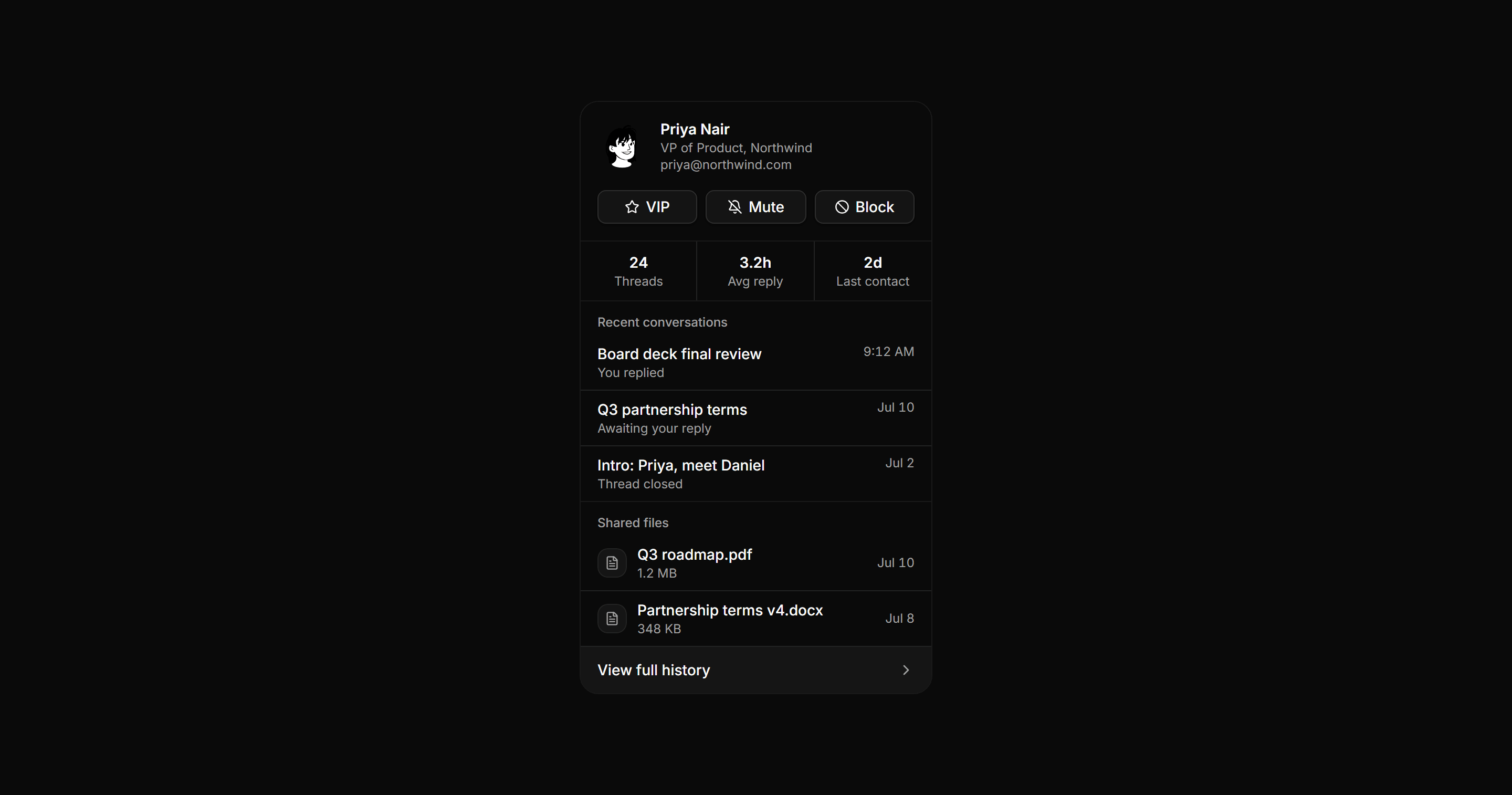
Application Inbox and Email: Sender Profile Rail
Contact detail rail beside an open message with an identity header, quick actions, relationship stats, recent conversations, and shared files.
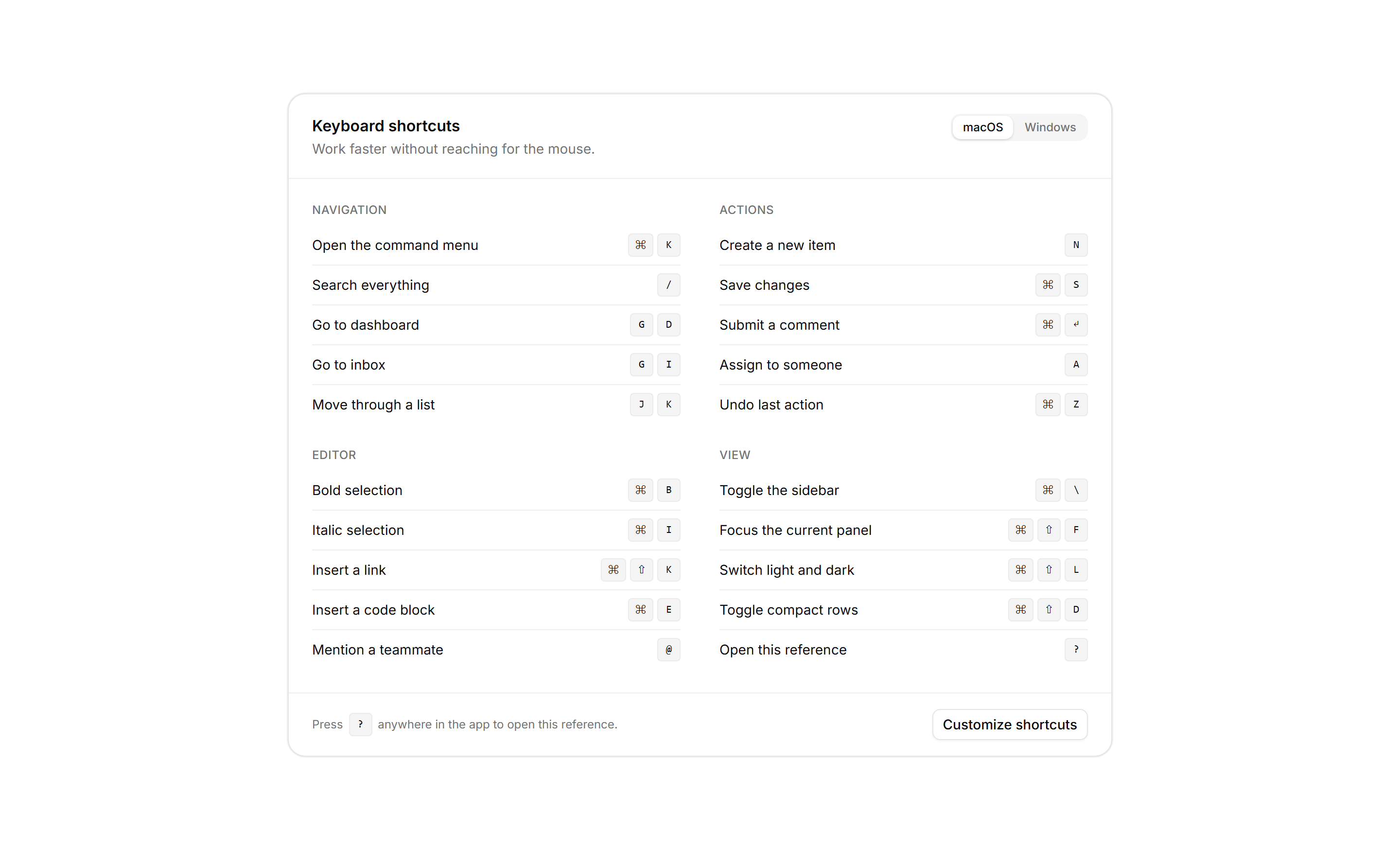
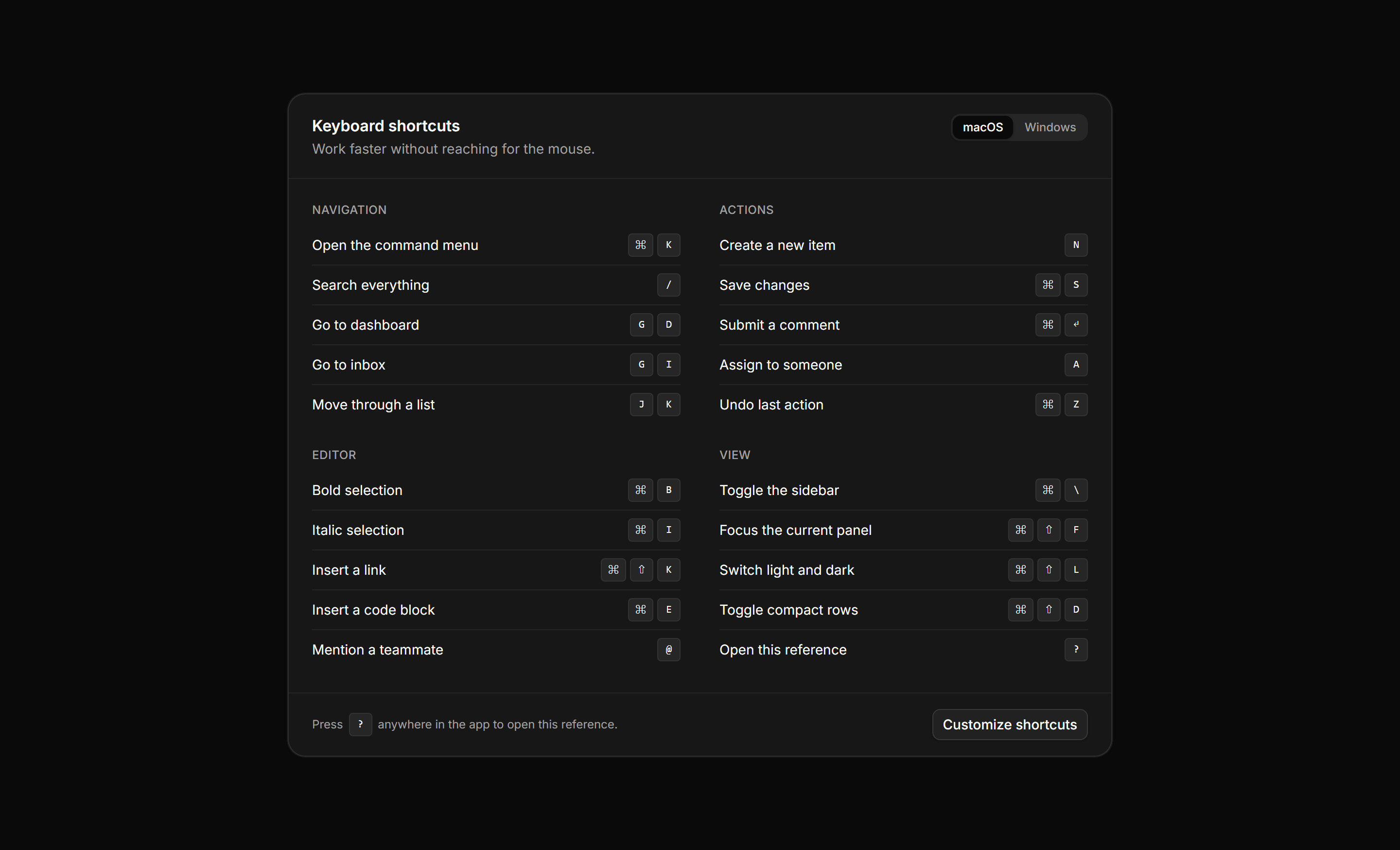
Application Help and Support: Shortcuts Reference
A keyboard shortcuts panel with a platform toggle, a two column grid of categories pairing action labels with keycap combinations, and a customize footer.
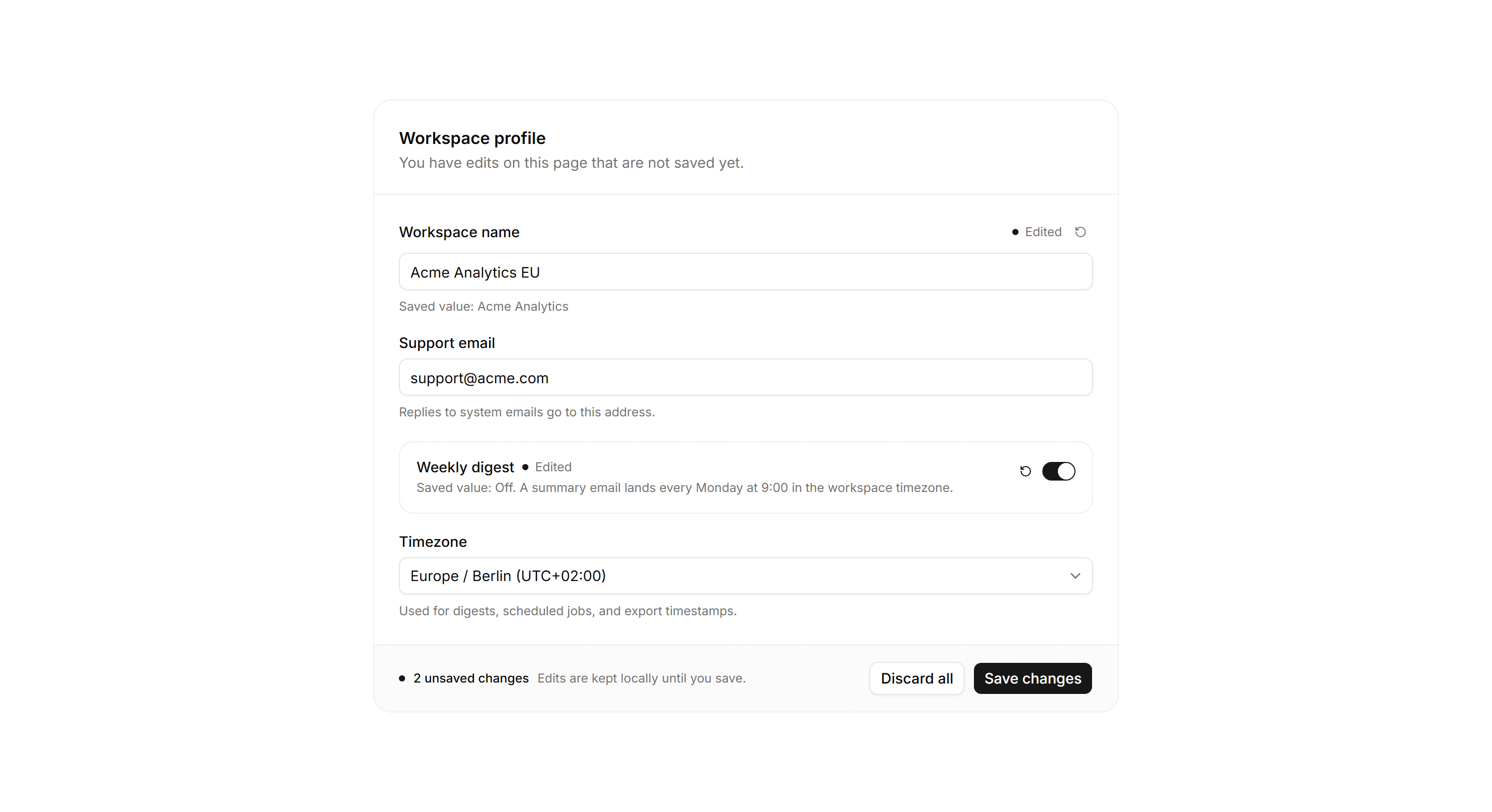
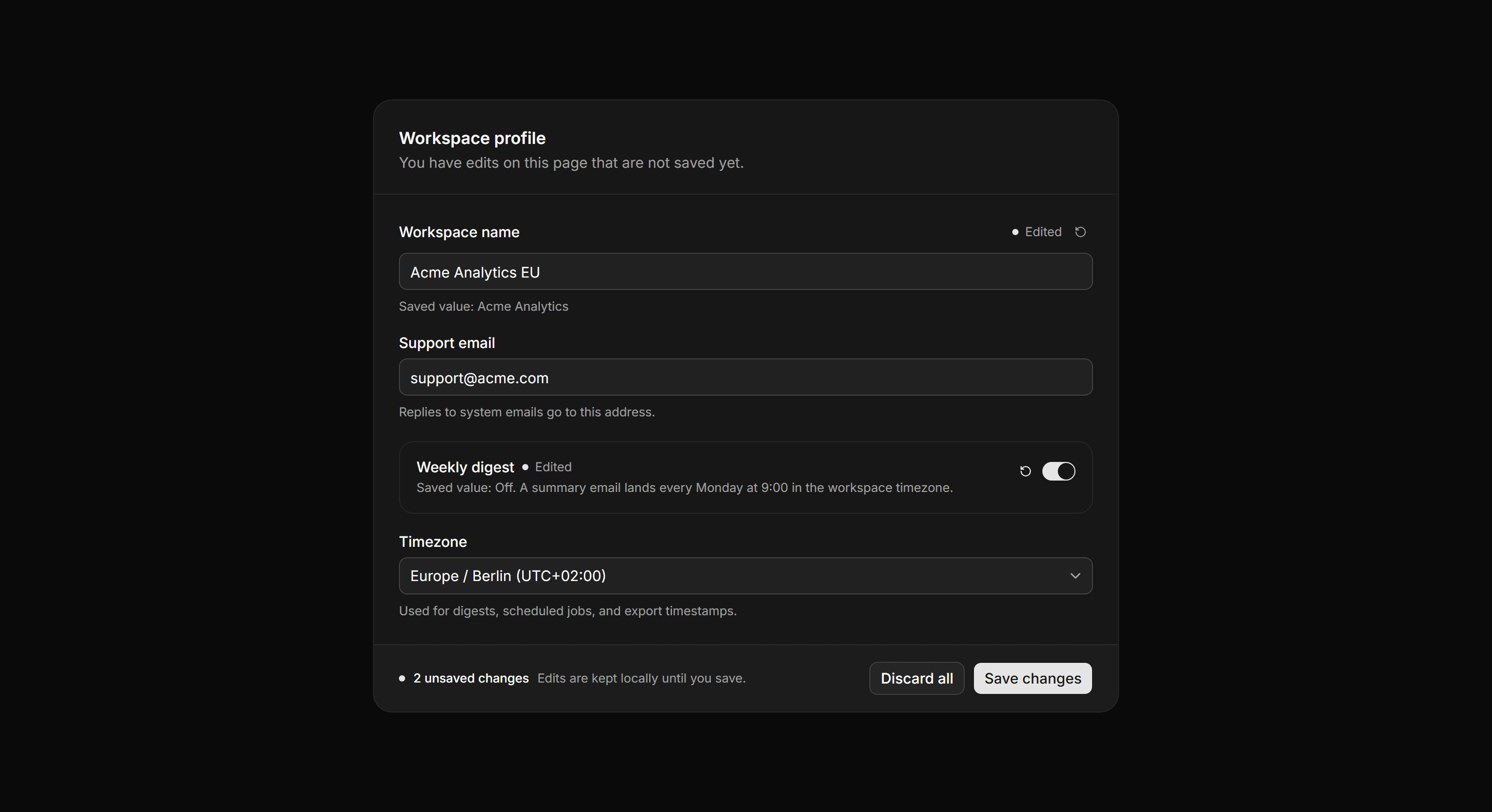
Application Form: Unsaved Changes Form
A settings form in its dirty state with per field edited markers, revert actions, saved values, and a footer counting unsaved changes beside save.
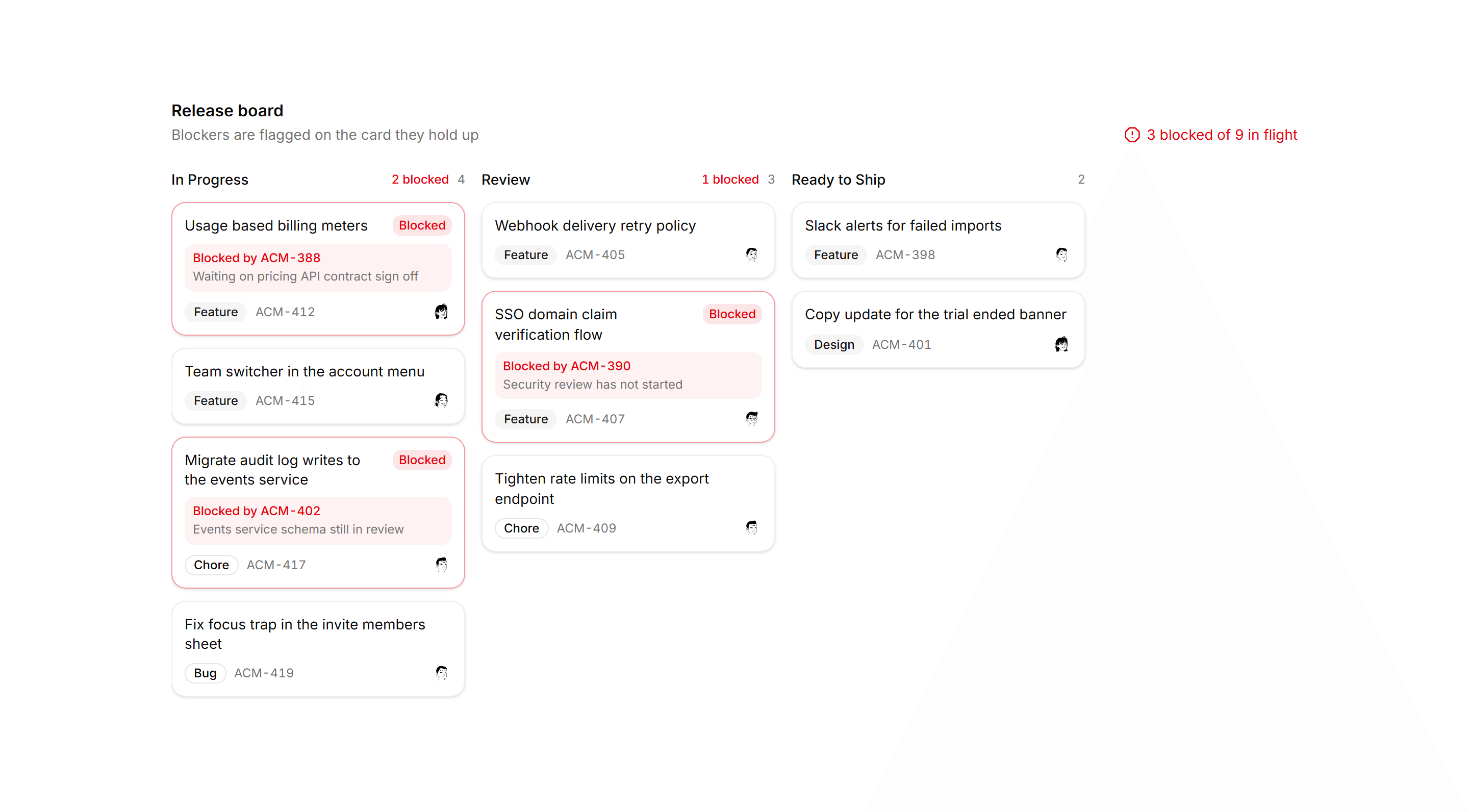
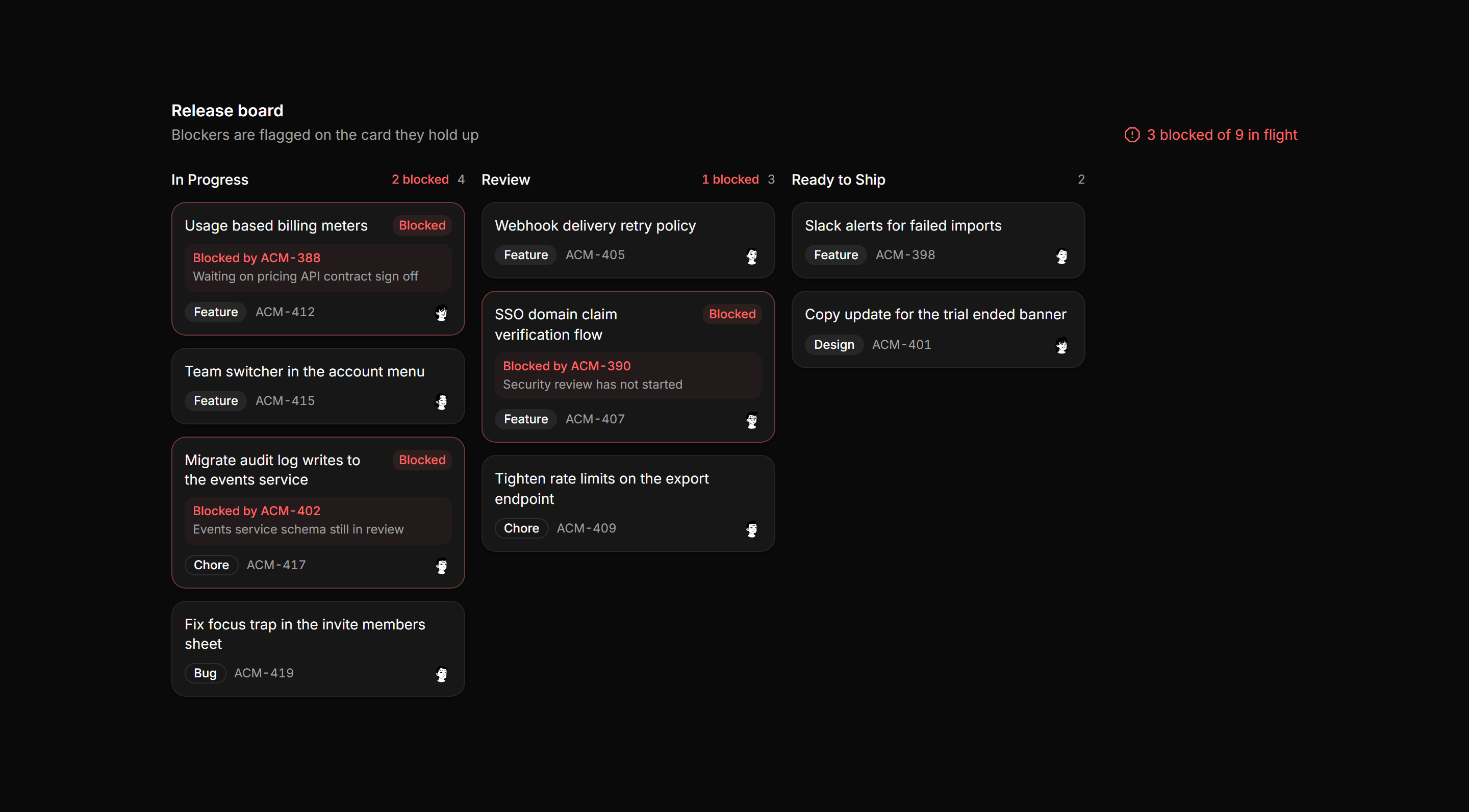
Application Kanban and Board: Blocked Cards Board
Kanban release board where blocked cards take a tinted border and Blocked chip, column headers count blockers, and the board totals every blocker.
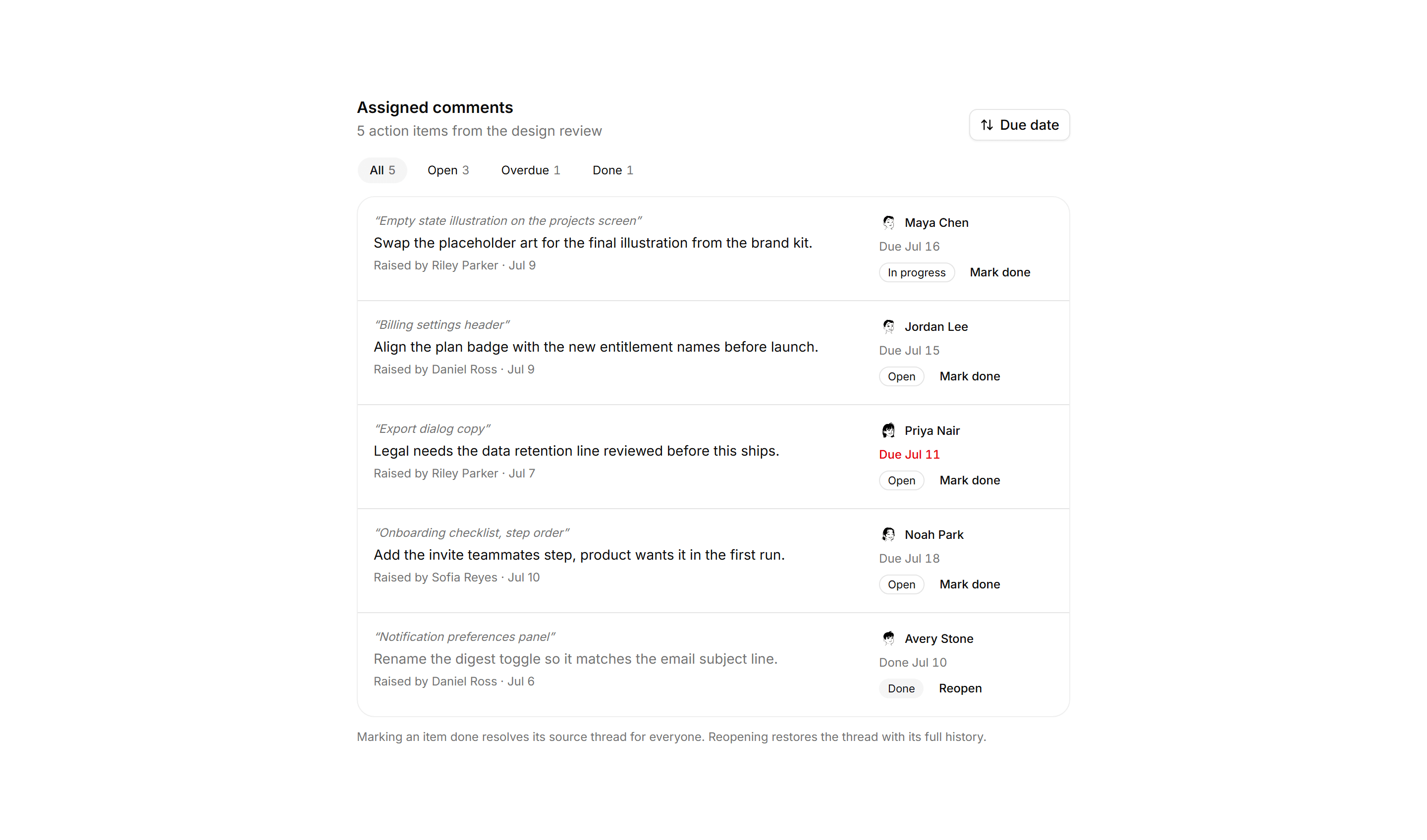
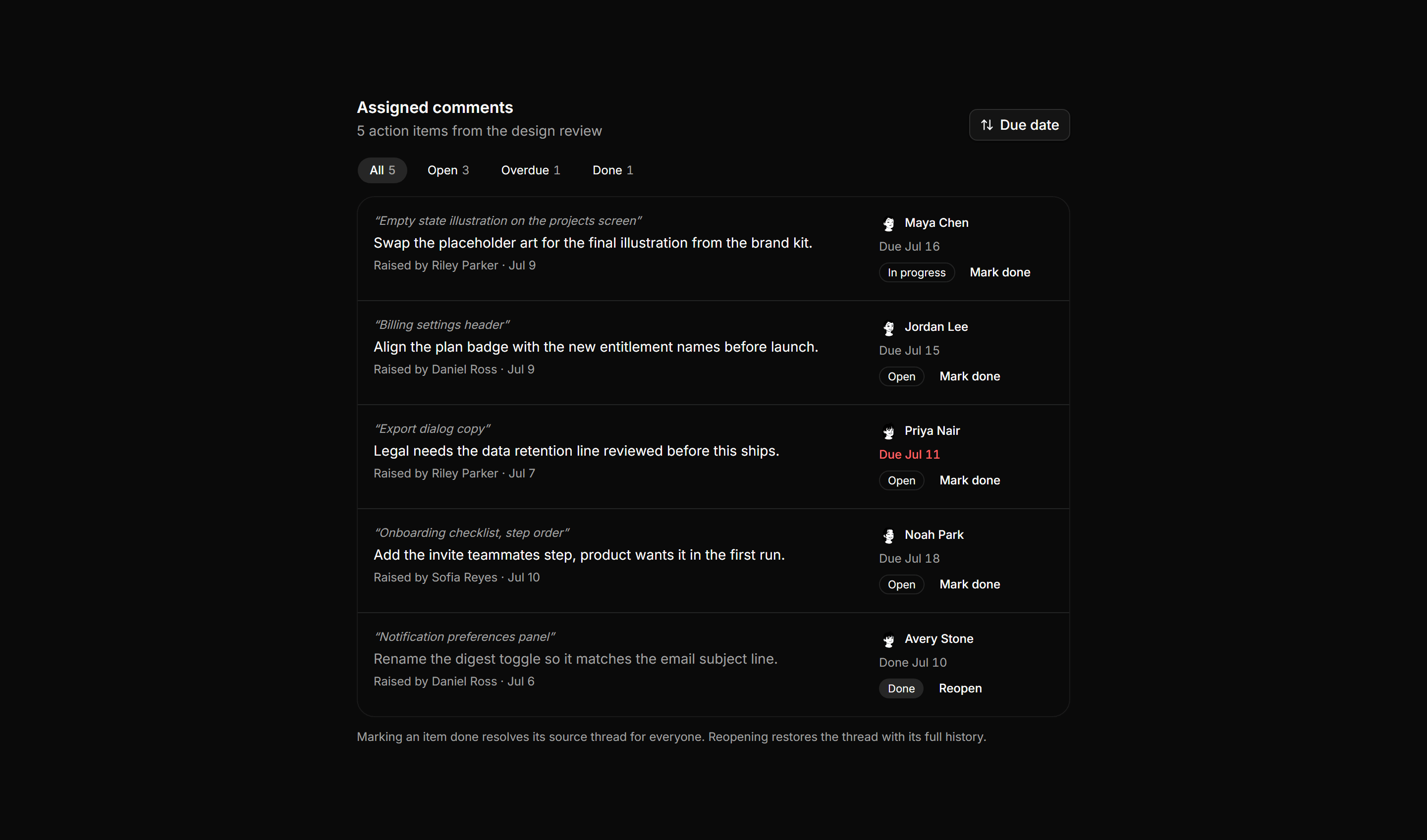
Application Comments and Annotation: Comment Assignments
Review feedback promoted into action items, with filter chips above rows pairing each source quote with an assignee, due date, and status badge.
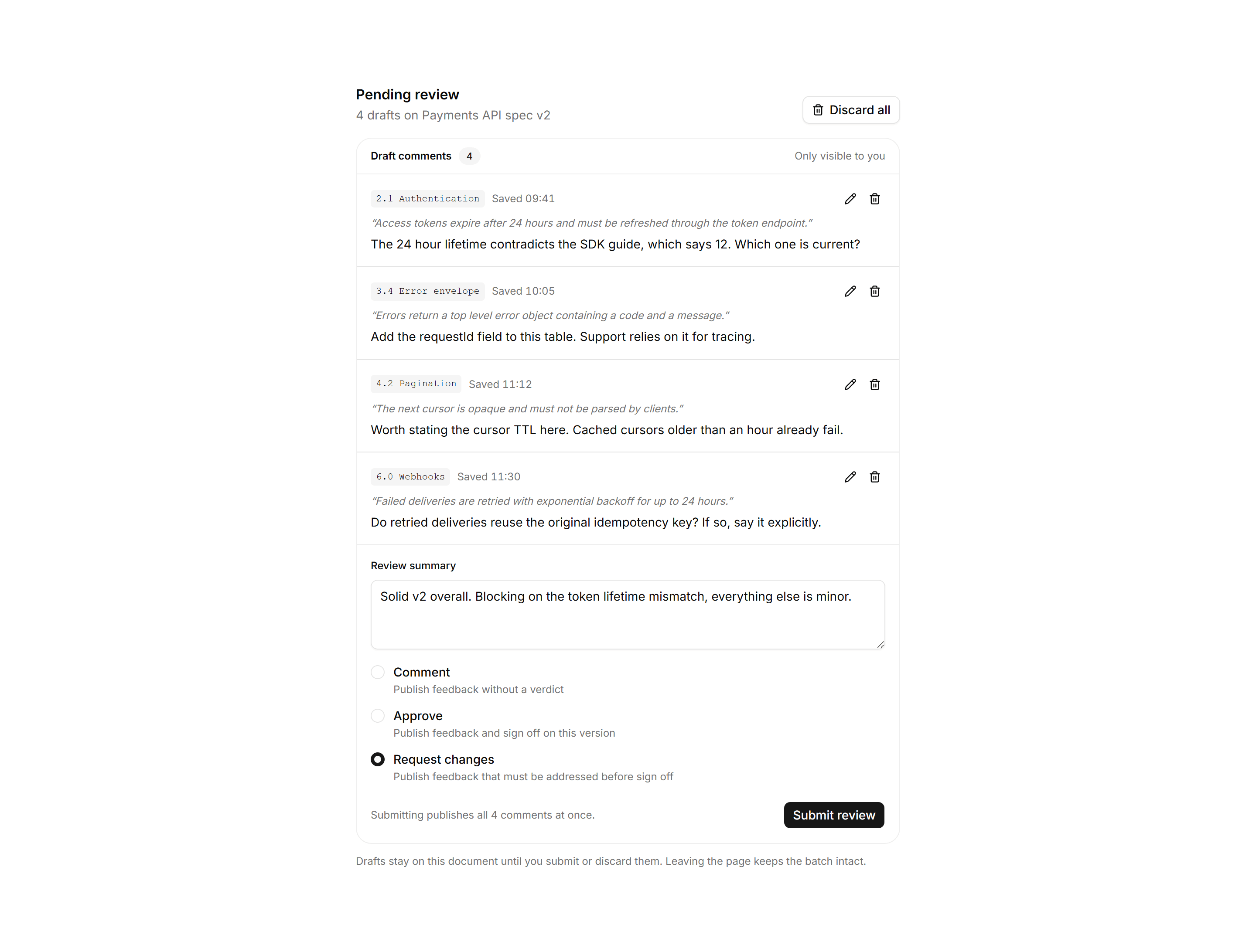
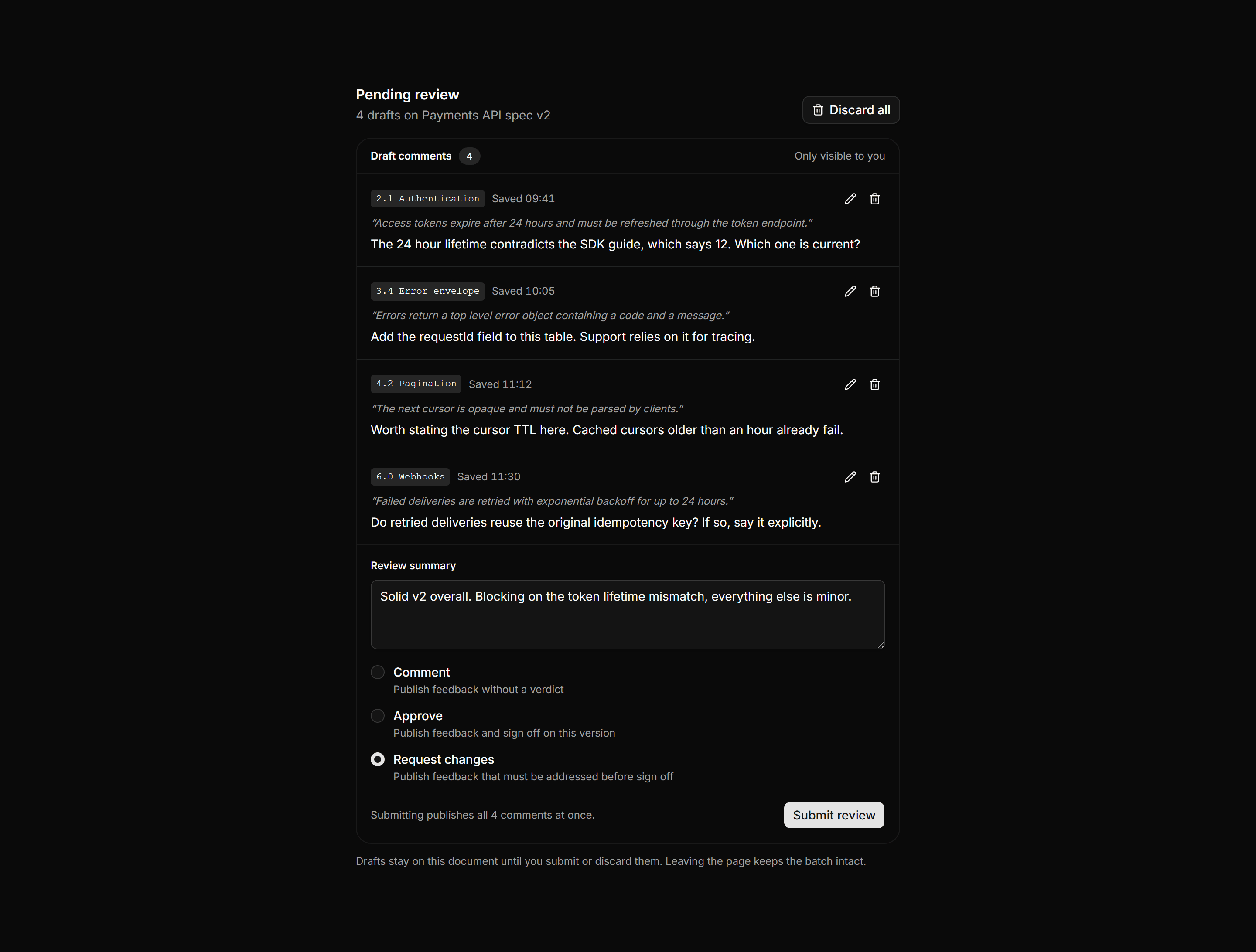
Application Comments and Annotation: Pending Review Tray
Draft comments held for one review, each with a section anchor, quote, and edit controls, above a summary field, verdict choices, and a submit button.
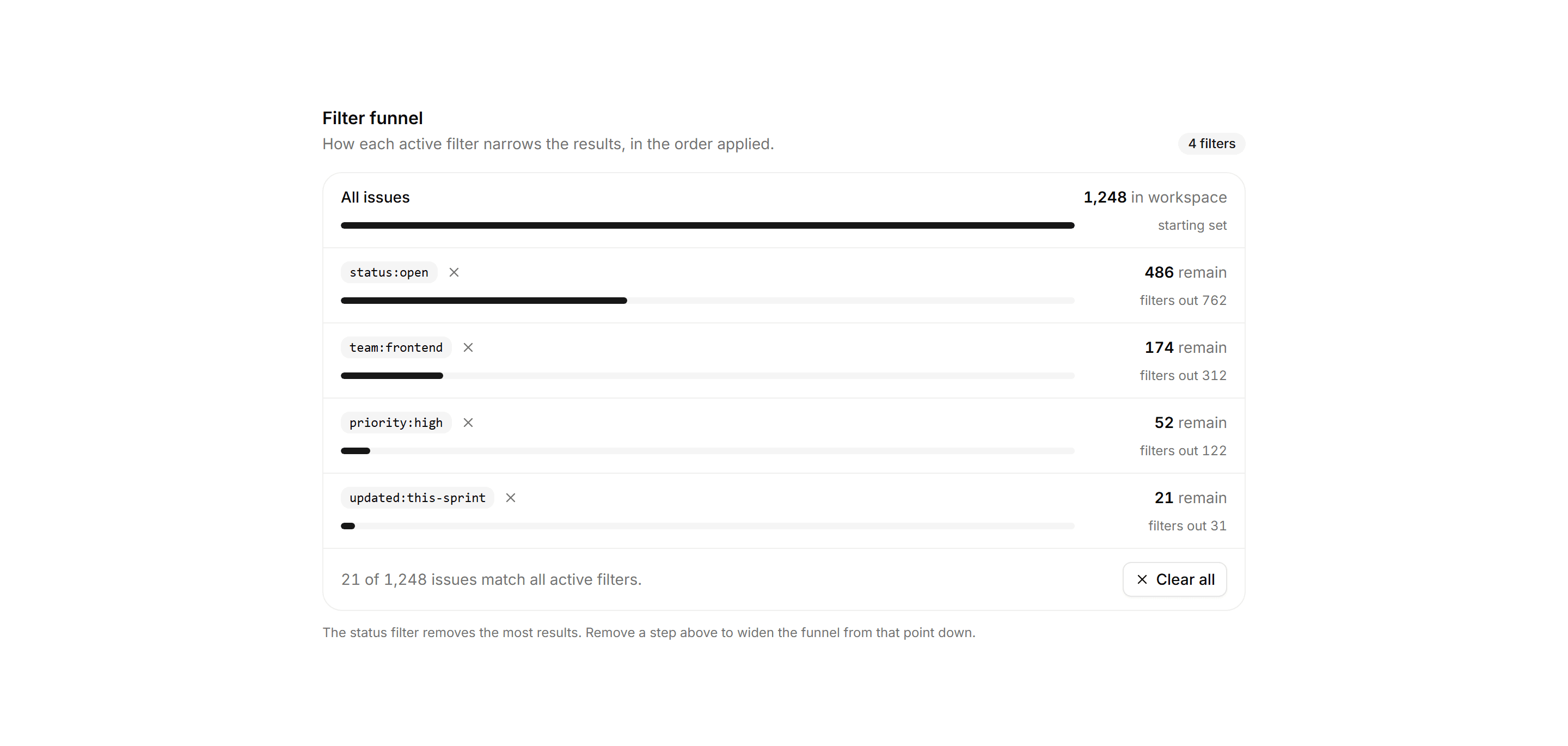
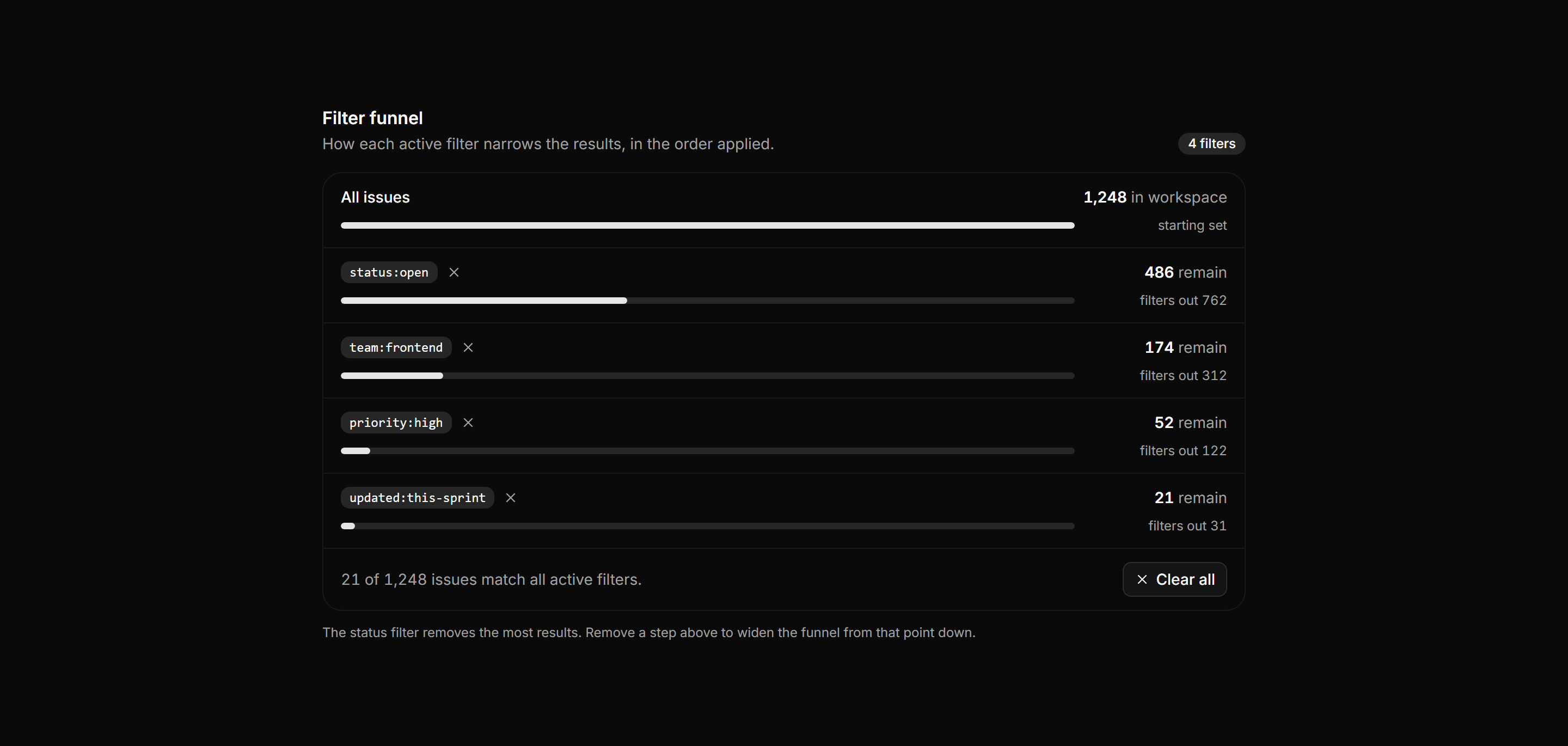
Application Filters and Search: Filter Funnel Panel
A filter funnel showing active filters as ordered steps, each with a proportional bar and the results remaining, above a clear all footer.
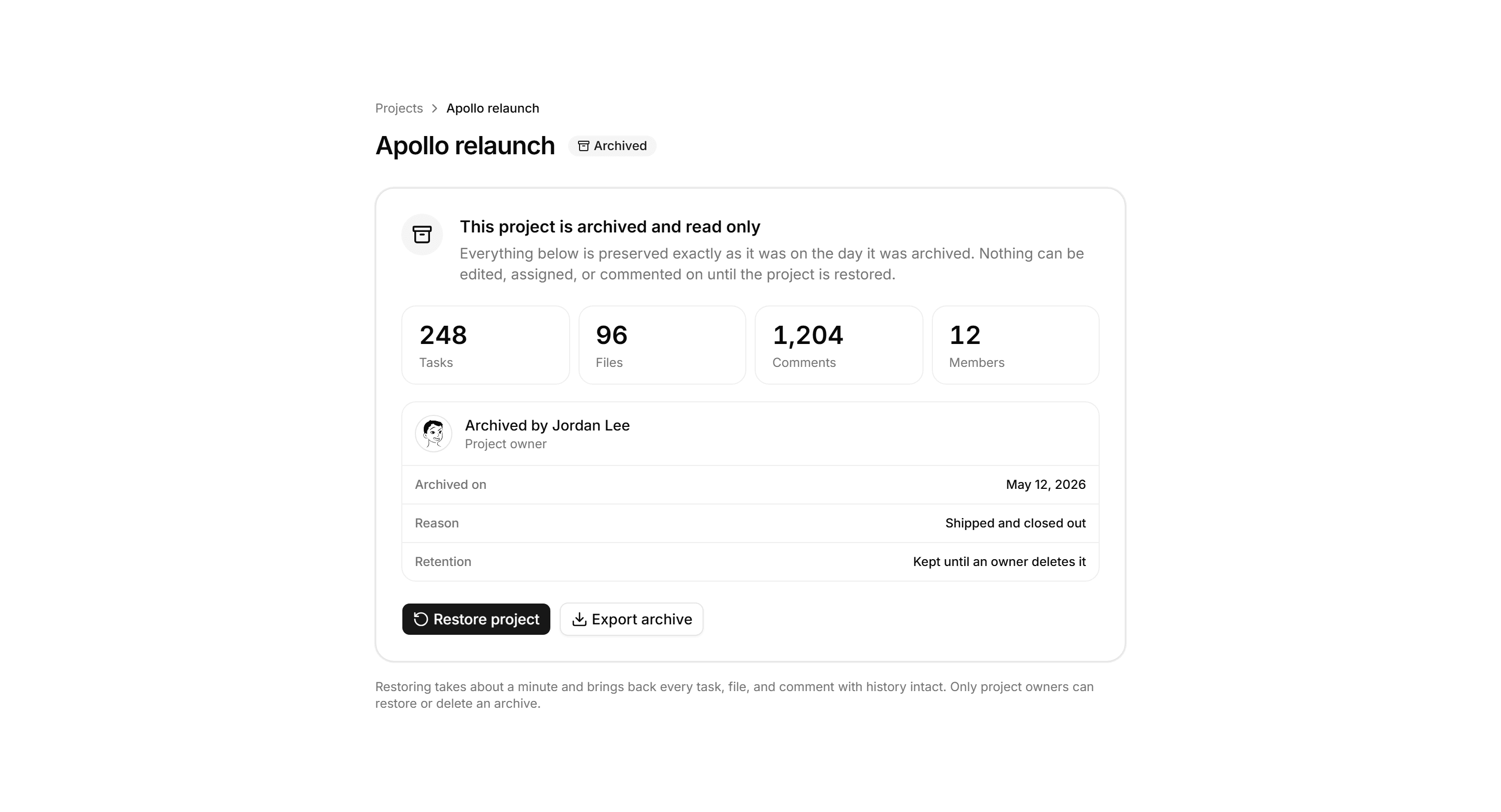
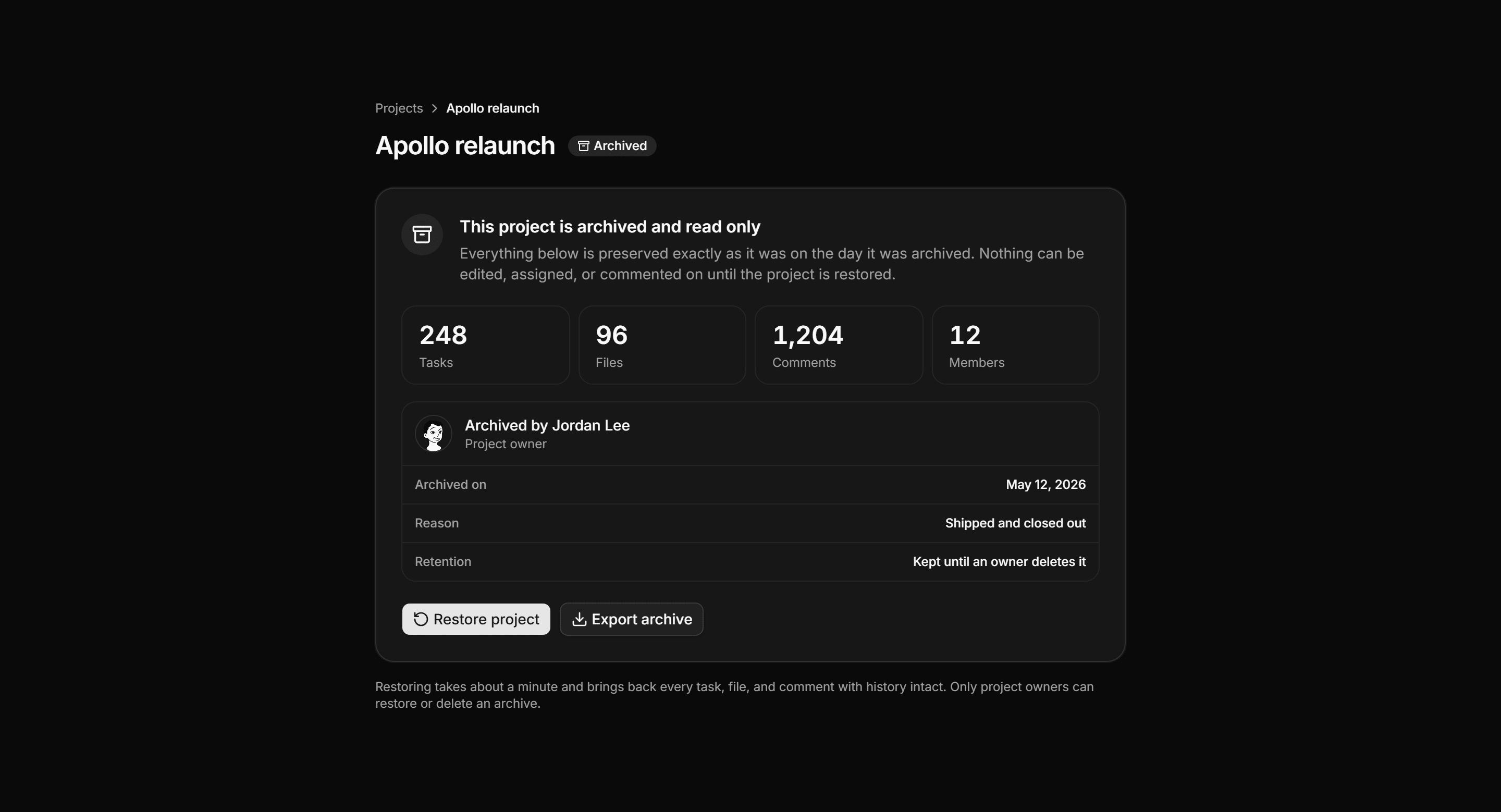
Application Empty State: Archived Project State
Read only archived project page with a preserved banner, a snapshot count grid, an archive record card, and restore and export actions.
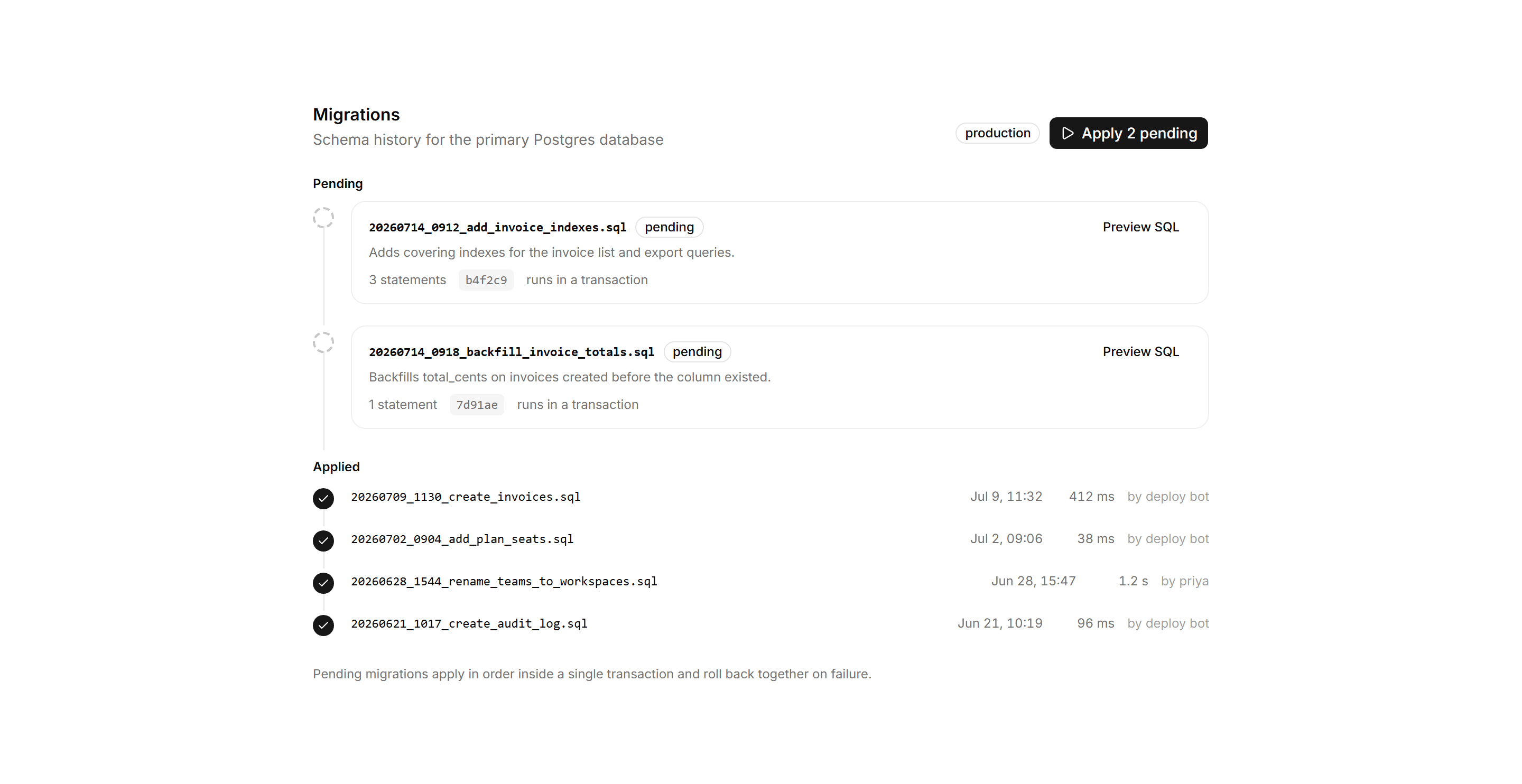
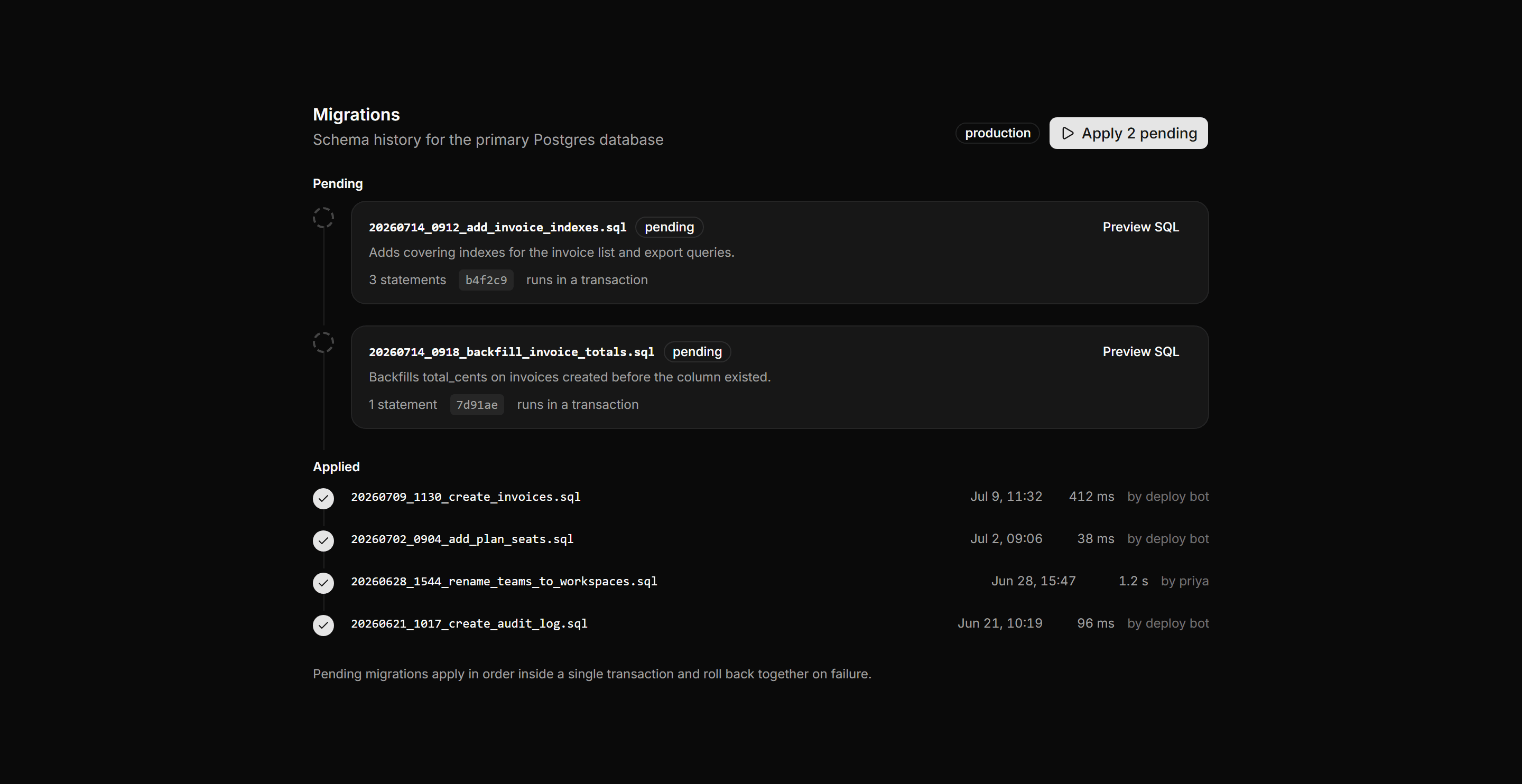
Application Developer Tool: Migrations Panel
A database migrations timeline with a header and apply action above a railed list of pending migrations and applied ones with run times.
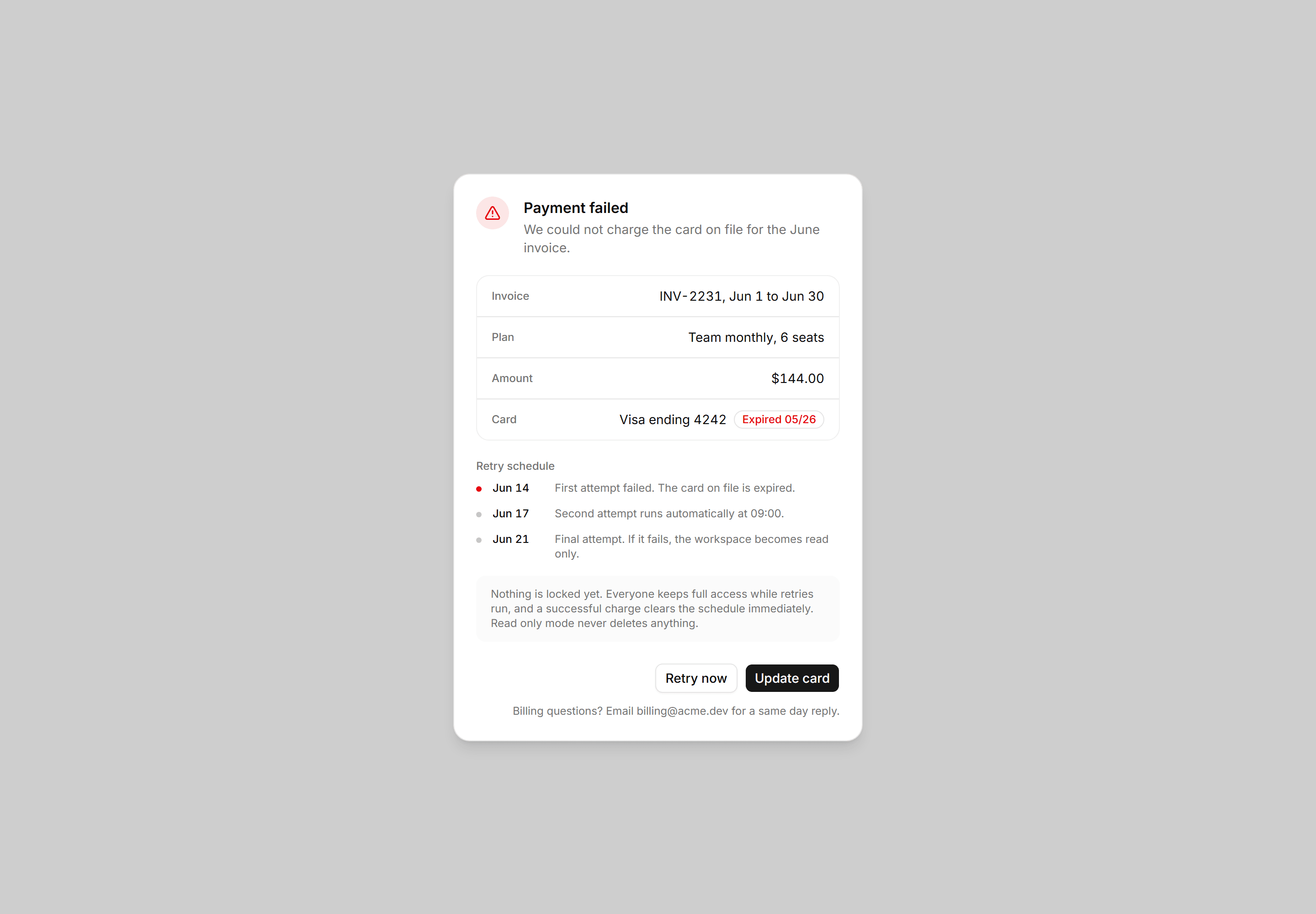
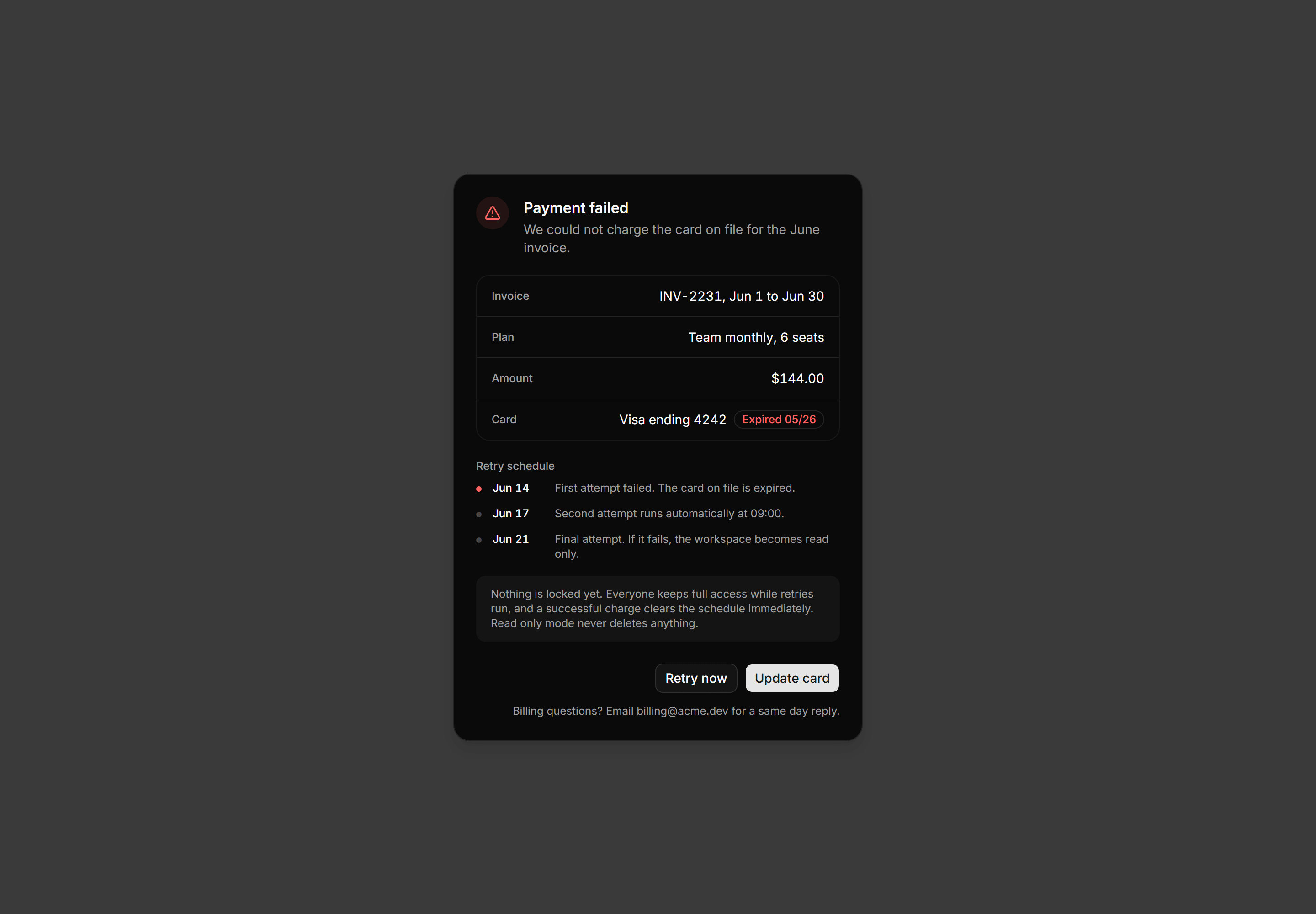
Application Dialog: Payment Failed Dialog
Payment failed dialog with the invoice in label and value rows, an expired card flagged inline, a dated retry schedule, and card actions.
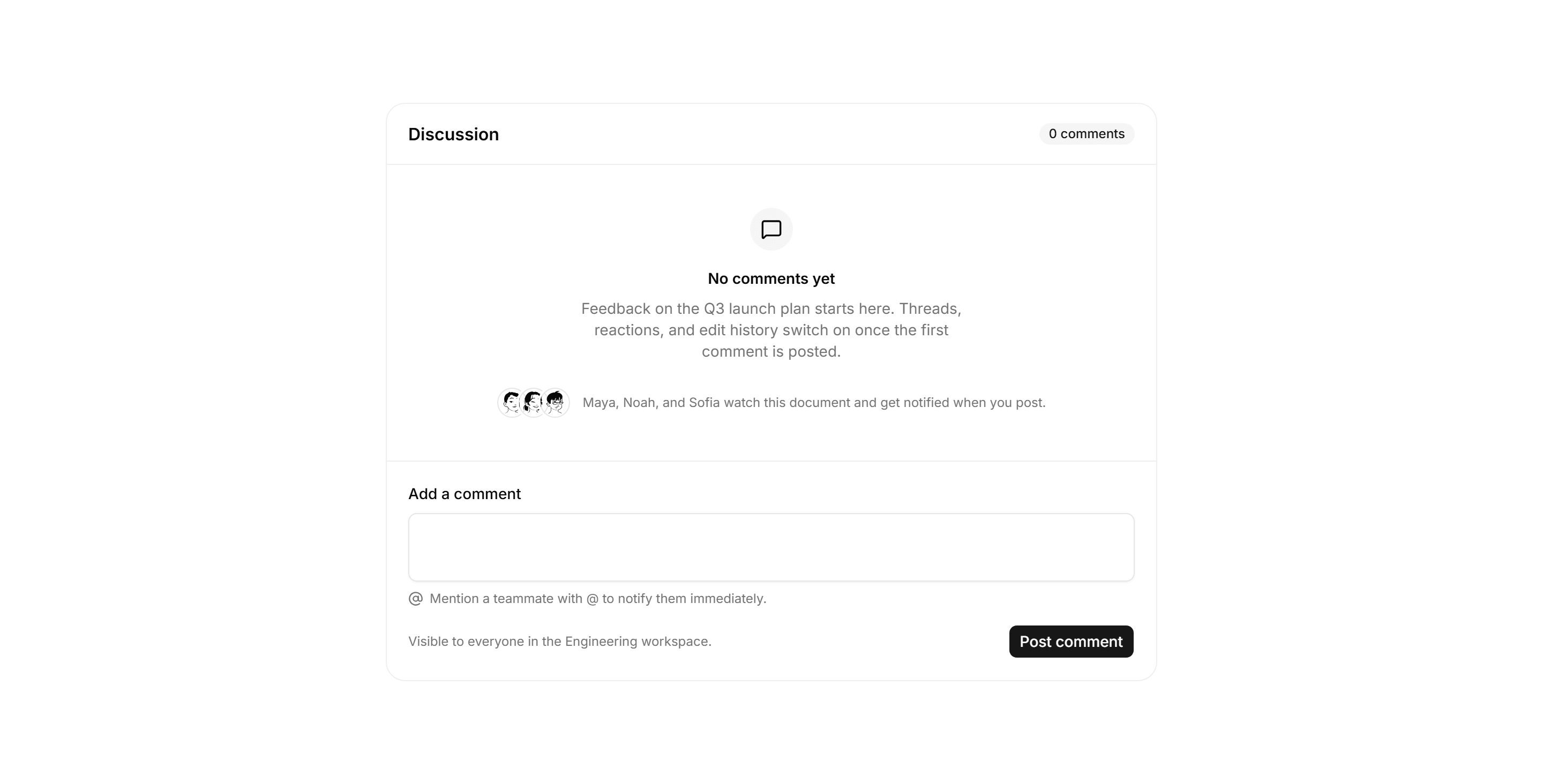
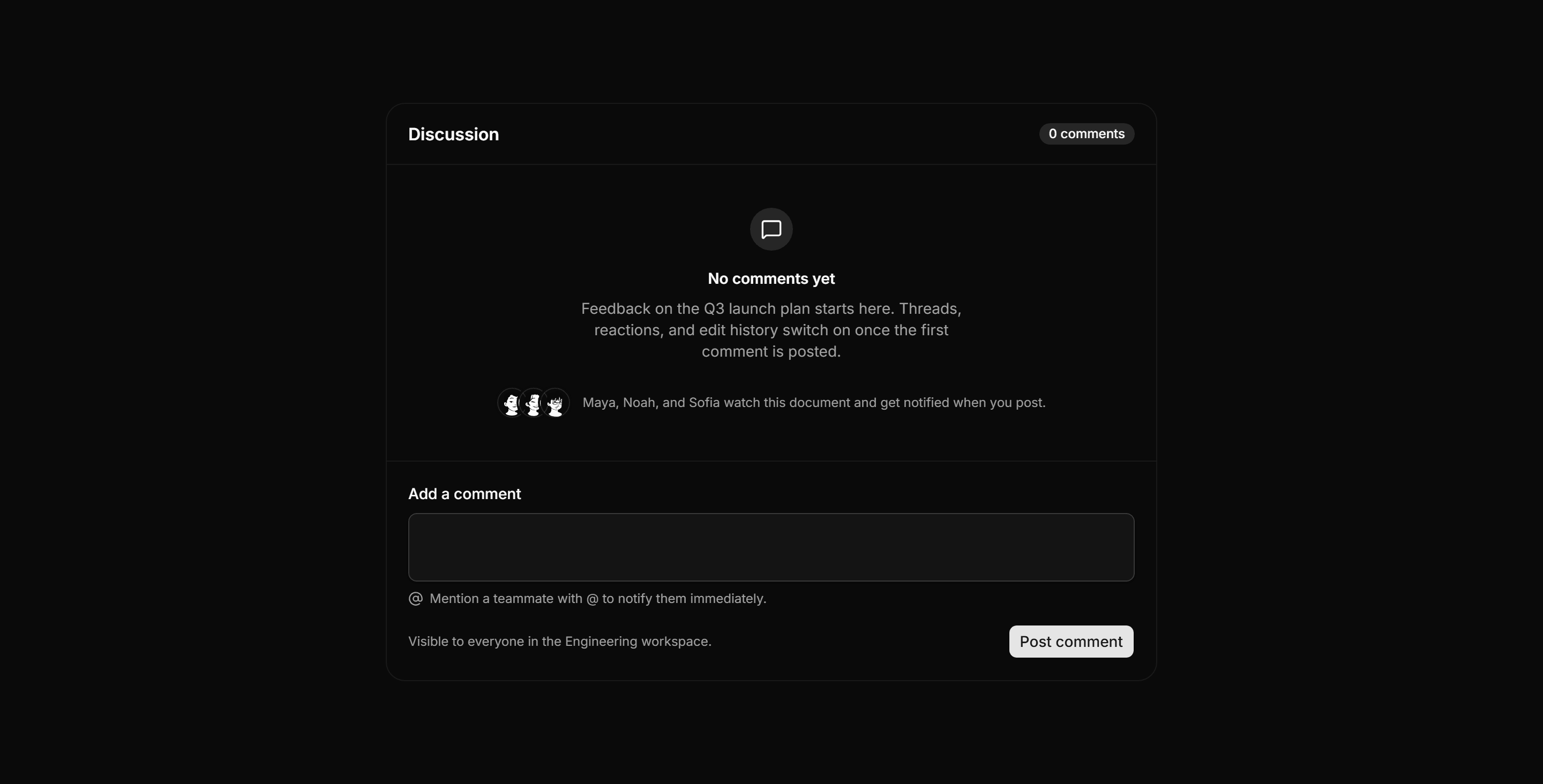
Application Empty State: Empty Comments State
Empty discussion panel with a zero comment header, a watcher avatar row, and an inline composer with a mention hint and visibility note.
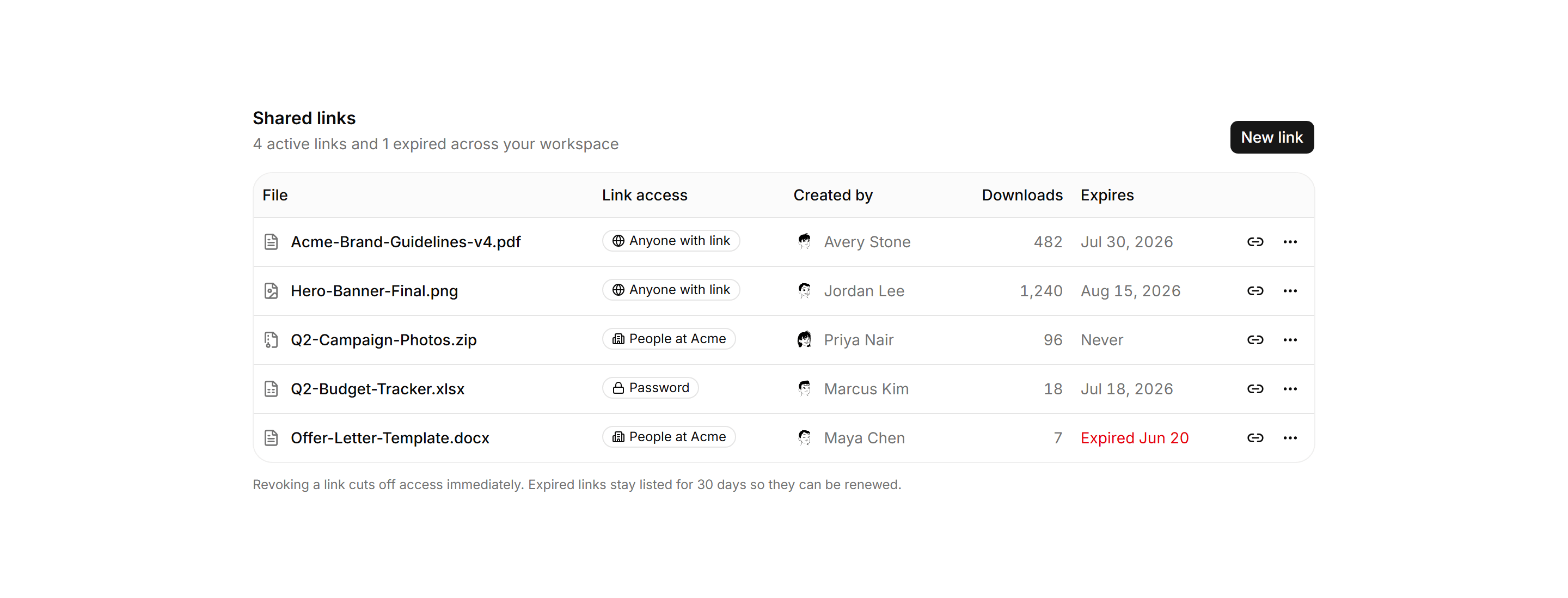
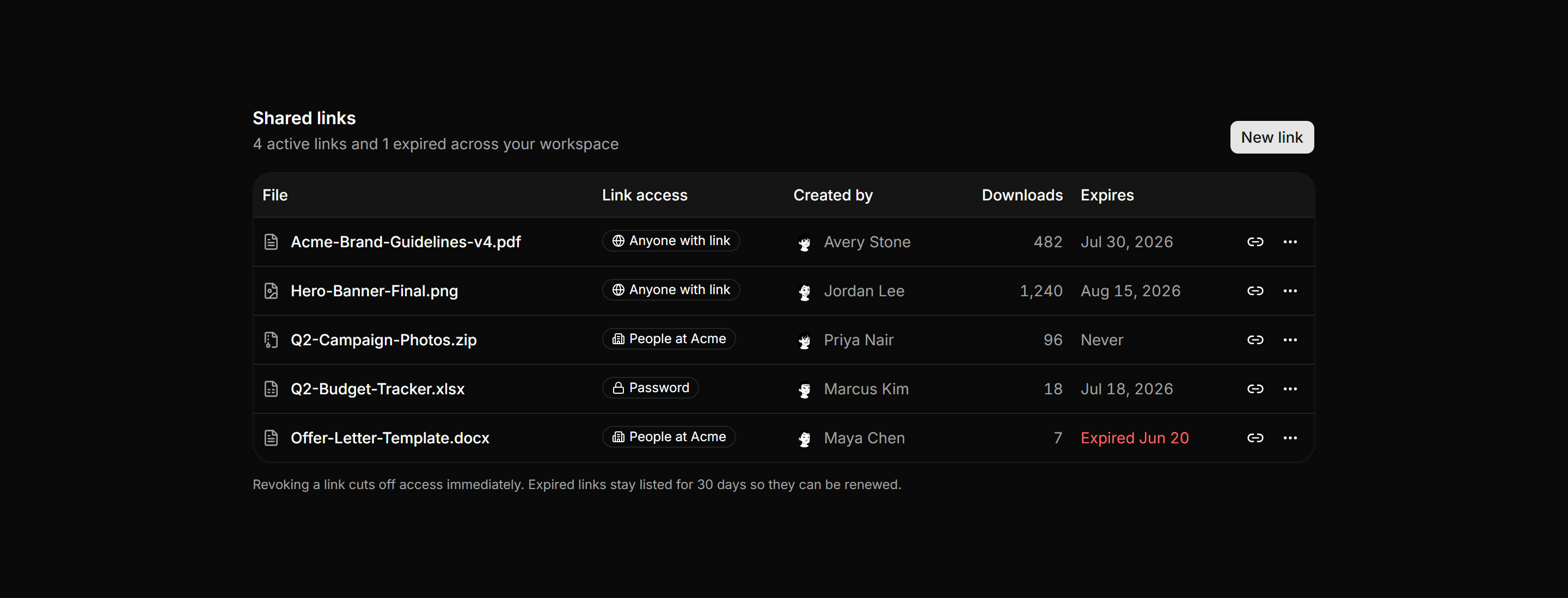
Application File Manager: Shared Links Table
A shared links table listing each file, link access badge, creator avatar, download count, and expiry, with per row copy and actions buttons.
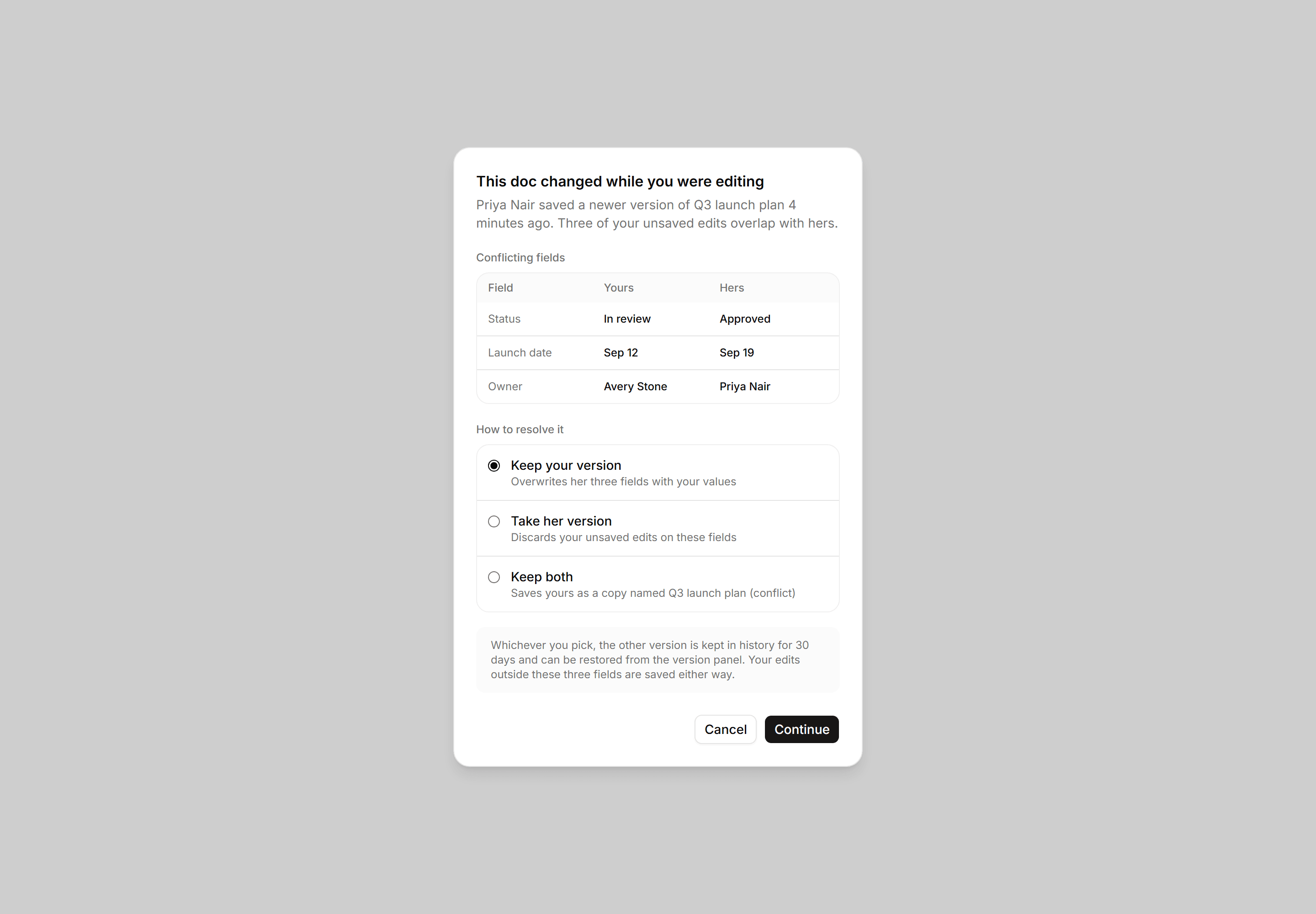
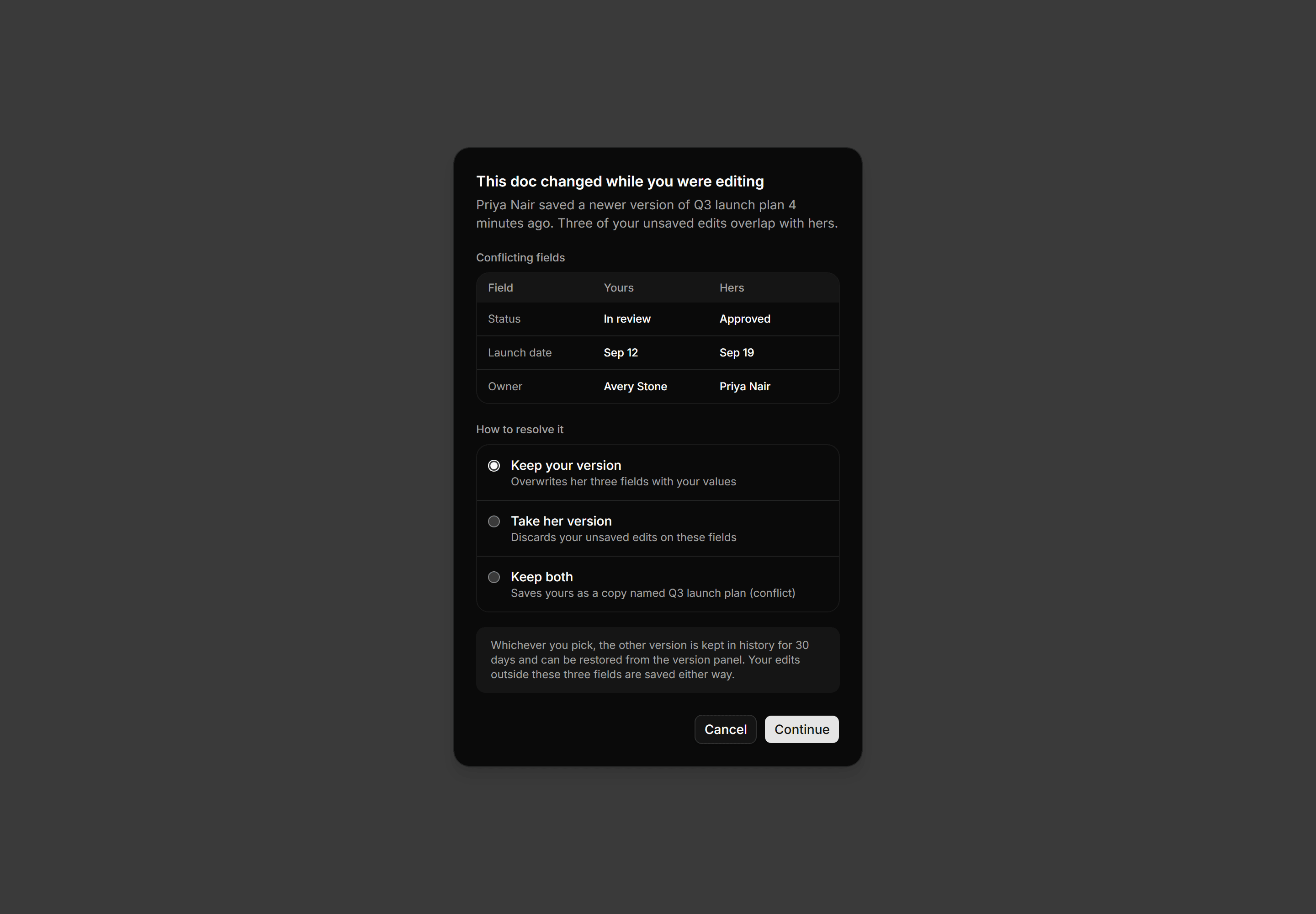
Application Dialog: Edit Conflict Dialog
Edit conflict dialog with a three column yours versus theirs field diff, a radio list of resolutions, and a version history safety note.
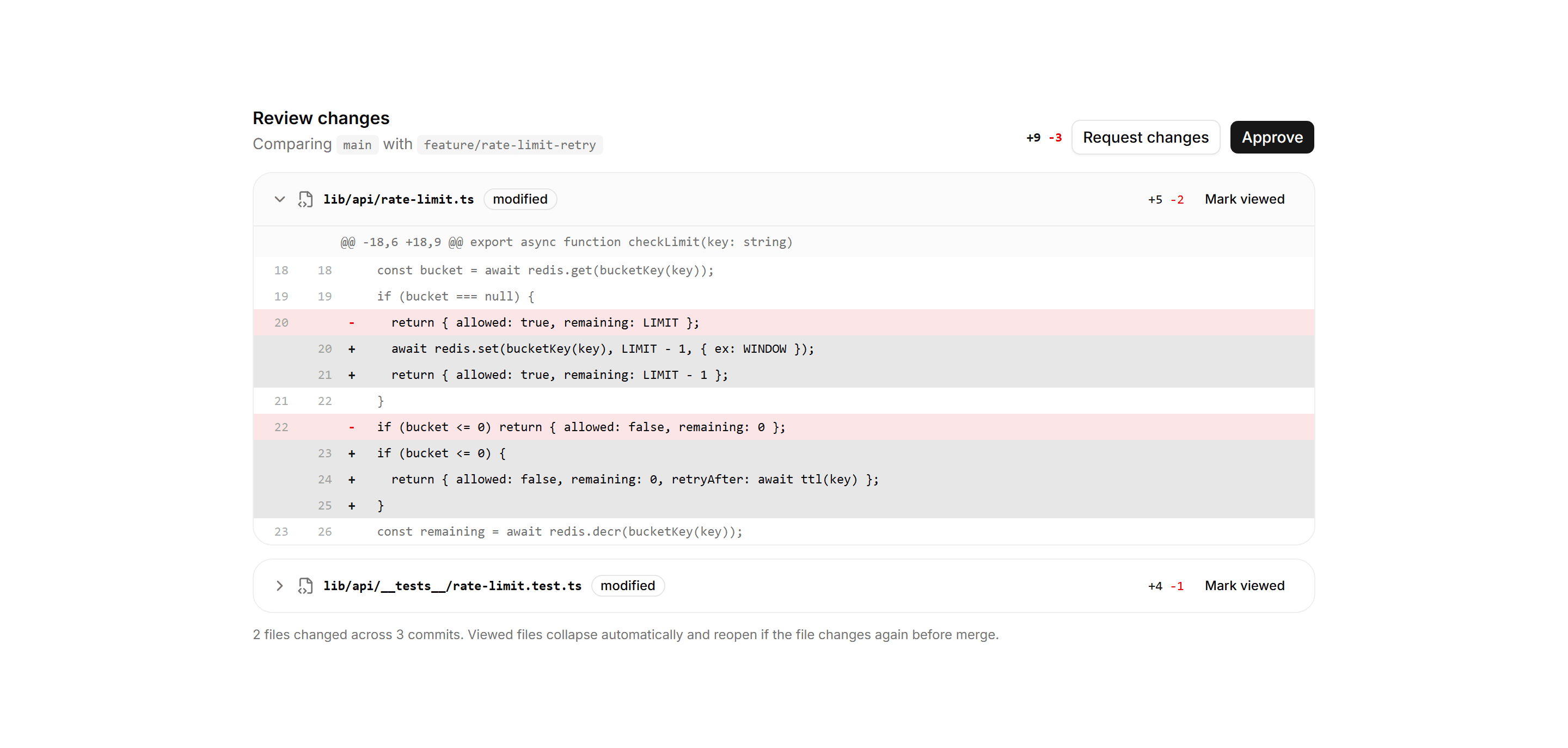
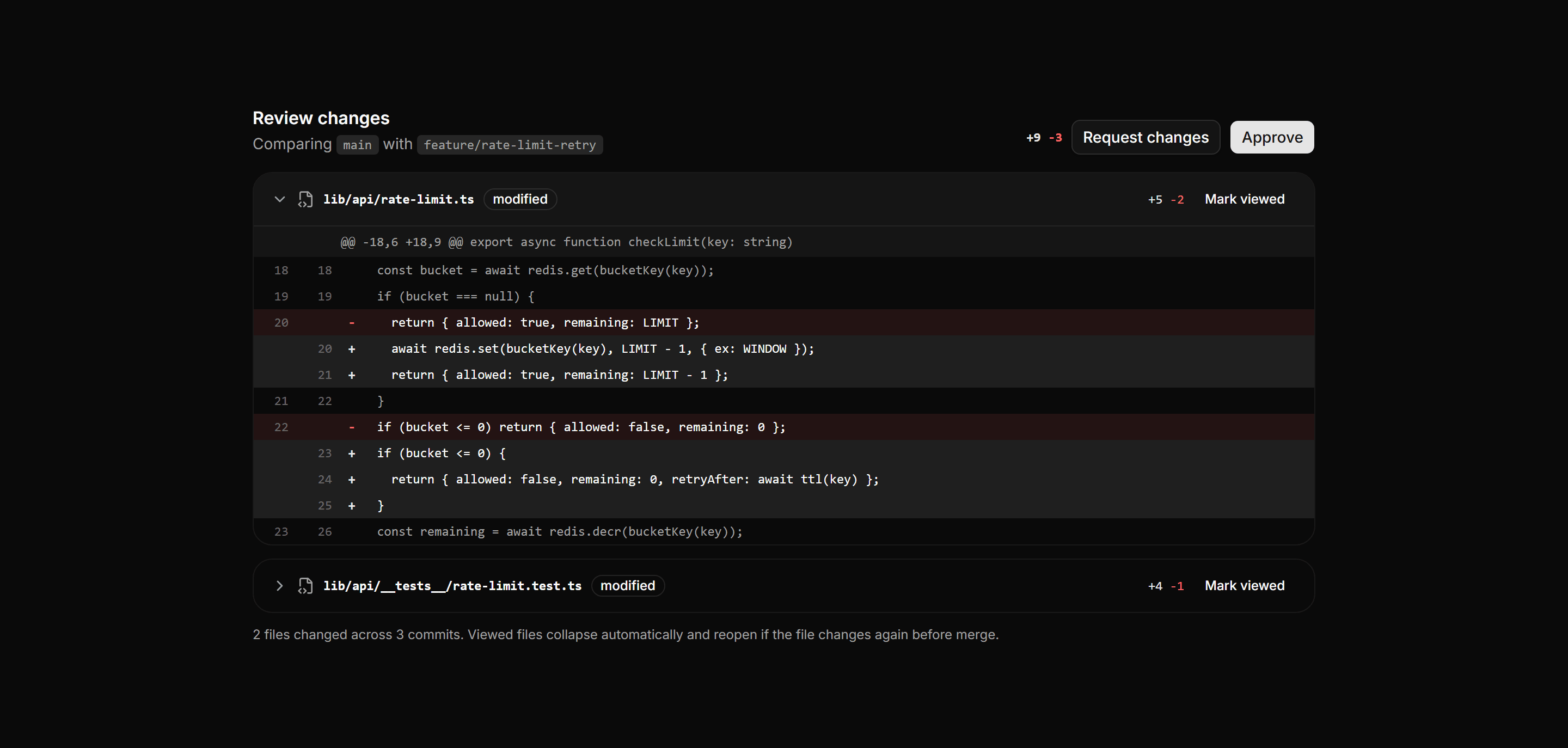
Application Developer Tool: Diff Viewer
A code review diff with a compare header, branch chips, change totals, per file cards, and a unified diff tinting added and removed lines.
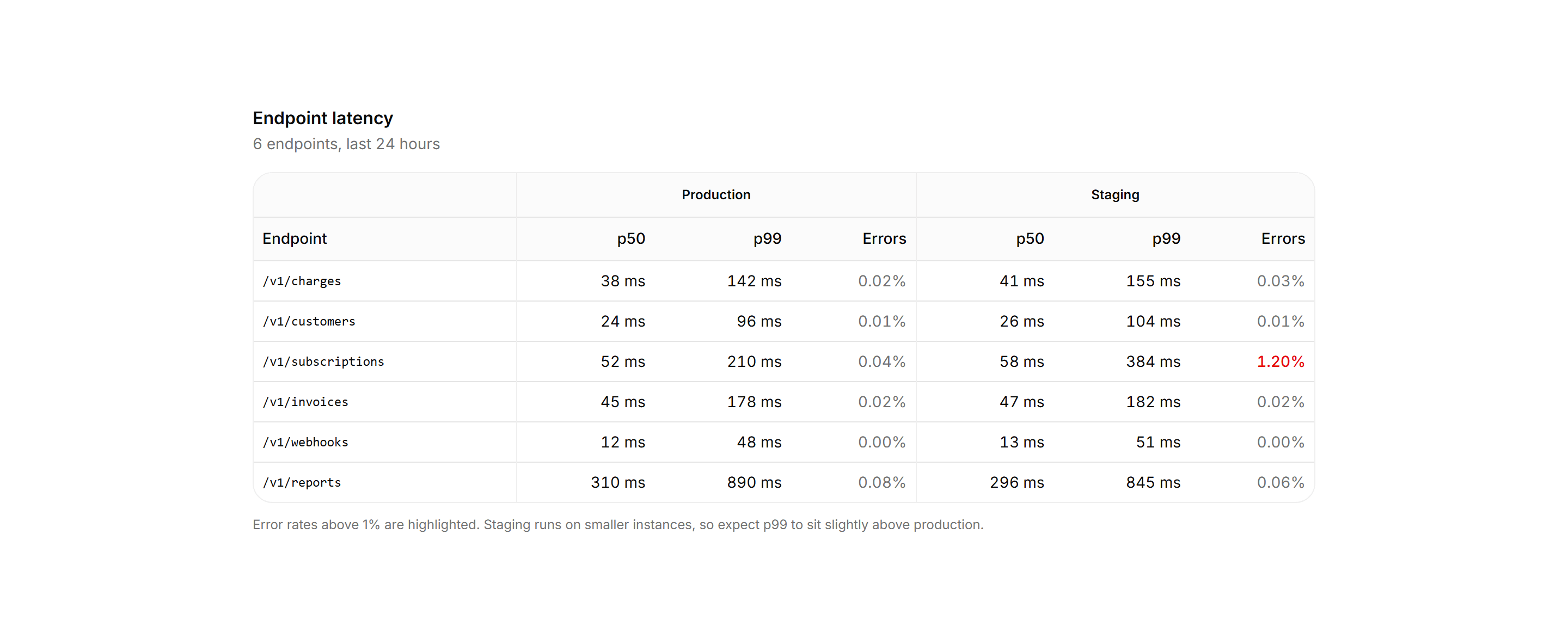
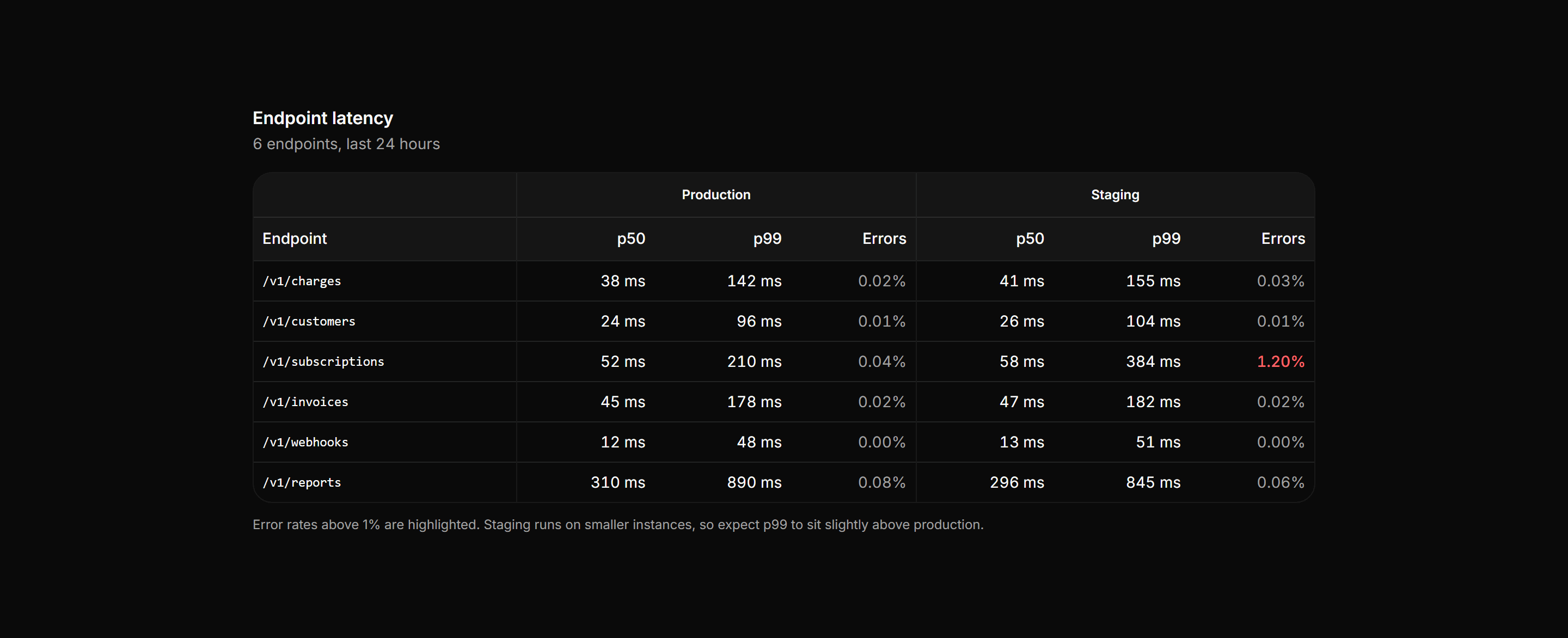
Application Data Table: Grouped Columns Table
An endpoint latency table with a two tier header spanning grouped metric columns for production and staging, split by vertical rules down the body.
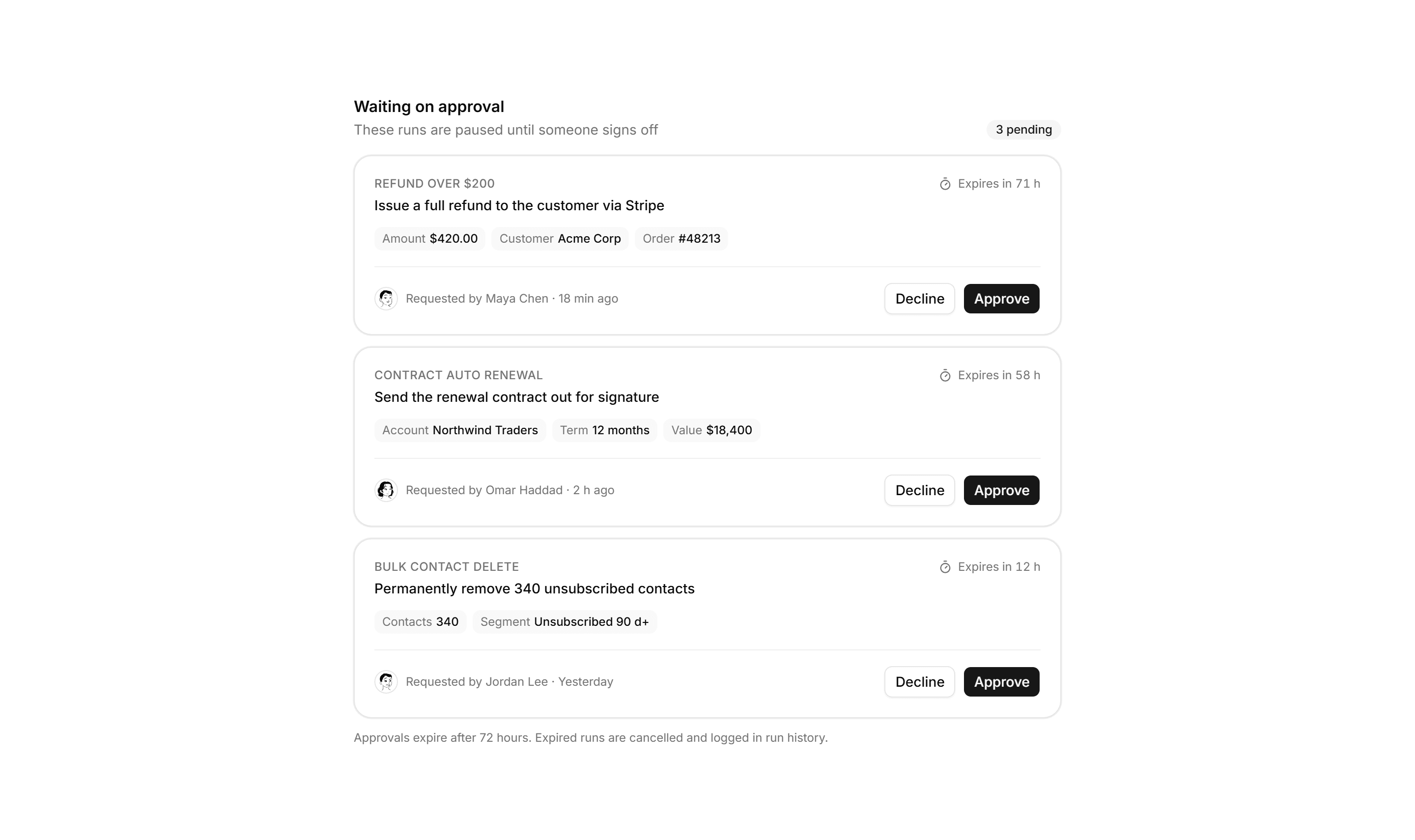
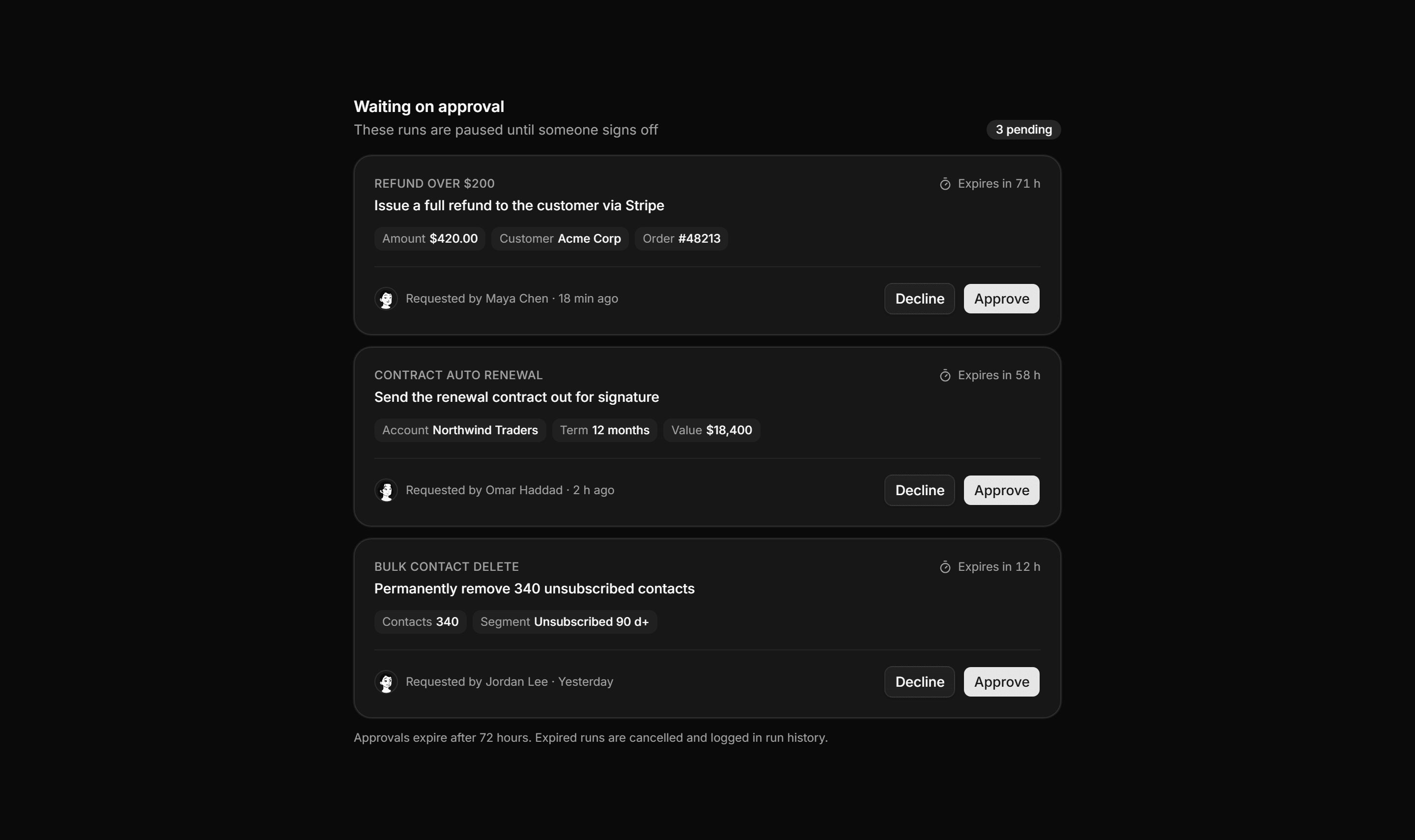
Application Workflow and Automation: Approval Queue
A human approval queue where each card names the automation, the action awaiting sign off, context chips, the requester, and approve or decline actions.
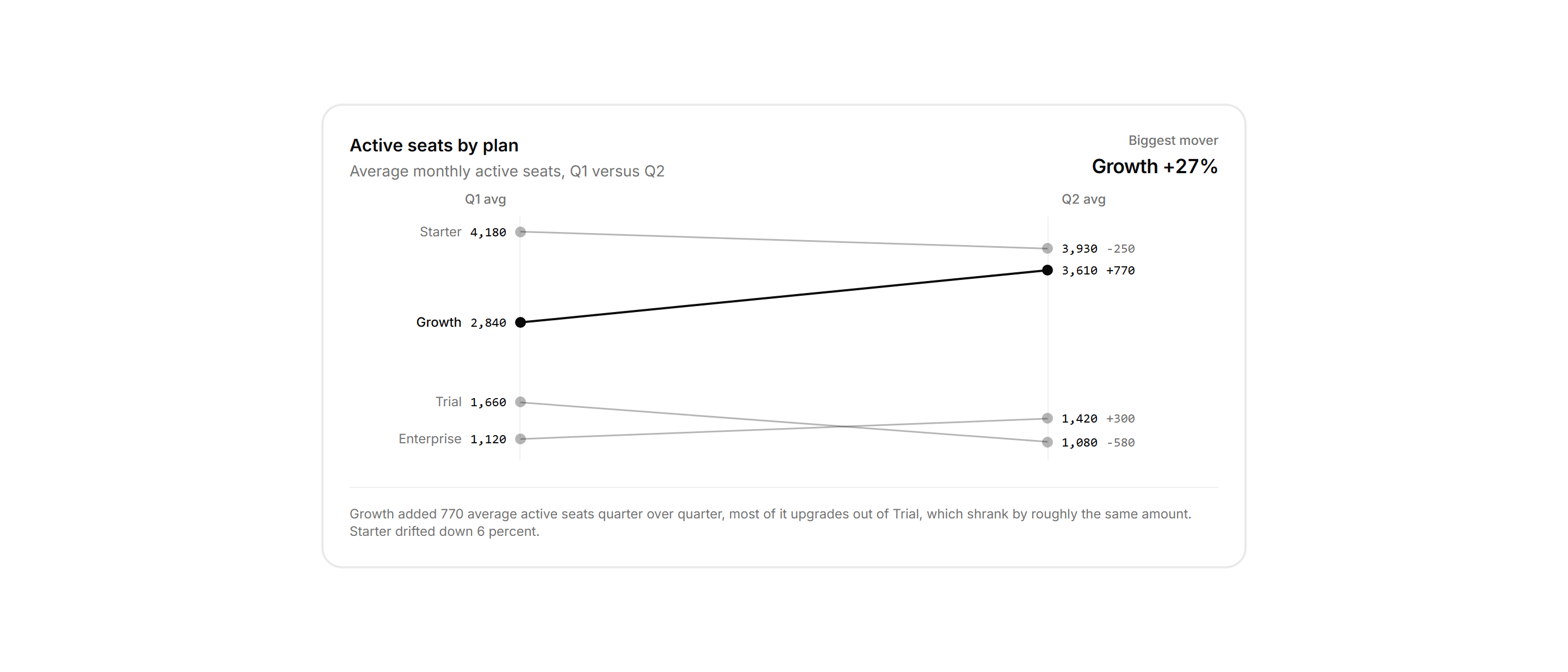
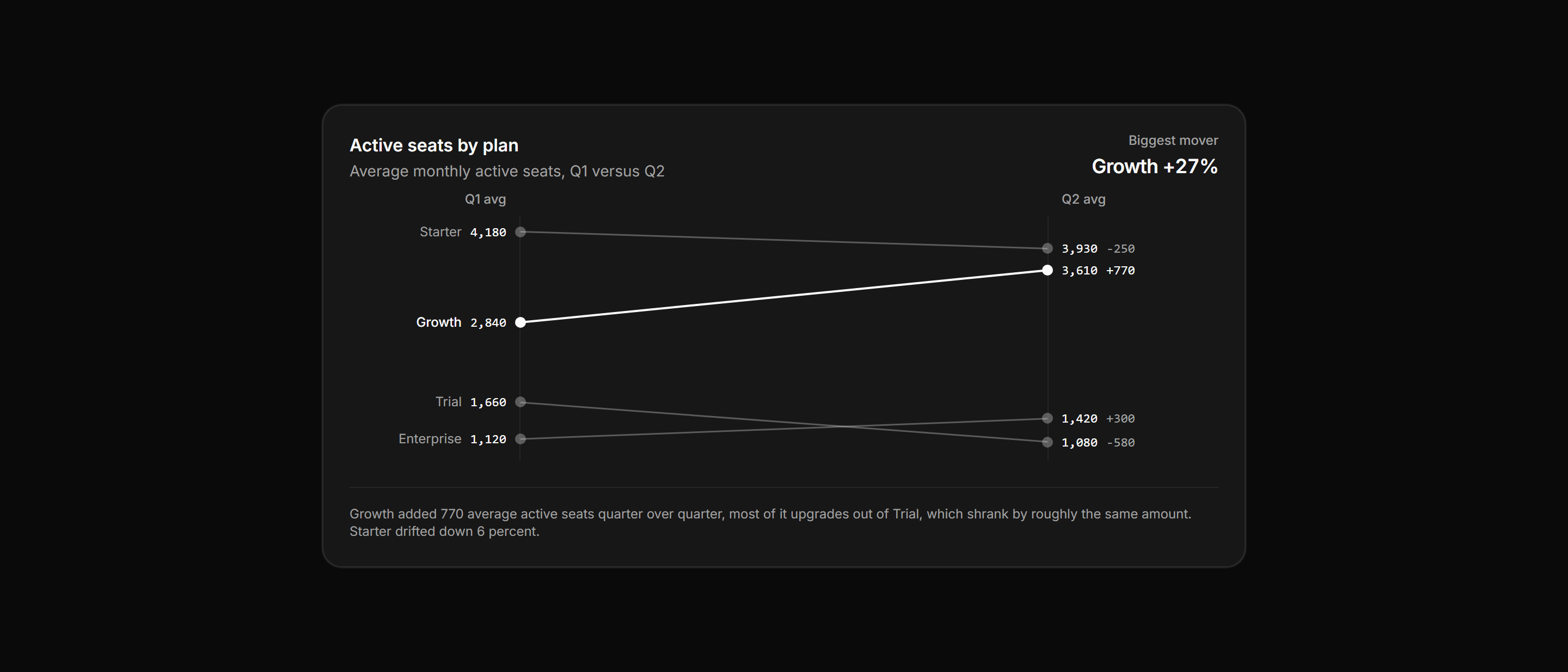
Application Chart: Slope Comparison Chart
A card panel joining average active seats per plan across two quarters with slope lines between paired axes, the biggest mover drawn in full ink.
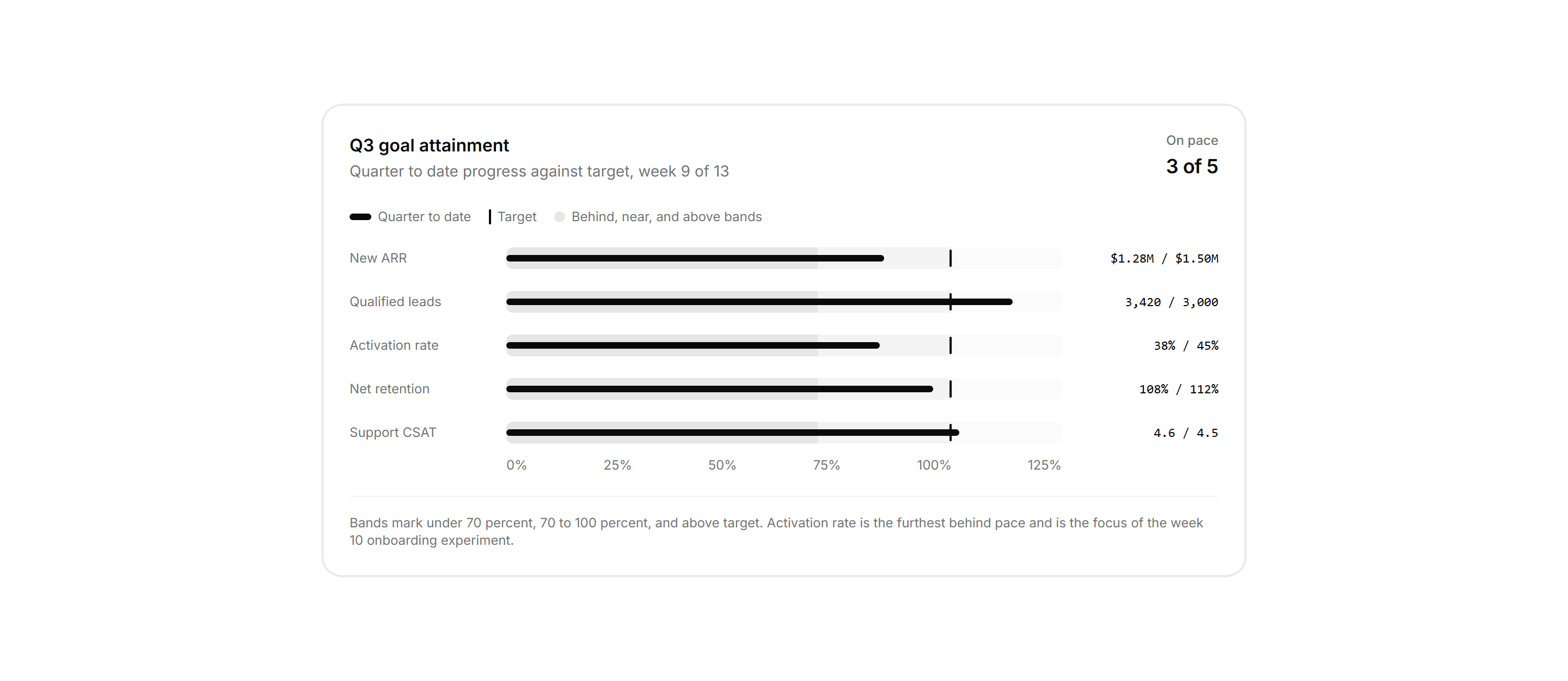
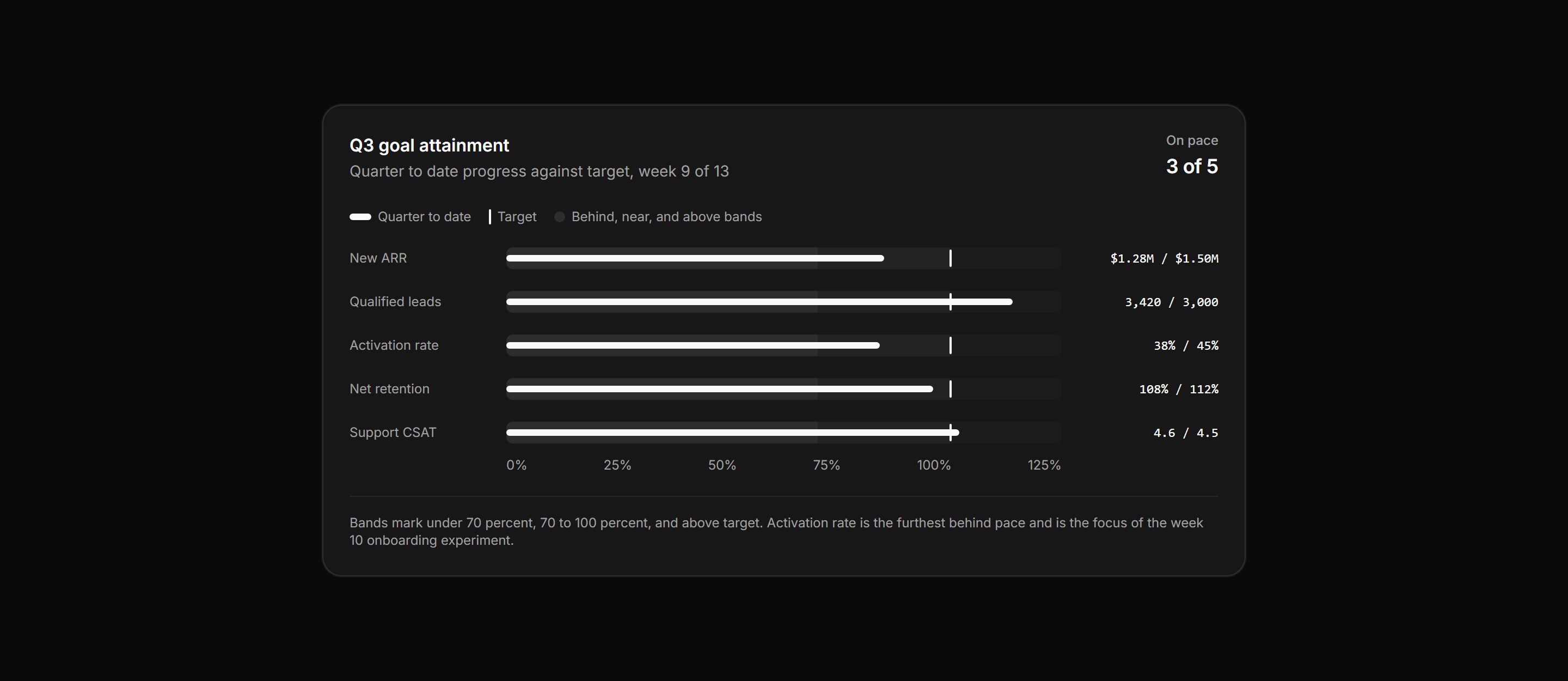
Application Chart: Bullet KPI Rows
A card panel of five quarterly KPIs as bullet rows, each with qualitative range bands, a quarter to date measure bar, a target tick, and a shared axis.
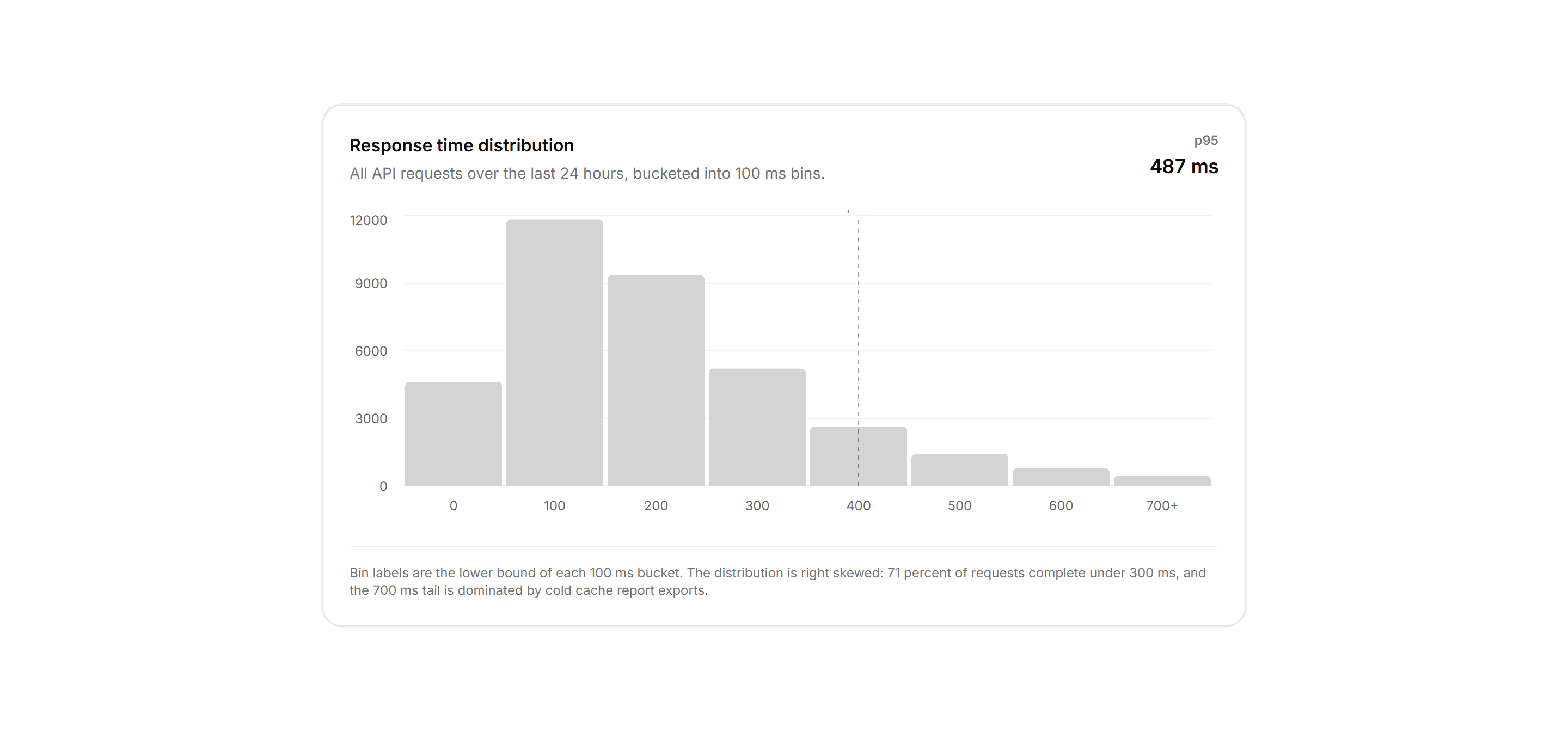
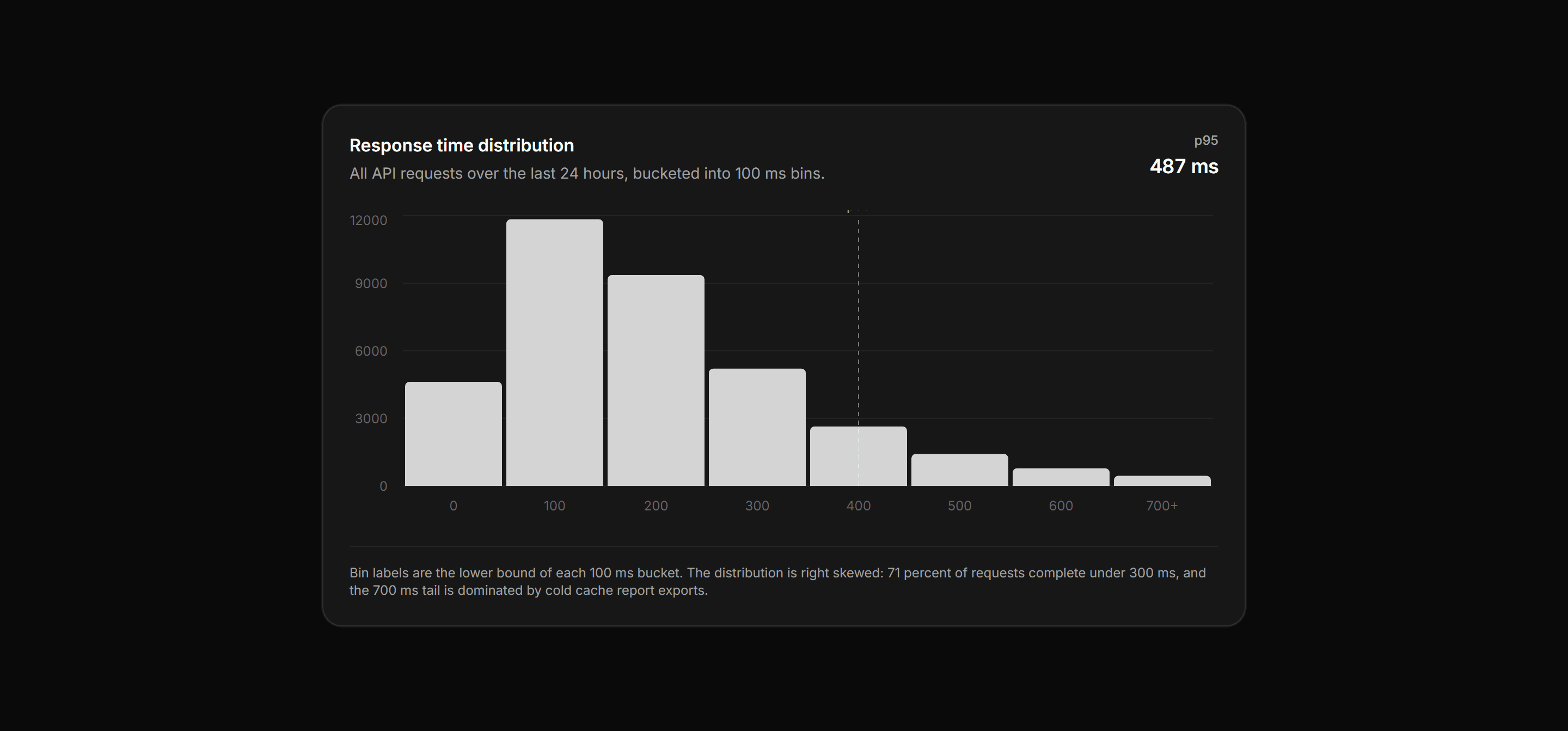
Application Chart: Histogram Distribution Chart
A card panel charting API response times bucketed into 100 ms bins as a single distribution, with a p95 callout and a dashed reference line.
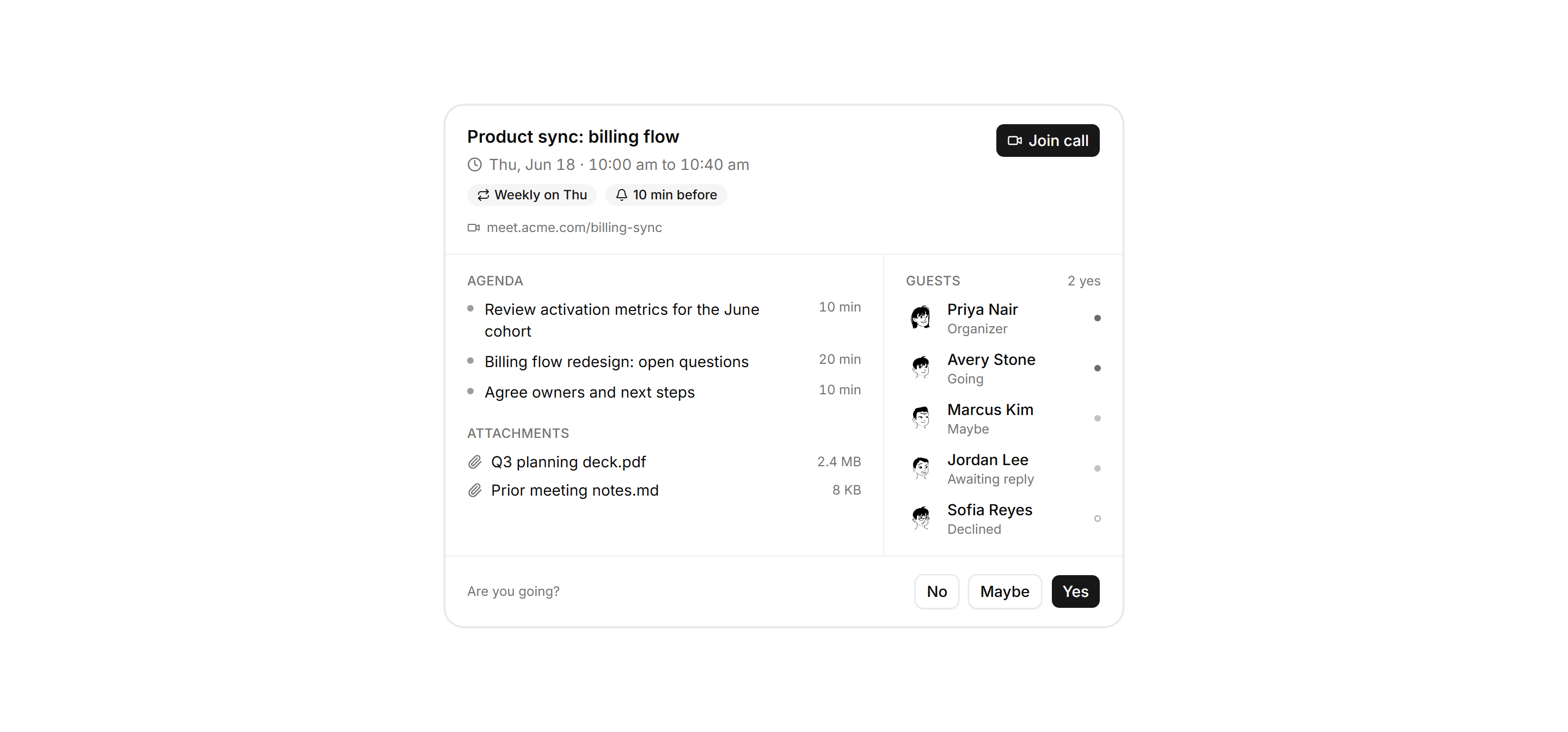
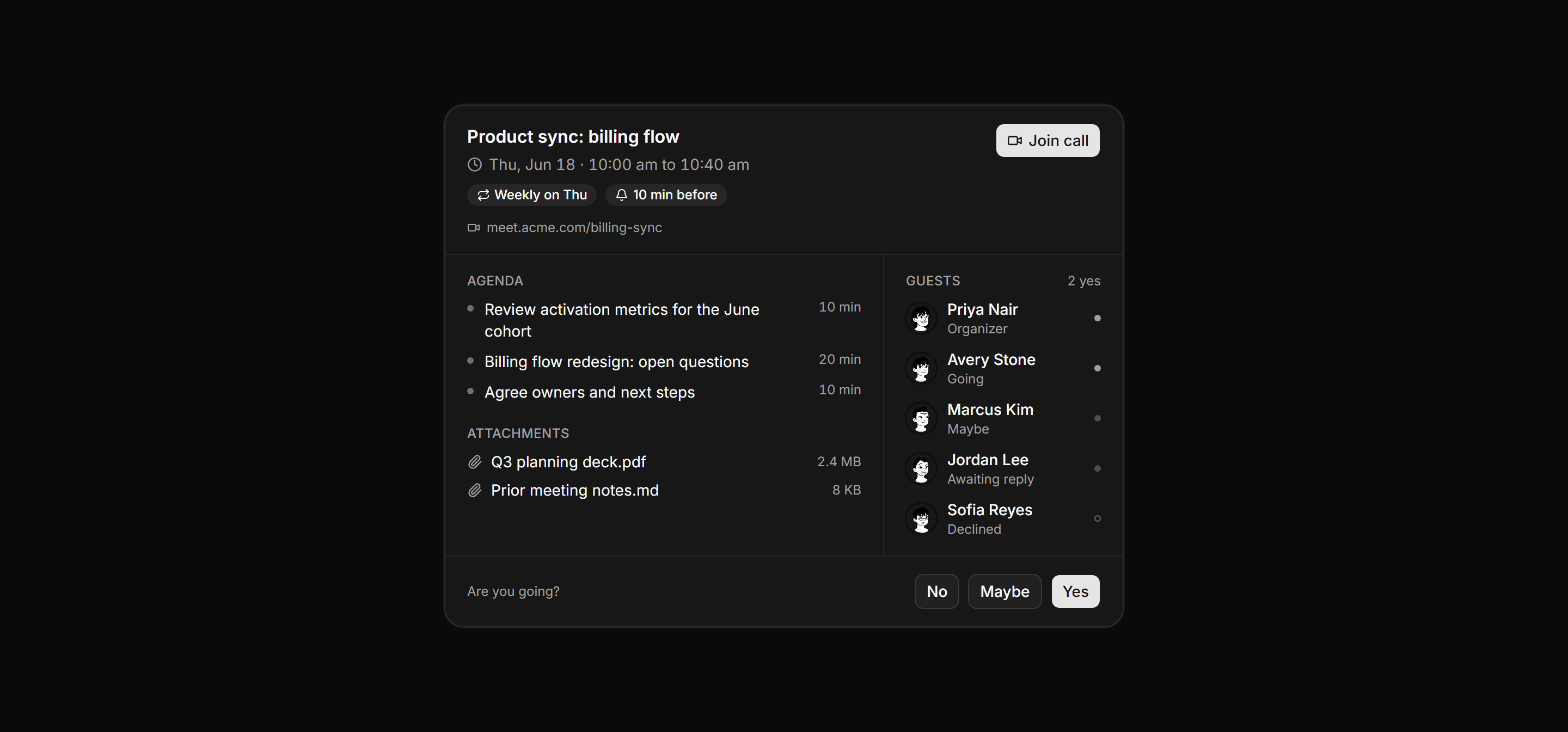
Application Calendar and Scheduling: Event Detail Panel
Full read view of a calendar event with a header, agenda and attachments column, a guest list with RSVP state, and viewer response buttons.
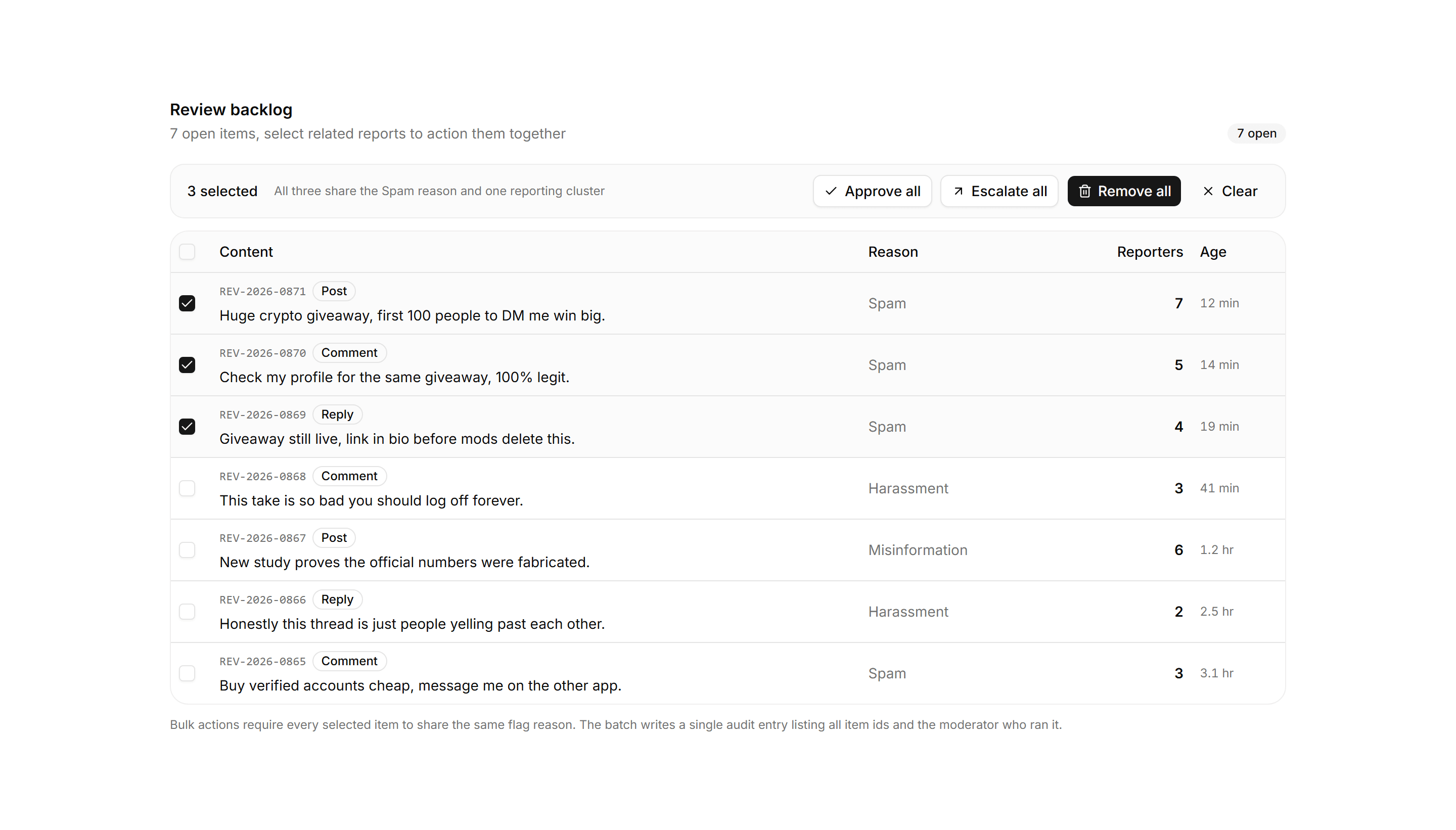
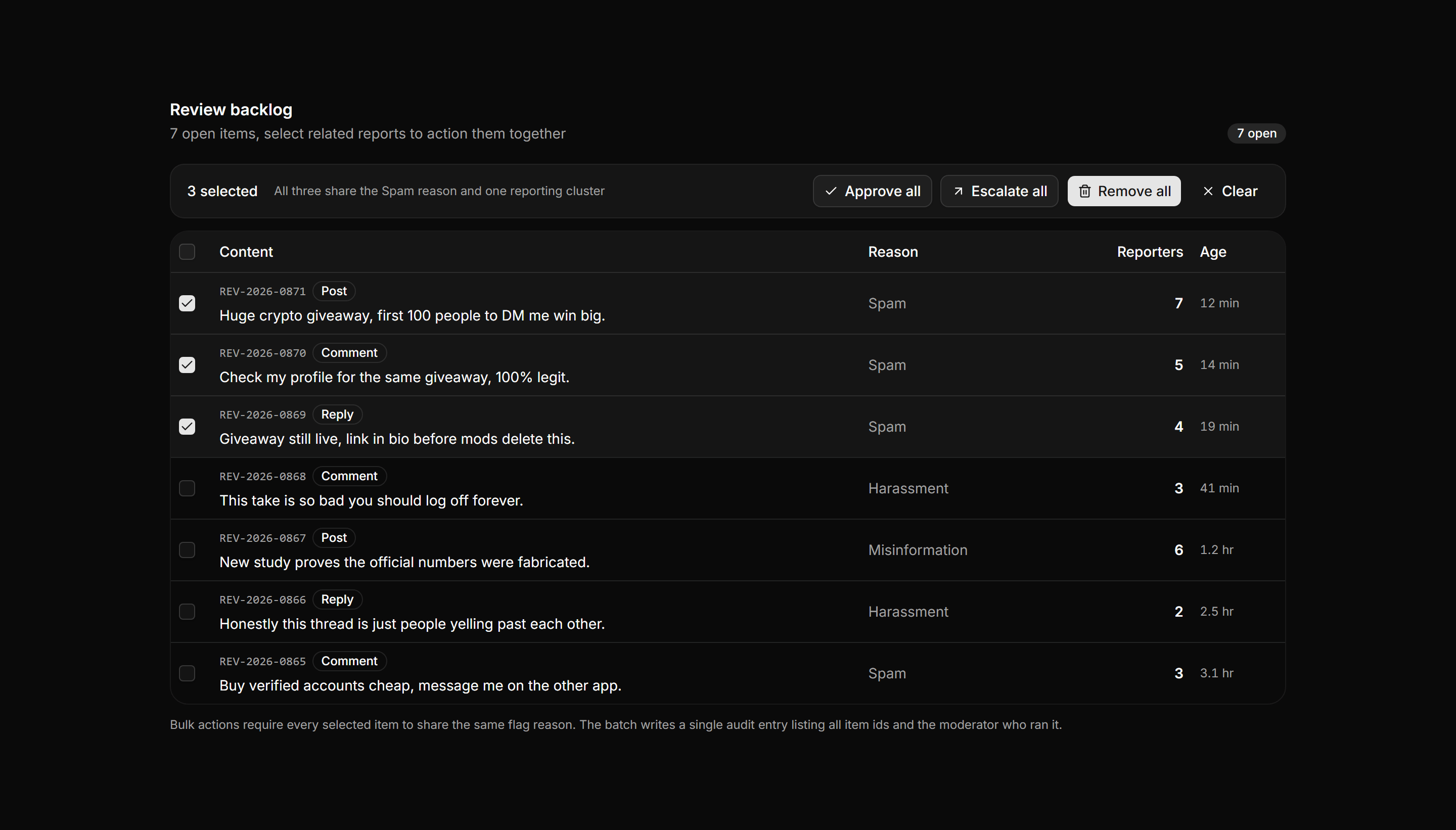
Application Admin and Moderation: Bulk Review Table
A checkbox review table with per row selection, a bulk action bar showing the selection count with approve, escalate, and remove actions, and an audit note.
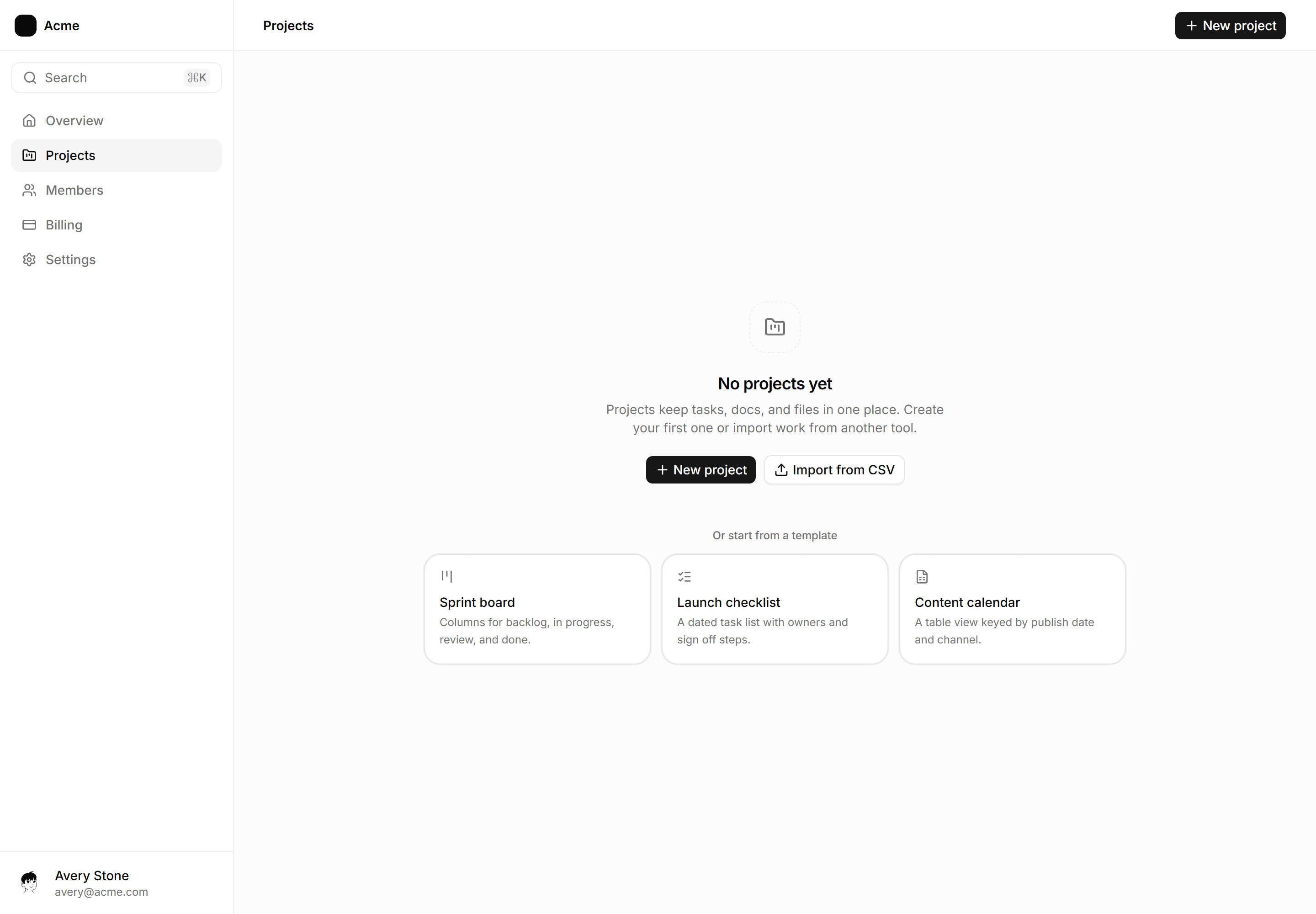
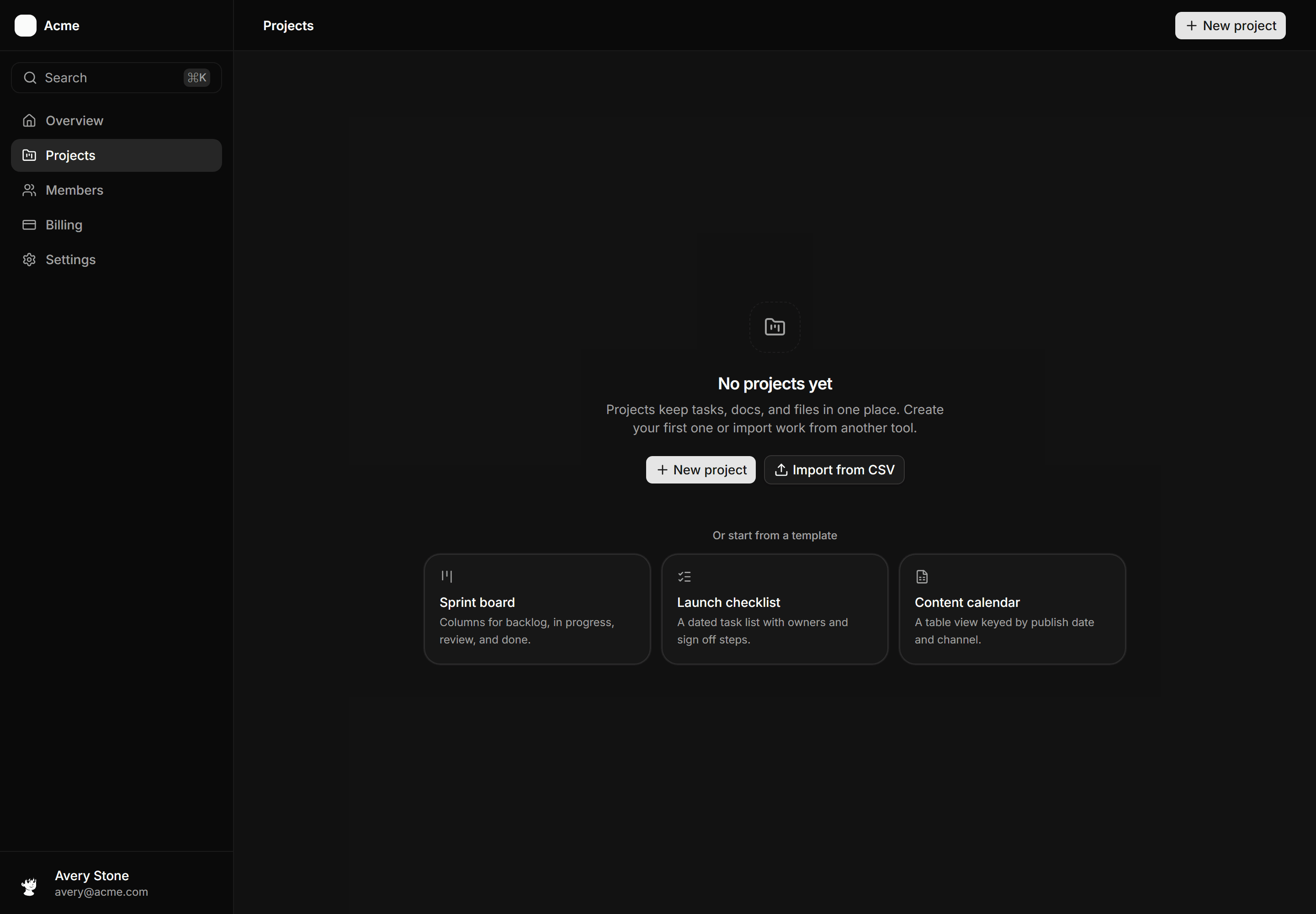
Application App Shell: Empty State Shell
A sidebar and header frame with a first run canvas: a centered empty state with icon, heading, primary and secondary actions, and a starter template row.
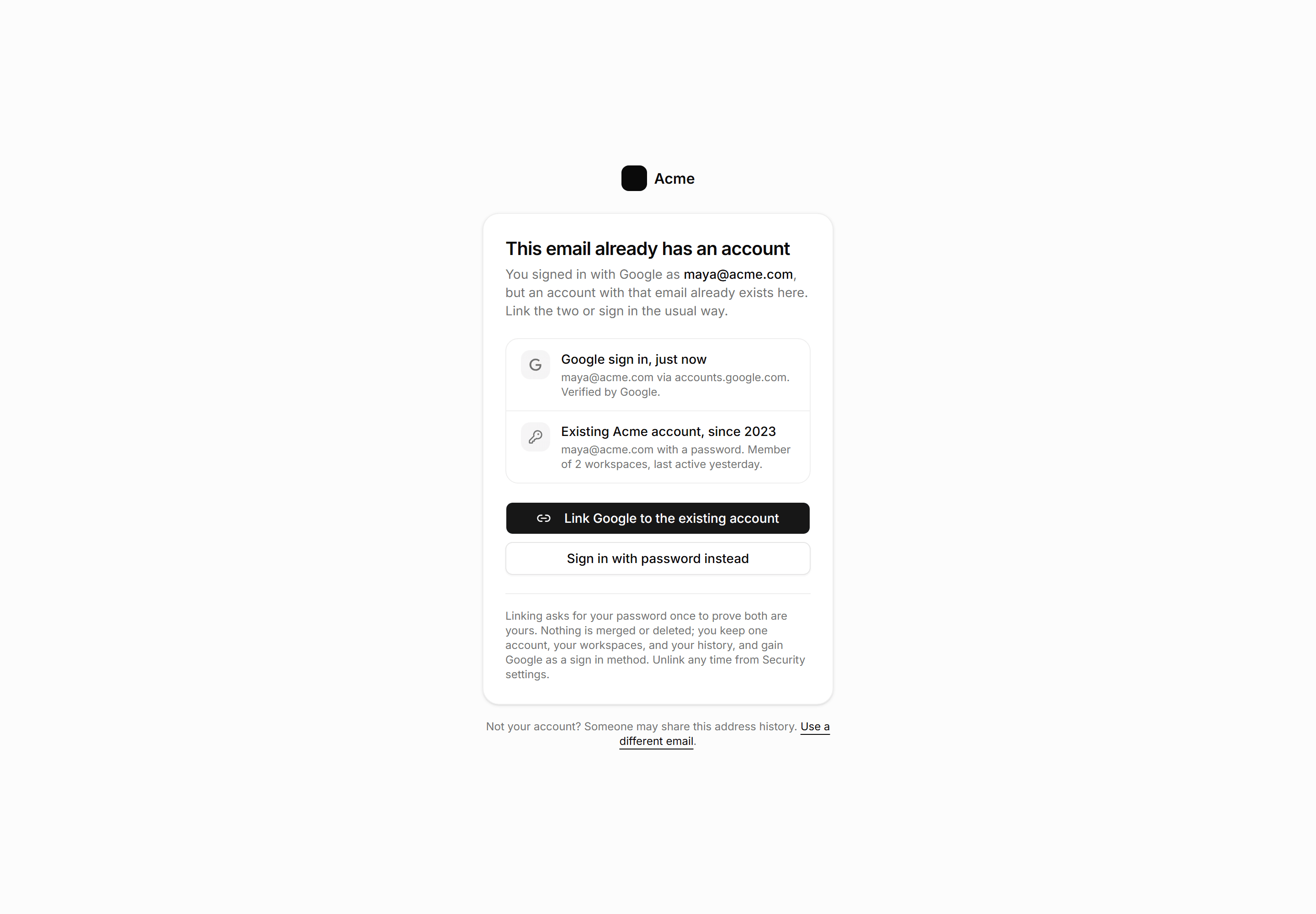
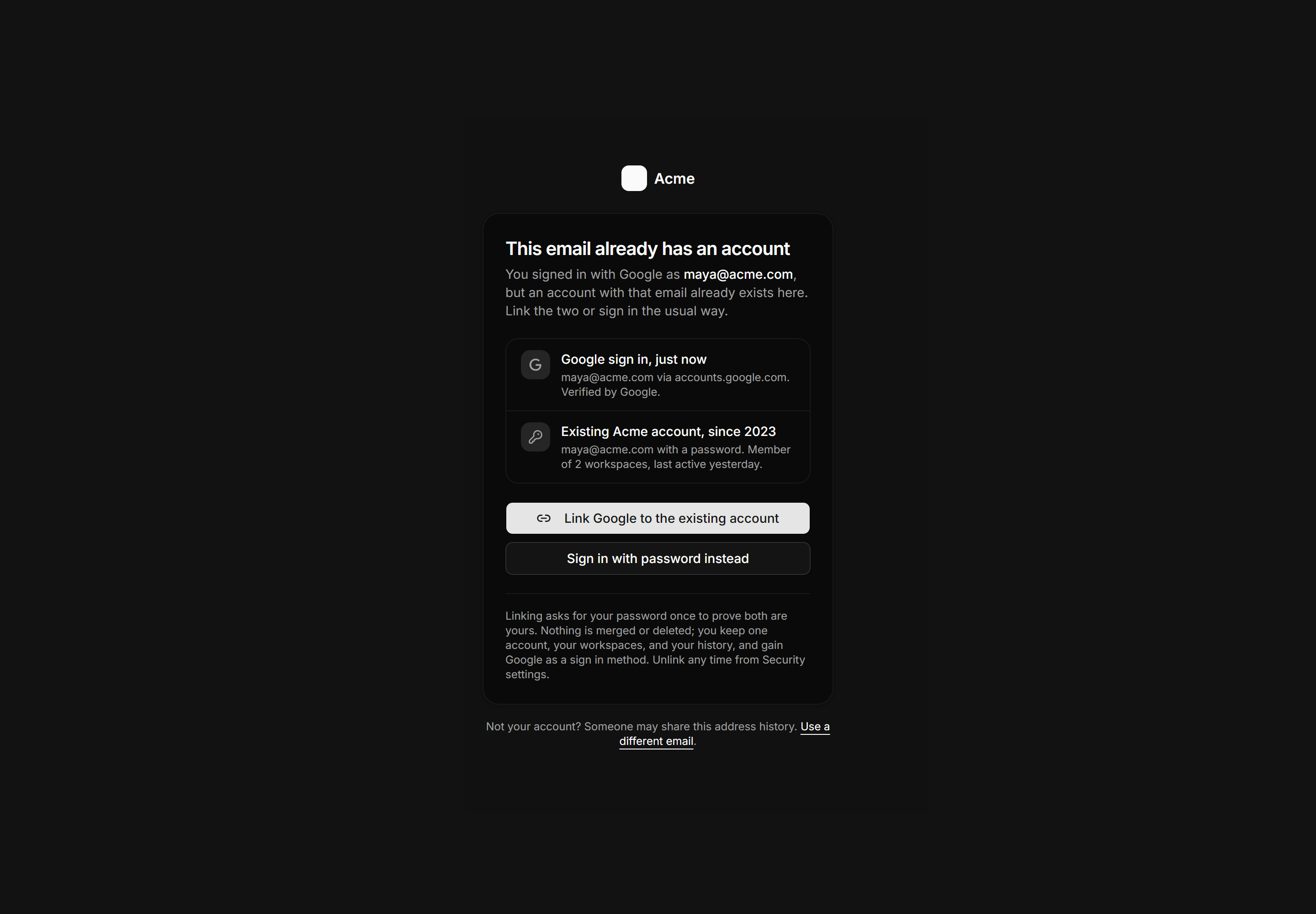
Application Auth Page: Account Linking Page
An account collision gate showing a Google sign in beside an existing password account, a link action, and a password sign in fallback.
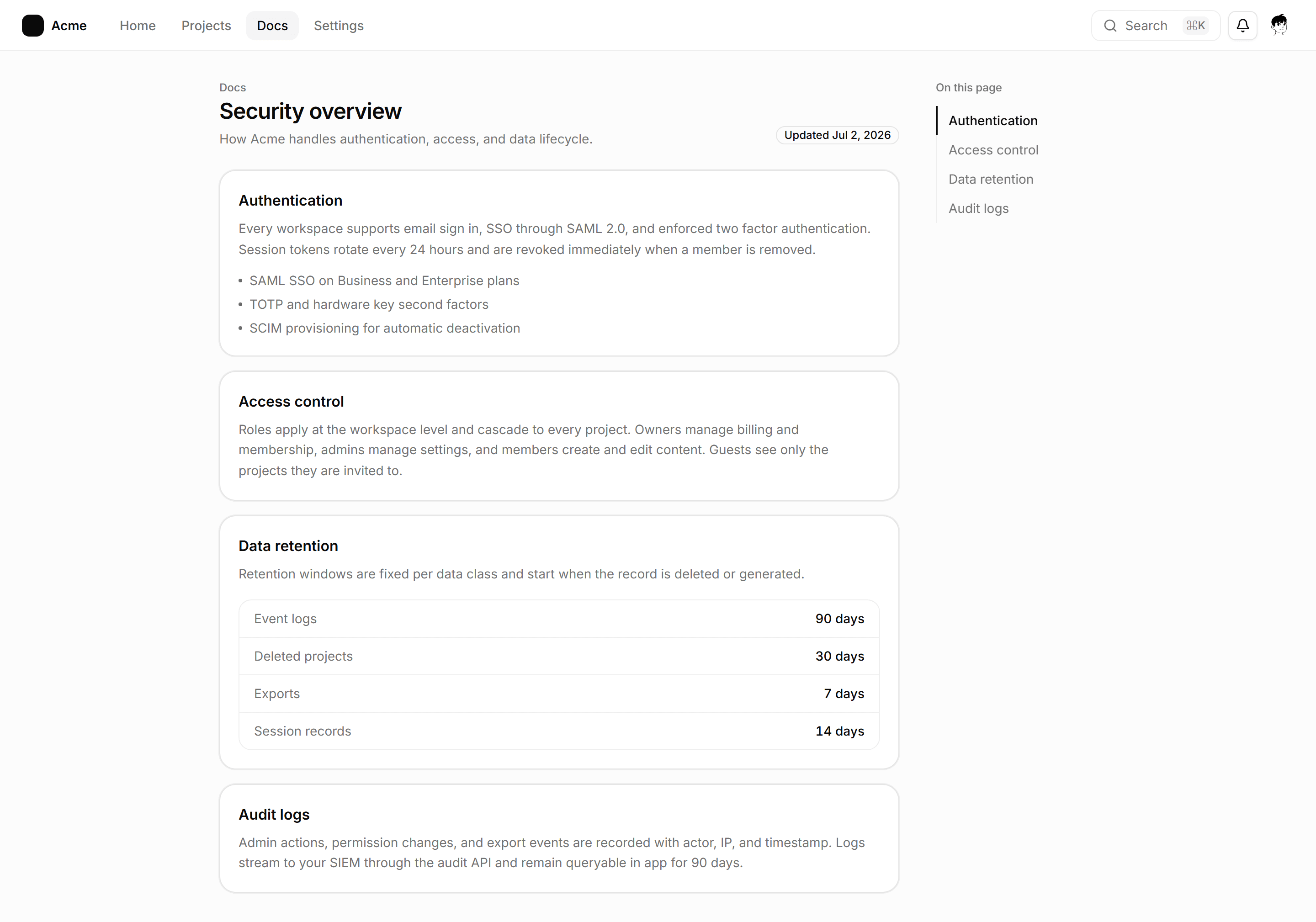
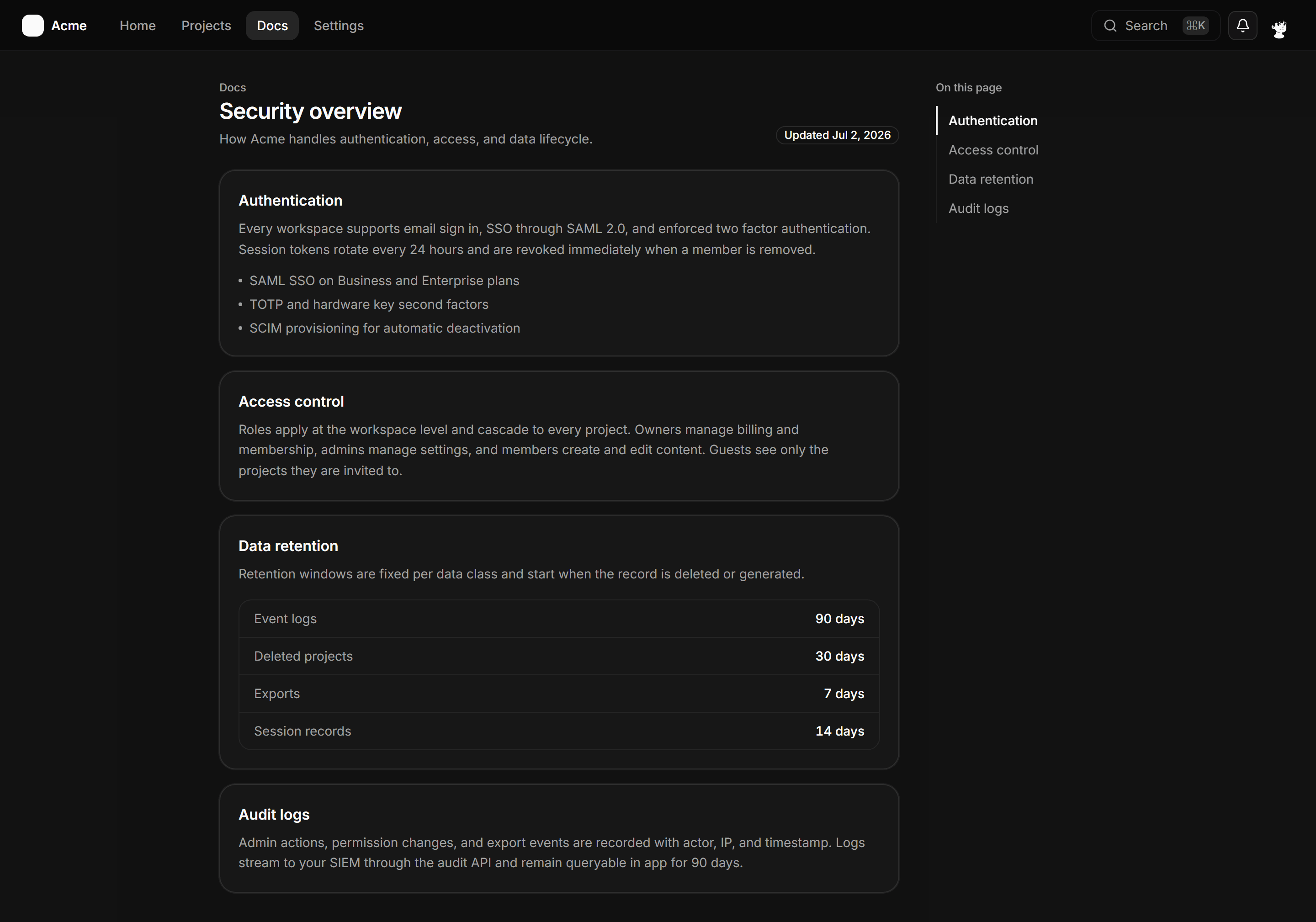
Application App Shell: Anchor Nav Shell
A full-page docs shell with a slim topbar, a column of anchored section cards, and a sticky On this page rail tracking the active section.
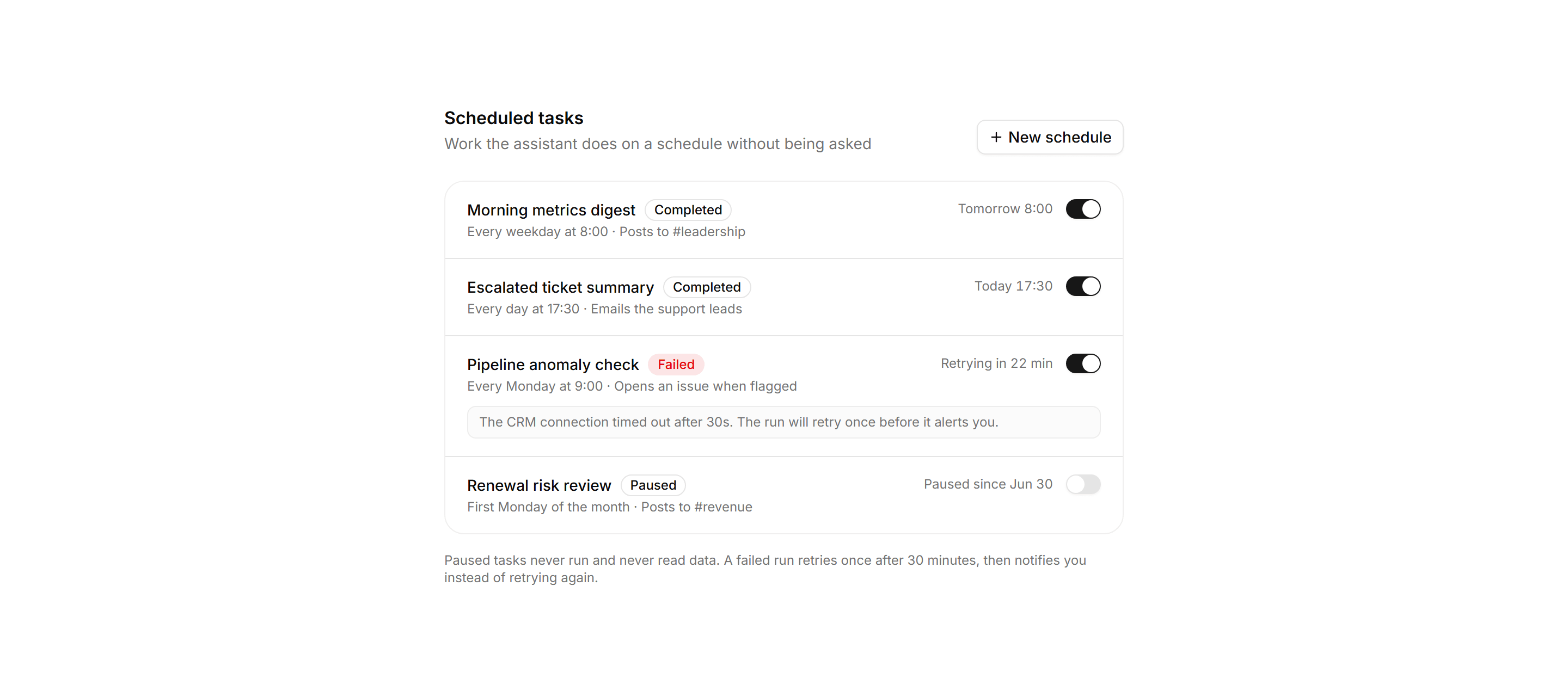
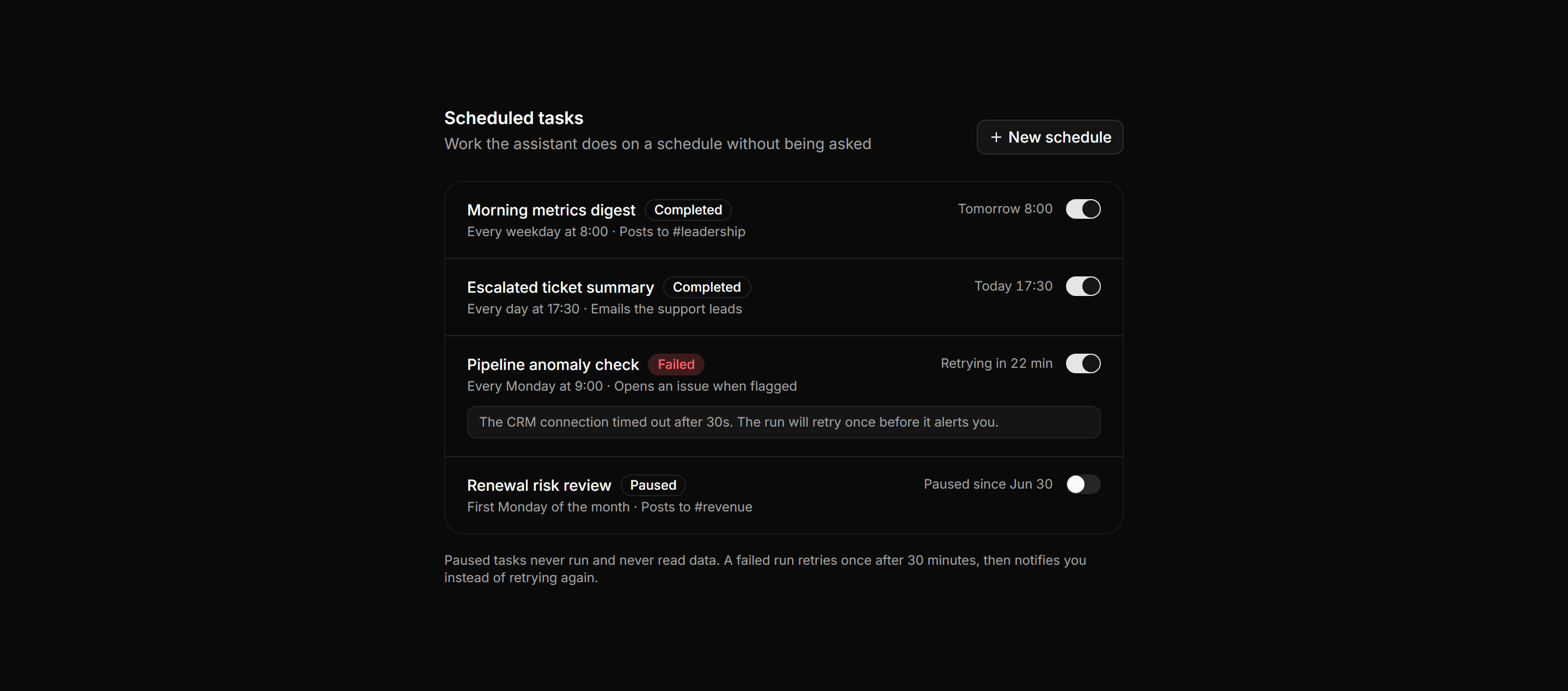
Application AI Assistant: Scheduled Agents List
Ruled rows of recurring assistant tasks, each with cadence, delivery target, last run badge, next run time, and a pause switch, plus inline errors.
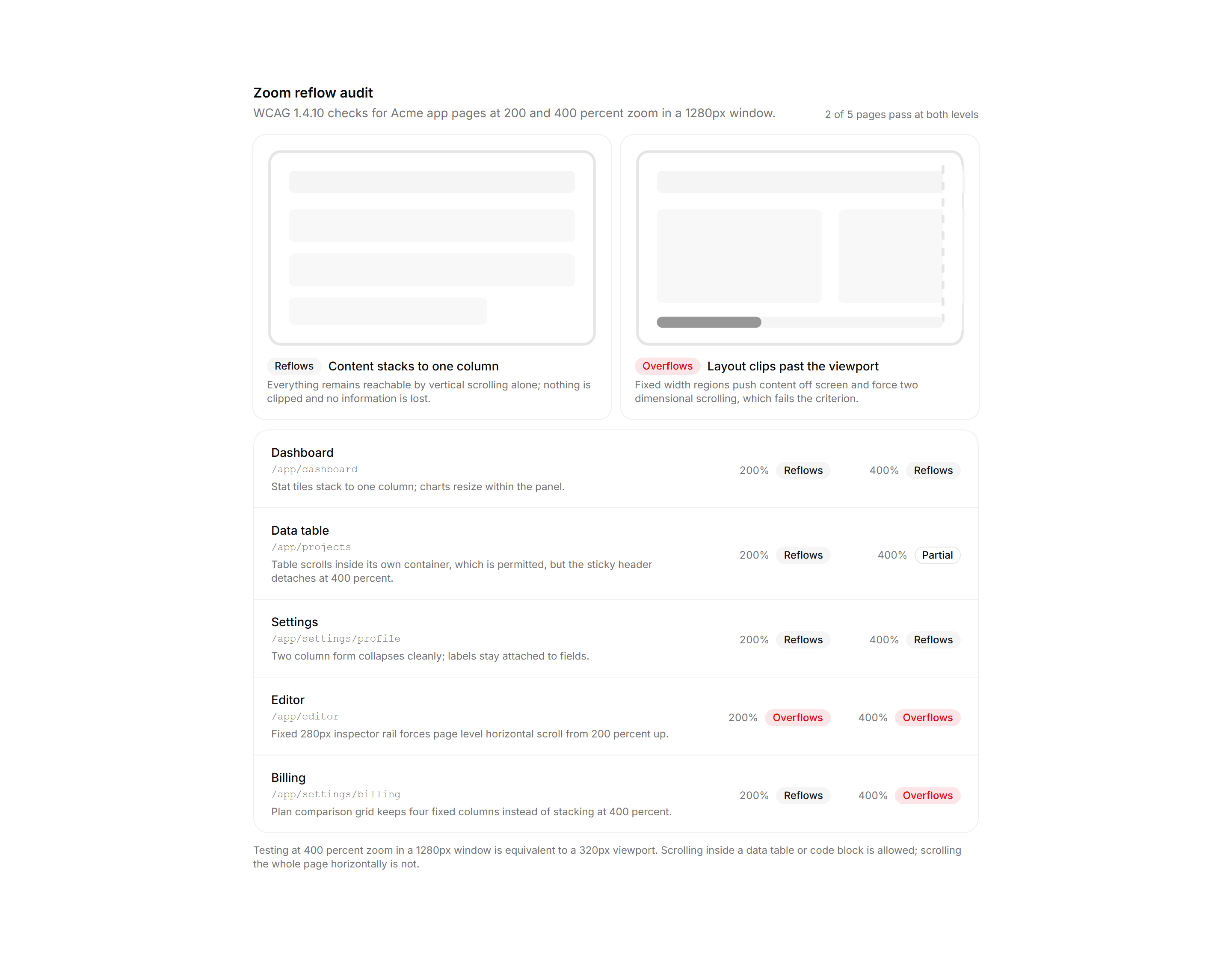
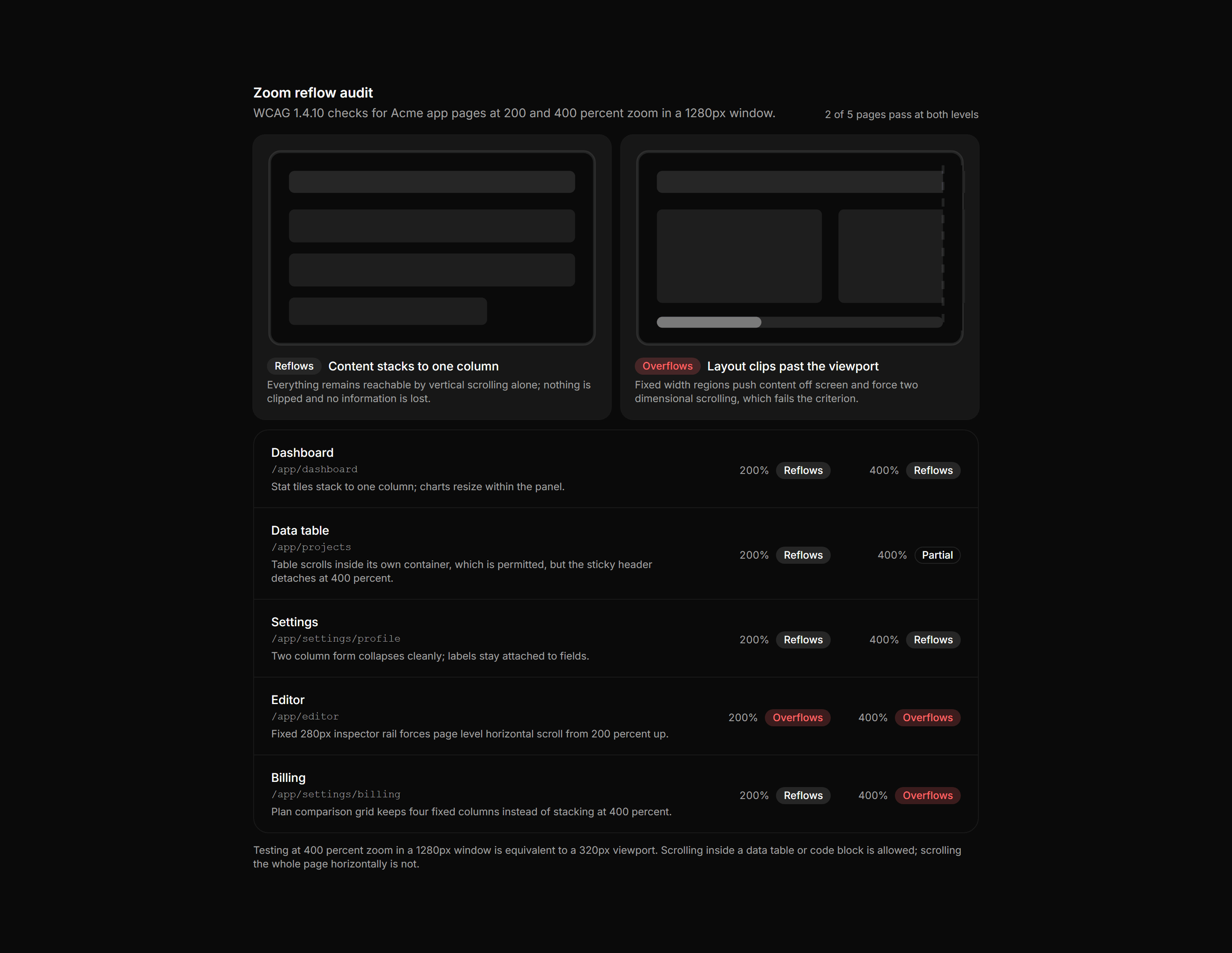
Application Accessibility: Zoom Reflow Audit
A WCAG reflow report led by two wireframe legends, then a per page table of pass and fail results at 200 and 400 percent zoom.
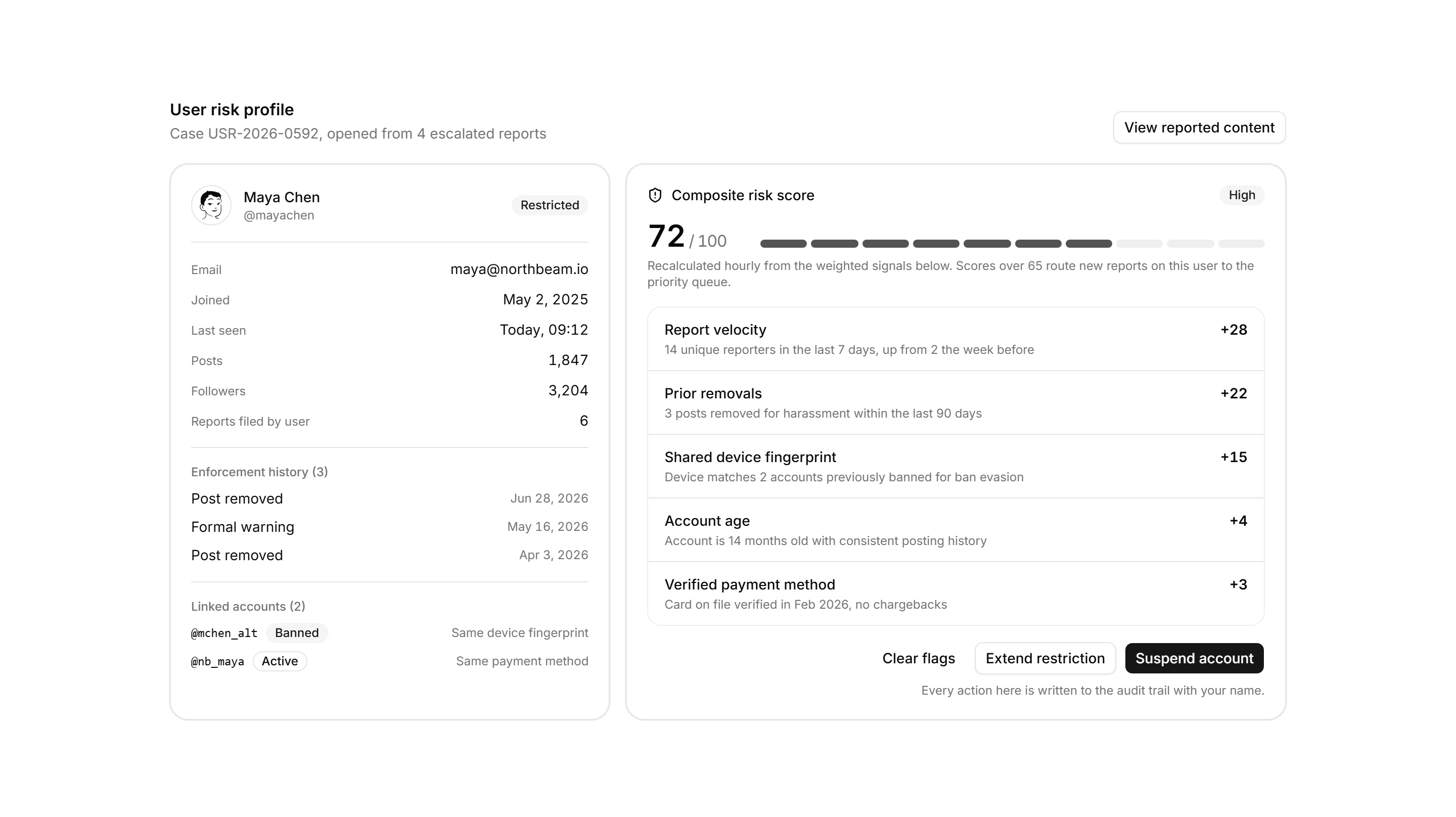
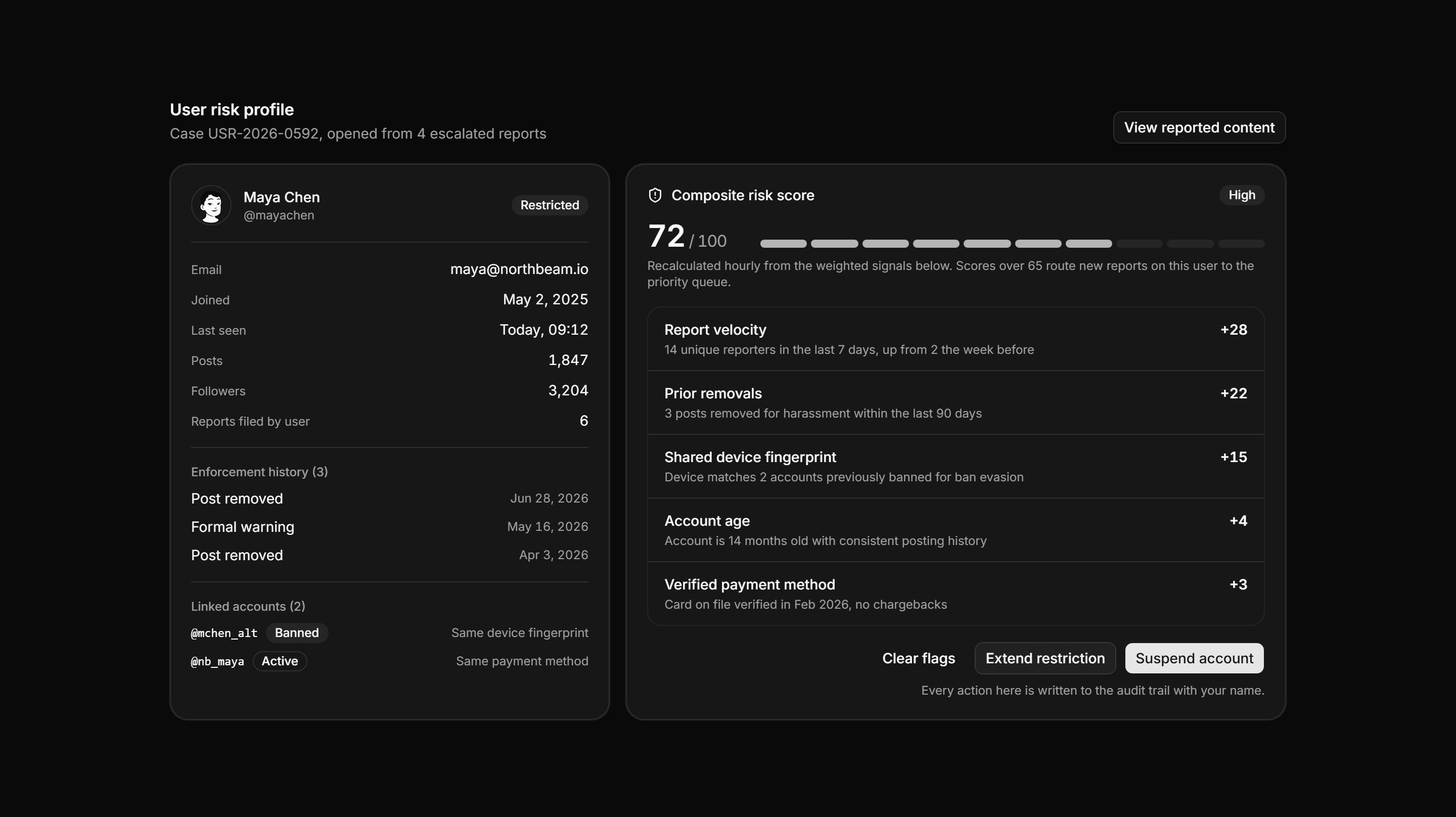
Application Admin and Moderation: User Risk Profile
An identity rail of account facts and linked accounts beside a composite risk score, a segmented meter, weighted signals, and enforcement actions.
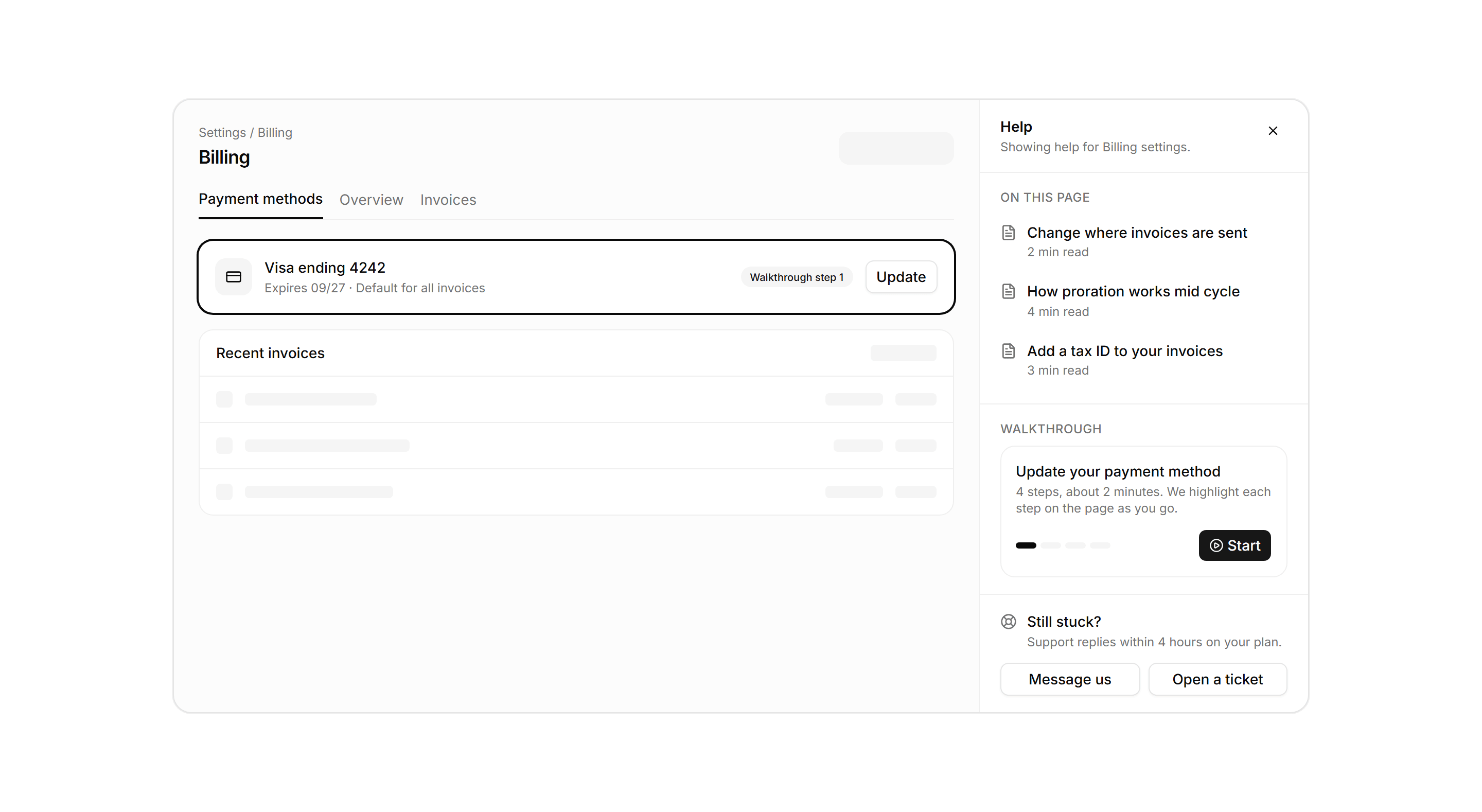
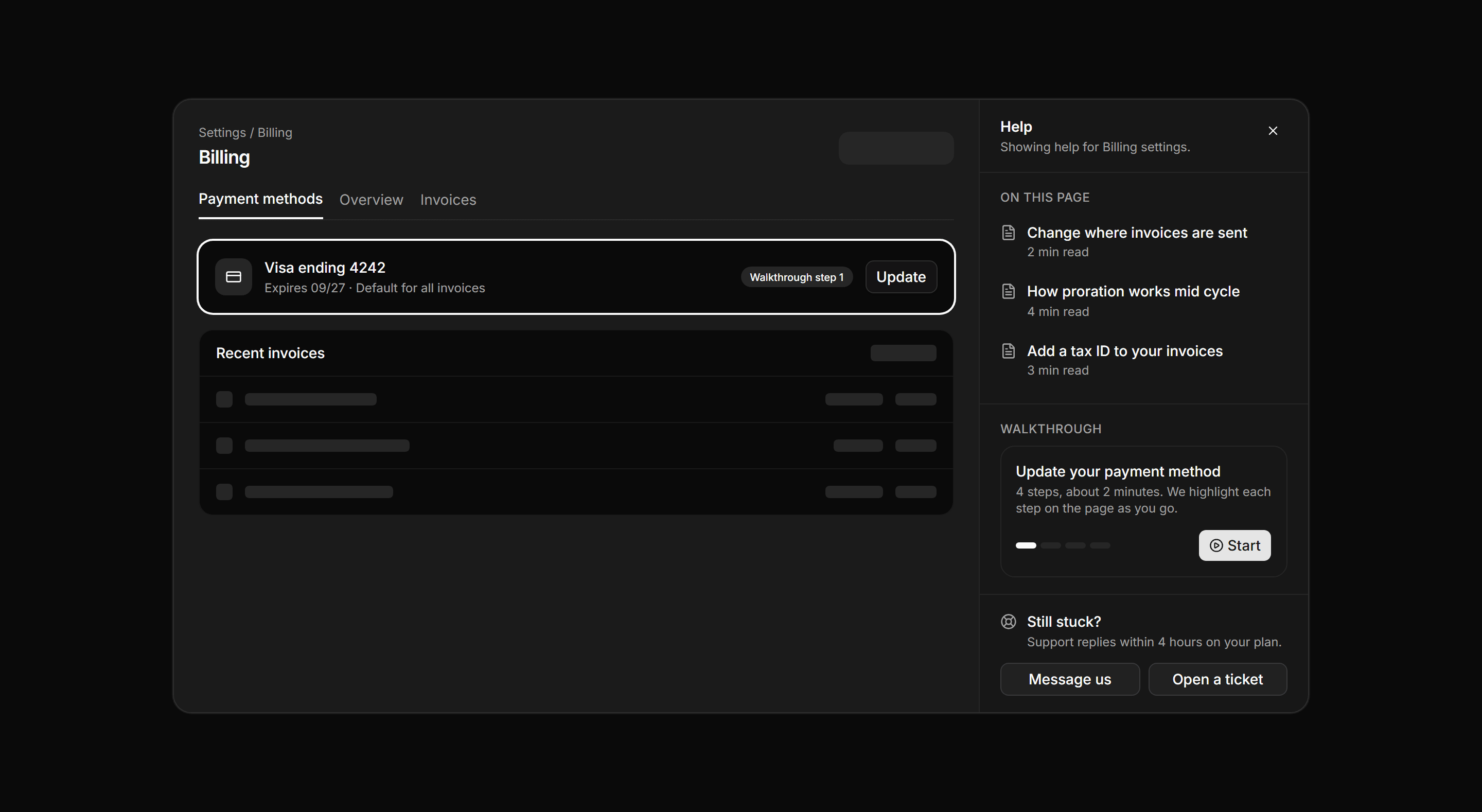
Application Help and Support: Contextual Help Drawer
A contextual help layout pairing a dimmed billing settings canvas with a docked help drawer of matched articles, a walkthrough card, and contact actions.
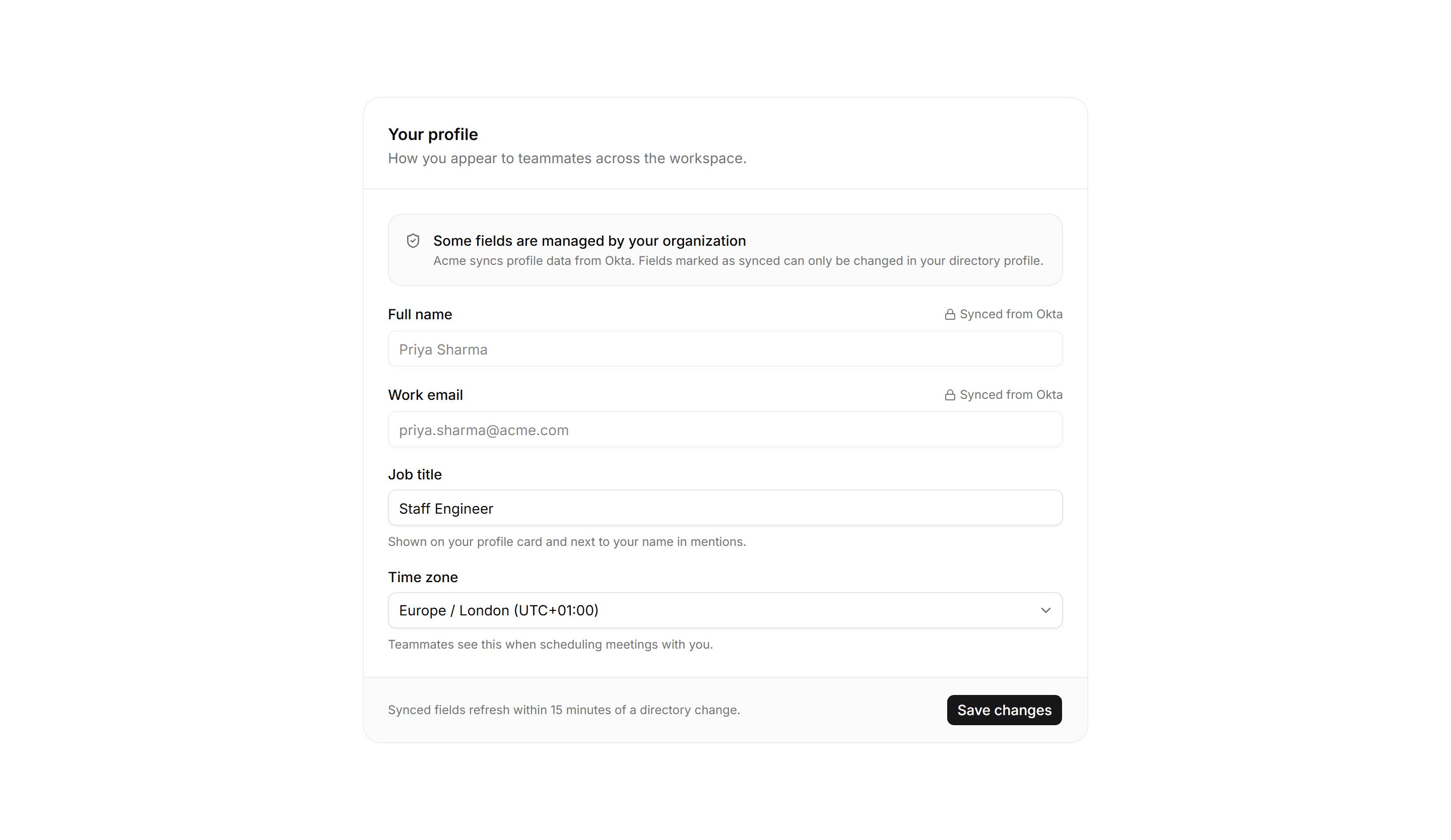
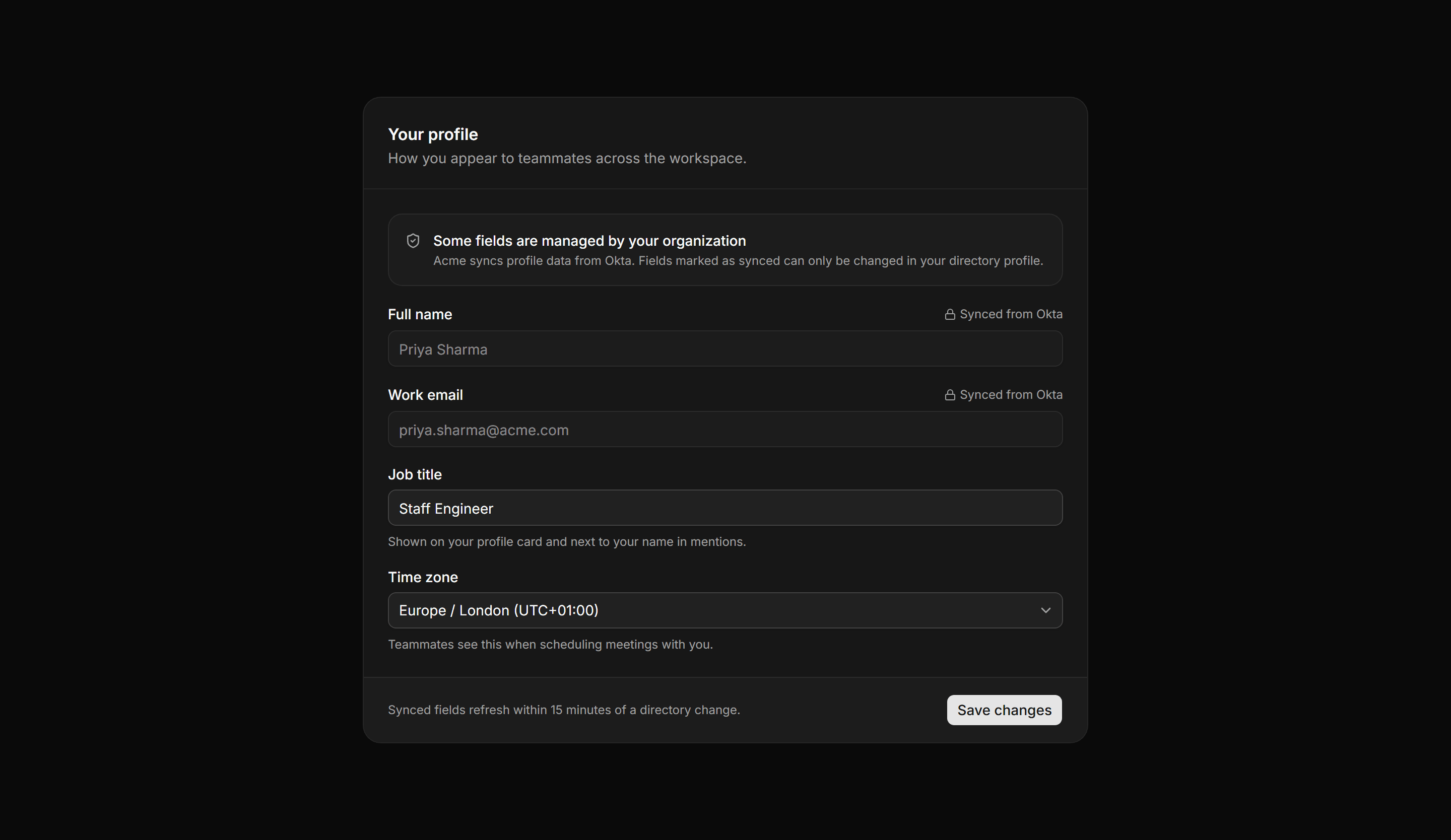
Application Form: Managed Fields Form
A profile form where a policy banner explains directory sync, identity fields render locked with a synced marker, and other fields stay editable.
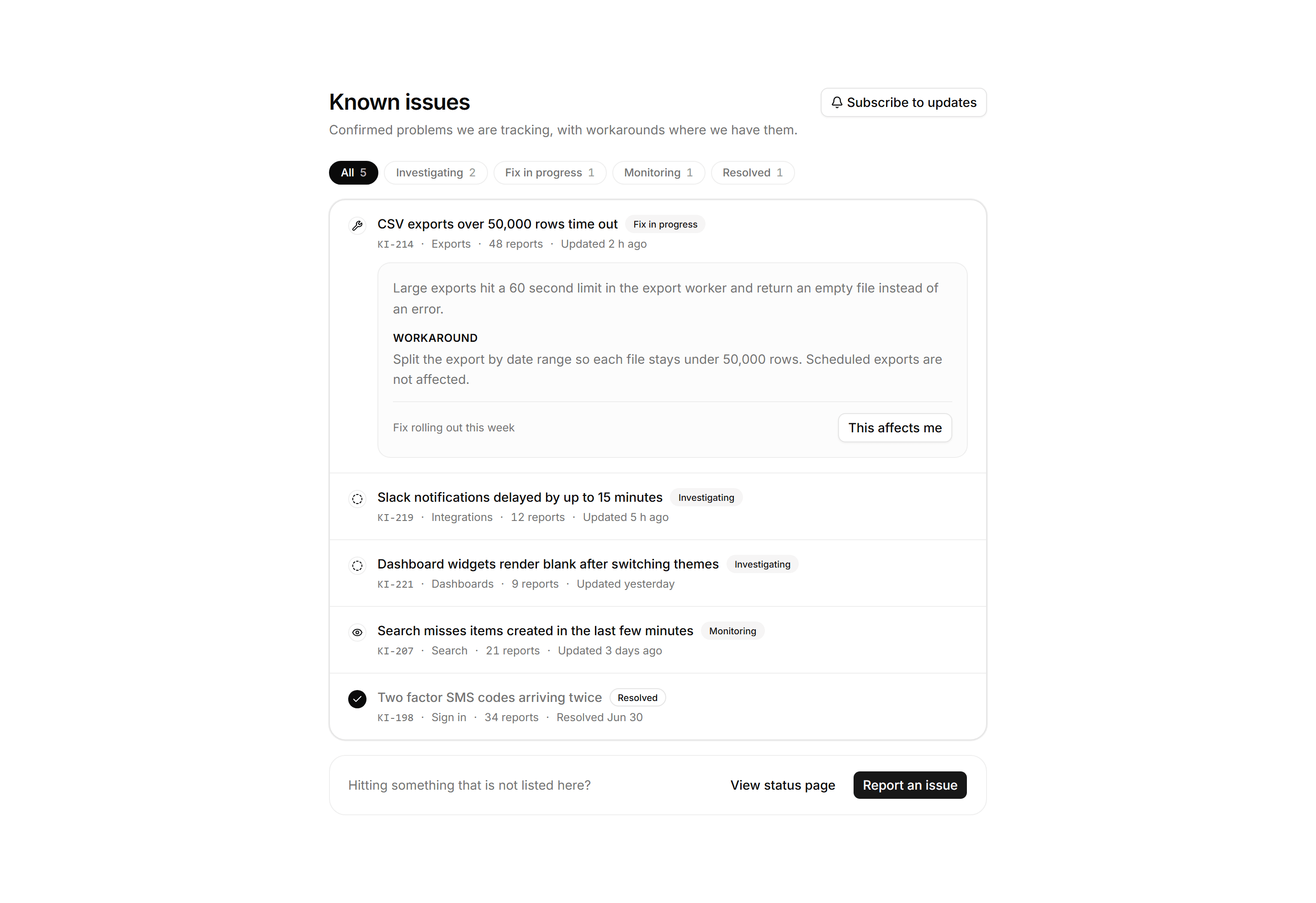
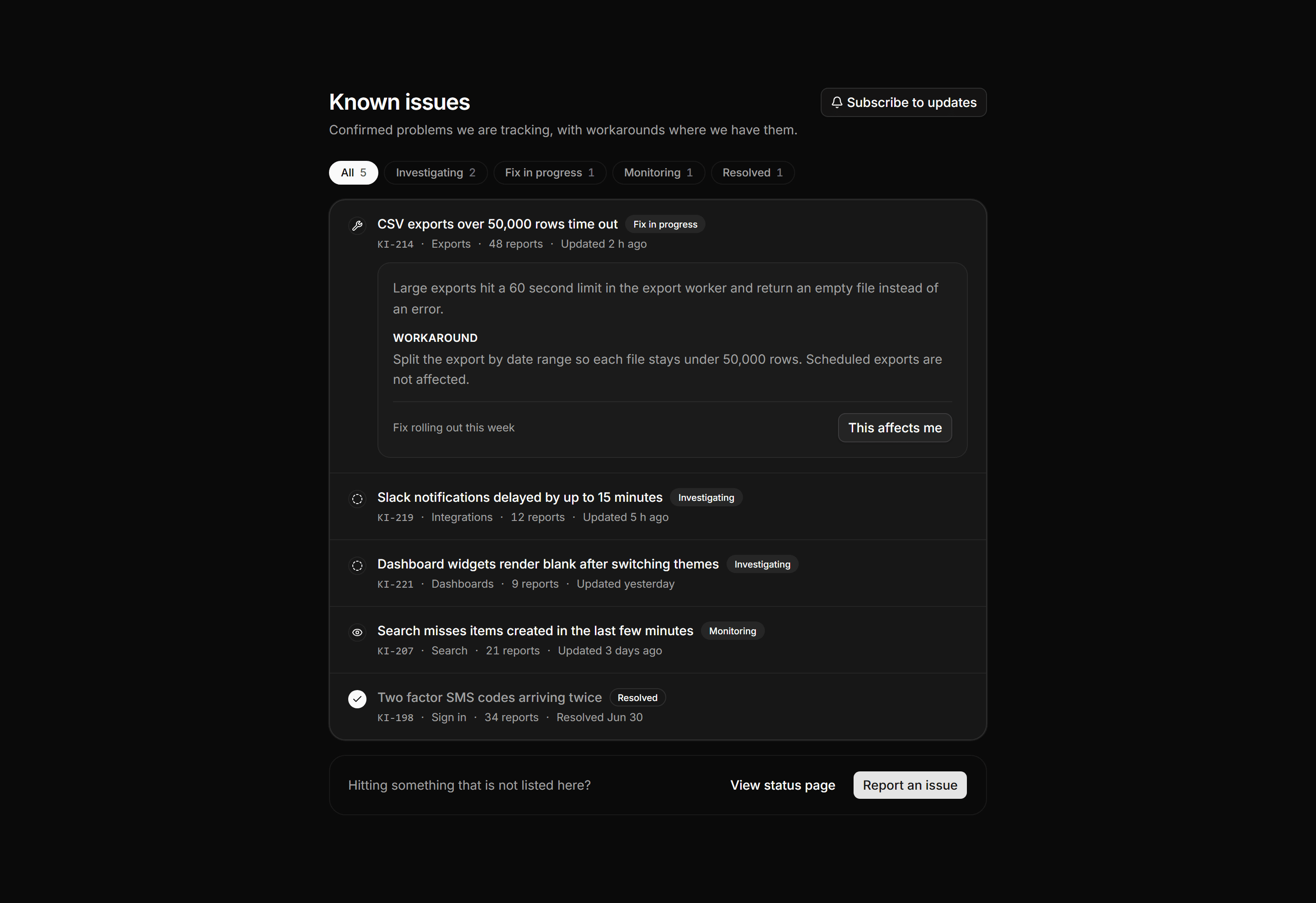
Application Help and Support: Known Issues Board
A known issues board with a page header, status filter chips with counts, and a list of confirmed issues showing area, reports, and workarounds.
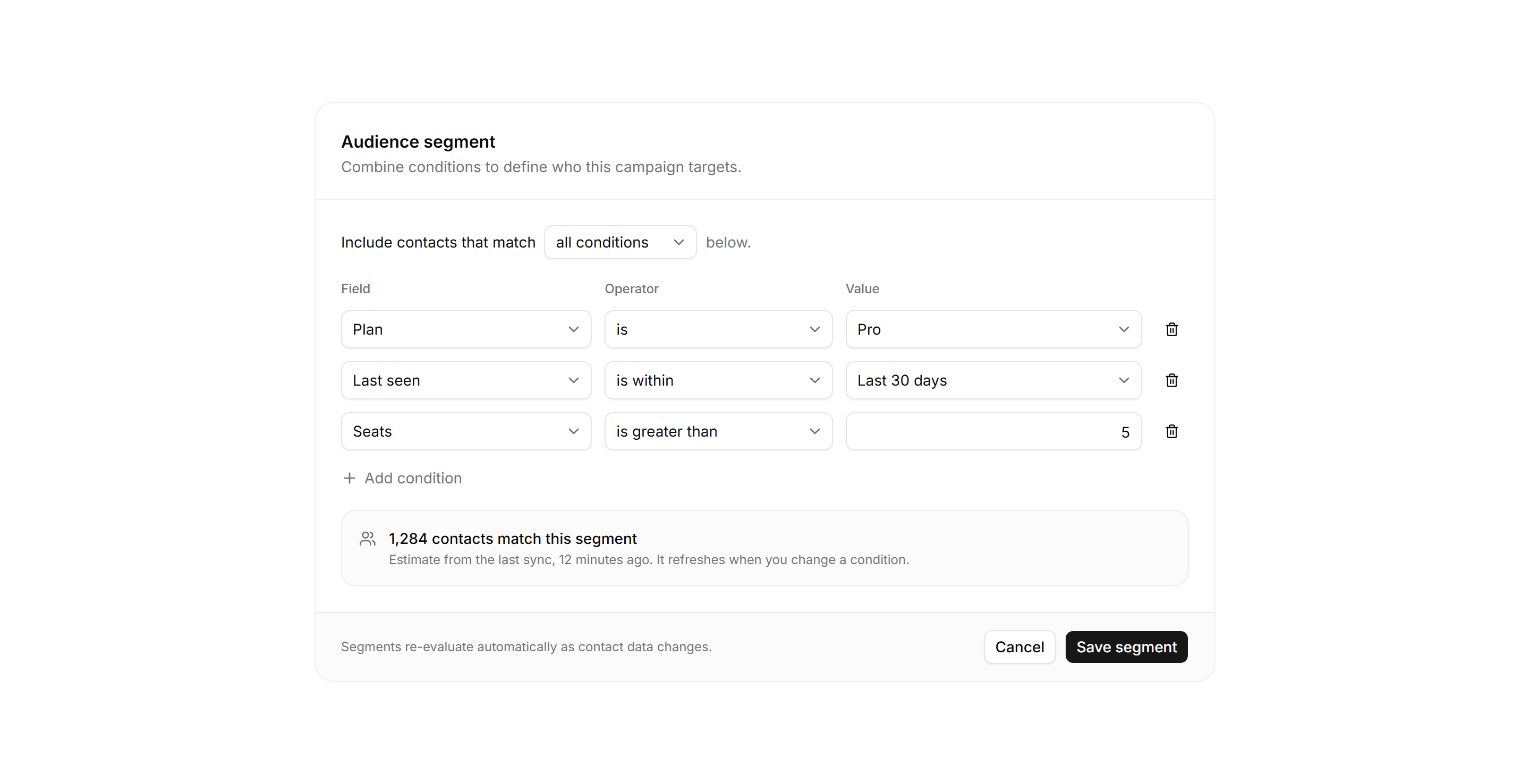
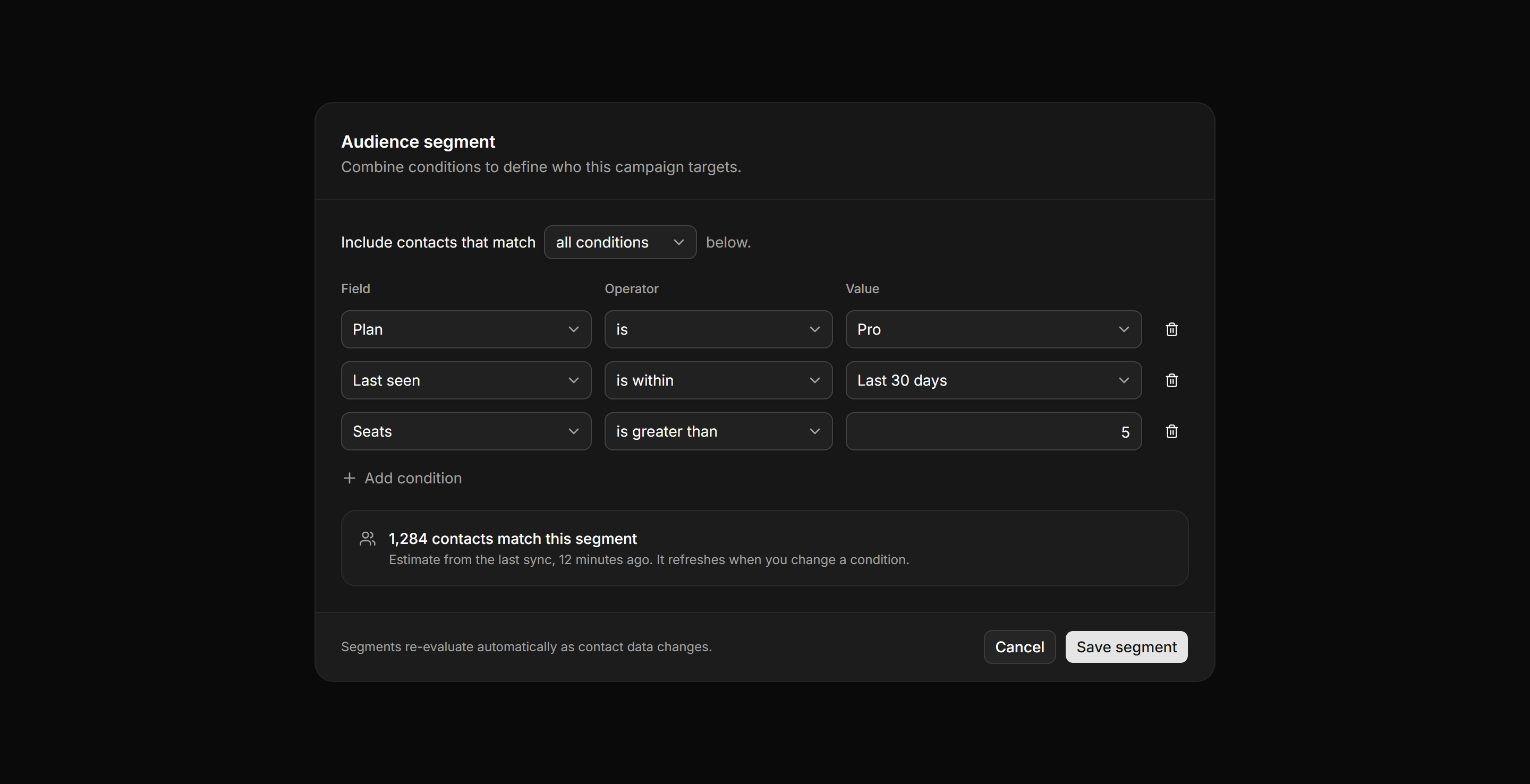
Application Form: Query Builder Form
A segment builder with a match mode select, condition rows pairing field, operator, and value controls, plus a live estimate of matching contacts.
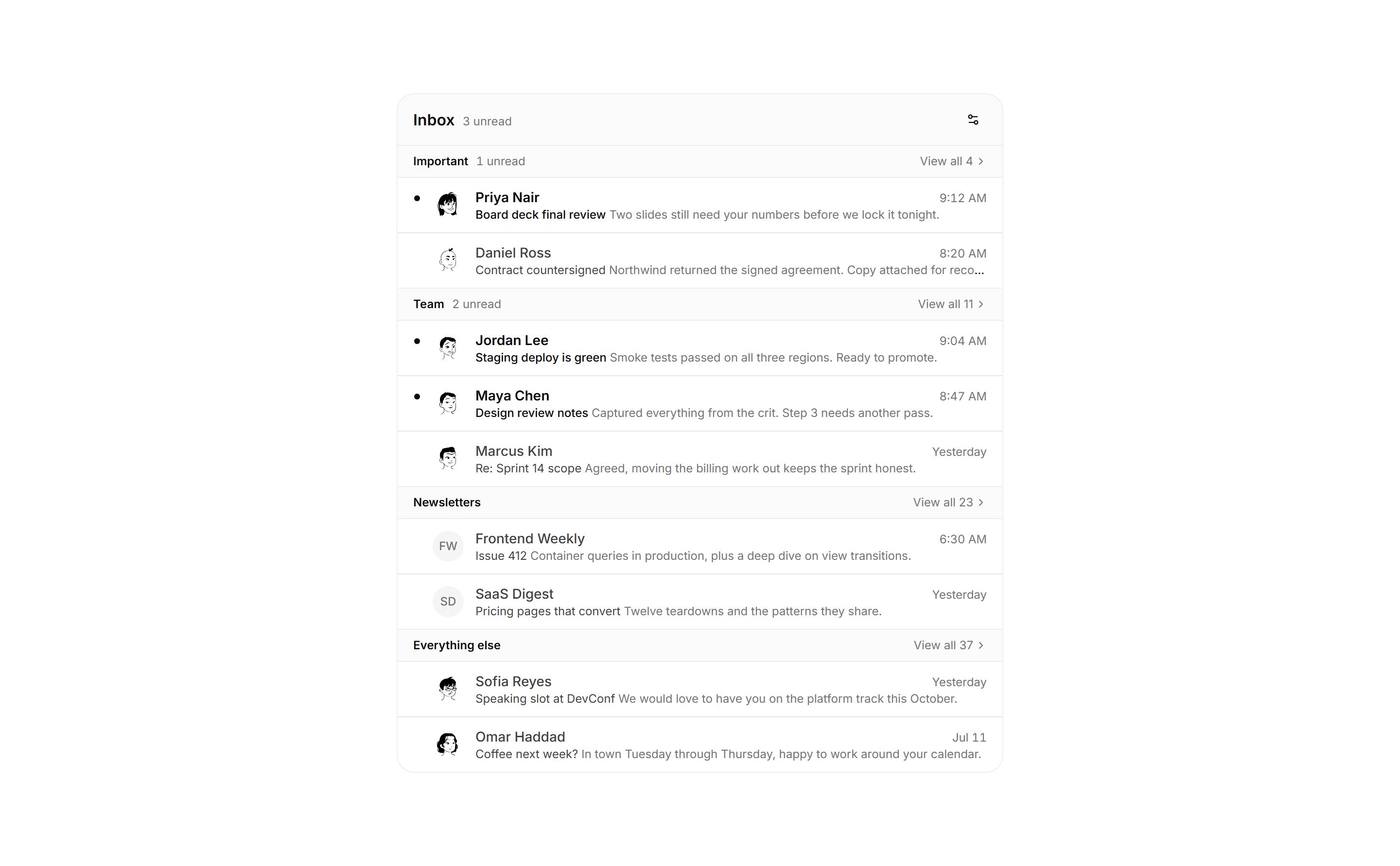
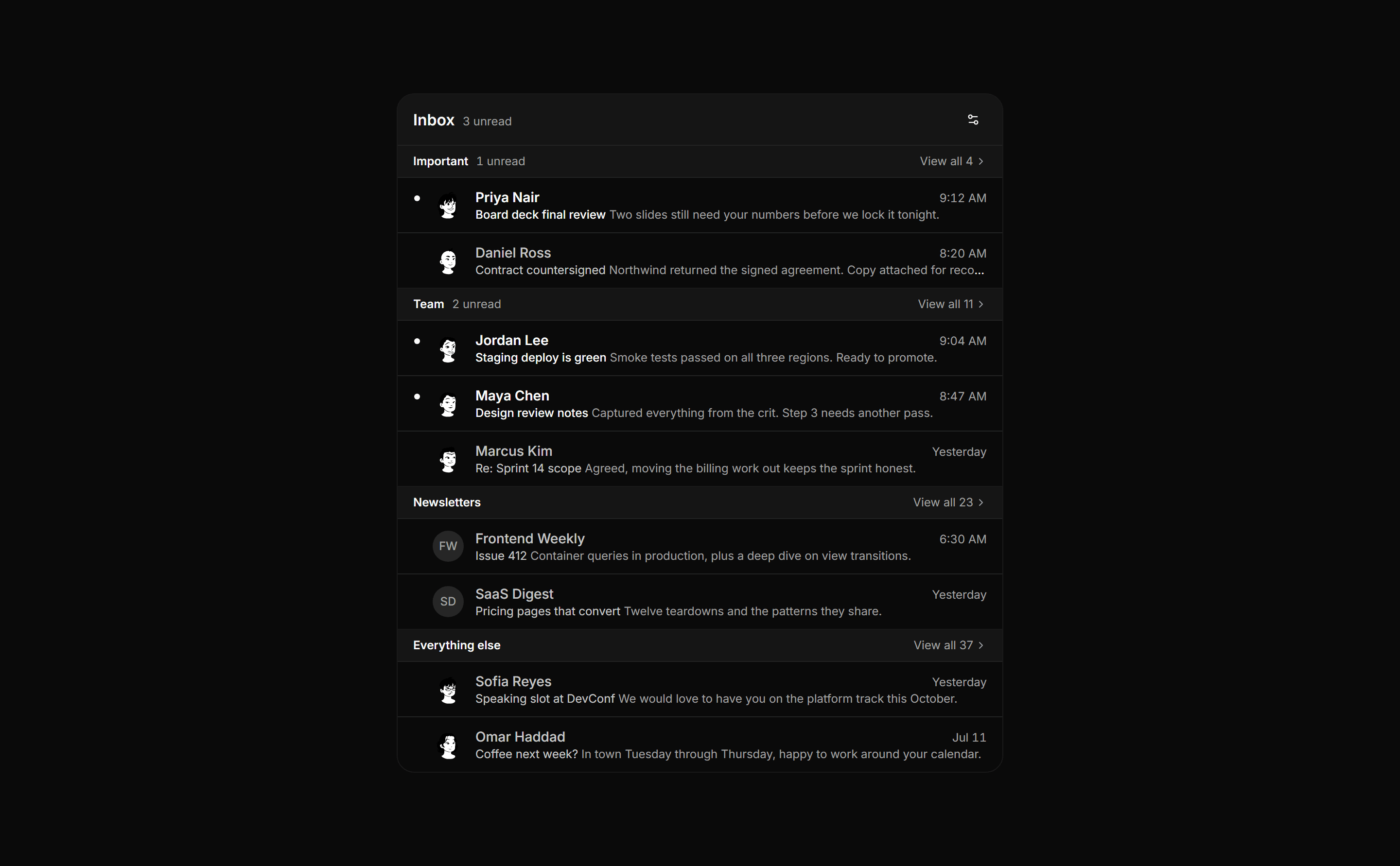
Application Inbox and Email: Split Inbox
Split inbox pane that sorts mail into labeled sections, each with an unread count, a view all link, and compact sender rows.
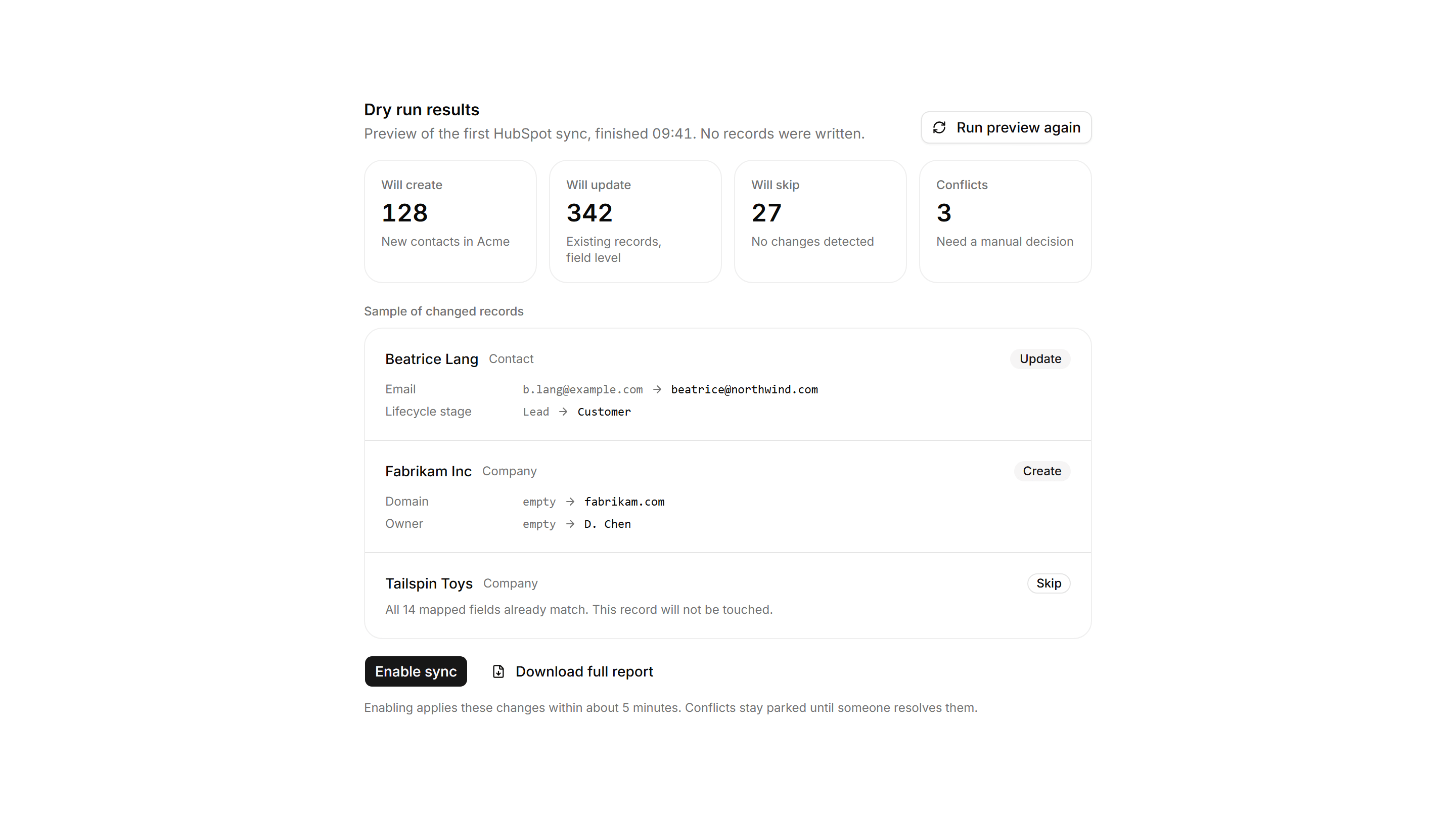
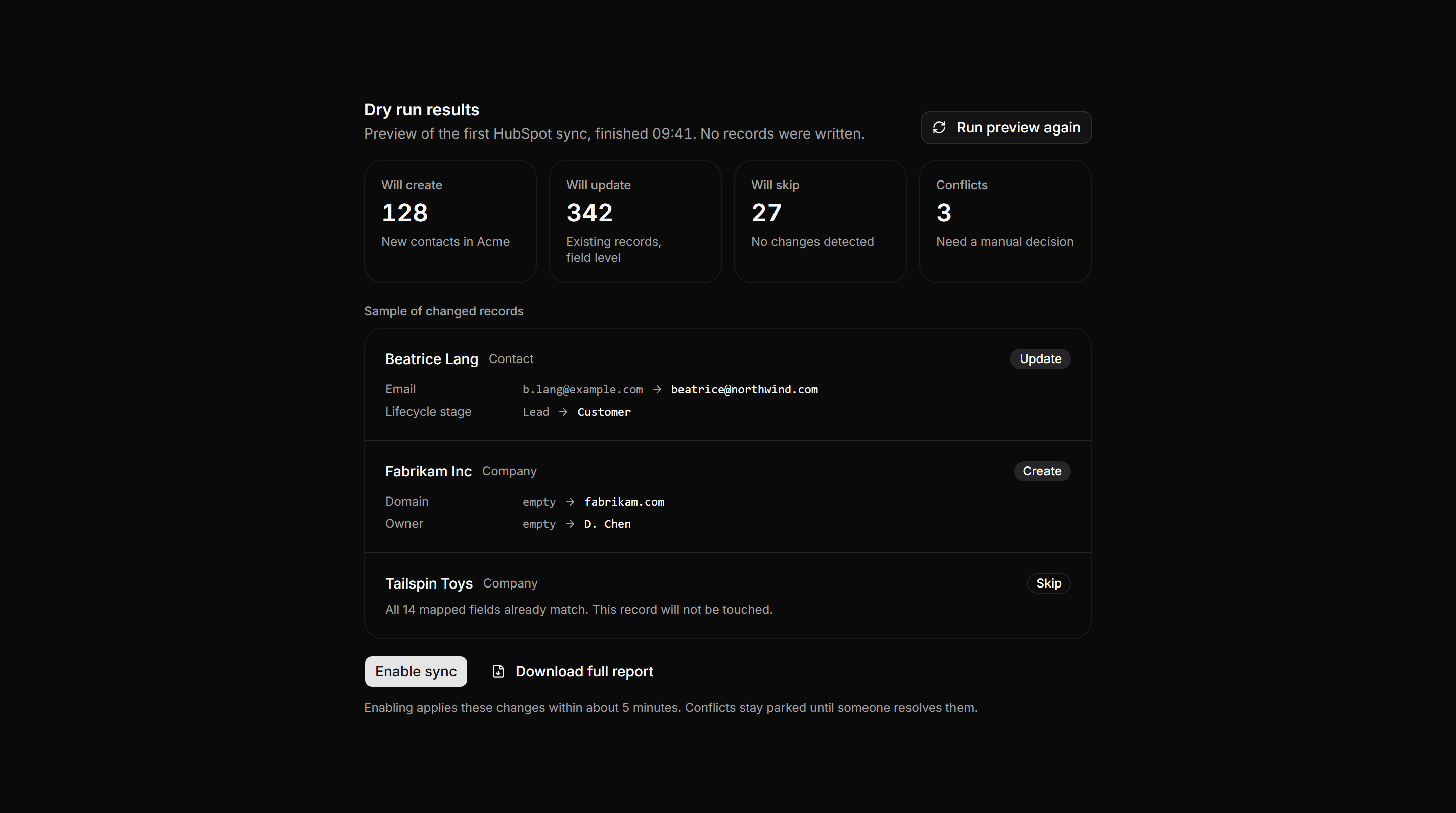
Application Integration: Sync Dry Run Preview
Pre sync dry run report with create, update, skip, and conflict summary tiles, a sample of exact field changes, and a gated enable action.
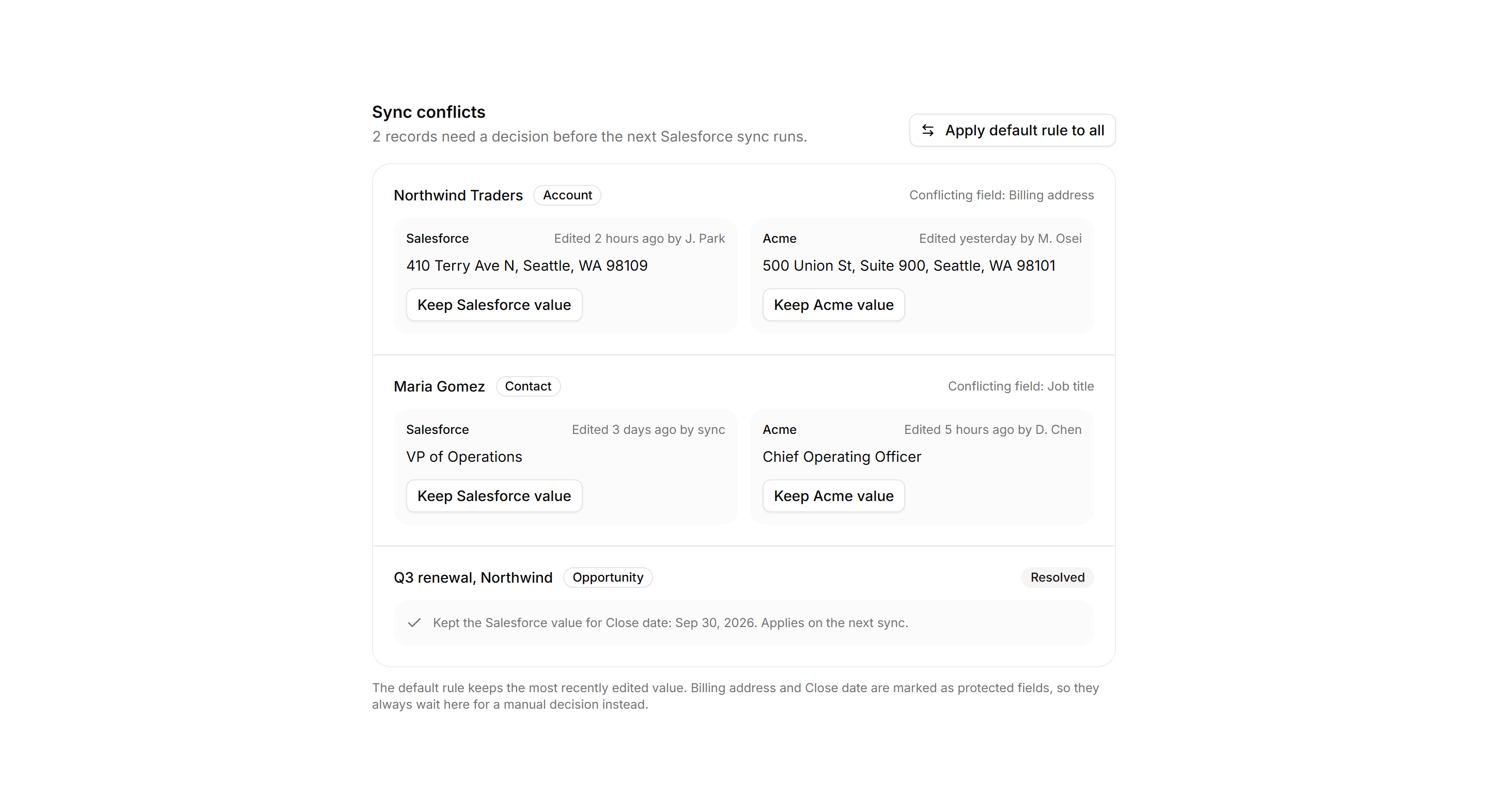
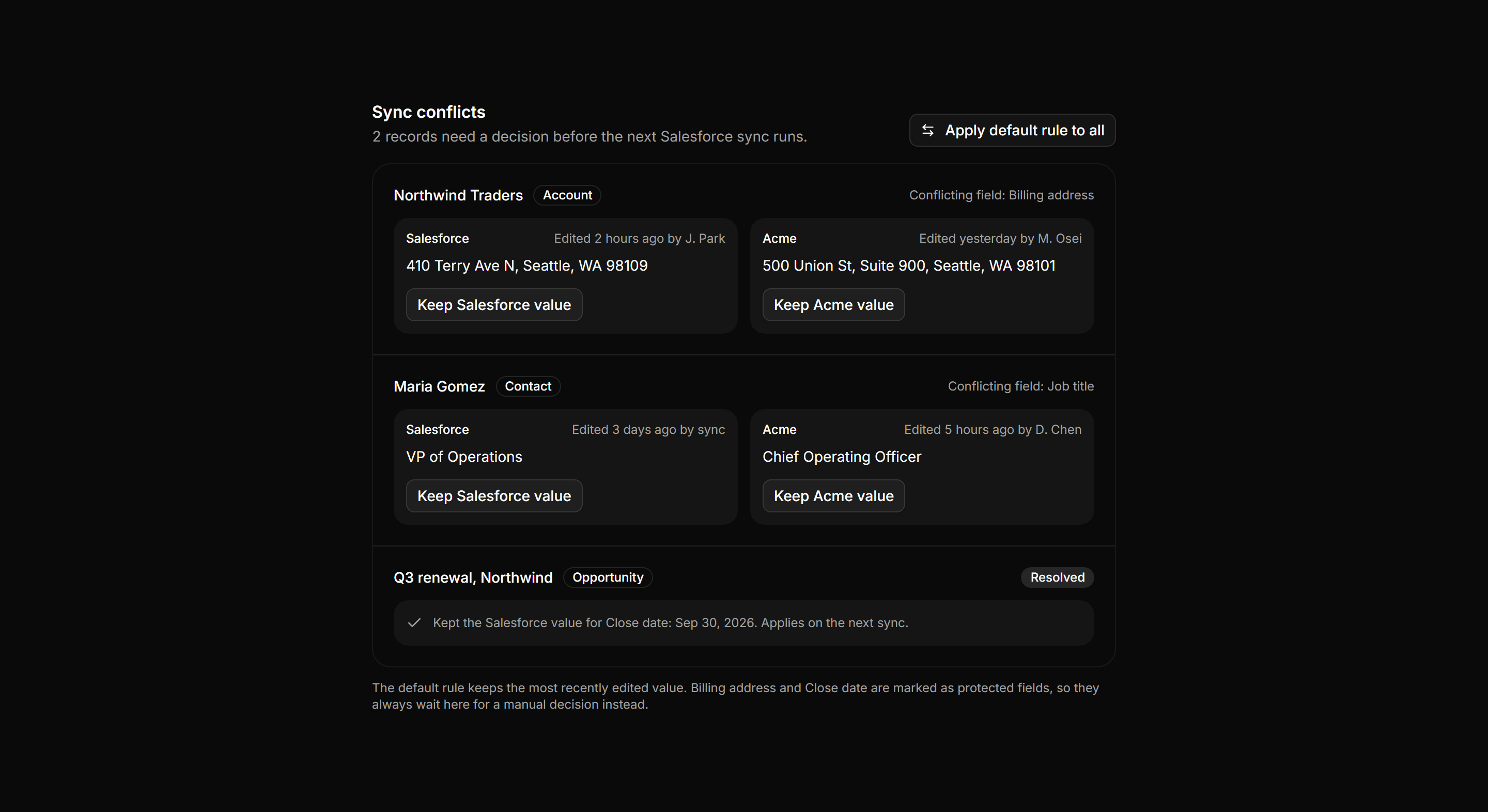
Application Integration: Sync Conflict Resolver
Conflict queue where two systems changed one field, shown as side by side value panels with per side keep actions and a default rule note.
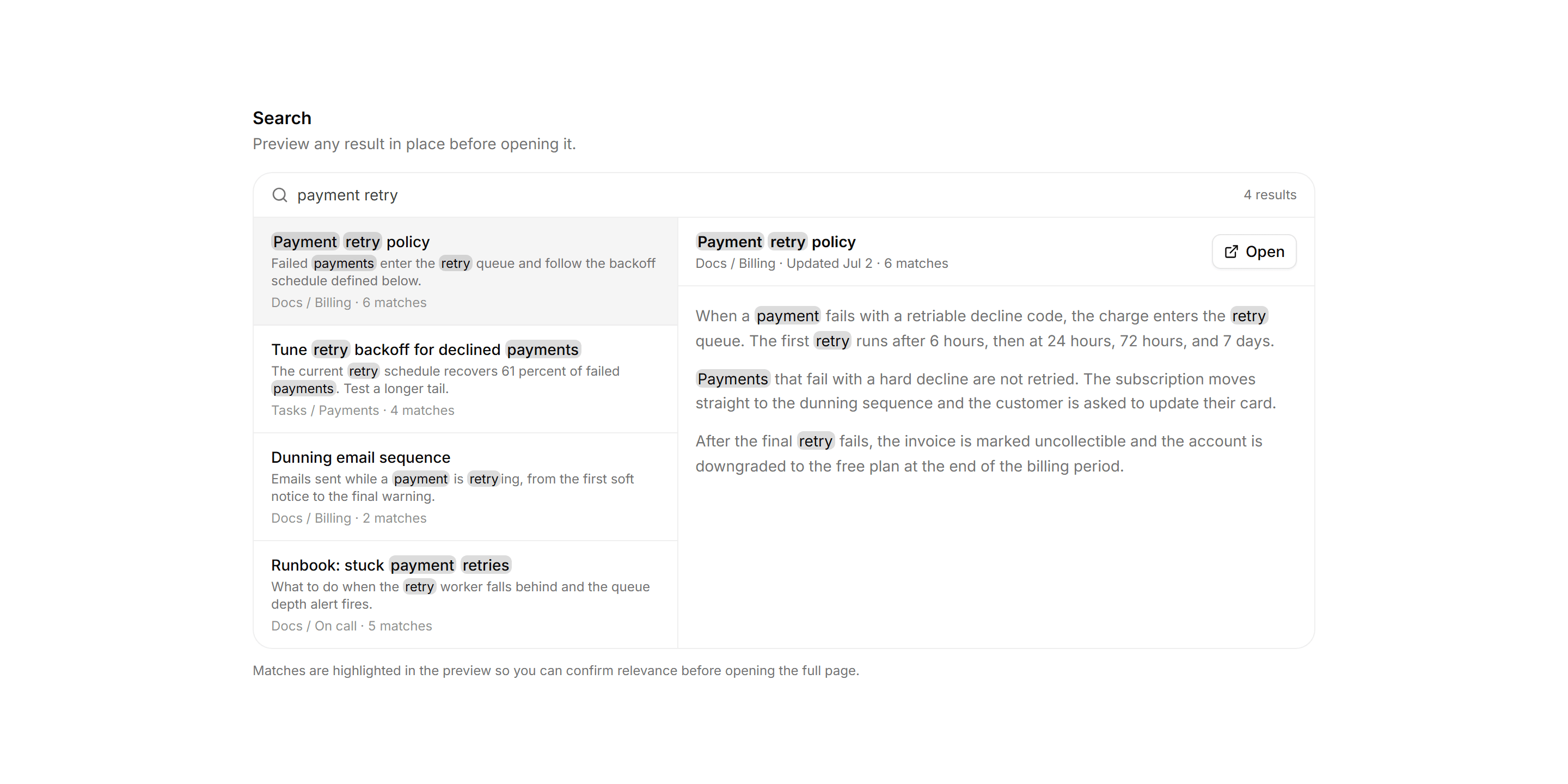
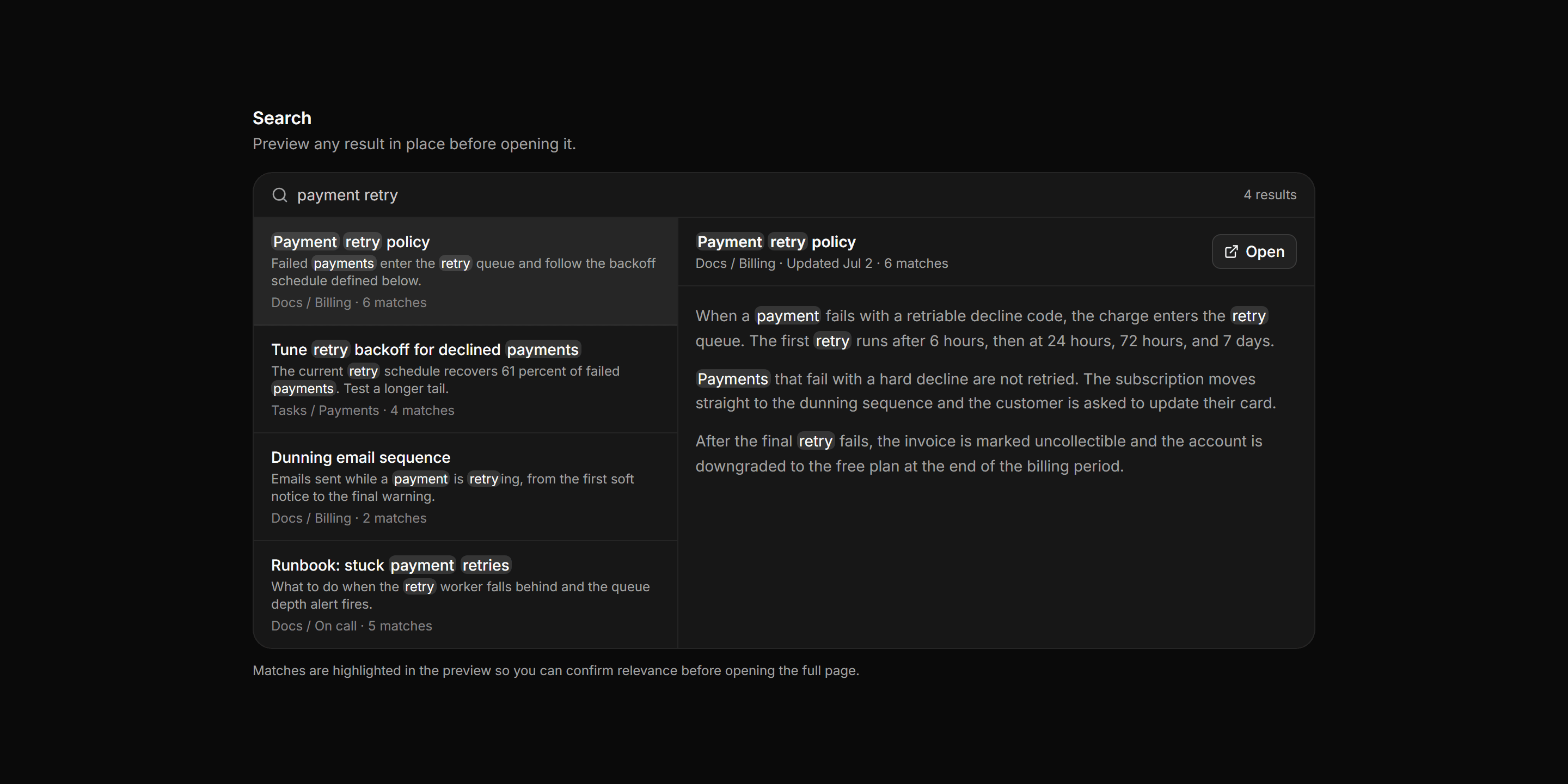
Application Filters and Search: Search Preview Pane
A master detail search view with a hit list beside a live preview pane that shows the selected result body with every query match highlighted.
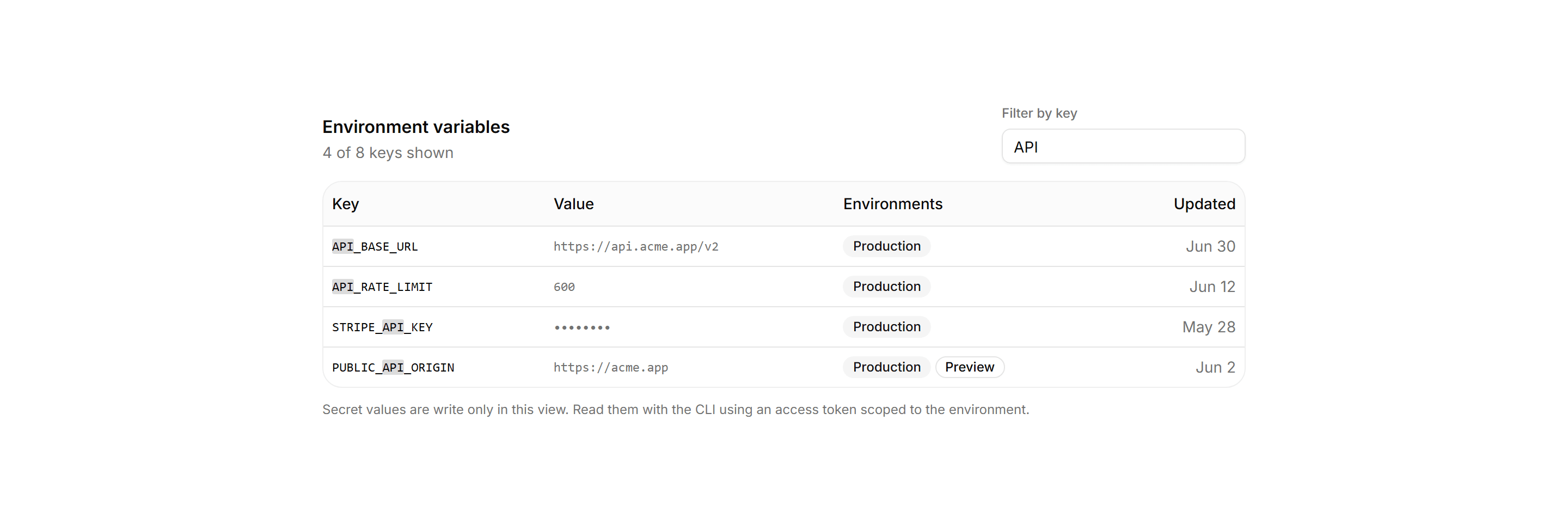
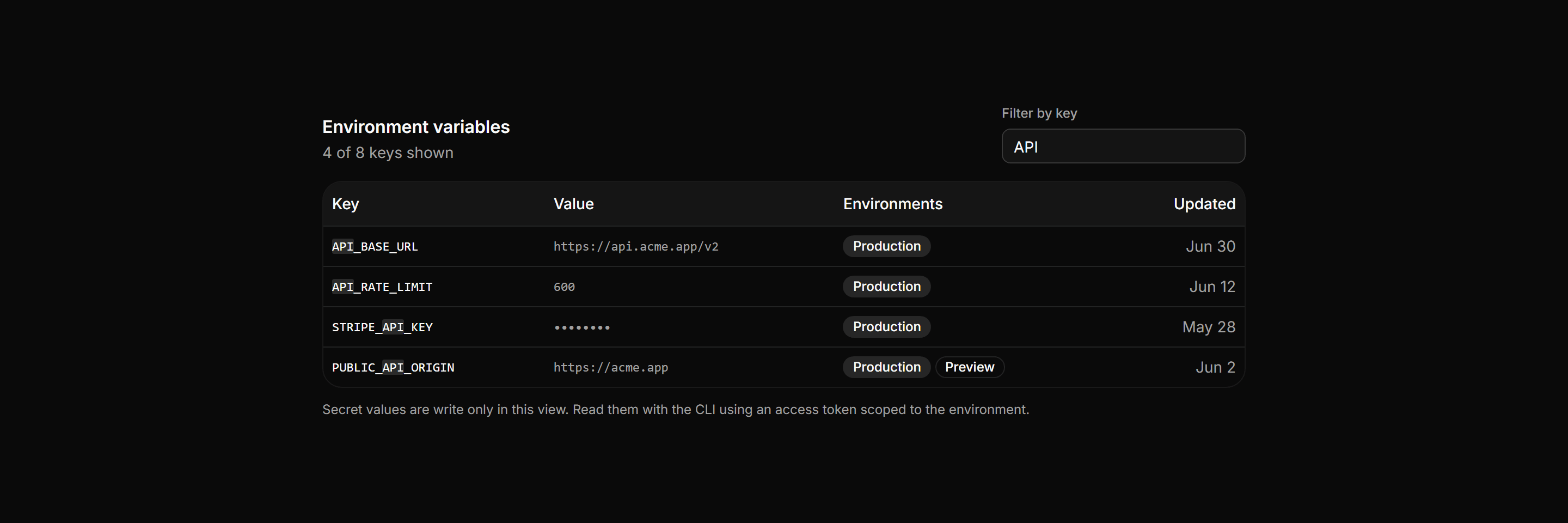
Application Data Table: Search Highlight Table
An environment variables table with a filter input that narrows rows live and marks the matched substring inside each key, above a live count line.
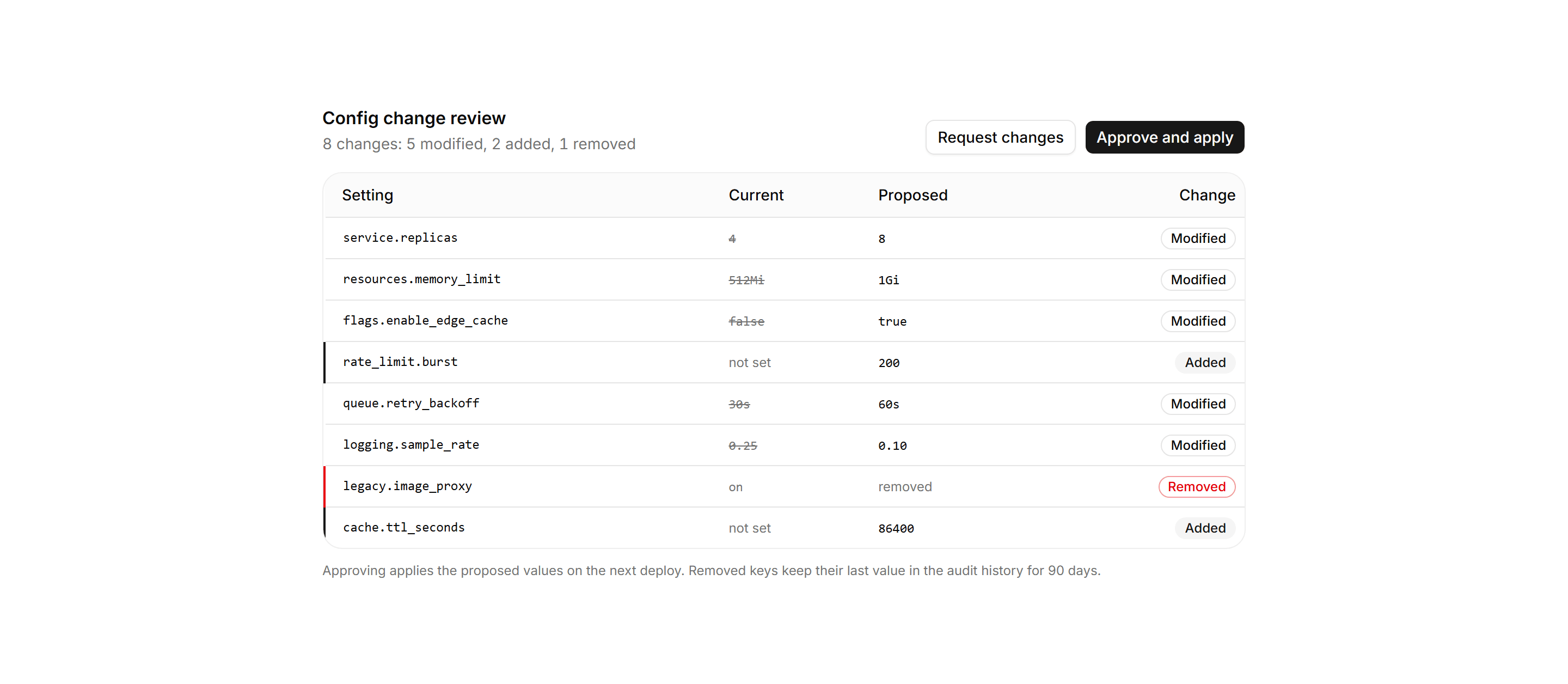
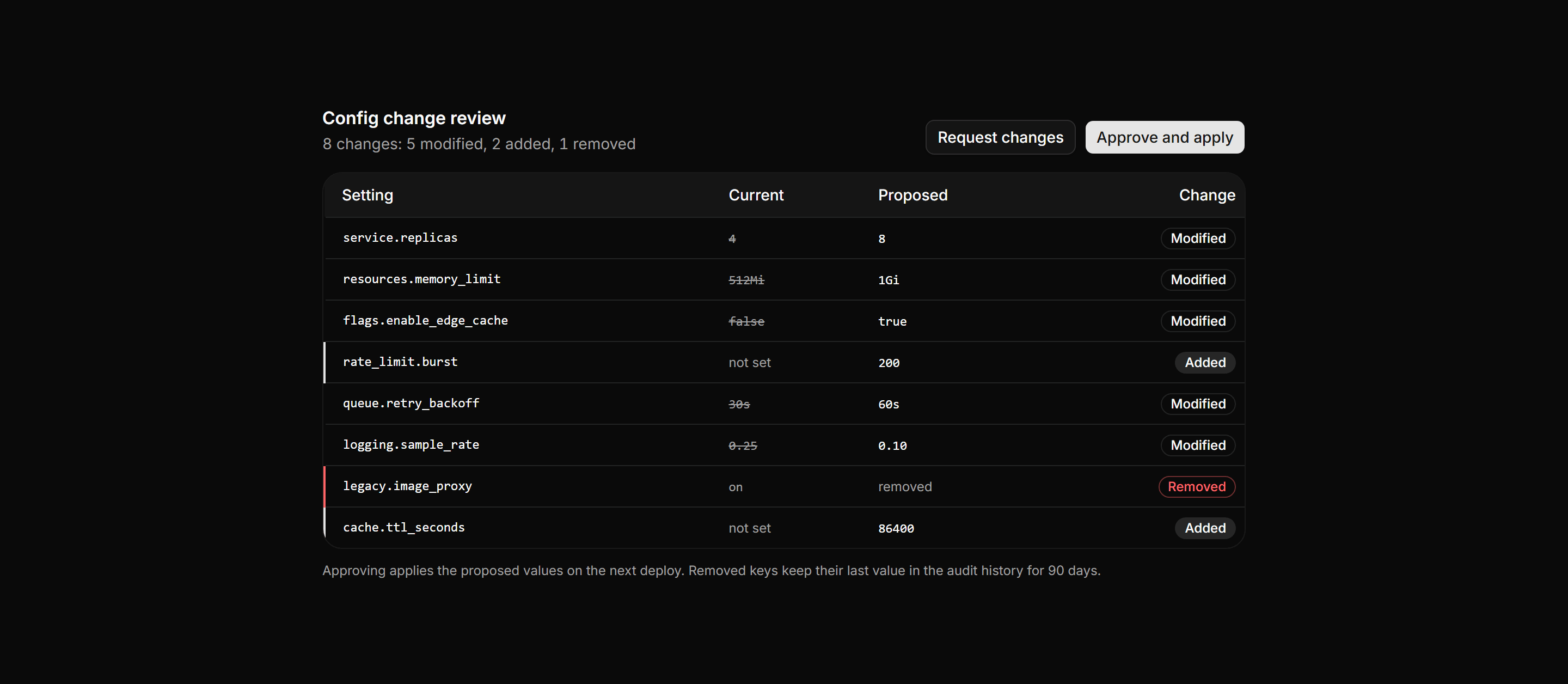
Application Data Table: Diff Review Table
A config change review table striking old values beside proposed ones, with change badges, a left rule accent, and approve and reject actions.
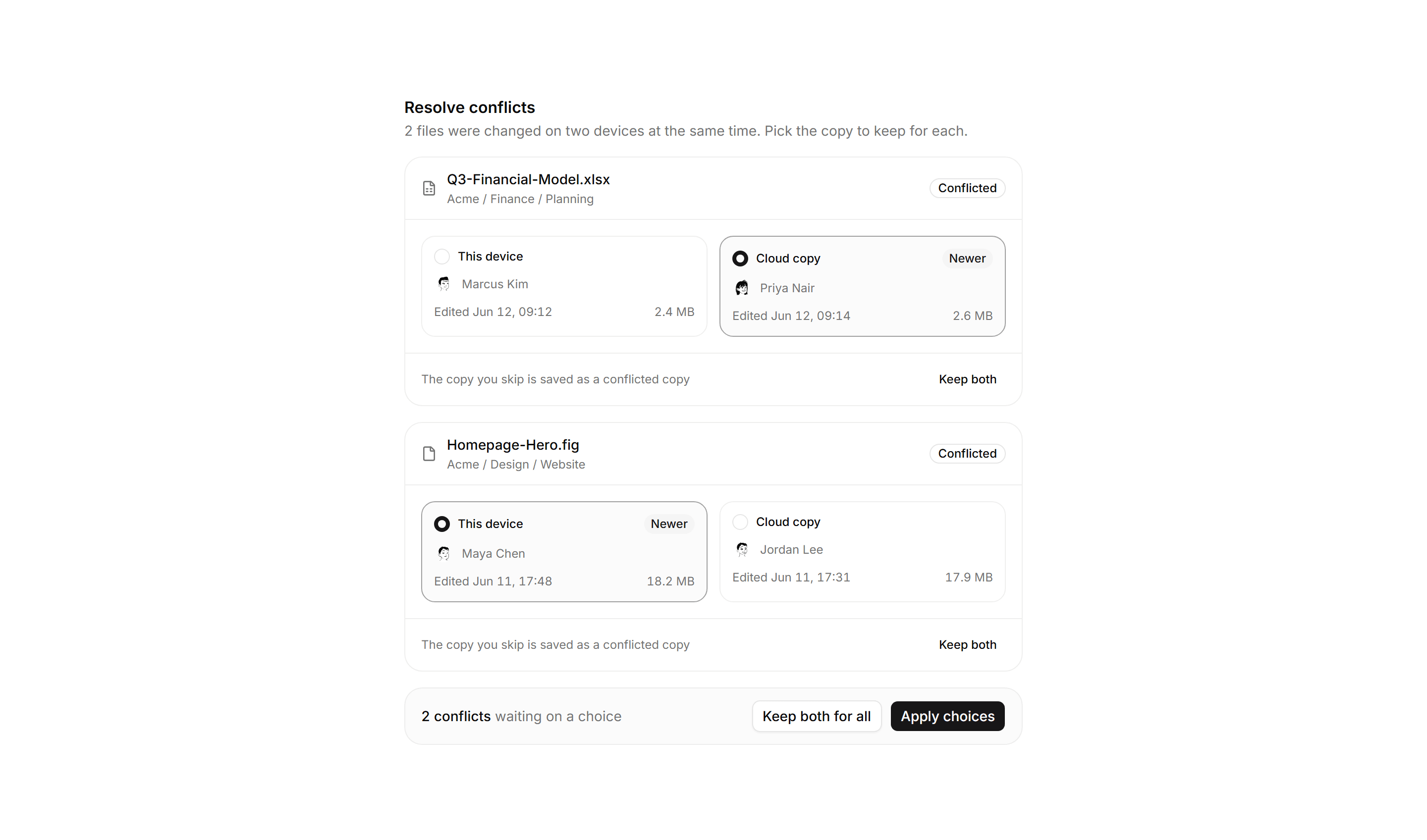
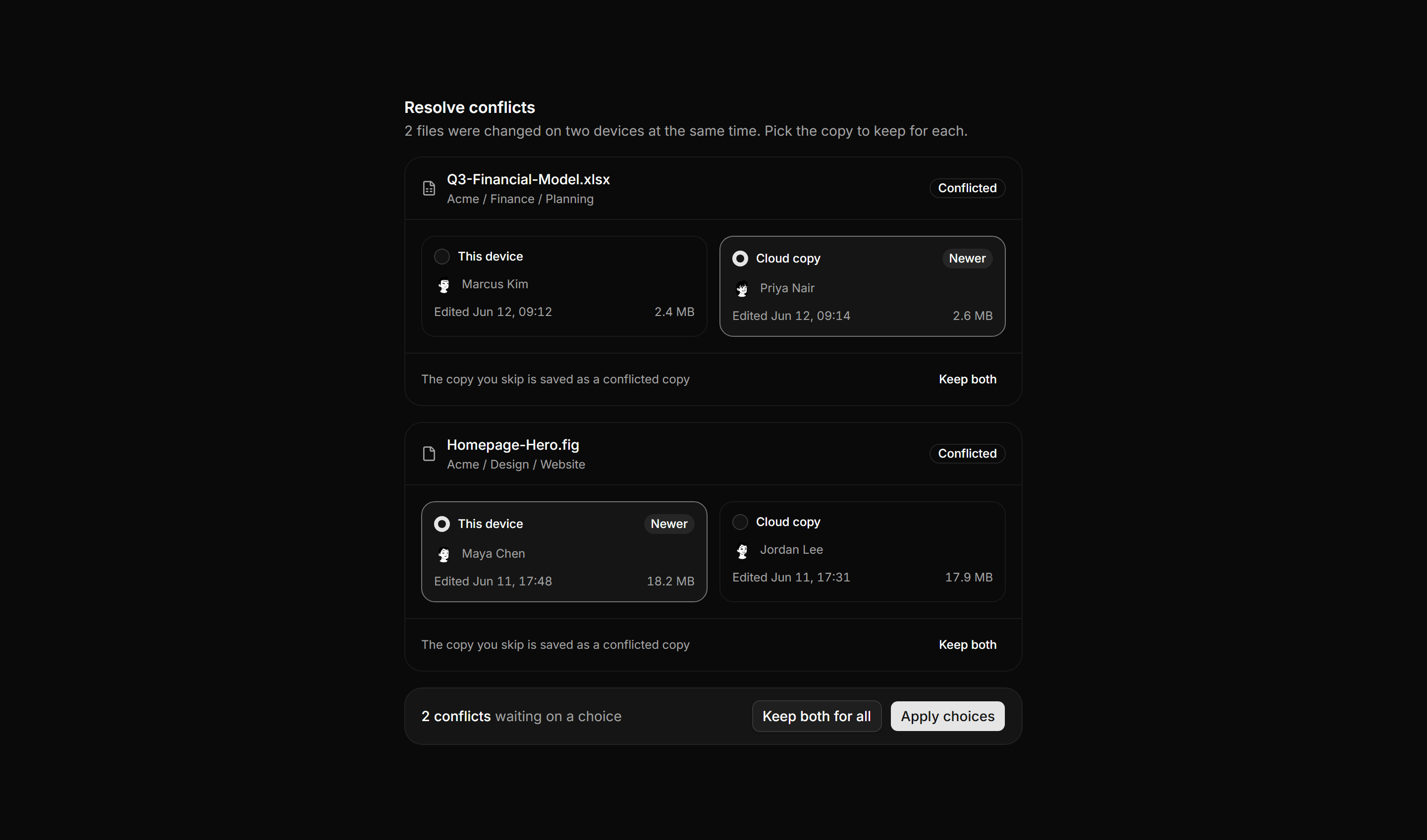
Application File Manager: File Conflict Resolver
A sync conflict resolver with one card per file comparing the device copy against the cloud copy by radio choice, plus an apply summary bar.
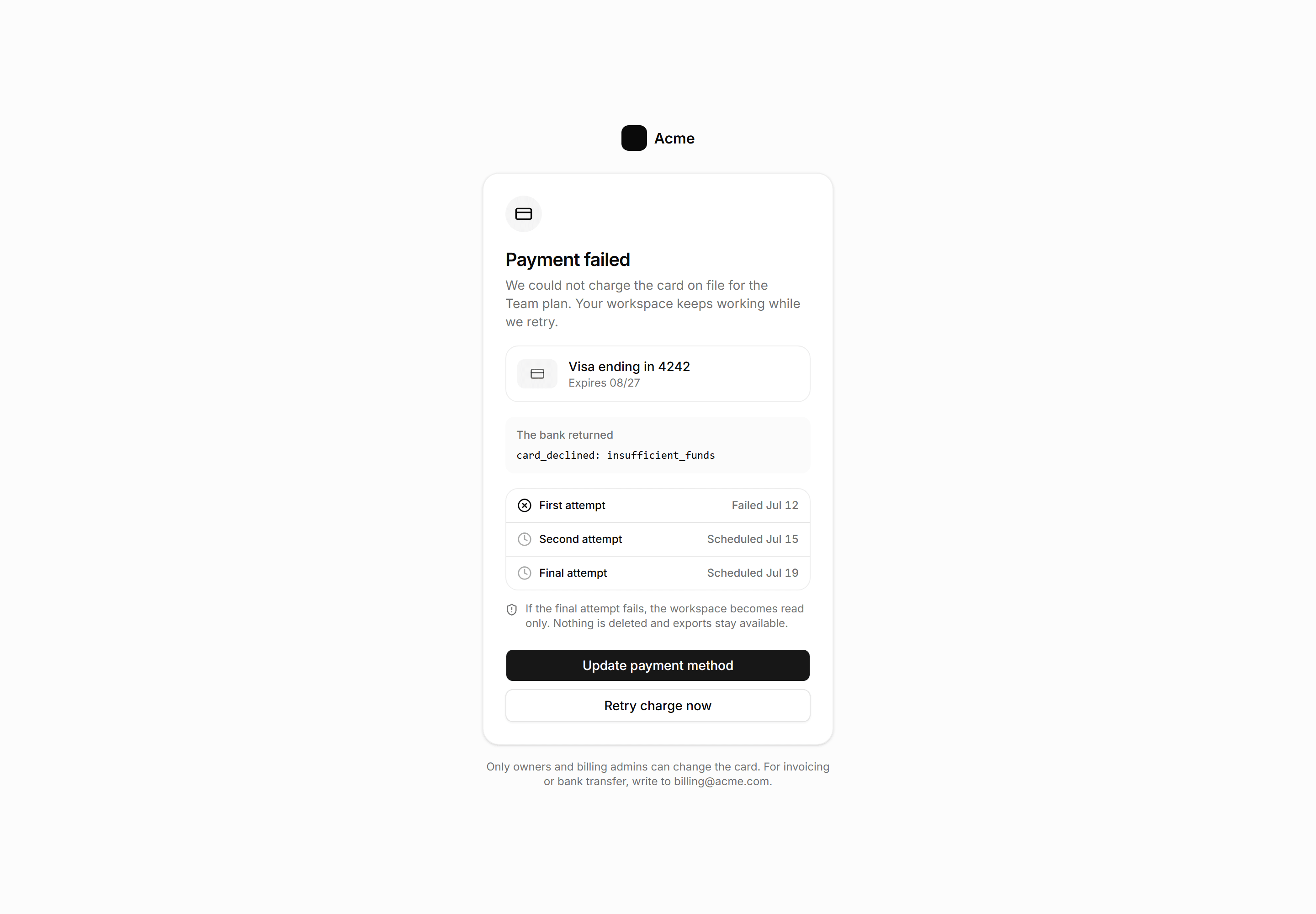
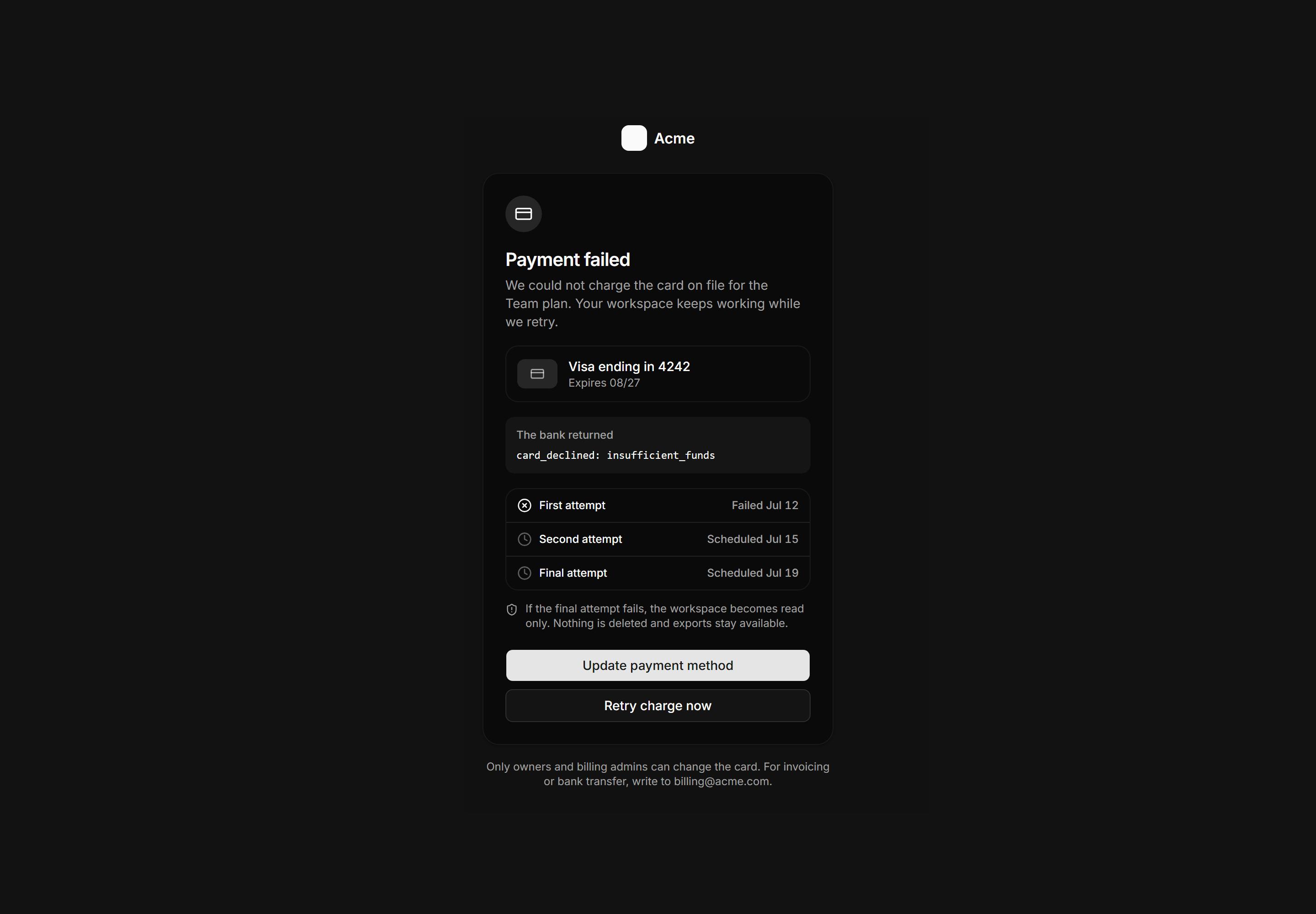
Application Empty State: Payment Failed State
Payment failed billing gate showing the card on file, the exact decline code, a three attempt retry schedule, and update and retry actions.
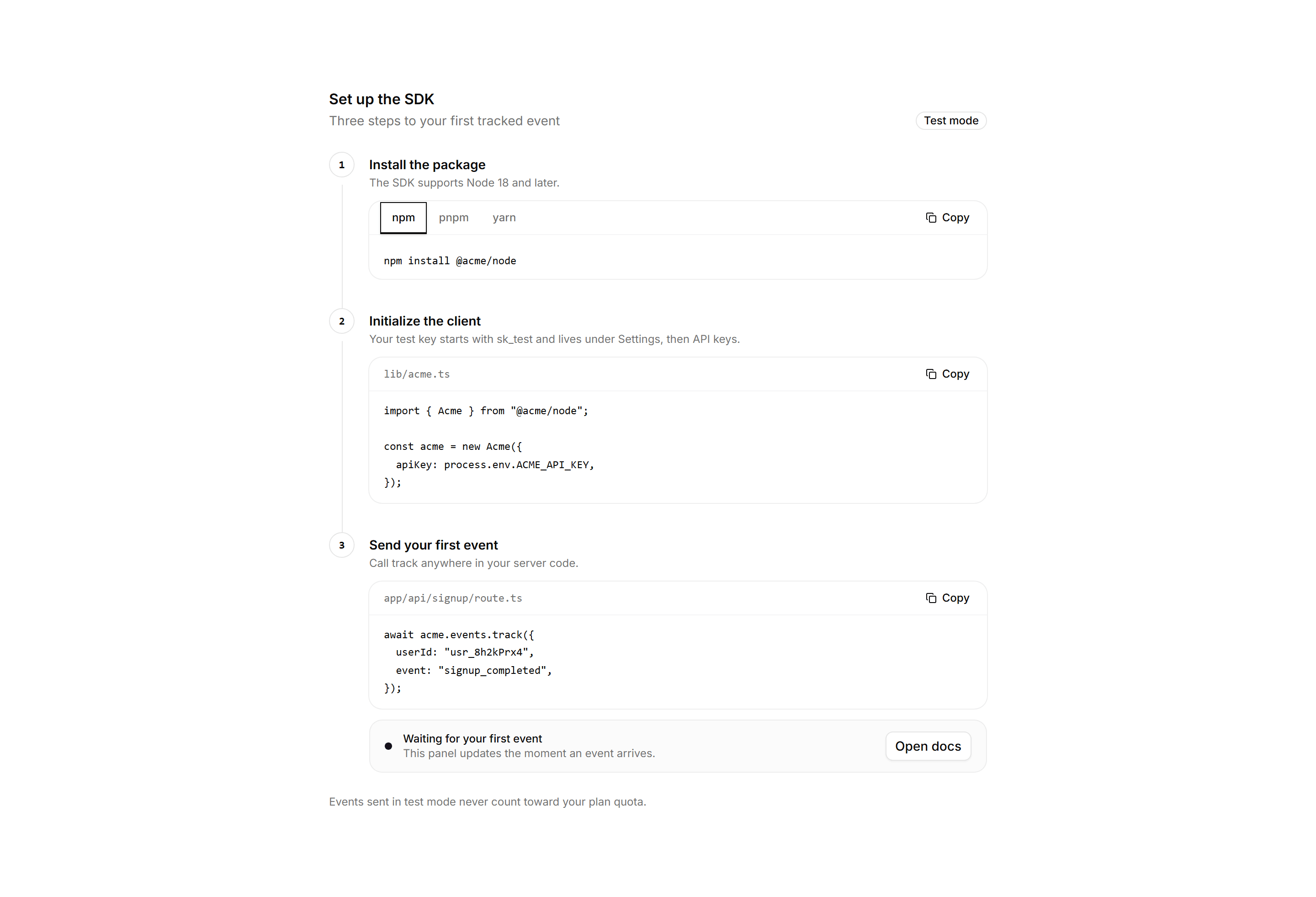
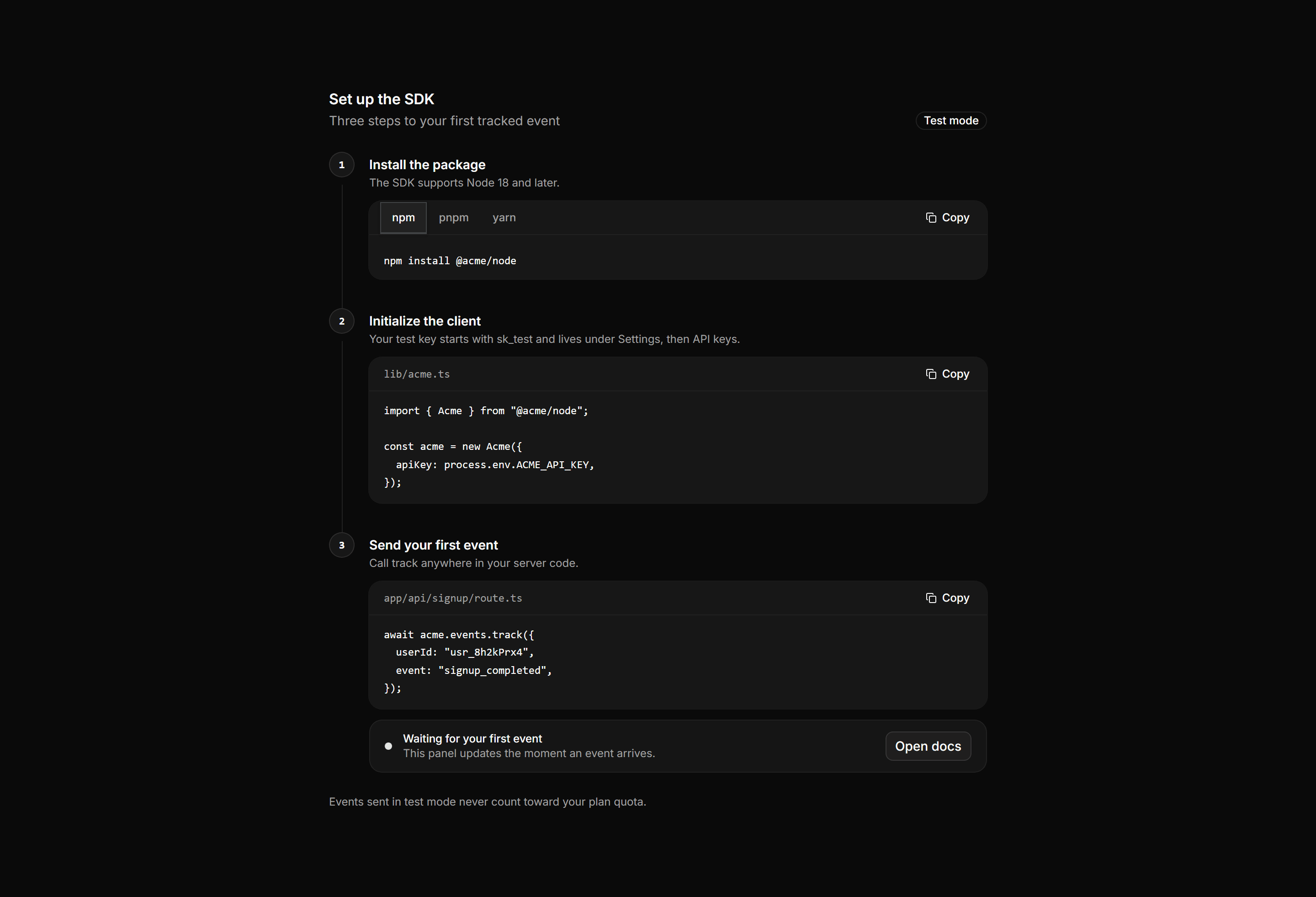
Application Developer Tool: SDK Quickstart
A three step SDK onboarding stepper with package manager install tabs, a client initialization snippet, a first event call, and a live waiting panel.
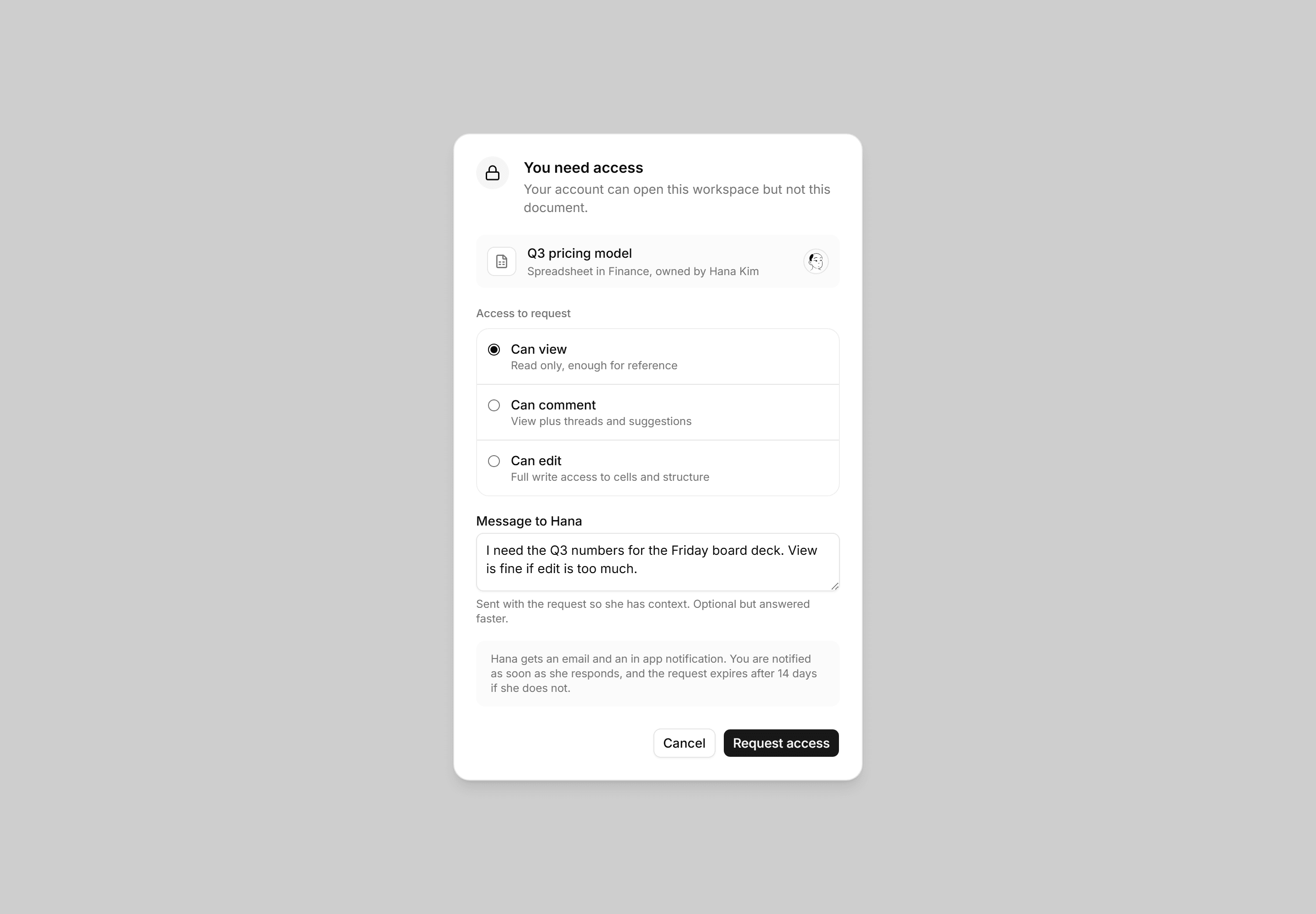
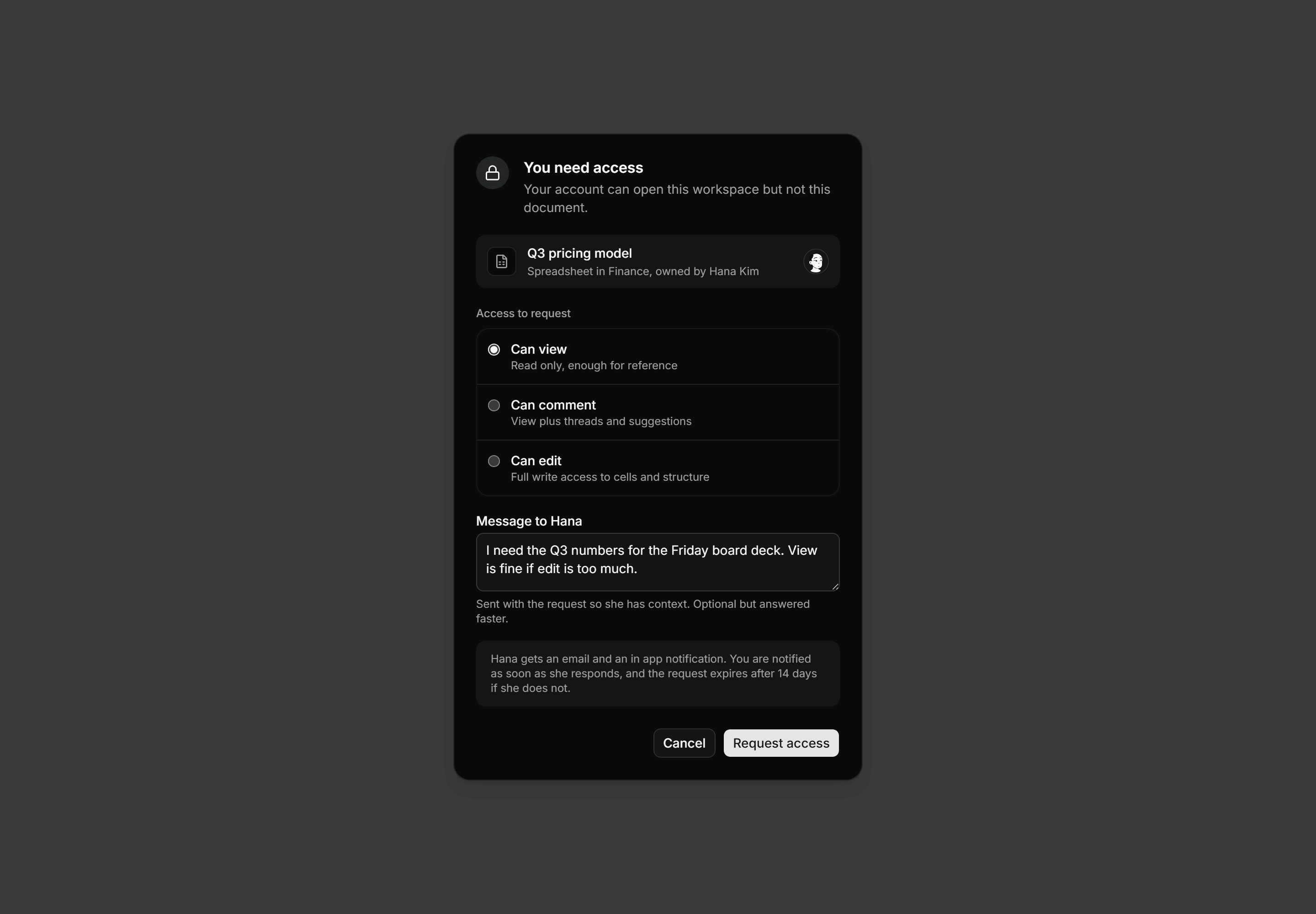
Application Dialog: Request Access Dialog
Request access dialog with a locked document card, an access level radio list from view to edit, a message field, and a response note.
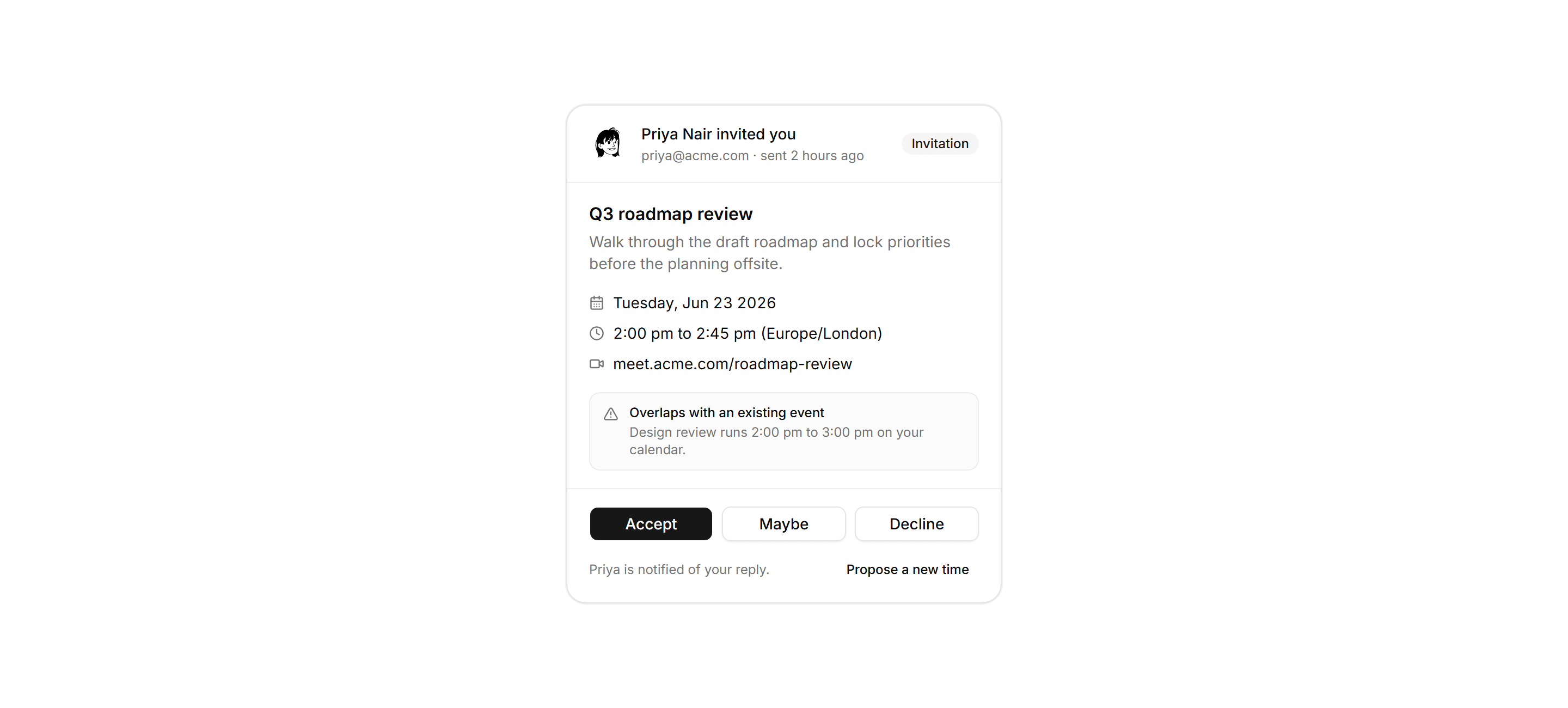
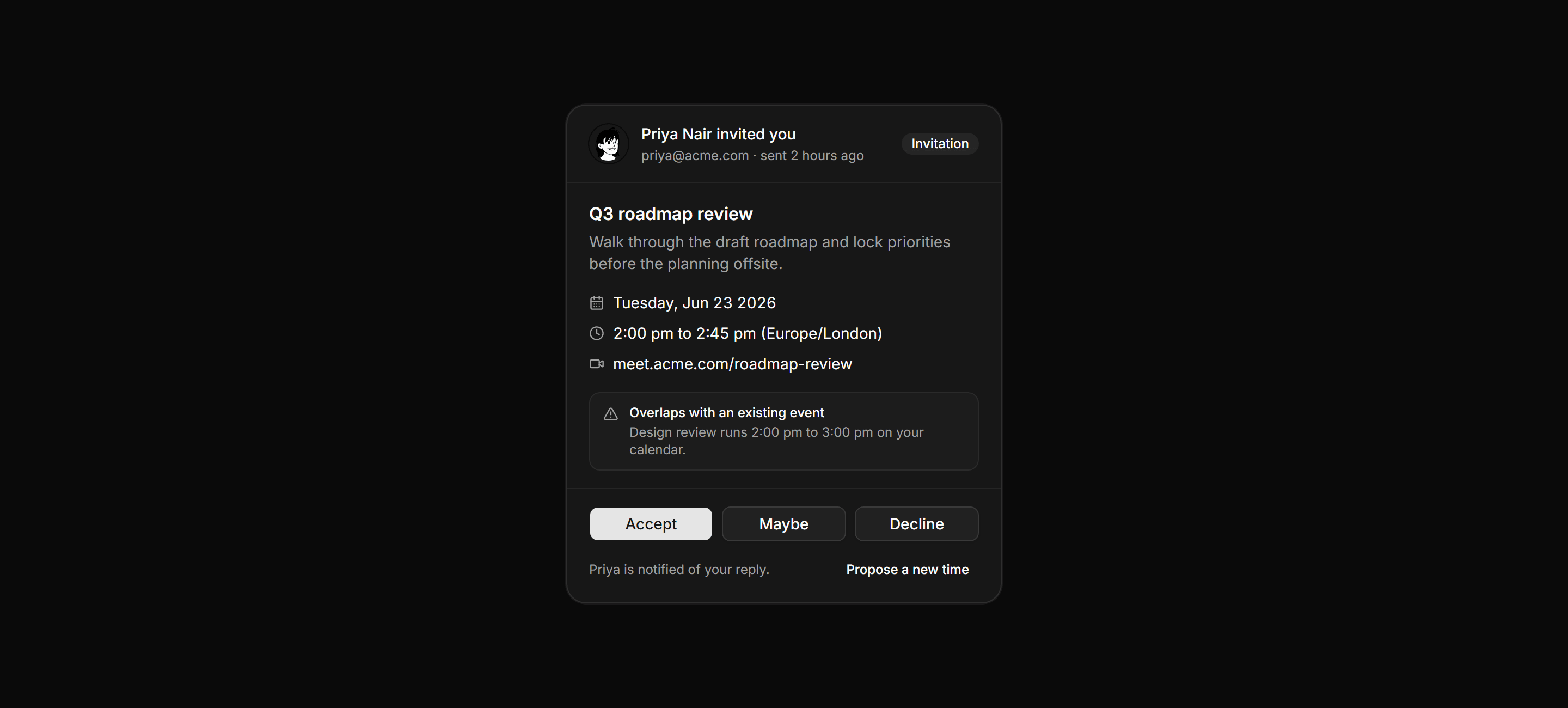
Application Calendar and Scheduling: Invite RSVP Card
Incoming invitation card showing the organizer, event details, and a conflict warning, closing with accept, maybe, decline, and propose new time actions.
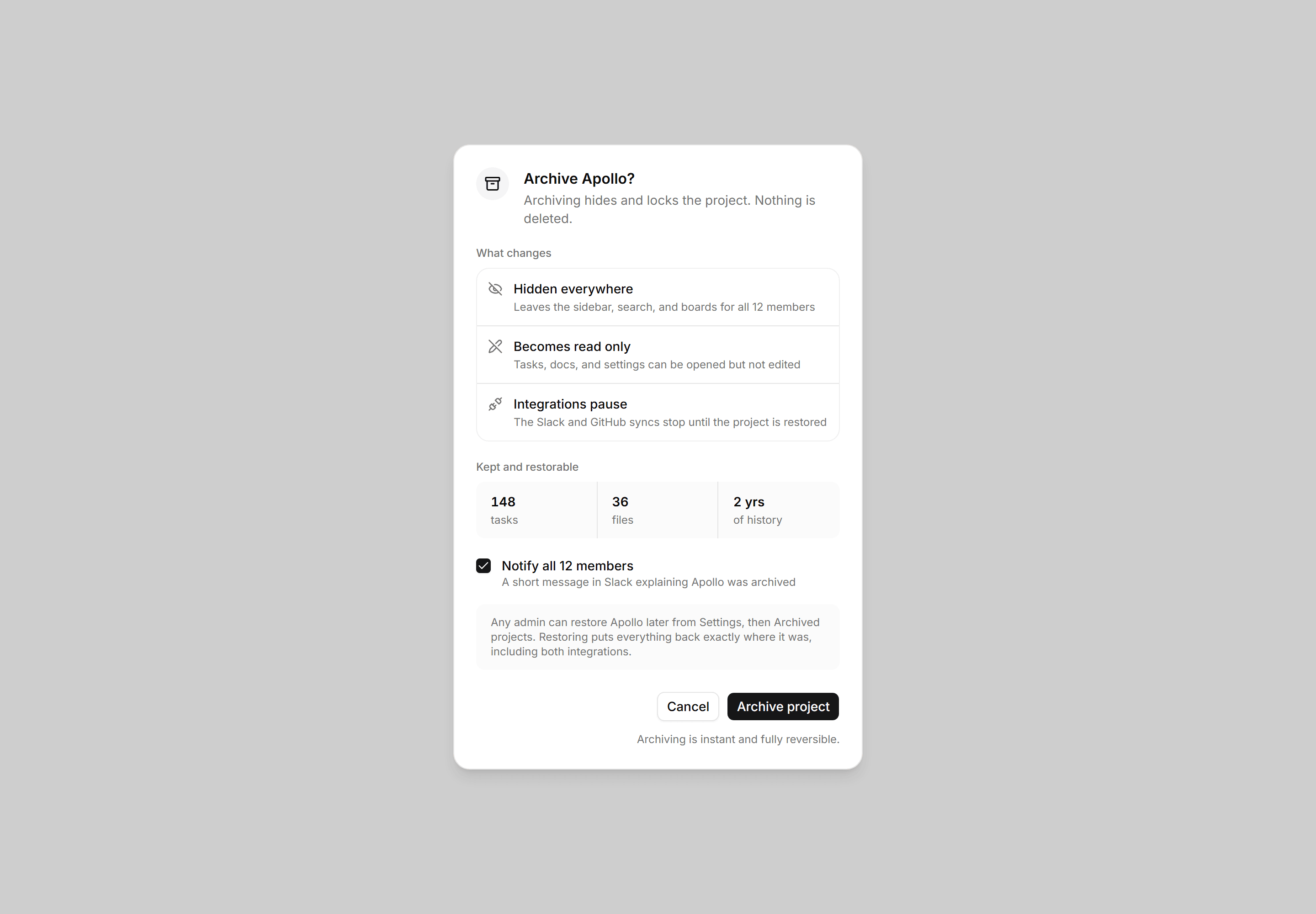
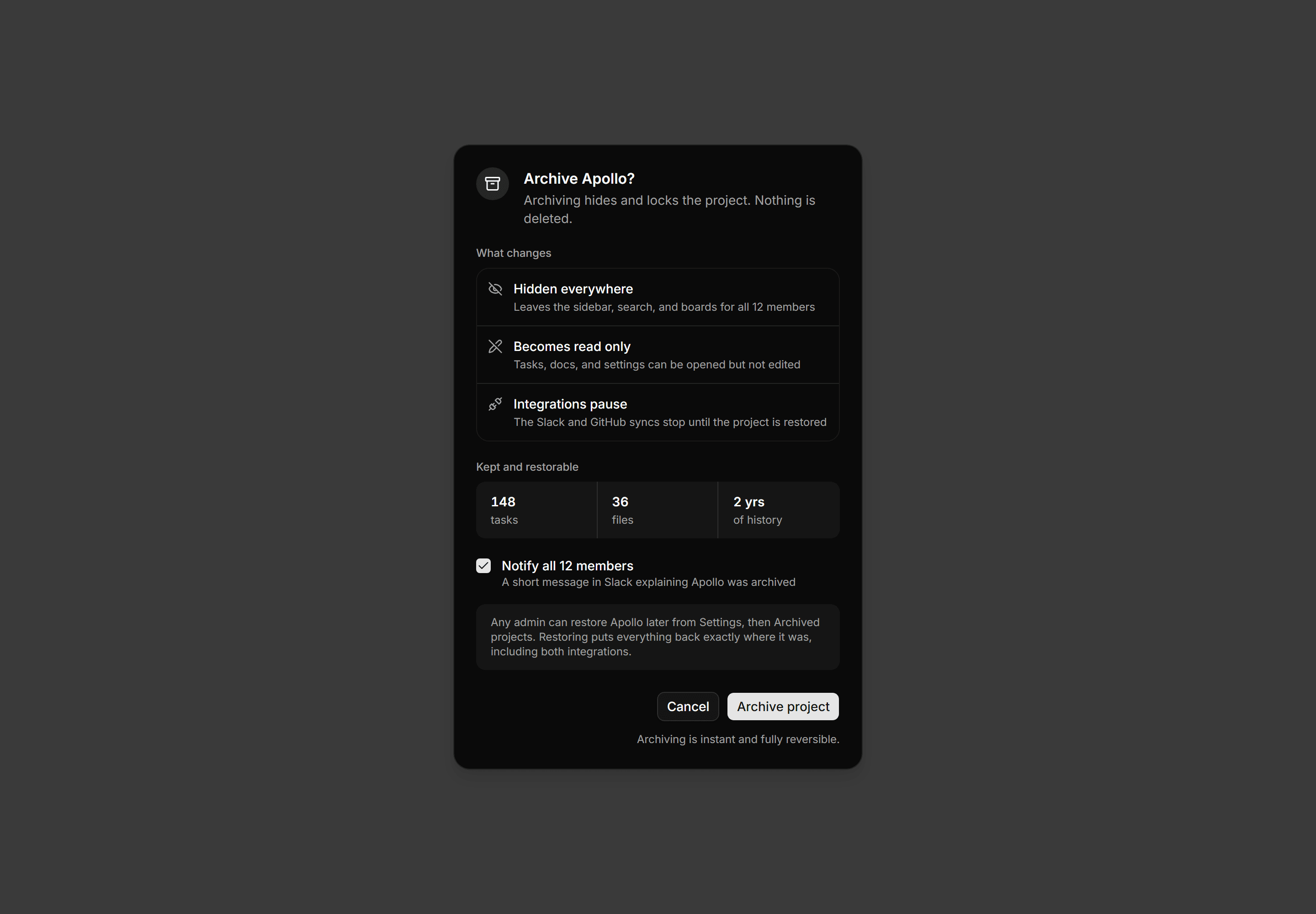
Application Dialog: Archive Project Dialog
Archive confirmation dialog with icon rows for what changes, a kept and restorable stats strip, a notify members checkbox, and a restore note.
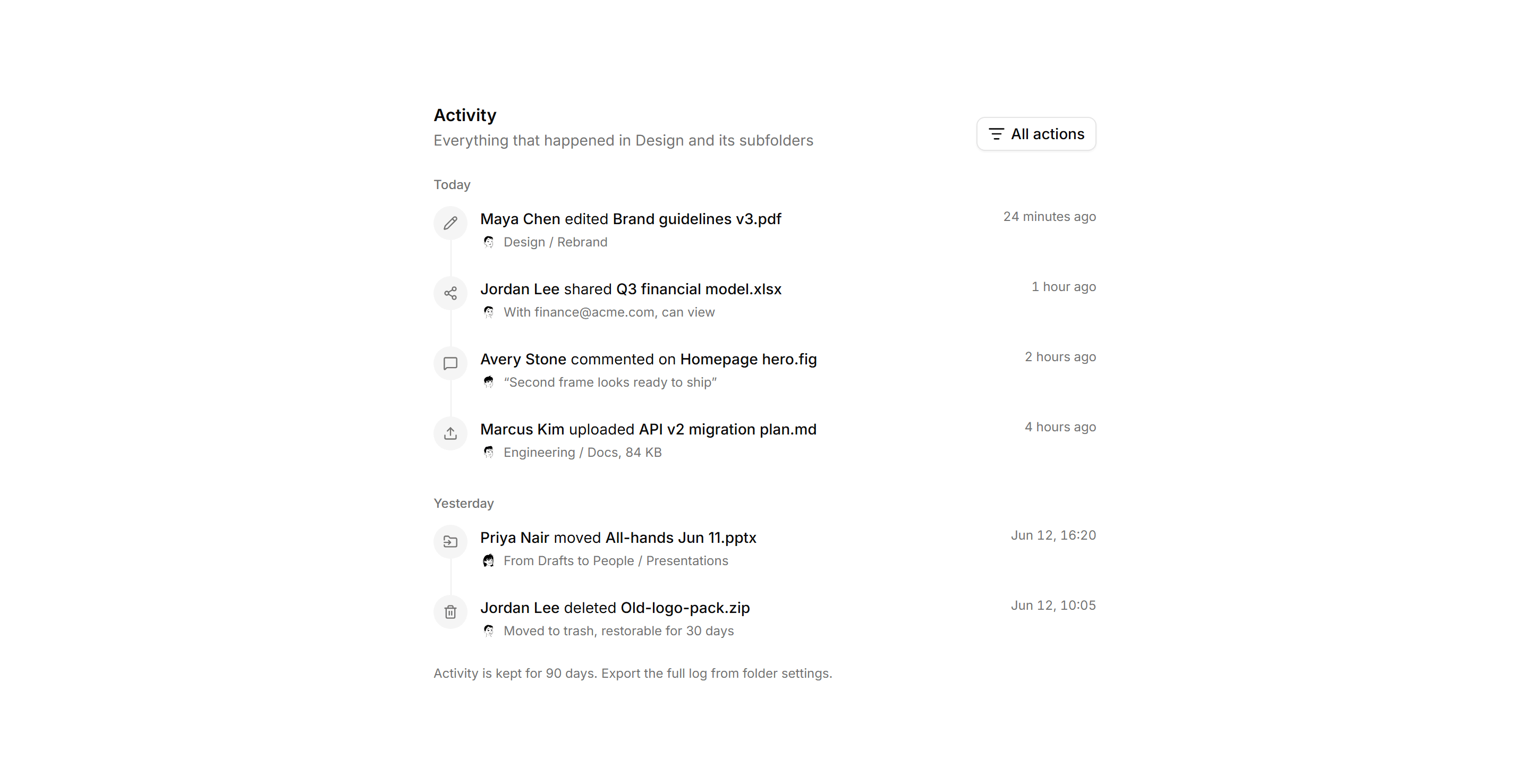
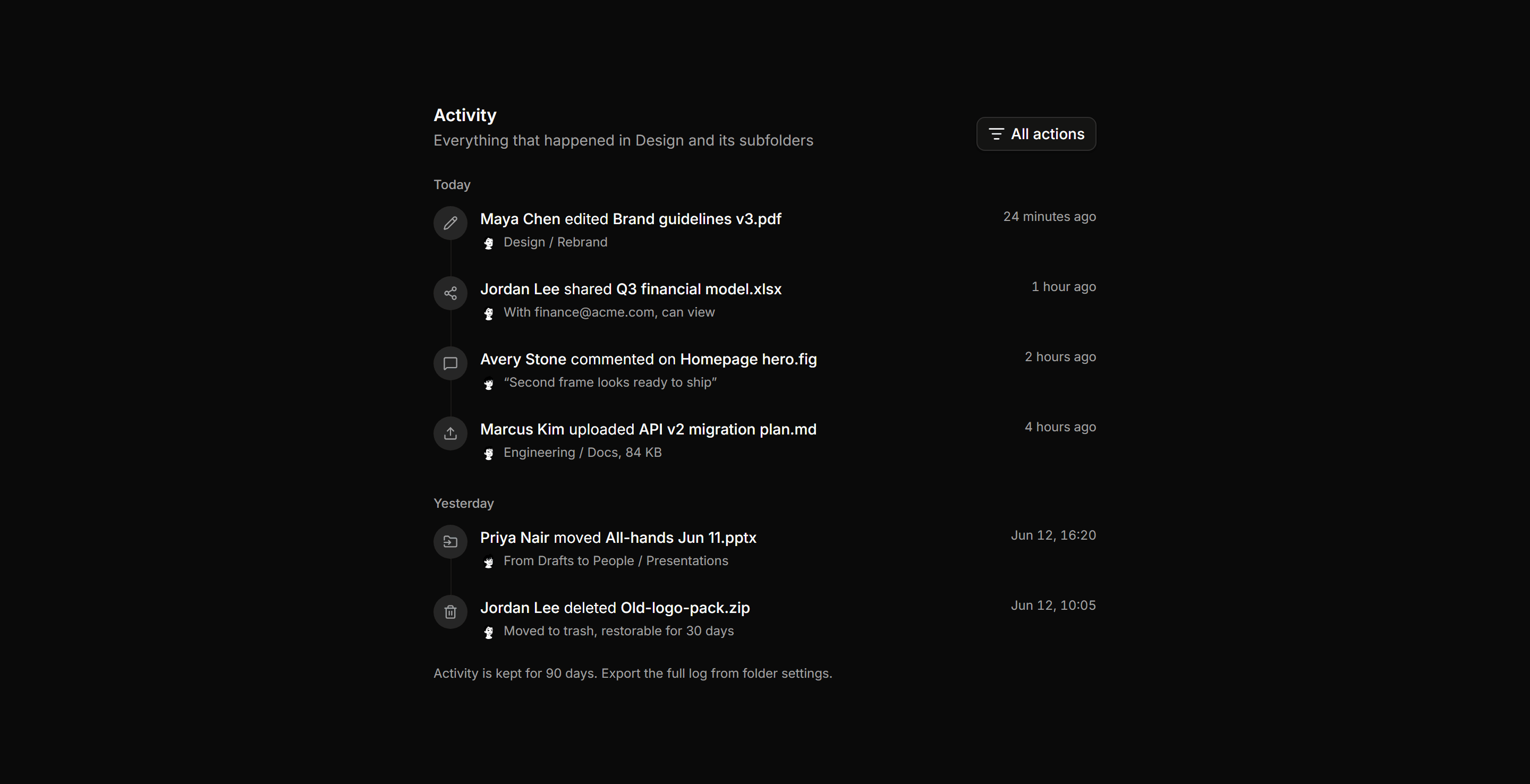
Application File Manager: File Activity Feed
A folder activity timeline grouping events by day on a vertical rail, each with an action icon, actor avatar, action sentence, and folder path.
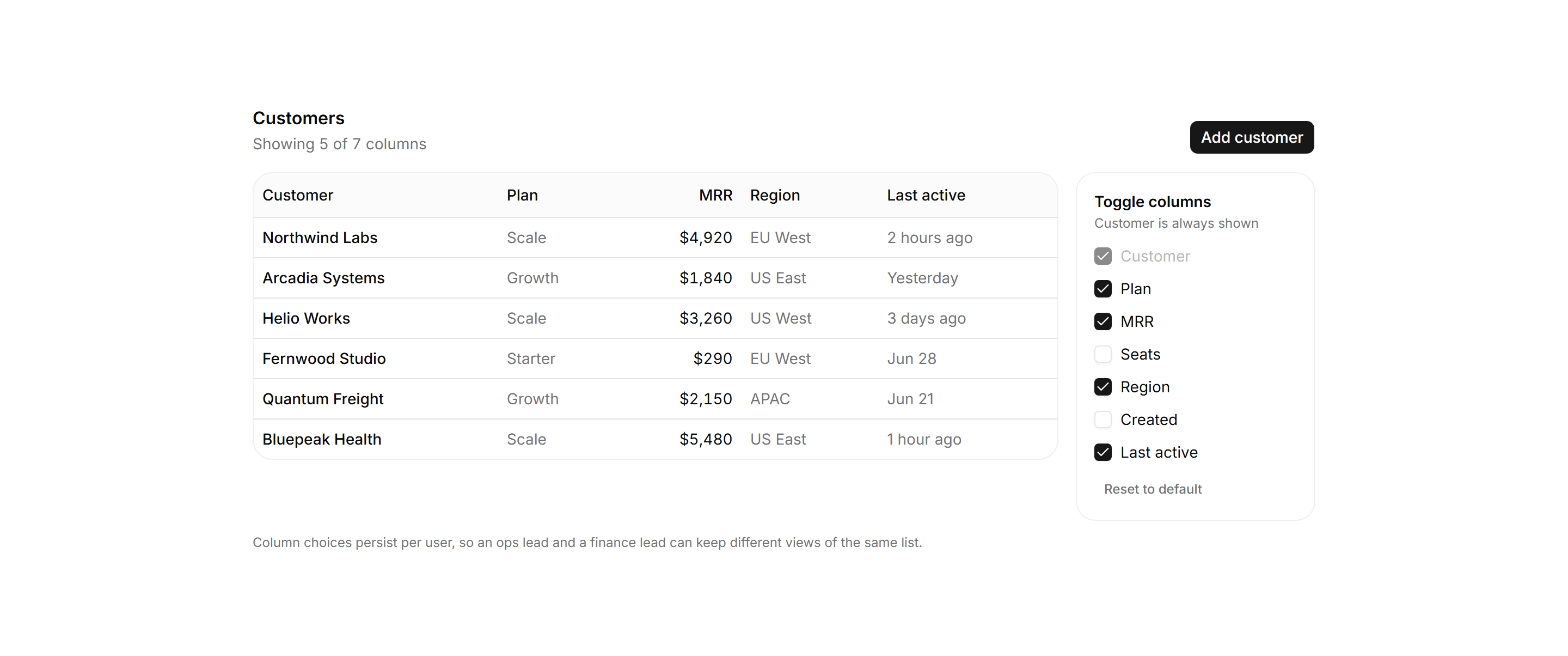
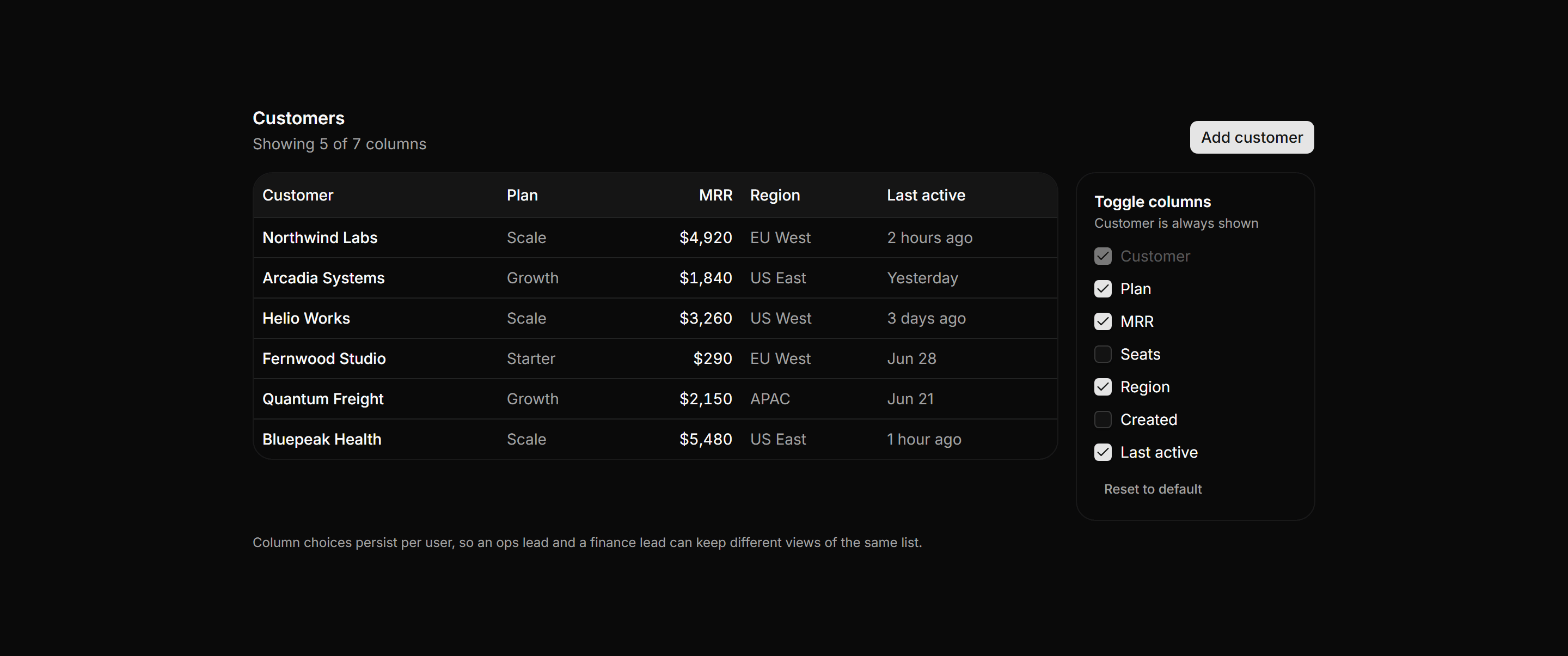
Application Data Table: Column Visibility Table
A customers table beside a checkbox rail that shows and hides columns live, with a locked identity column and a running column count.
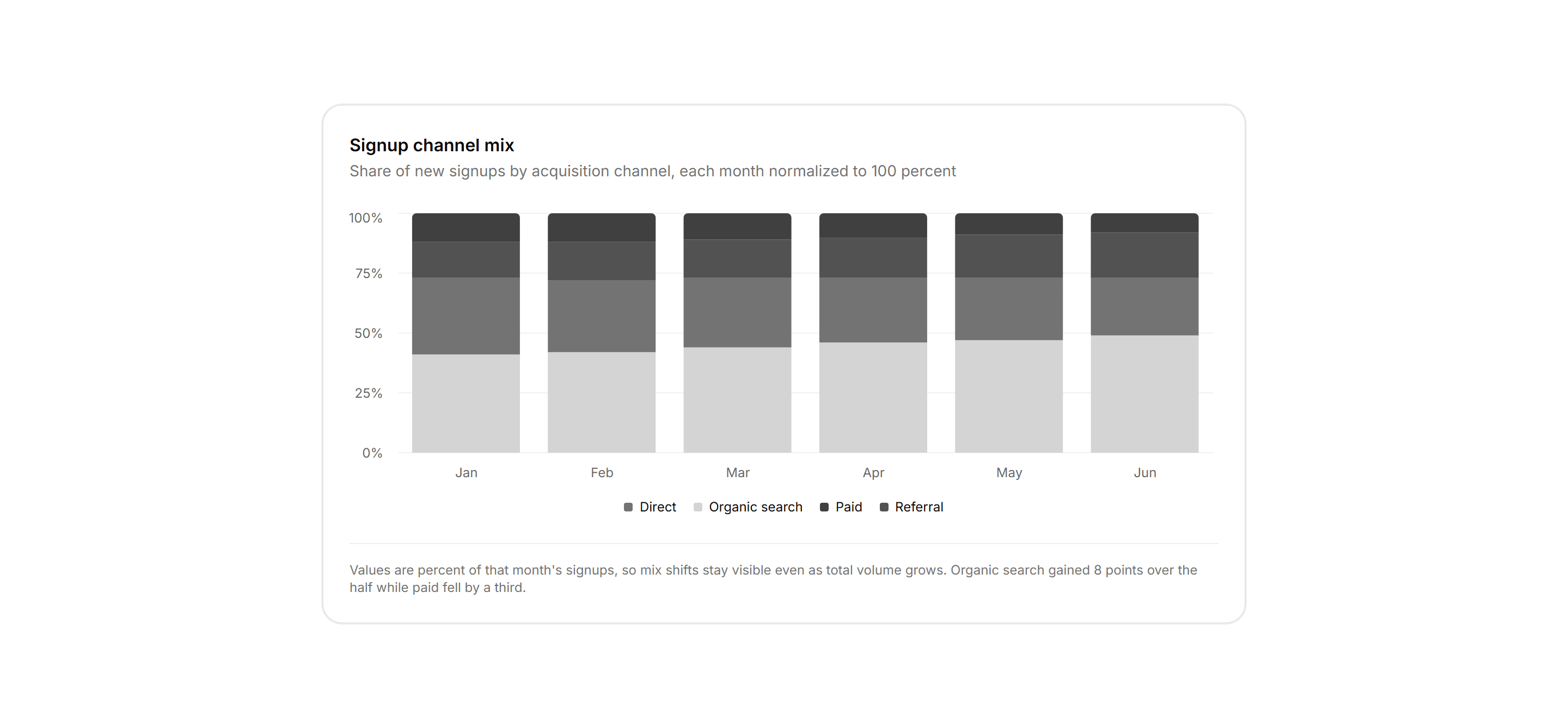
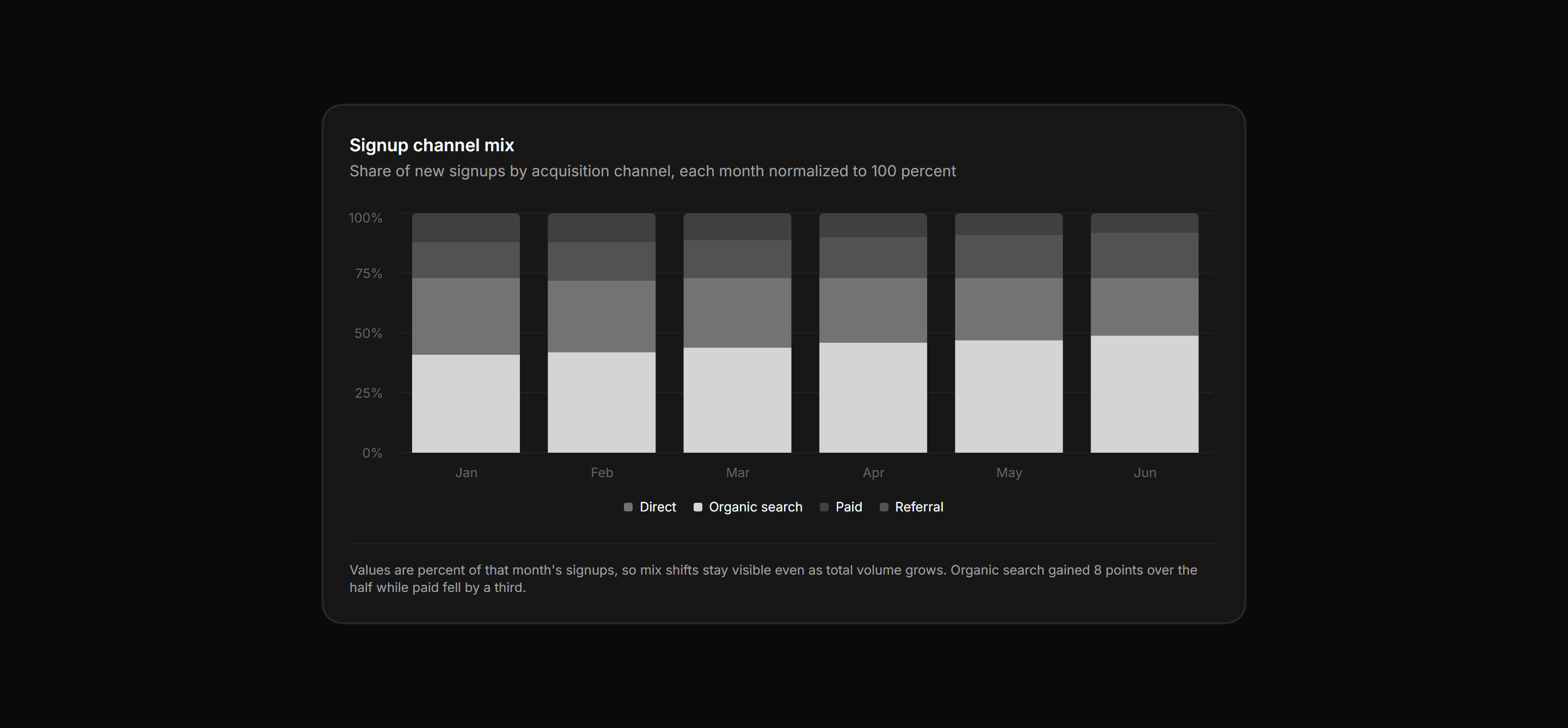
Application Chart: Percent Stacked Bars
A card panel charting monthly signups by acquisition channel as bars normalized to 100 percent, so the chart reads as share of mix over volume.
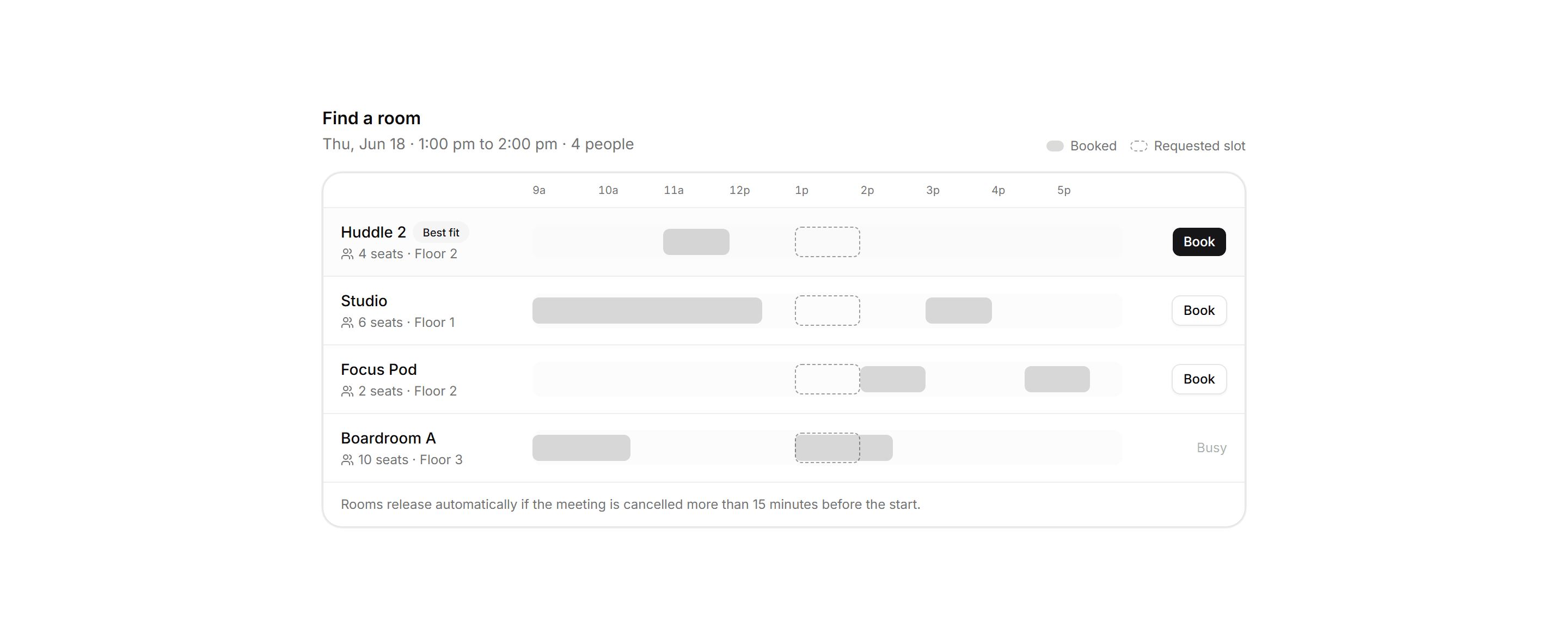
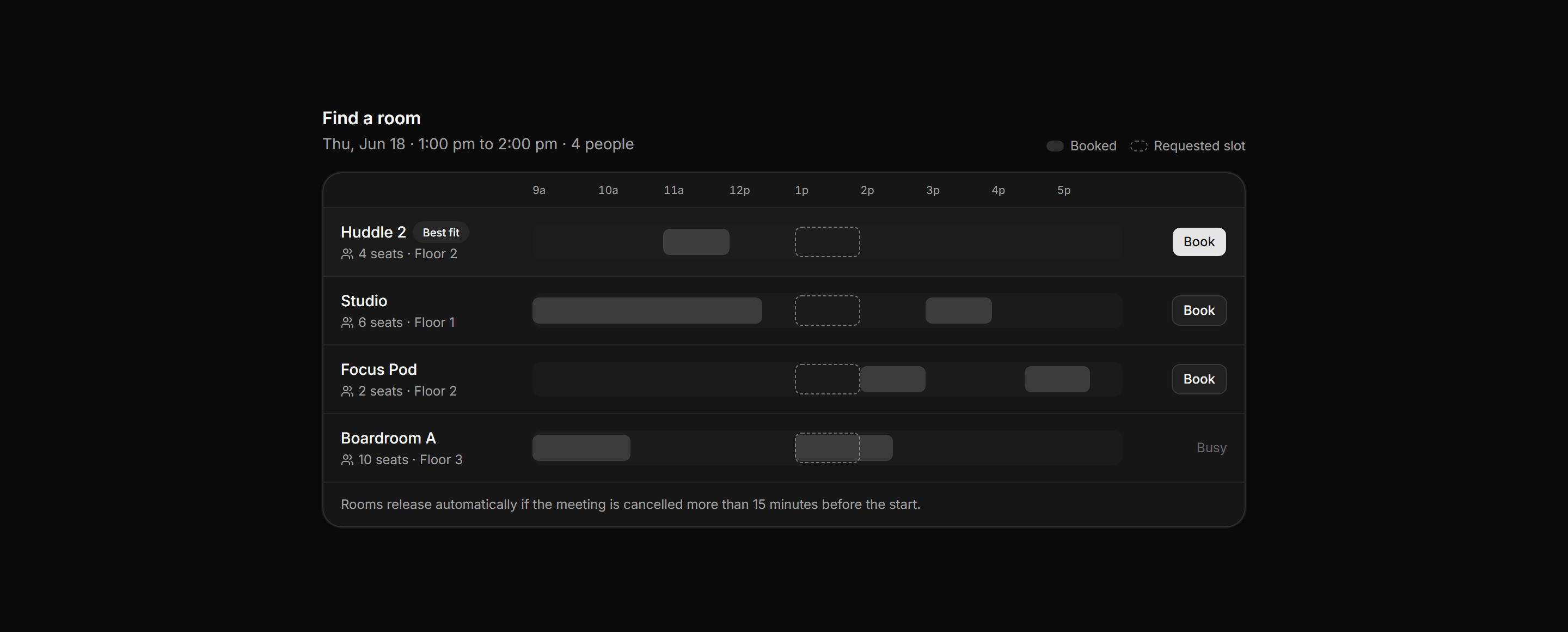
Application Calendar and Scheduling: Room Booking Timeline
Room picker where each meeting room is a day track with existing bookings drawn as blocks and the requested slot outlined across every row.
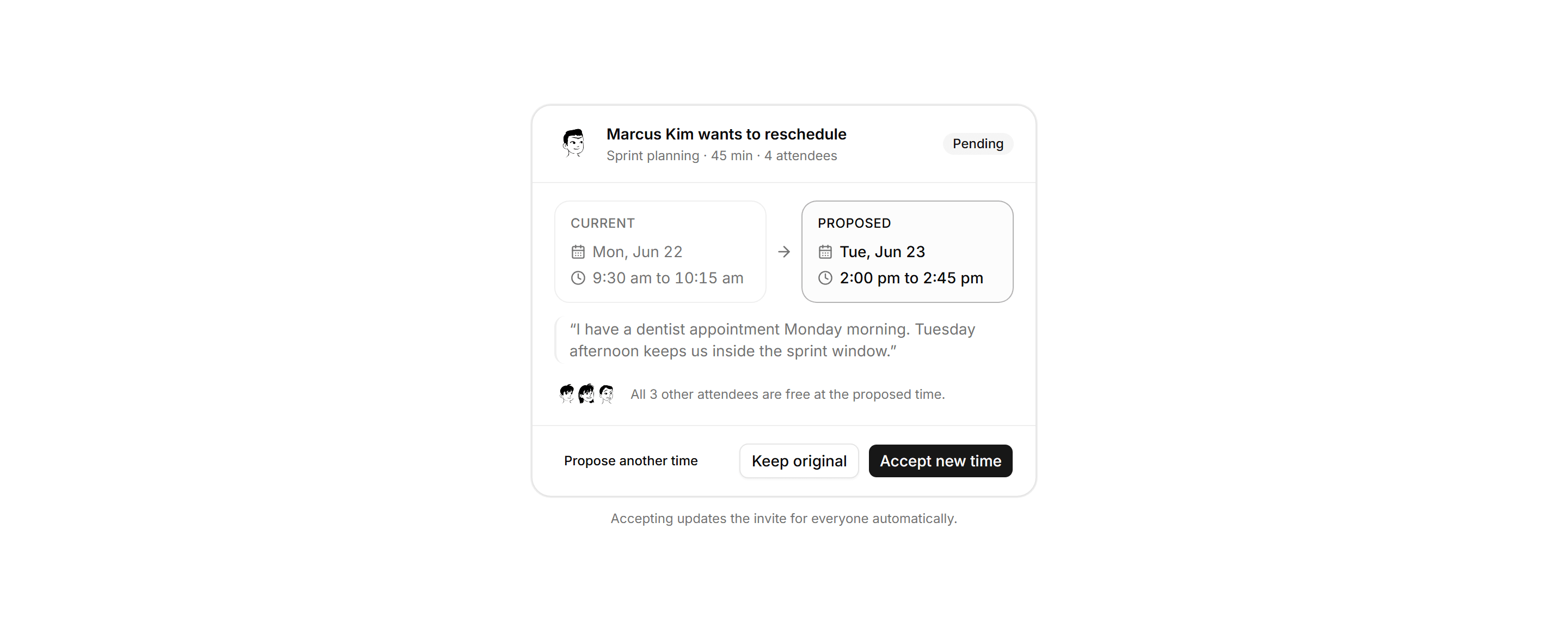
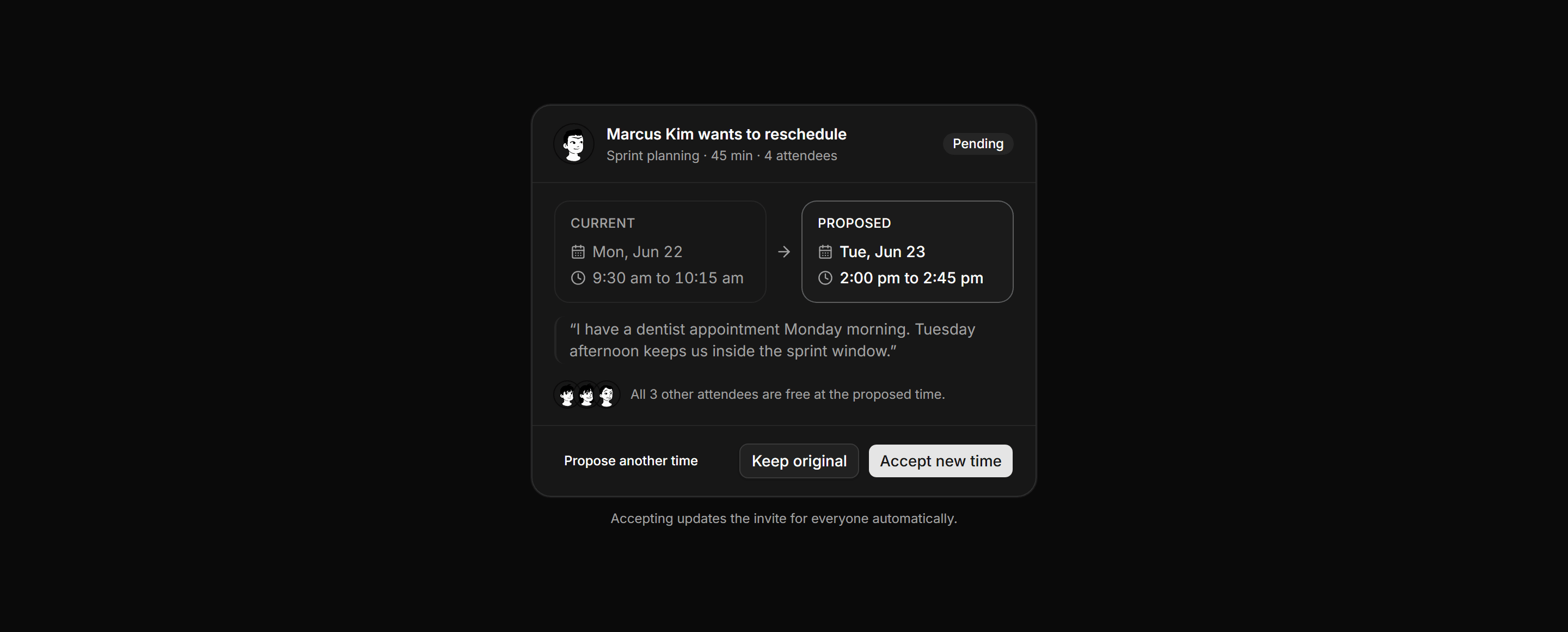
Application Calendar and Scheduling: Reschedule Request Panel
Reschedule request panel placing the current and proposed slots side by side with the requester reason, an availability line, and accept or counter actions.
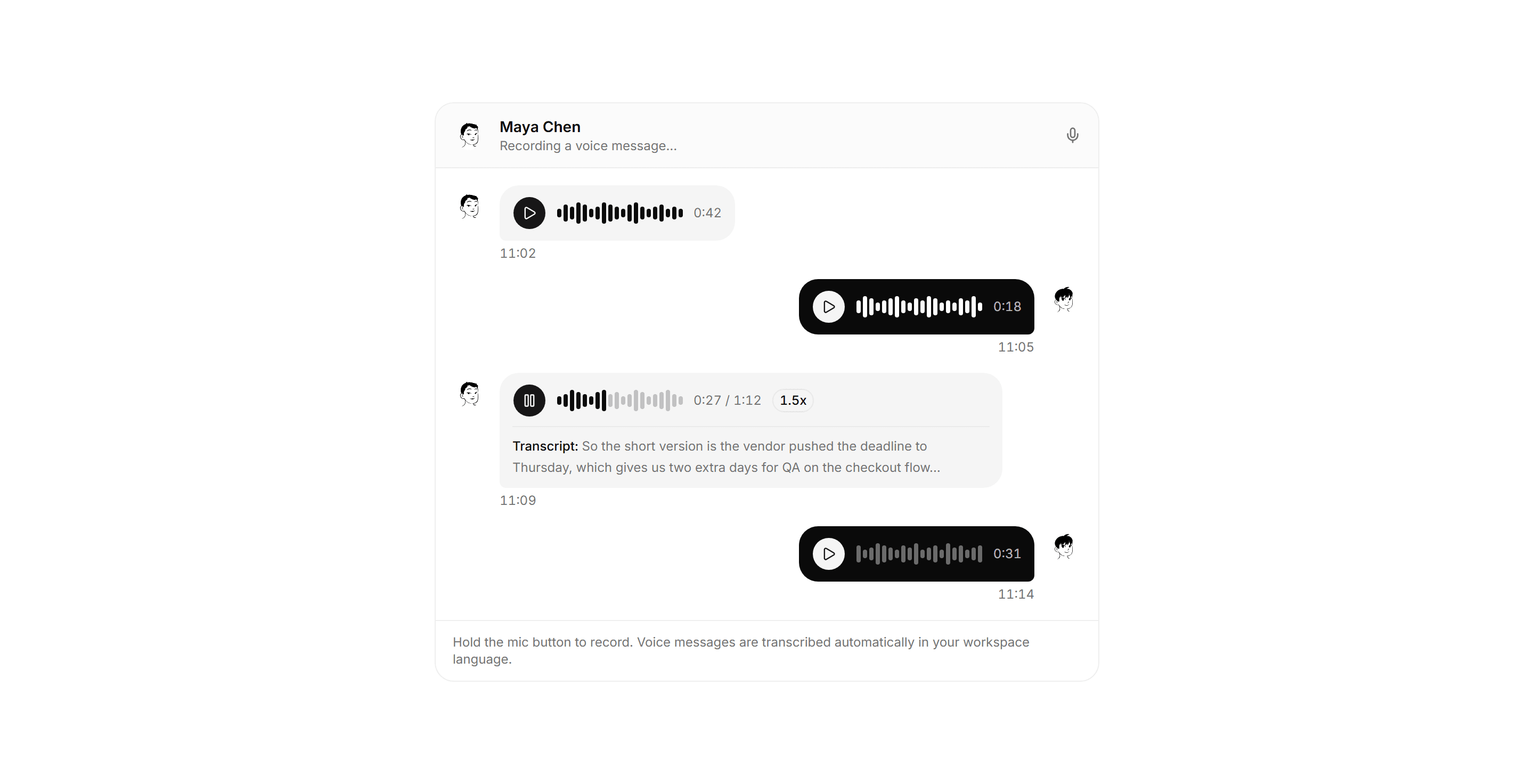
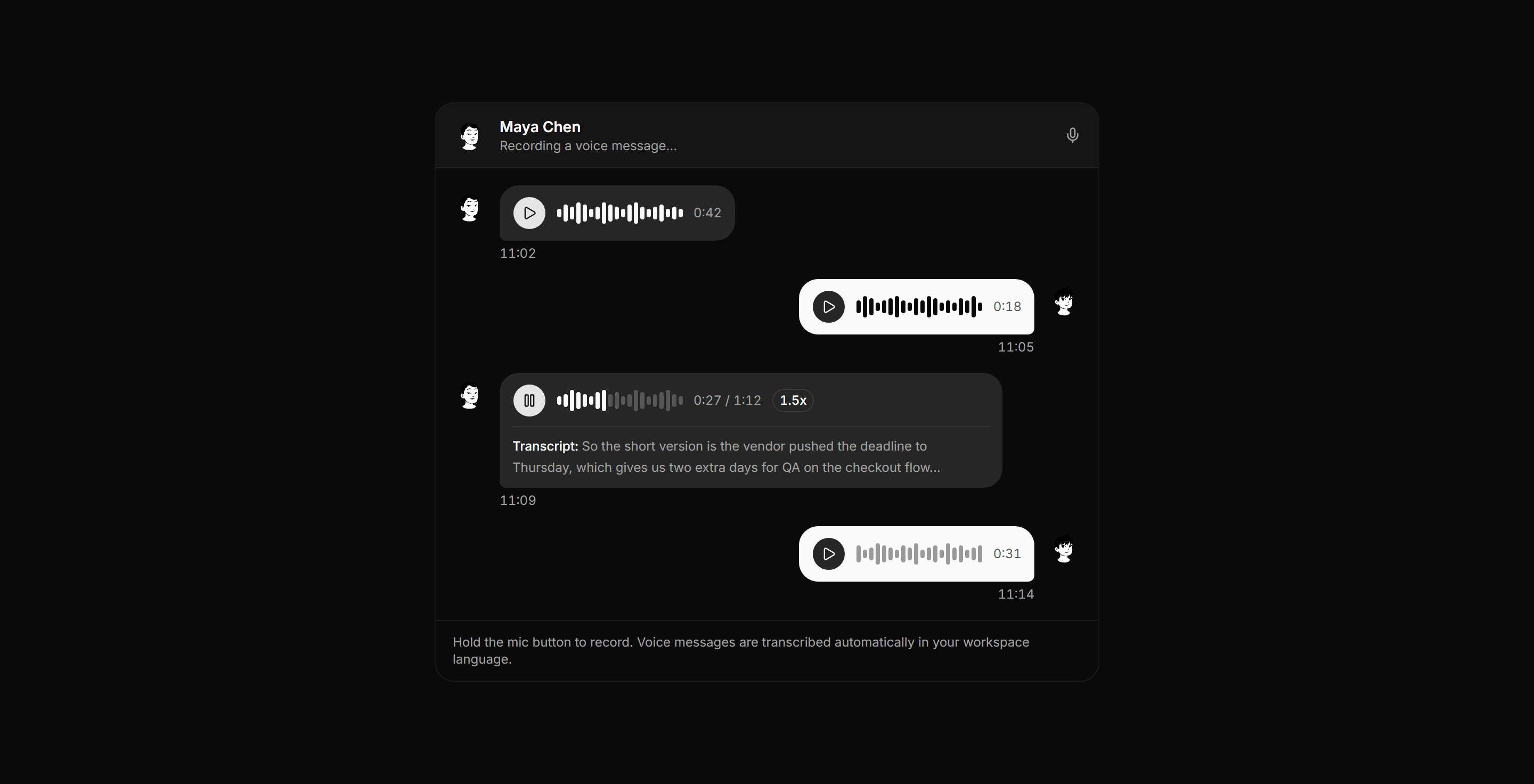
Application Chat and Messaging: Voice Message Thread
An audio thread of chat bubbles, each with a play control, waveform, and duration, plus an active note with elapsed time and a transcript preview.
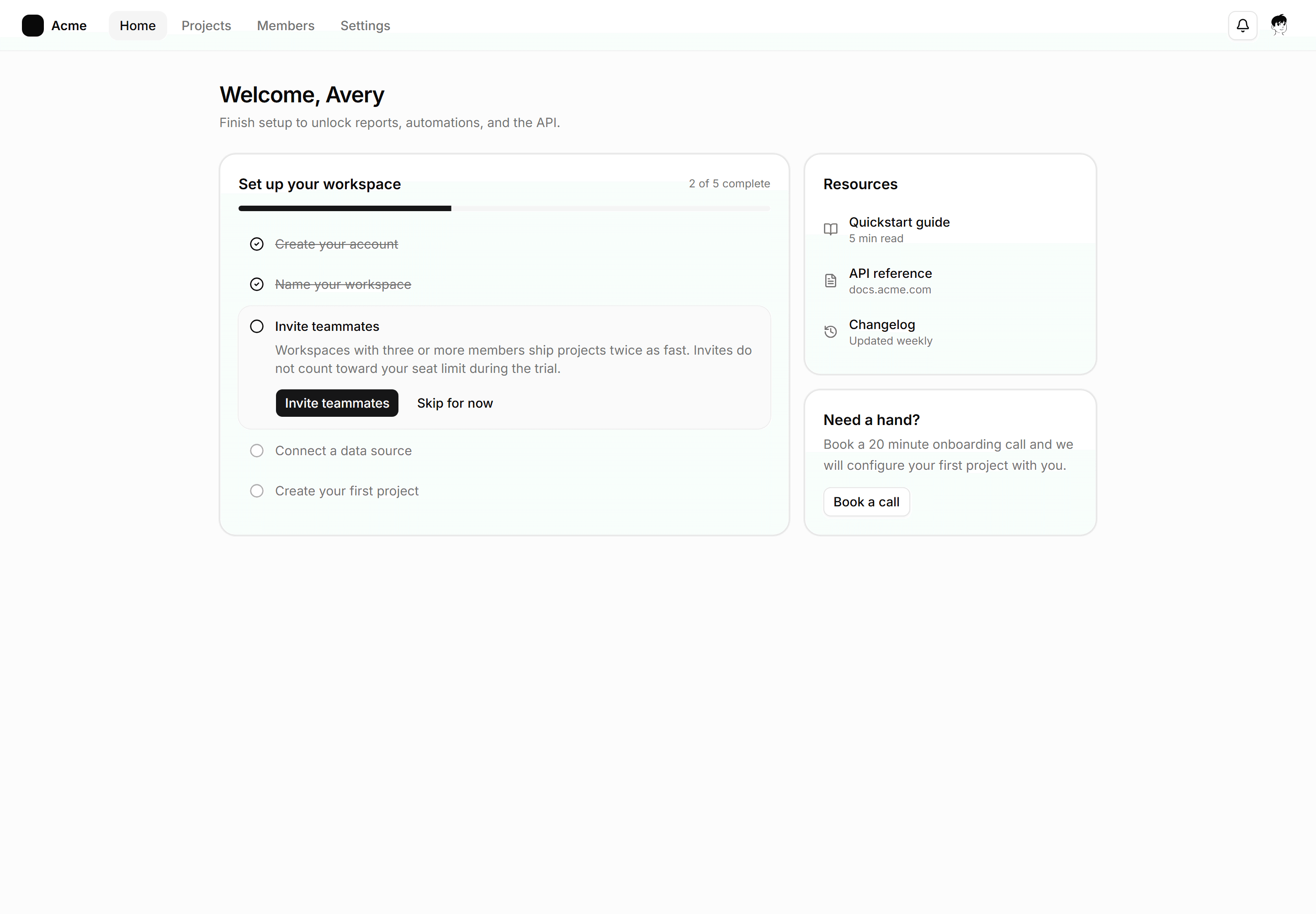
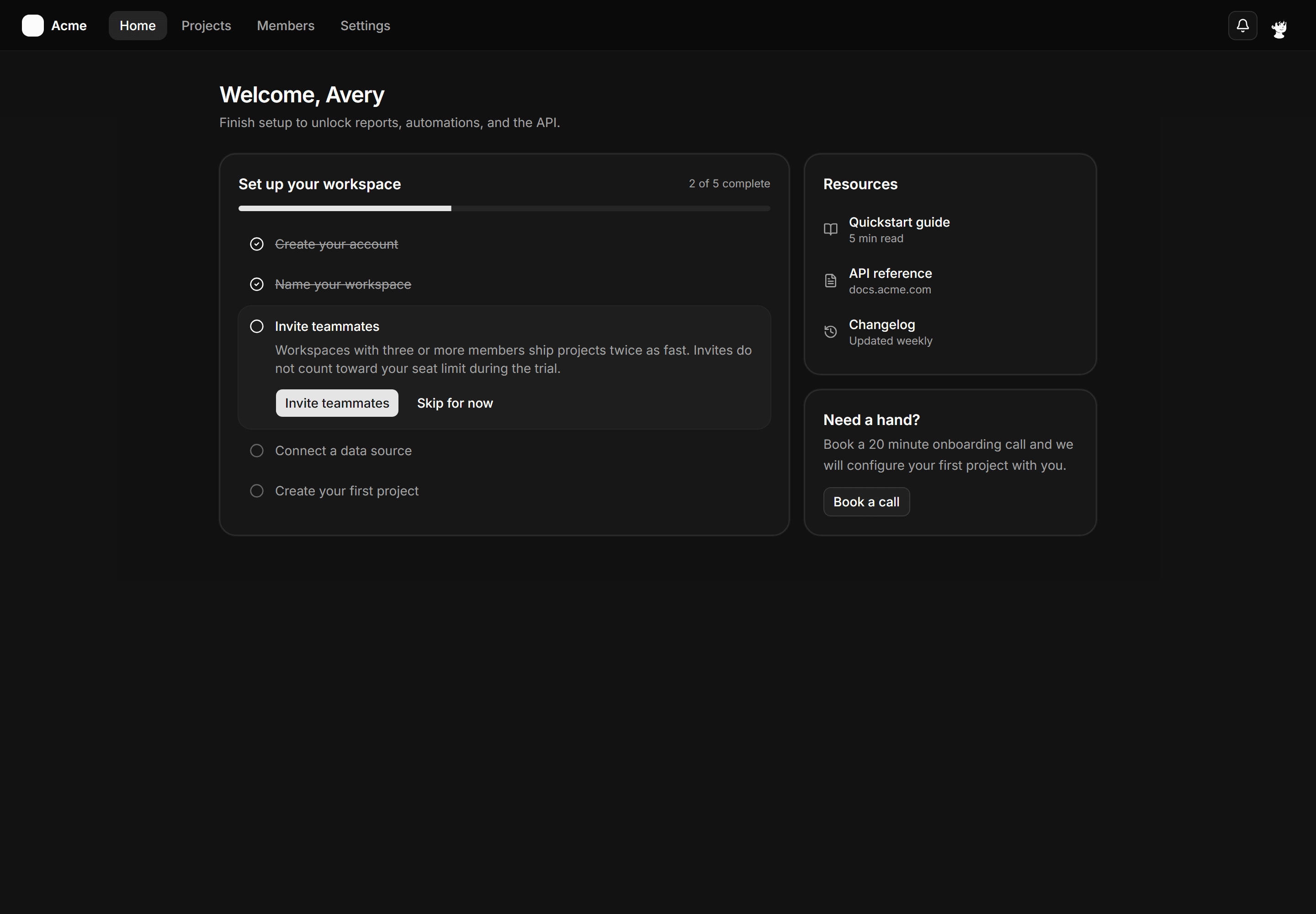
Application App Shell: Checklist Shell
An onboarding home shell with a topbar, welcome header, a setup checklist card with progress and one expanded step, plus a resources rail.
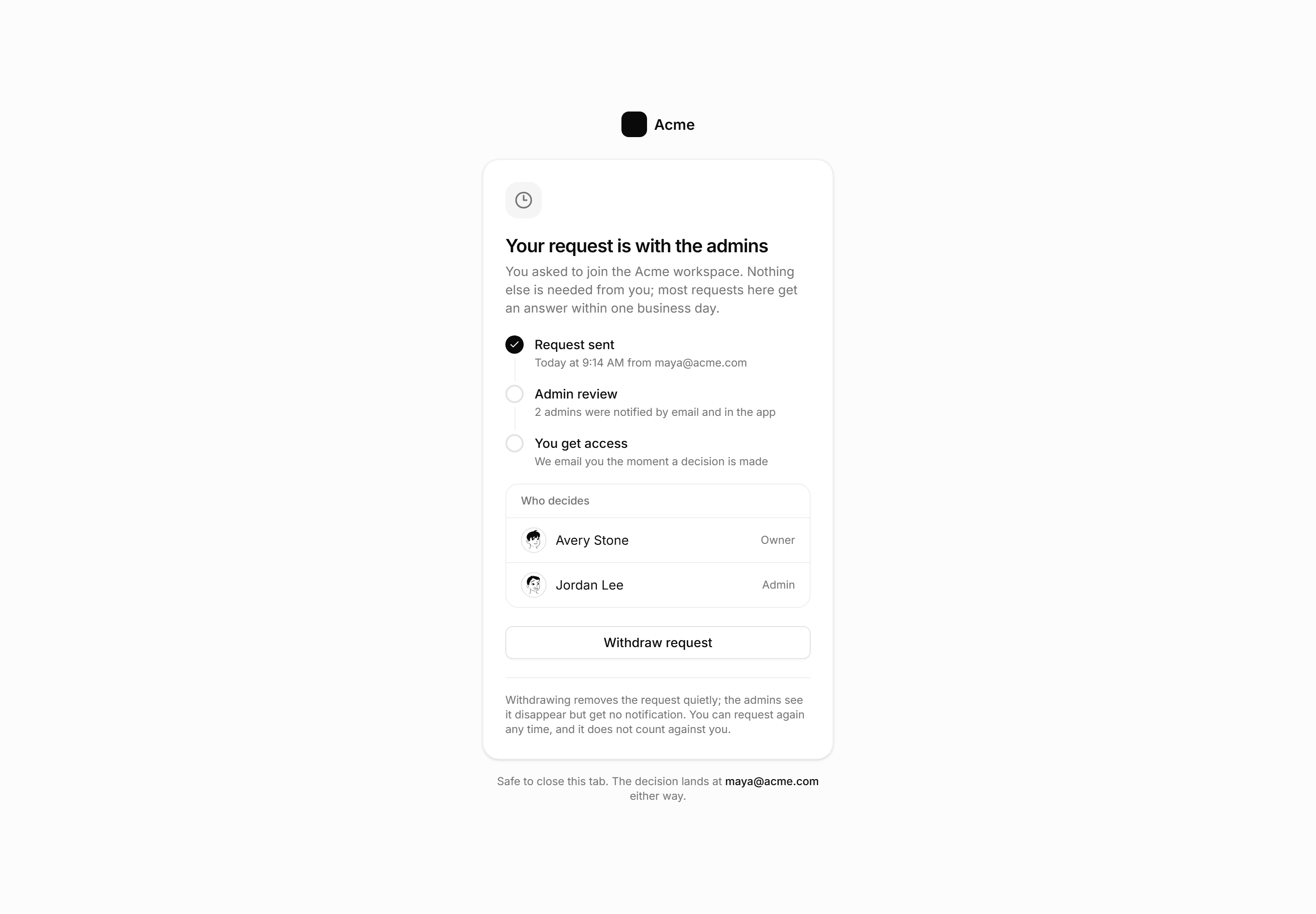
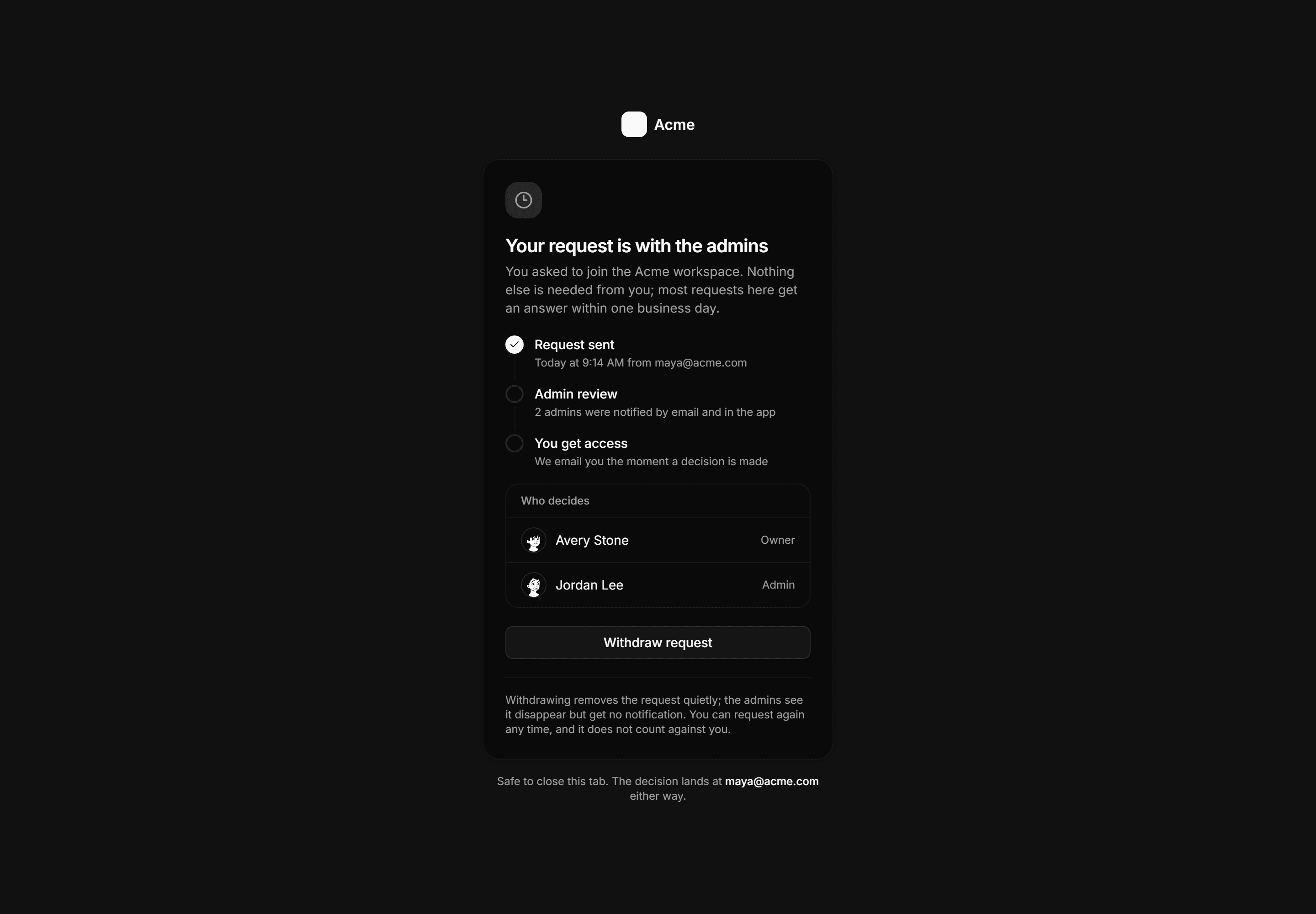
Application Auth Page: Approval Pending Page
A workspace join waiting state with a step timeline, the named admins who decide, the typical response time, and a withdraw request action.
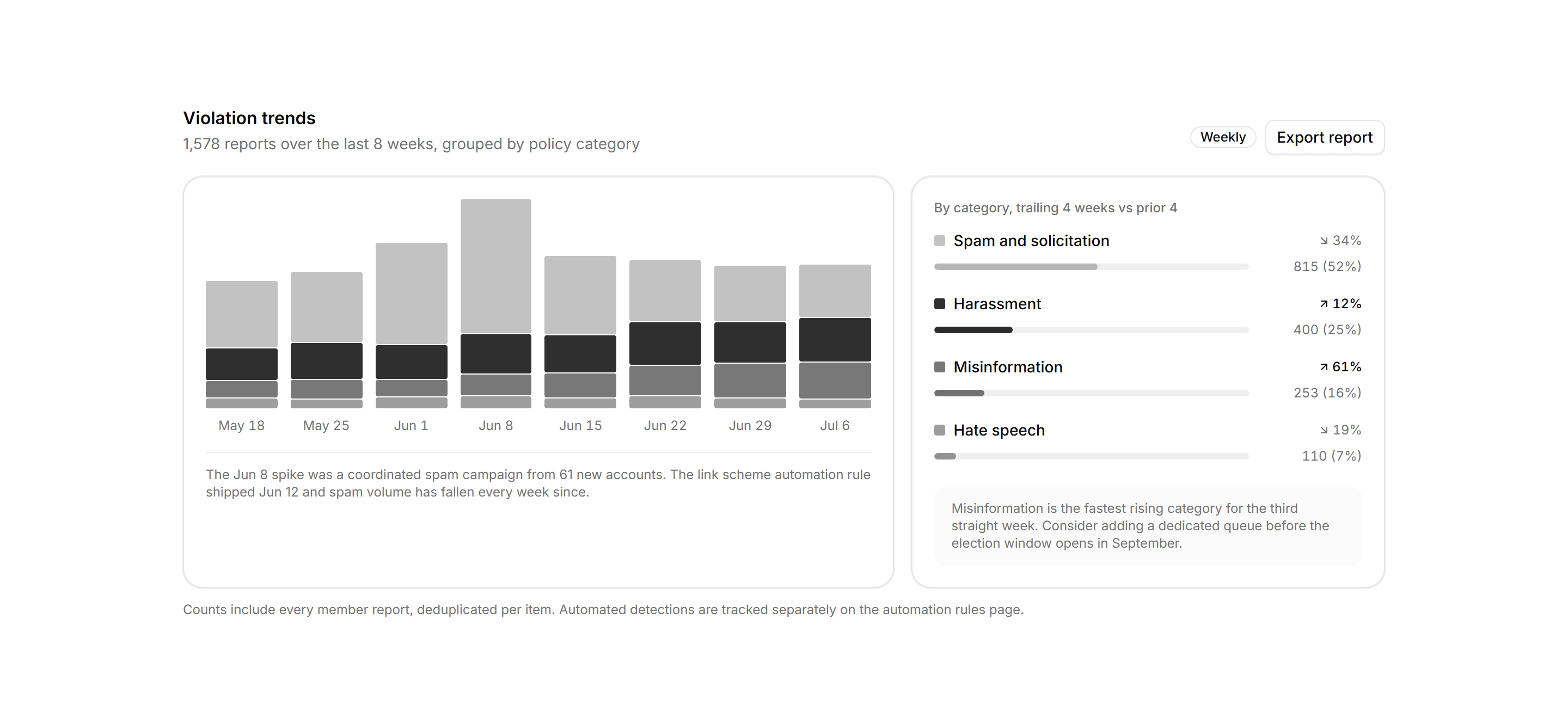
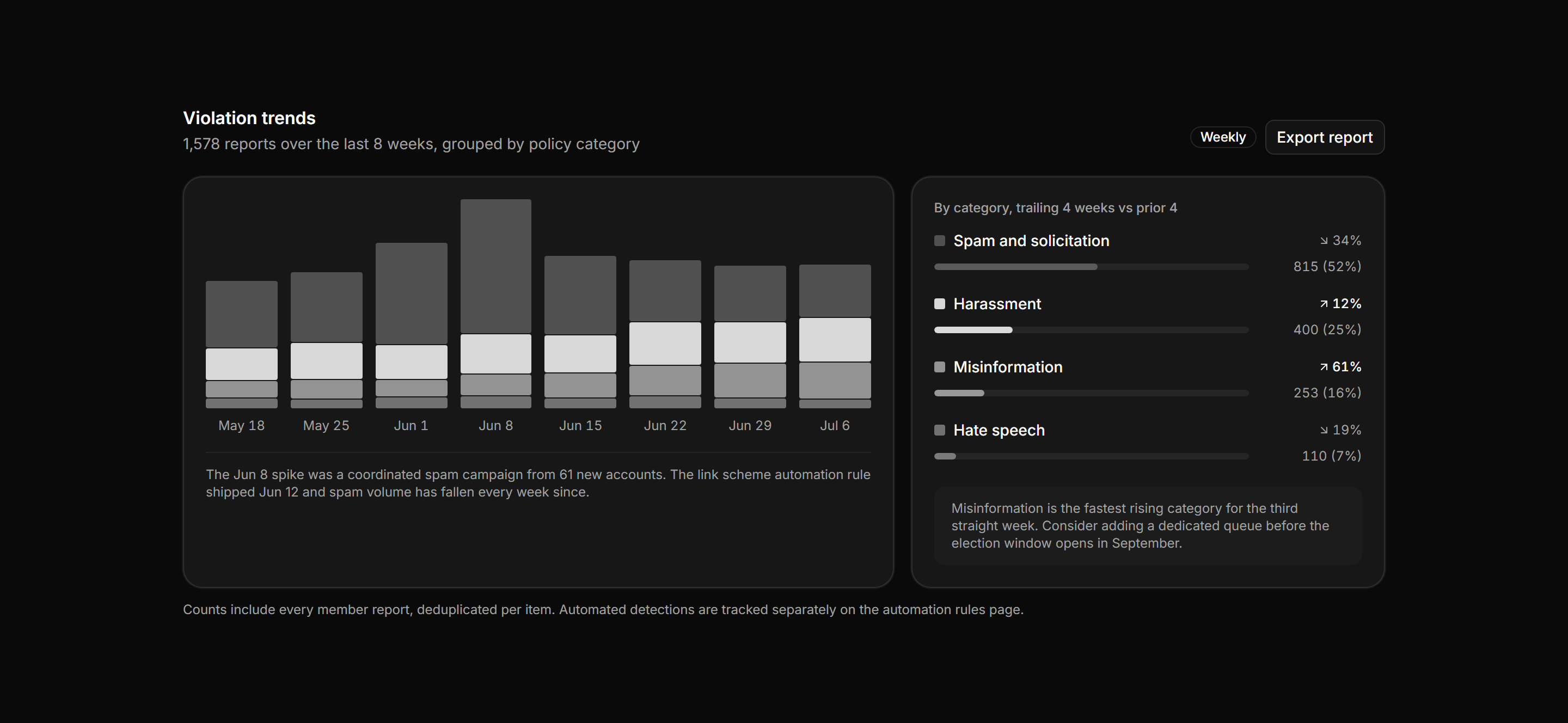
Application Admin and Moderation: Violation Trends Panel
Eight weeks of report volume as stacked bars segmented by policy category, beside a category breakdown with totals, four week deltas, and share bars.
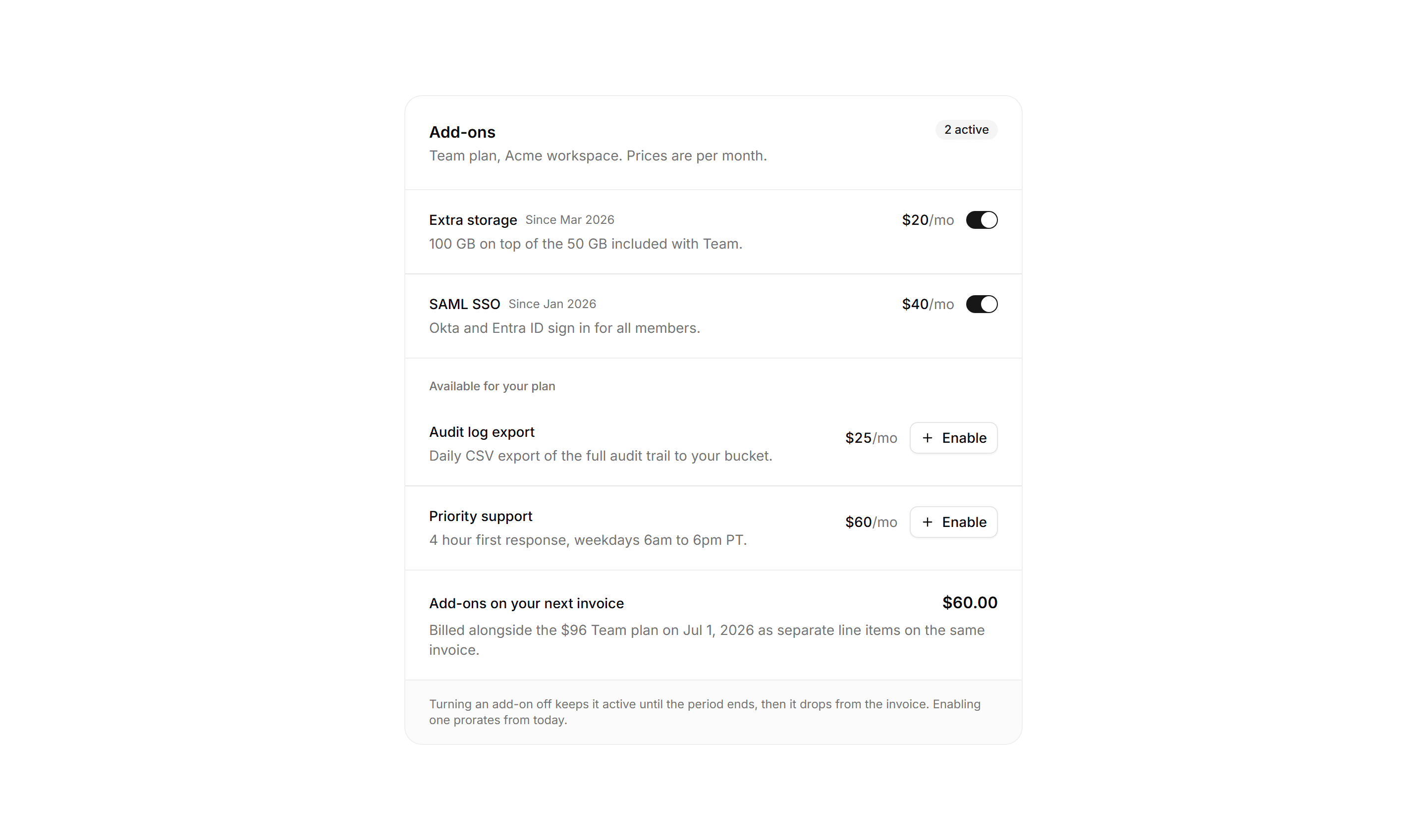
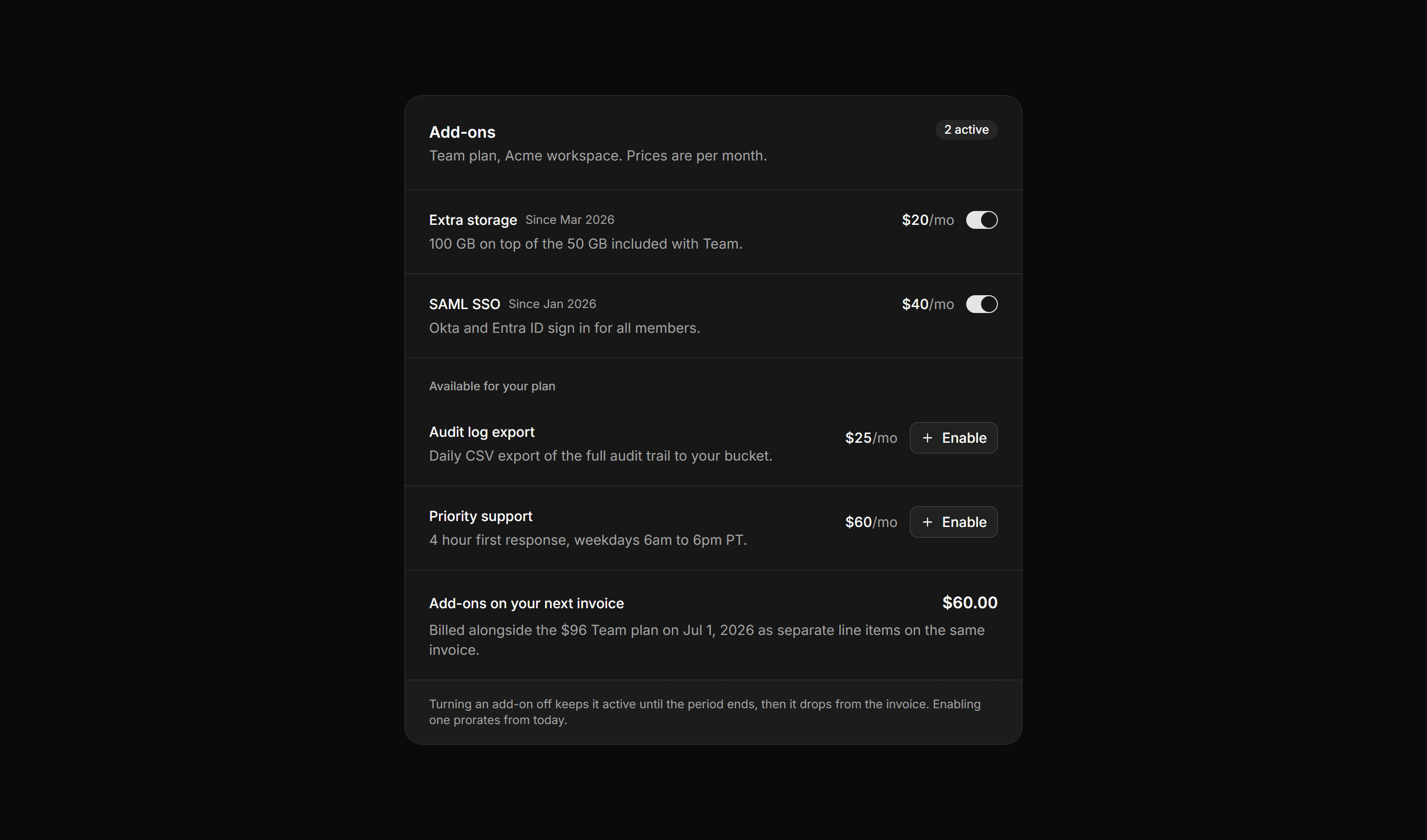
Application Billing: Add-ons Panel
An add-ons panel with active add-on rows and toggles, available add-ons to enable, and a subtotal for the next invoice.
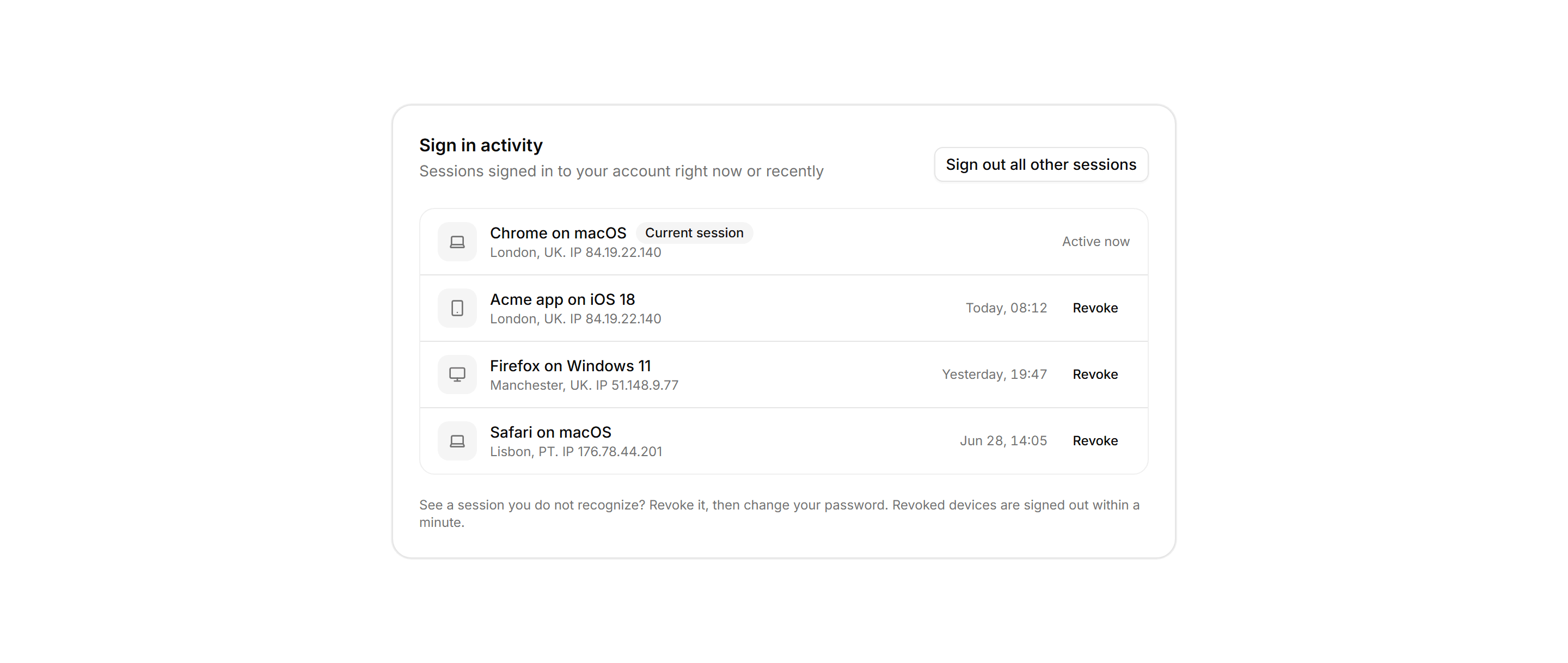
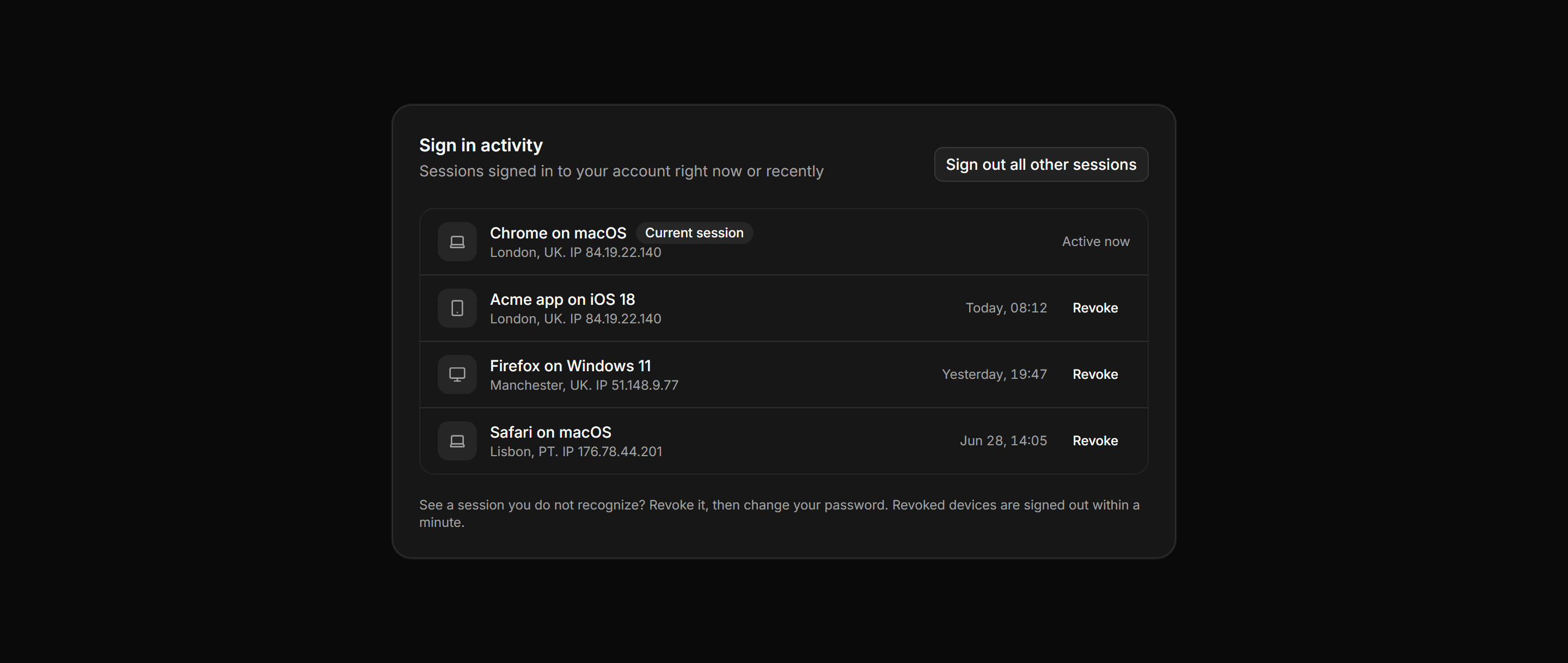
Application Activity: Sign In Activity List
A card listing recent account sessions, each with a device icon tile, browser and OS, location with IP, timestamp, current session badge, and revoke actions.
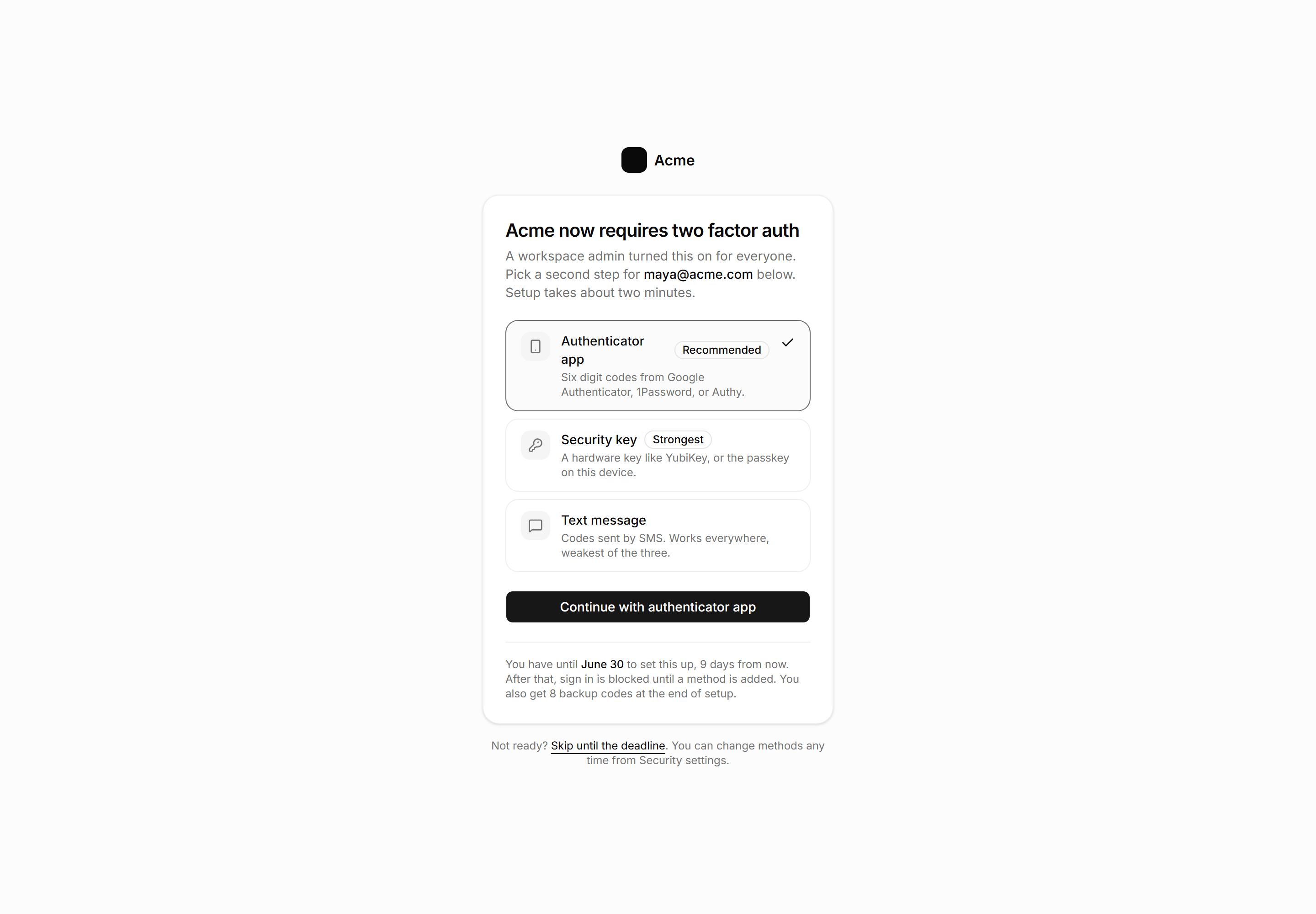
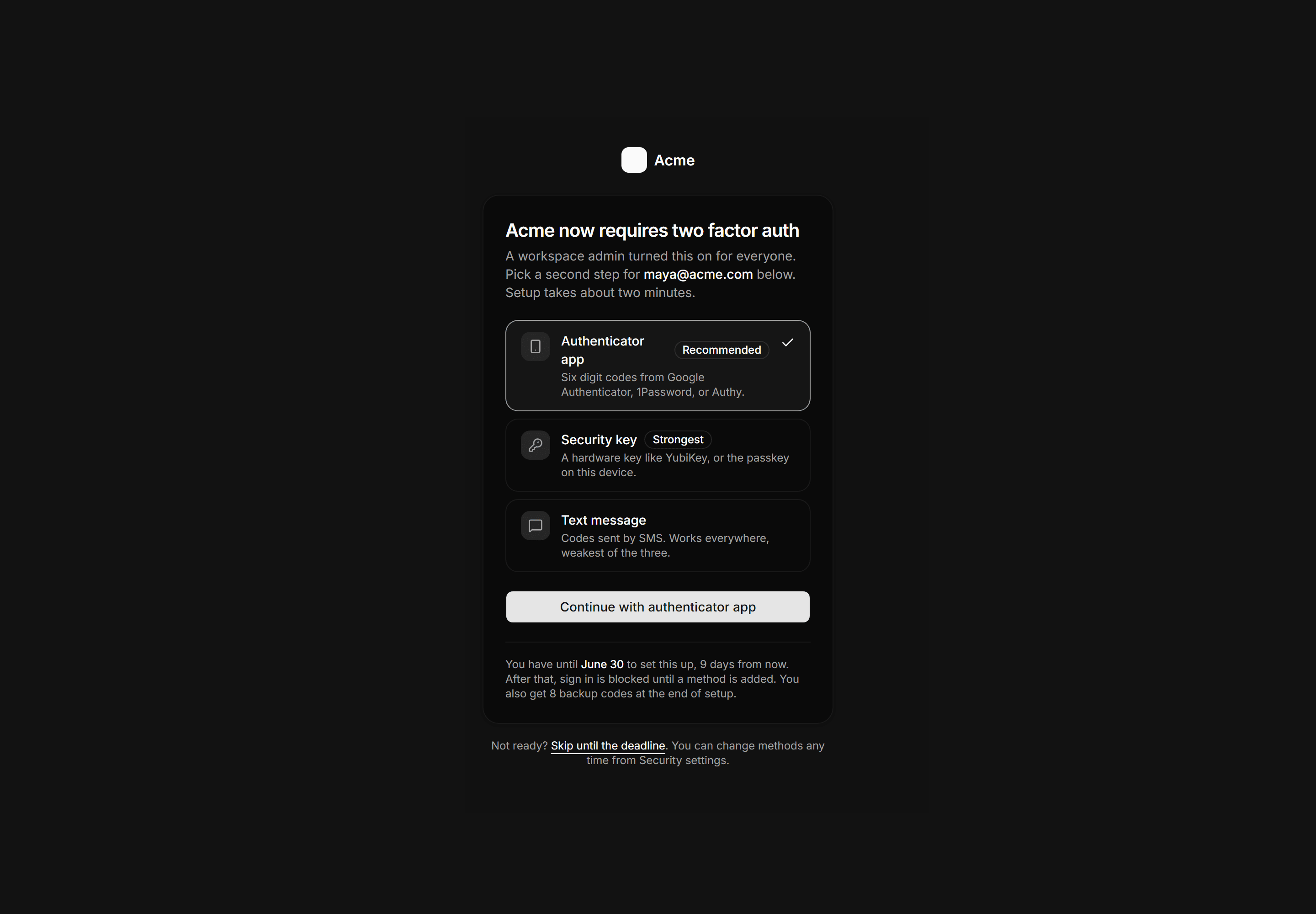
Application Auth Page: MFA Enrollment Page
A required two factor enrollment gate with three method rows ranked by strength, the authenticator app preselected, a grace period deadline, and a skip link.
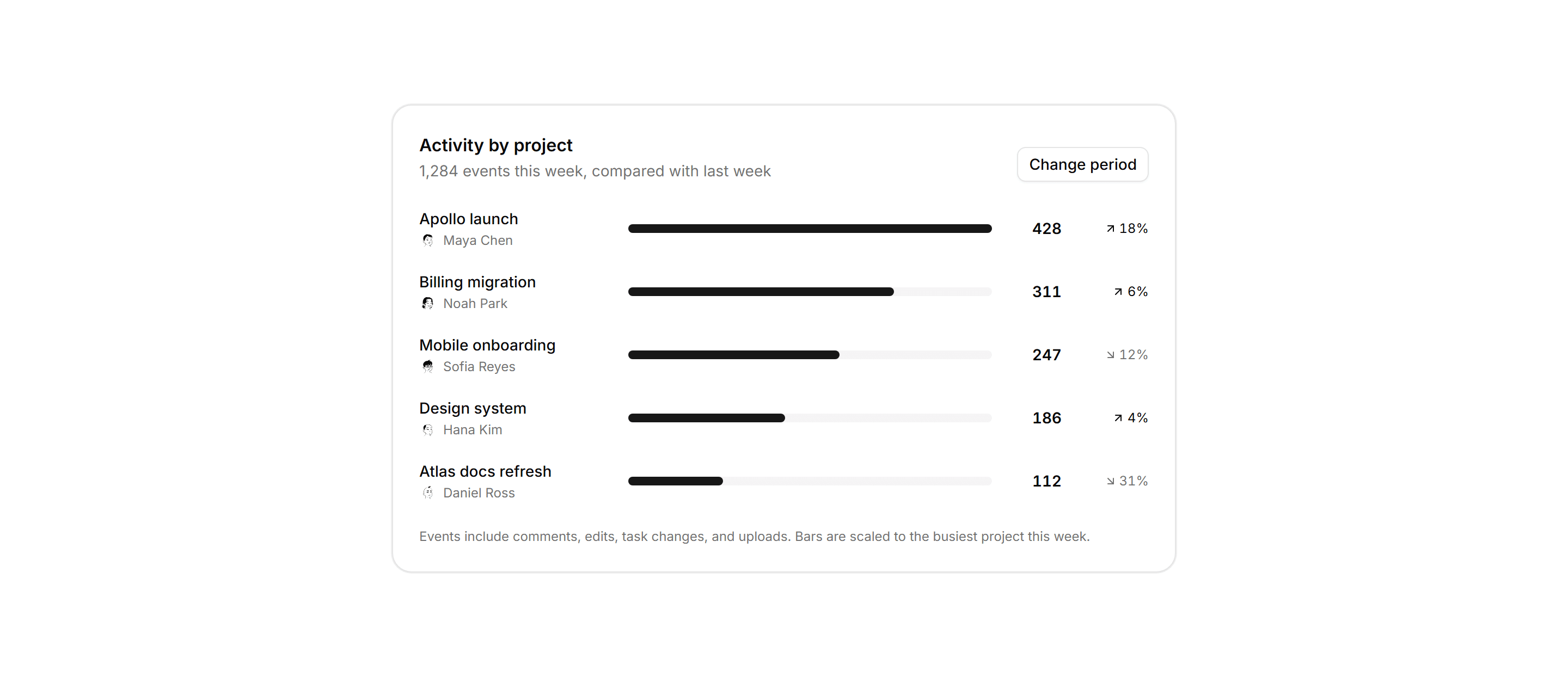
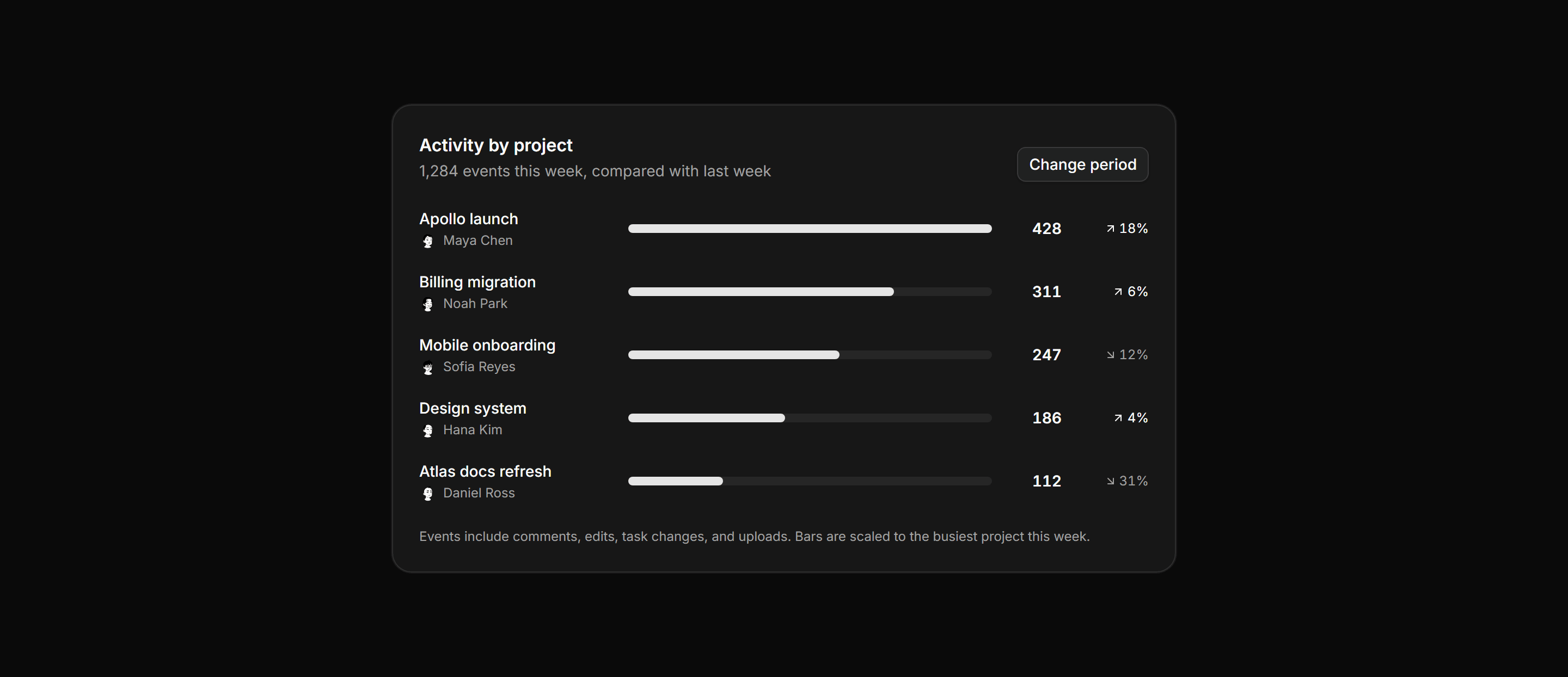
Application Activity: Project Activity Breakdown
A card ranking projects by weekly activity volume, each row showing the top member, a proportional bar, the event count, and a trend delta.
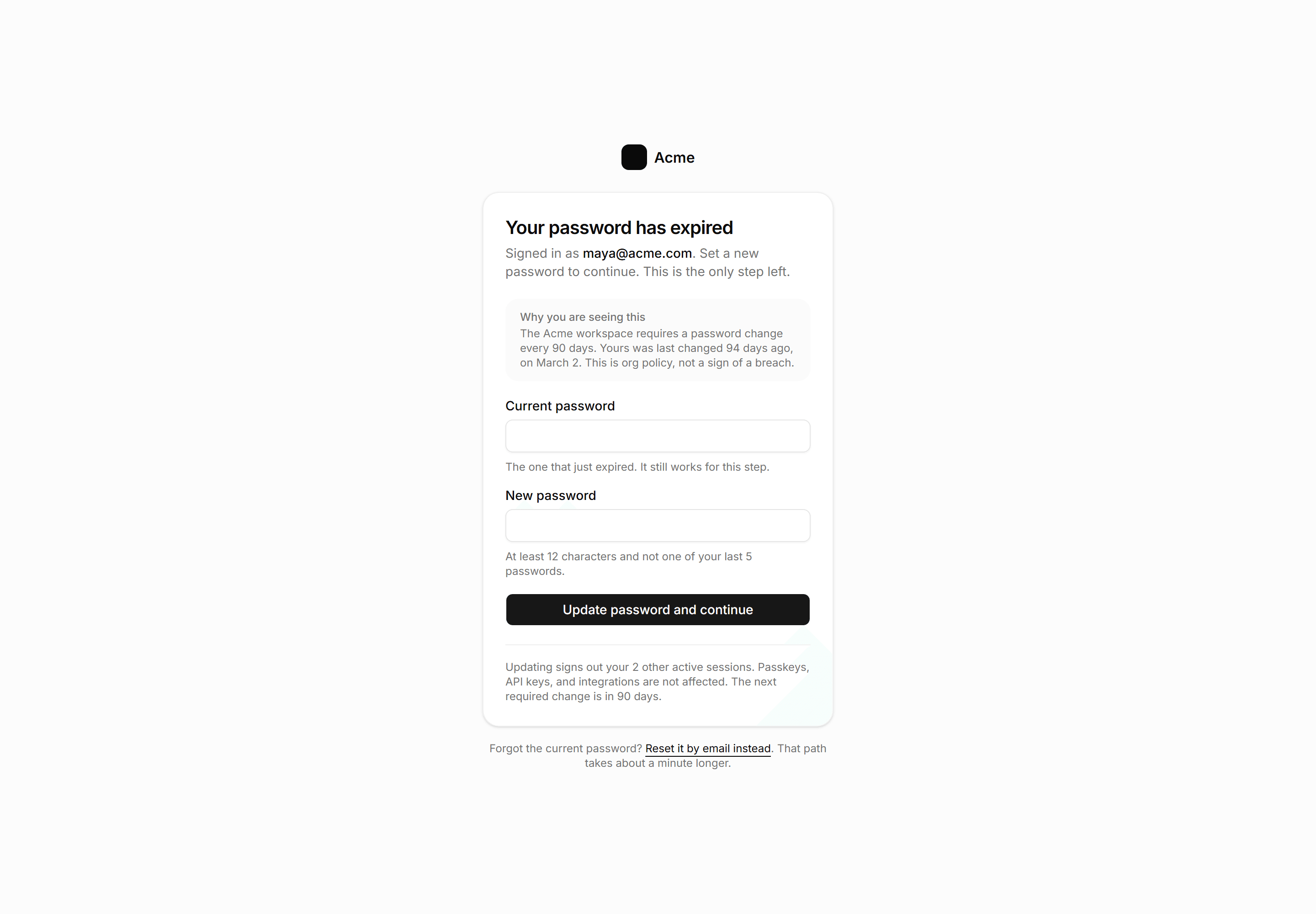
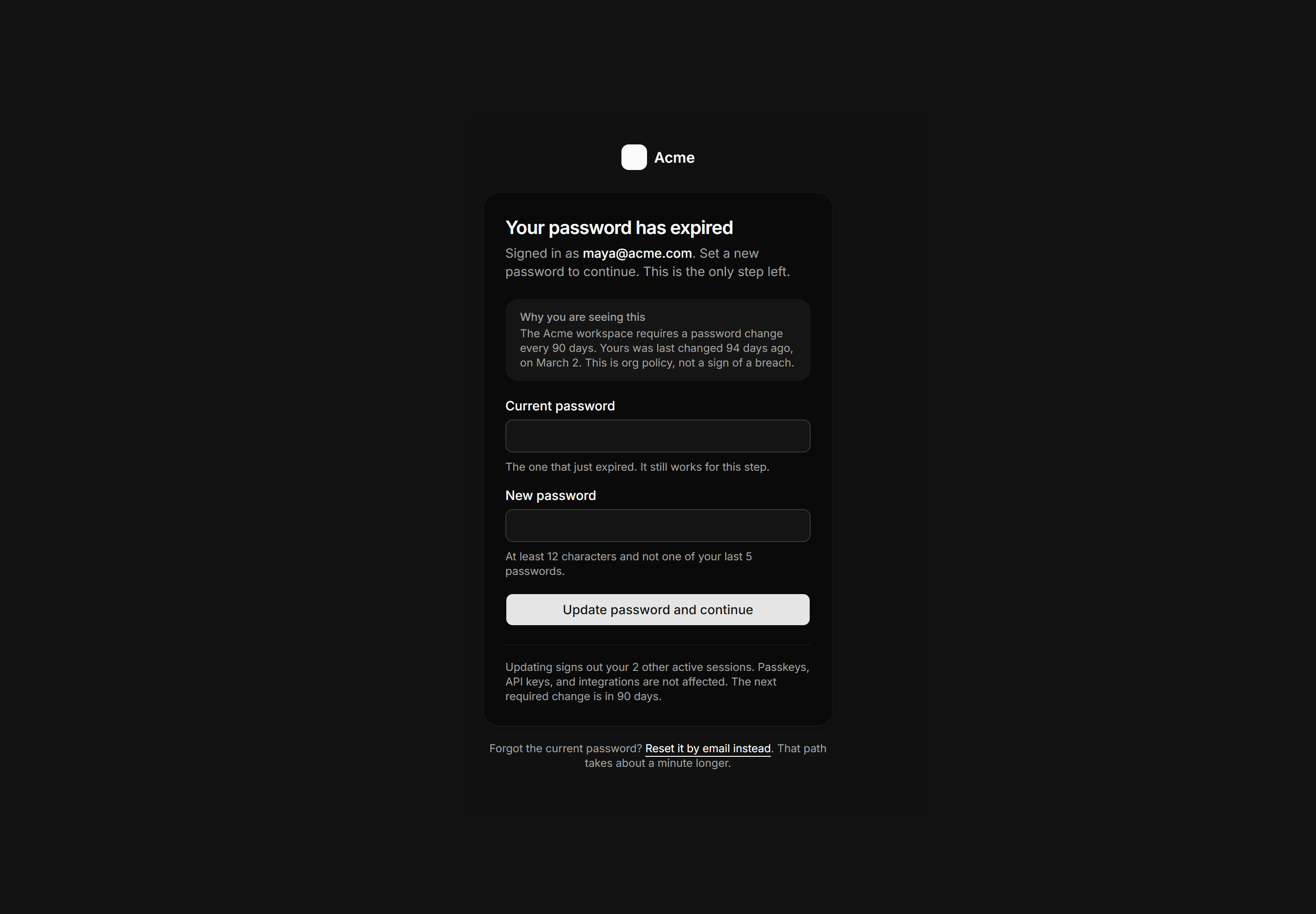
Application Auth Page: Password Expired Page
A forced password rotation gate with current and new password fields, a policy panel explaining the deadline, and a reset by email fallback.